How Do I Unlock a Car Radio: Quick and Easy Solutions
Unlocking your car radio can feel confusing, especially if you’re new to car electronics. Sometimes, after a battery change or disconnect, your radio asks for a code. Without this code, the radio won’t play music, news, or even let you use Bluetooth.
If you’re stuck, don’t worry—many people face this problem. In this guide, you’ll learn exactly how to unlock your car radio, step by step, using simple words and clear instructions. You’ll also see examples, practical tips, and some common mistakes to avoid.
By the end, you’ll know exactly what to do, even if you’ve never done it before.
Why Car Radios Lock
Car radios lock for one main reason: security. This feature stops thieves from stealing radios and using them in other cars. When the radio loses power, it assumes it has been removed. So, it asks for a code to make sure the real owner is present.
This code is called a radio unlock code or security code. It’s usually 4 to 8 digits long. You need to enter it after the battery is disconnected, the radio is replaced, or sometimes if you reset your car’s electronics. Without the code, the radio won’t work.
Where To Find Your Car Radio Code
Finding your radio code is the first step. Here are the most common places you can check:
- Owner’s Manual: Many cars have the code written inside the manual, often on a sticker or a card.
- Glove Box: Some manufacturers put a card with the code in the glove box.
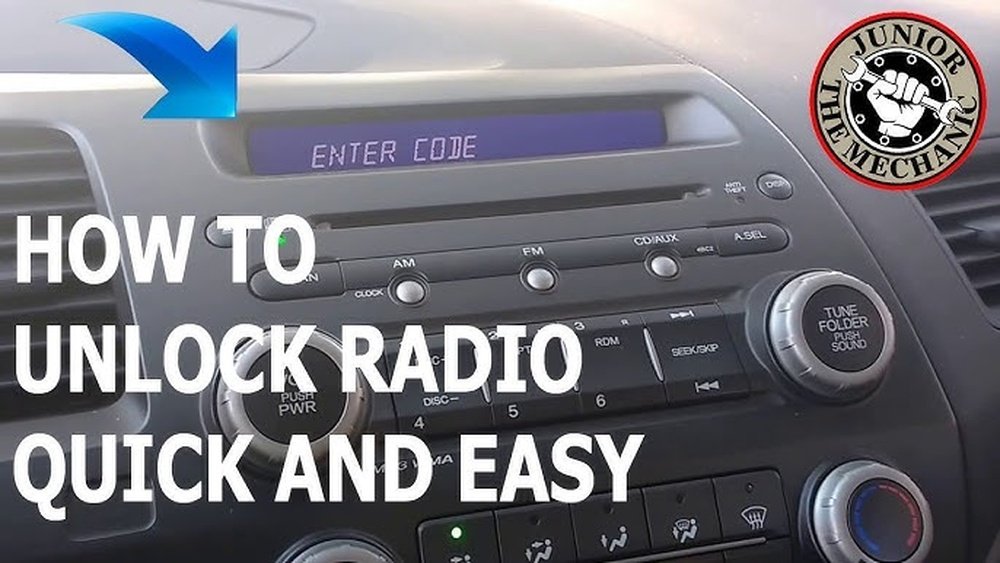
- Radio Display: If you see “CODE” or “LOCKED” on the radio screen, it’s asking for the code.
- Dealership: Your car’s dealership can provide the code if you give them your car’s VIN and radio serial number.
- Online Databases: Some brands let you search for your code online using your VIN and radio serial.
Most people find their code in the owner’s manual. If you bought a used car, the manual might be missing. In this case, you’ll need to use other methods.

Credit: play.google.com
How To Retrieve Your Radio Serial Number
If you don’t have the code, you need the radio serial number. This is a unique number for your radio. Here’s how to find it:
- On the radio unit: Remove the radio from the dashboard. The serial number is on a sticker at the back or side.
- Radio display method: For some cars, turn the ignition to “ON,” press specific buttons (like 1 and 6, or 2 and 3), and the serial number will show on the screen.
- VIN: Sometimes, the serial number is linked to your car’s VIN, especially for newer models.
Example: Honda Radio Serial Number
For most Honda cars:
- Turn the key to “ON.”
- Press and hold buttons 1 and 6 on the radio.
- The display shows a series of numbers—this is your serial number.
Requesting The Radio Code
Once you have the serial number, you can request the code. Here’s what to do:
- Contact your dealership: Give them your VIN and radio serial number.
- Fill out online forms: Some automakers have web pages for radio code recovery.
- Proof of ownership: Be ready to show ID, registration, or proof you own the car.
Example: Ford Radio Code Request
For Ford cars:
- Go to Ford’s radio code website.
- Enter your serial number and VIN.
- You receive the code via email or on the website.

Credit: www.youtube.com
Entering The Radio Code
After you get the code, you must enter it correctly. Here’s how:
- Turn your ignition to “ON.”
- The radio shows “CODE” or “LOCKED.”
- Use the preset buttons to enter each digit.
- Press “Enter,” “OK,” or the last number again (depends on the model).
- The radio should start working.
Common Mistakes
- Wrong code entry: If you enter the wrong code too many times, the radio locks for a longer period (sometimes hours).
- Rushing: Enter the numbers slowly and carefully.
- Skipping steps: Some radios need you to press a specific button after entering the code.
Popular Car Brands: Unlocking Methods
Different brands have unique methods for unlocking radios. Here are three examples:
| Brand | How to Find Serial Number | How to Enter Code |
|---|---|---|
| Honda | Press 1 & 6, turn ignition ON | Use preset buttons, press OK |
| Ford | Remove radio, check sticker | Use preset buttons, press last digit |
| Volkswagen | Remove radio, check sticker | Use preset buttons, wait for confirmation |
Always check your owner’s manual for brand-specific instructions.
Online Radio Code Services
If you cannot get the code from your dealer, there are online radio code services. These sites let you search for codes using your serial number. Some are free, but others charge a fee.
- Official manufacturer sites: Often free but need proof of ownership.
- Third-party sites: May charge $10–$50. Be careful—some are scams.
Tip: Avoid sites that ask for payment before showing you any information.
Diy Unlocking Tools And Apps
Some people use unlocking tools or apps. These are software programs that try to generate codes based on your radio serial number. They work best for older radios.
- Radio code calculators: Enter your serial number, get a code.
- Mobile apps: Some apps offer similar services.
Warning: These tools do not work for all radios. Newer models have more advanced security.
| Unlocking Method | Works For | Cost |
|---|---|---|
| Dealership Request | All models | Free/Small fee |
| Online Manufacturer Site | Most models | Free |
| Third-Party Service | Older models | $10–$50 |
| DIY Tools/Apps | Older radios | Free/Low cost |
What If You Lose The Code?
If you lose your code and can’t get it from the manual or dealership, you still have options:
- Contact manufacturer customer support: Give them your VIN and radio serial number.
- Visit a local car audio shop: Some shops can help retrieve codes.
- Check online forums: Other owners may have advice for your car model.
Example: Many Toyota owners use online forums to find help with radio codes.
Unlocking Modern Digital Radios
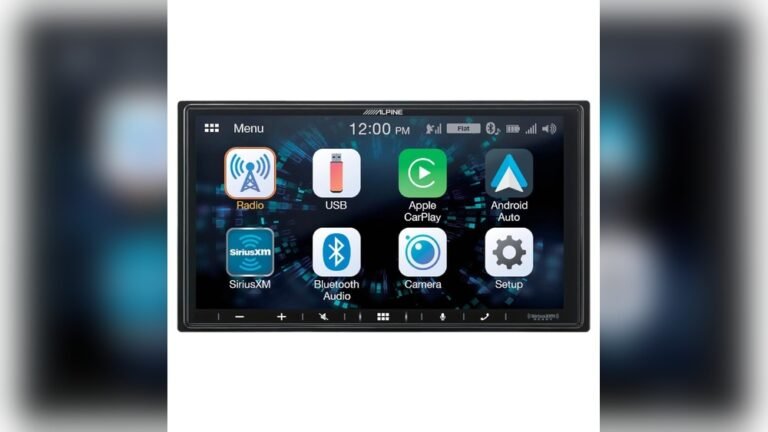
Newer cars often have digital radios with touchscreen displays. The process is similar, but sometimes easier:
- Enter the code using the touchscreen.
- Some models use Bluetooth or apps for code entry.
- Digital radios often have clearer instructions on the screen.
Tip: Take a photo of your code and keep it in your phone for future use.
Risks And Safety Tips
Unlocking a radio is safe if you follow the right steps. Here are some important safety tips:
- Never share your radio code online.
- Don’t use random codes or guess—this can lock the radio permanently.
- Only use trusted sources for codes.
If you’re not sure, ask for help from your dealer or a professional.
Common Beginner Mistakes
Beginners often make mistakes that can delay unlocking:
- Not checking all sources: Many people forget to check the manual or glove box.
- Ignoring dealership help: Some try to unlock on their own without asking the dealer.
- Using untrusted websites: Avoid sites that are not official or well-reviewed.
Real Example: Unlocking A Honda Civic Radio
Imagine your Honda Civic radio is locked after a battery change:
- You see “CODE” on the screen.
- Check the owner’s manual—no code.
- Press 1 and 6, turn ignition ON—serial number appears: 12345678.
- Call Honda dealer with VIN and serial.
- Dealer gives you code: 4321.
- Enter 4-3-2-1 on the radio, press OK.
- Radio starts working.
Statistics: Radio Lock Problems
- Over 60% of car owners face radio lock after battery change (AAA survey).
- Nearly 35% cannot find their code easily.
- About 15% use online services to get their code.
Practical Tips For Keeping Your Radio Code Safe
- Write the code in your owner’s manual.
- Save it in your phone or email.
- Keep the code card in your glove box.
- If buying a used car, ask for the radio code.
When To Visit A Professional
Sometimes, unlocking is too tricky or the radio is damaged. Visit a professional if:
- You tried multiple codes and the radio stays locked.
- The display is broken or not showing anything.
- You lost the radio serial number.
Car audio shops and dealerships have special tools to unlock radios.
Cost Comparison: Unlocking Methods
Here’s a quick comparison of costs:
| Method | Average Cost | Success Rate |
|---|---|---|
| Dealer | $0–$30 | 95% |
| Online Manufacturer Site | $0 | 90% |
| Third-Party Site | $10–$50 | 80% |
| Car Audio Shop | $30–$100 | 98% |
How To Avoid Radio Lock In The Future
- Don’t disconnect your battery unless necessary.
- If you must, write down your code first.
- Ask your dealer how to avoid lock when servicing your car.

Credit: www.reddit.com
Non-obvious Insights For Beginners
- Some radios “lock” even if you change only the car’s fuse. Always check before working on your car’s electronics.
- If you enter the wrong code too many times, some radios require you to leave the car “ON” for an hour before retrying.
Useful External Resource
For detailed steps by car brand, see Wikipedia Car Audio.
Frequently Asked Questions
How Long Does It Take To Unlock A Car Radio?
Unlocking a car radio usually takes 10–30 minutes. If you have the code, entering it takes less than a minute. If you need to find the serial number or contact the dealer, it may take longer.
Can I Unlock My Car Radio Without The Code?
No, you need the radio unlock code for most models. Some older radios can be unlocked with tools or apps, but newer ones require the code from the manufacturer or dealer.
Is It Safe To Use Online Radio Code Services?
It’s safe if you use official manufacturer websites or trusted third-party sites. Avoid sites that look unprofessional or ask for payment before showing any information.
What Happens If I Enter The Wrong Code Too Many Times?
If you enter the wrong code several times, the radio may lock for a set period (often 1 hour), or need a dealer reset. Always check your manual for the exact number of tries allowed.
Do All Cars Have A Radio Unlock Code?
Most cars from the late 1990s onward have a radio unlock code for security. Some very old models or aftermarket radios may not have this feature.
Unlocking your car radio doesn’t have to be stressful. With the right steps and a little patience, you can get your music and entertainment back quickly. Always keep your code safe, ask for help if needed, and enjoy your drive.