How to Reset Pioneer Radio to Factory Settings: Quick Guide
Resetting your Pioneer radio can solve many problems—like freezing, sound issues, or strange settings. But if you’ve never done it before, the process can feel confusing, especially with so many Pioneer models on the market. This guide will help you reset your Pioneer radio to factory settings, step by step. You’ll also learn why a reset is useful, what to check before you start, and what to do if something goes wrong.
Why Reset Your Pioneer Radio?
People reset their Pioneer radios for different reasons. Some of the most common are:
- Fixing software bugs: Radios sometimes freeze, lag, or show error messages.
- Clearing user data: Useful before selling your car or radio.
- Restoring original settings: If you changed settings and want to start fresh.
- Solving Bluetooth or connection errors: Resetting often clears pairing problems.
A factory reset wipes out all saved settings, such as radio presets, Bluetooth devices, and custom sound profiles. Your radio will return to how it was when you first bought it.
Before You Reset: What To Check
Resetting is simple, but there are a few things you should do first:
- Backup important settings: Write down your favorite radio stations, EQ settings, or Bluetooth pairings.
- Check your car’s manual: Some radios are connected to anti-theft systems. Make sure you have any needed security codes.
- Know your model number: The reset steps can be different for each Pioneer model.
- Remove CDs or USB drives: Take out any media to avoid damage or data loss.
If you skip these steps, you might lose information you wanted to keep, or your radio could lock itself.

Credit: www.youtube.com
How To Find Your Pioneer Radio Model Number
Different Pioneer radios need different reset methods. You can find your model number in several ways:
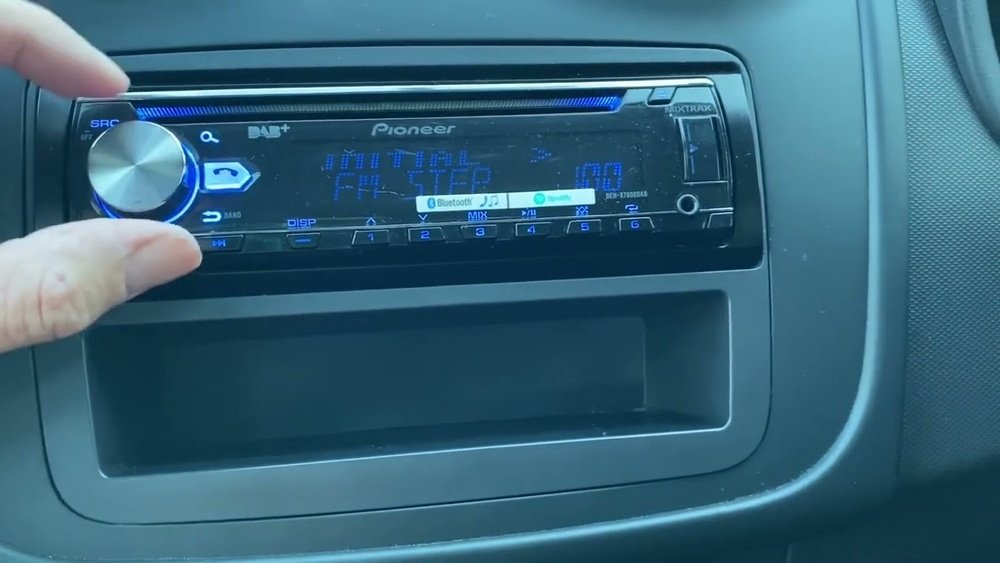
- Look at the front panel: Most radios have the model printed near the display or buttons.
- Check the user manual: The first page usually lists the model.
- Remove the unit: If safe, gently pull out the radio to see a sticker on the side or back.
Here are some common model types:
| Pioneer Series | Example Model Numbers | Common Features |
|---|---|---|
| DEH | DEH-X6800BT, DEH-S31BT | Single-DIN, CD, Bluetooth |
| MVH | MVH-S215BT, MVH-210EX | Digital Media, Bluetooth |
| AVH | AVH-210EX, AVH-1550NEX | Touchscreen, DVD, CarPlay |
| DMH | DMH-1500NEX, DMH-220EX | Touchscreen, No CD/DVD |
Knowing your exact model will help you follow the correct reset instructions.
Main Ways To Reset Pioneer Radios
Not all Pioneer radios reset the same way. There are two main methods:
- Soft Reset: This does not erase your settings. It simply restarts the radio.
- Factory Reset (Hard Reset): This erases all user data and restores factory settings.
Let’s focus on the factory reset, as this is what most people want when they say “reset. ”
Credit: www.reddit.com
Factory Reset Steps For Common Pioneer Models
Here’s how to reset the most popular Pioneer radio types. Always double-check with your manual if you’re unsure.
Resetting Pioneer Single-din Radios (deh, Mvh Series)
These radios are often found in cars and trucks. Most have physical buttons and a small screen.
- Turn off the radio.
- Press and hold the “SRC” (Source) button until the unit turns off completely.
- Press and hold the “Audio” button (sometimes labeled as “Menu” or “Select”) until you see the main menu.
- Use the dial to scroll to “System.”
- Select “System Reset” or “Restore Settings.”
- Confirm your choice. The radio will turn off and restart with factory settings.
Tip: Some older models use a small reset hole (see below).
Using The Reset Hole (physical Button Reset)
Some Pioneer radios have a tiny reset button (often labeled “Reset”). It’s usually behind the front faceplate or near the display.
- Turn off the unit.
- Remove the front panel carefully.
- Find the small reset hole.
- Use a pen or paperclip to press the button for 3–5 seconds.
- Reattach the panel and power on.
This method is fast and works even if the screen is frozen.
Resetting Pioneer Touchscreen Radios (avh, Dmh Series)
Touchscreen models have a different menu layout.
- Turn on the radio.
- Tap the “Home” button.
- Go to “Settings.”
- Find the “System” tab.
- Select “Restore Settings” or “Initialize.”
- Choose “All Settings” or “Factory Settings.”
- Confirm and wait for the radio to restart.
Example: On the AVH-210EX, tap “Settings” → “System” → “Restore Settings” → “All Settings” → “Restore.”
Factory Reset For Pioneer Carplay/android Auto Radios
- Go to “Settings.”
- Select “System.”
- Tap “Restore Factory Settings.”
- Confirm and restart.
These steps are similar to touchscreen radios but may use different names.
Quick Comparison Of Reset Steps
This table compares the main reset methods for Pioneer radios.
| Model Type | Reset Method | Menu Navigation | Reset Hole? |
|---|---|---|---|
| Single-DIN (DEH/MVH) | Physical Button/Menu | Yes (System Reset) | Some Models |
| Touchscreen (AVH/DMH) | Menu Only | Yes (Settings > System) | No |
| CarPlay/Android Auto | Menu Only | Yes (Settings > System) | No |
What Happens After A Factory Reset?
After you reset:
- All saved stations are erased.
- Bluetooth pairings are lost.
- Custom sound and display settings return to default.
- The clock resets.
You’ll need to set up everything again, just like when the radio was new.
Pro Tip: Take photos of your settings before resetting. This saves time when you re-enter them.
Common Issues And Troubleshooting
Sometimes, a reset doesn’t go as planned. Here’s what to check:
- Radio won’t turn on: Check your car’s fuse box. The radio fuse may be blown.
- Screen stays frozen: Try the physical reset button (if available).
- Settings won’t save after reset: Your car’s battery may be weak or disconnected.
- Radio asks for a code: Some Pioneer radios have a security feature. Check your manual or contact Pioneer support.
If your radio still has problems after resetting, it may need a firmware update or professional repair.
Real-world Example: Resetting A Pioneer Deh-x6800bt
Let’s say you have a Pioneer DEH-X6800BT that keeps disconnecting from your phone. You want to reset it.
- Press and hold SRC to turn off the radio.
- Hold the Audio button until the menu appears.
- Scroll to “System Reset.”
- Press the dial to confirm.
- The radio restarts. Now, you pair your phone again, and the issue is gone.
This simple reset solves Bluetooth errors for most users.
Non-obvious Insights Most Beginners Miss
- Resetting doesn’t fix hardware problems. If your speakers are silent due to a wiring issue, a reset won’t help.
- Some settings may be stored in your car, not the radio. For example, steering wheel controls might need reprogramming after a reset.
Many users think a factory reset is a magic fix for everything. It’s powerful, but not a solution for physical or wiring faults.
Safety Tips For Resetting Your Pioneer Radio
- Don’t reset while driving. The radio may restart suddenly, which can distract you.
- Check your vehicle manual. Some cars link the radio to the alarm system. Resetting may trigger it.
- Wait for the process to finish. Turning off the car during a reset can cause errors.
When Should You Avoid A Factory Reset?
- If you’re not sure about your security code.
- If you have rare audio settings you can’t easily restore.
- If your radio is connected to a car alarm or immobilizer system.
In these cases, ask a car audio professional or your car dealer before resetting.
How To Set Up Your Pioneer Radio After Reset
After resetting, you’ll need to:
- Set the clock and date.
- Scan and save your favorite radio stations.
- Pair your phone via Bluetooth.
- Adjust the sound settings (bass, treble, balance).
- Reconnect to CarPlay or Android Auto if your model supports it.
Take a few minutes to make these changes for the best experience.
Firmware Updates Vs. Factory Resets
Some problems—like random shutdowns or display glitches—are caused by outdated firmware. Check the Pioneer website for updates before resetting. Sometimes, updating fixes issues without erasing your settings.
For more details, visit the official Pioneer Car Electronics site.
Quick Reference: When To Use Each Reset
| Problem | Soft Reset | Factory Reset | Firmware Update |
|---|---|---|---|
| Radio Freezing | Yes | Sometimes | Rarely |
| Bluetooth Issues | Sometimes | Yes | Sometimes |
| Lost Settings | No | Yes | No |
| Firmware Bugs | No | No | Yes |

Credit: www.reddit.com
Frequently Asked Questions
How Often Should I Reset My Pioneer Radio?
You don’t need to reset your radio regularly. Only reset it if you have ongoing issues, or before selling or transferring the radio to another person.
Will A Factory Reset Erase My Music Files From A Usb Drive?
No, a factory reset only erases data stored in the radio’s memory. It does not touch external USB drives or SD cards. Still, remove them during the reset to avoid accidental corruption.
What Should I Do If My Radio Asks For A Security Code After Reset?
Check your car’s paperwork or the Pioneer manual. If you cannot find the code, contact Pioneer customer support. Do not try random codes, as too many wrong attempts can lock the radio.
Can I Reset My Pioneer Radio Without Removing It From The Car?
Yes, most modern Pioneer radios allow you to reset through the on-screen menu or front panel buttons. Only older models require removal to access the reset hole.
Will Resetting Fix Connection Issues With Apple Carplay Or Android Auto?
A factory reset often helps fix connection problems with CarPlay or Android Auto. If the issue remains, try updating your radio’s firmware or check your phone’s compatibility.
Resetting your Pioneer radio can solve many problems, restore smooth operation, and clear out old data. Just make sure you back up important information first and follow the correct steps for your model. With this guide, you’ll be able to reset your radio confidently and get back to enjoying your music and driving.