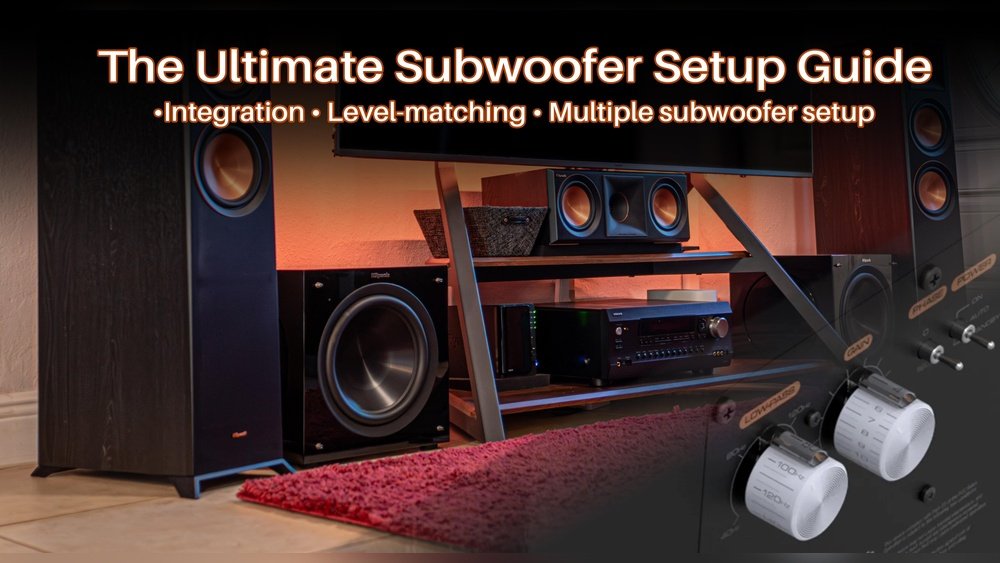
How Do I Adjust My Subwoofer Settings for Deep, Powerful Bass
Adjusting your subwoofer can make a huge difference in your home theater or music experience. Many people set up their subwoofer, turn it on, and hope for the best. But if you take a little extra time to tune it, you’ll hear cleaner bass, less muddiness, and a much better sound overall.
This article will guide you step-by-step through adjusting your subwoofer settings—even if you’re a complete beginner. You’ll learn what each setting does, how to test changes, and how to avoid common mistakes that can ruin your sound.
Why Subwoofer Settings Matter
A subwoofer handles the deep bass in your audio system. If it’s too loud or set incorrectly, it can overpower other sounds, making your movies or music sound unbalanced. On the other hand, if it’s too quiet, you’ll miss out on the excitement and impact that bass brings.
Proper adjustment means:
- Clear, punchy bass without distortion
- Smooth blending with your main speakers
- Less vibration or rattling in your room
Even a high-end subwoofer can sound bad if it’s not set up right. That’s why learning to adjust your subwoofer settings is important.
Basic Subwoofer Controls Explained
Most subwoofers come with several controls. Here’s what each one does:
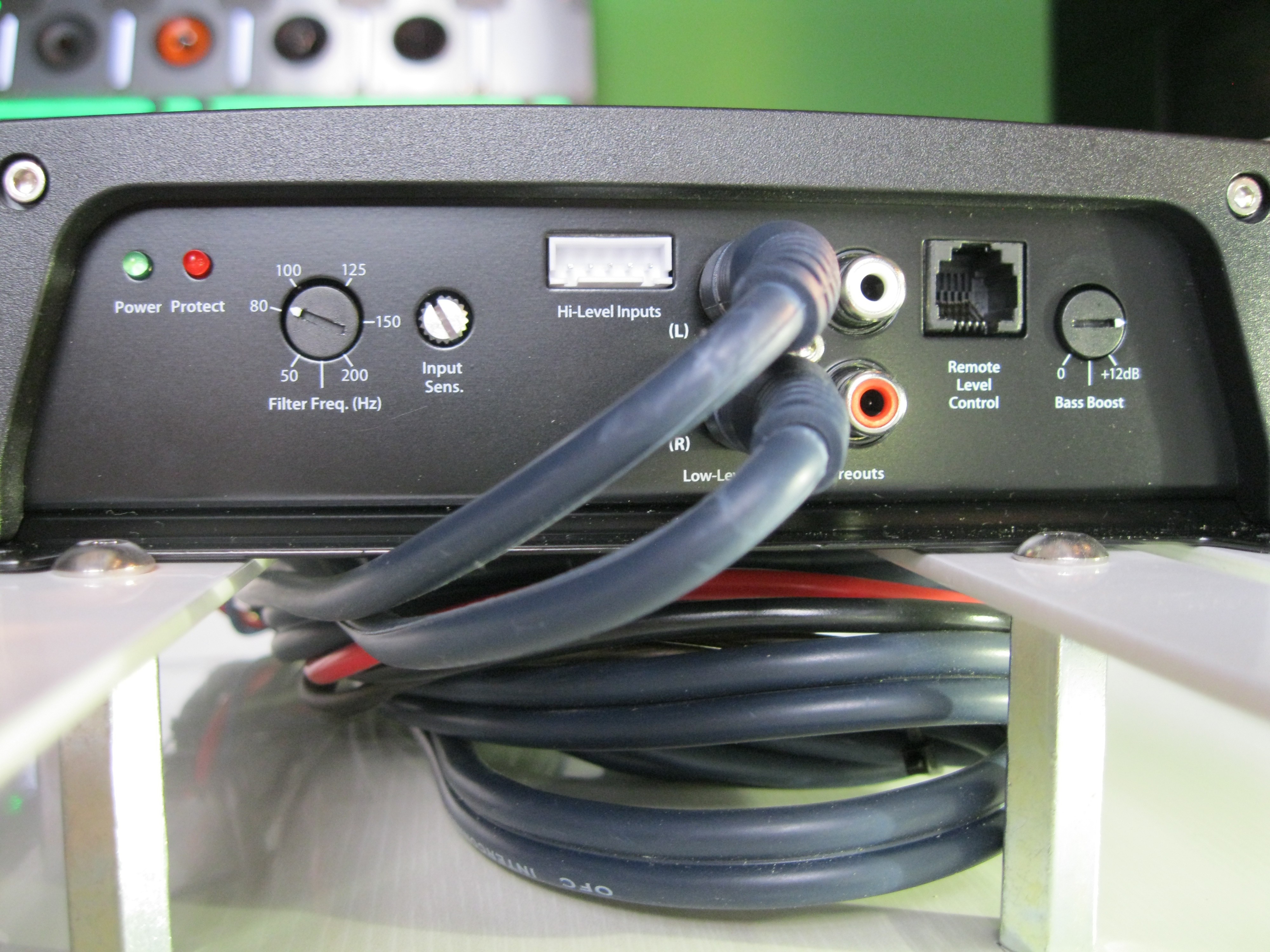
- Volume/Gain: Sets how loud the subwoofer plays compared to your other speakers.
- Crossover Frequency: Decides the highest note the subwoofer will play.
- Phase Switch: Changes the timing of the bass to match your main speakers.
- Auto On/Standby: Turns the subwoofer on only when it receives a signal.
- Low Pass Filter: Removes higher frequencies, letting only deep bass through.
Let’s look at these in more detail.
Volume/gain
The volume or gain knob controls the output level of the subwoofer. Set too high, the bass will dominate. Set too low, you won’t feel the impact. The goal is to balance the subwoofer with your main speakers.
Crossover Frequency
The crossover tells the subwoofer where to stop playing higher sounds. Most systems use a range between 80Hz and 120Hz. Setting this correctly prevents the subwoofer from overlapping too much with your main speakers.
Phase Switch
The phase control (usually a switch for 0° or 180°, sometimes a dial) helps align the bass waves from your subwoofer with your other speakers. If the bass sounds weak or “hollow,” try flipping the phase.
Low Pass Filter
Some subwoofers have a low pass filter, which works like the crossover but is sometimes more precise. It’s often used when your receiver doesn’t handle bass management.
Practical Example
If your main speakers can play down to 60Hz, set your subwoofer’s crossover to 60–80Hz. If the subwoofer is too boomy, turn down the gain.
Credit: blogs.qsc.com
Where To Place Your Subwoofer
Placement is one of the most important factors for getting good bass. Bass waves are different from other sounds—they “bounce” and interact with walls. Put your subwoofer in the wrong spot, and you might get too much bass or almost none at all.
Common Placement Tips
- Place the subwoofer near the front wall of your room, not in a corner.
- Avoid putting the subwoofer directly against a wall. Leave a few inches for airflow.
- If possible, try the “subwoofer crawl”:
- Place your subwoofer at your main listening position.
- Play music with steady bass.
- Crawl around the room’s perimeter and listen for where the bass sounds best.
- Place the subwoofer in that spot.
Data: Subwoofer Placement Vs. Bass Quality
Here’s a simple comparison showing how placement affects bass quality:
| Placement | Bass Strength | Clarity | Common Issues |
|---|---|---|---|
| Corner | Very Strong | Poor (Boomy) | Muddy sound |
| Side Wall | Moderate | Better | Some loss of depth |
| Front Wall (not in corner) | Balanced | Clear | Rarely boomy |
| Random (middle of room) | Weak | Poor | Bass dropouts |
Pro tip: Every room is different. Move your subwoofer and test.
How To Adjust Subwoofer Volume And Crossover
Tuning your subwoofer is not just about turning knobs. Here’s a practical way to set your volume and crossover:
- Set all controls to middle or default positions
- Volume at 50%
- Crossover at 80Hz (unless your speakers are small, then 100Hz)
- Phase at 0°
- Play music or a movie with steady bass
- Choose something you know well.
- Adjust the volume
- Increase the subwoofer volume until you notice the bass, then back off a little.
- The bass should support the music, not overpower it.
- Adjust the crossover
- Start at 80Hz.
- If you hear voices or other non-bass sounds from the subwoofer, lower the crossover.
- If you feel a “hole” in the bass, raise the crossover slightly.
- Fine-tune phase
- Switch between 0° and 180°.
- Use the setting where the bass sounds strongest and cleanest at your seat.
Comparison: Default Vs. Tuned Subwoofer Settings
A quick look at how sound quality changes:
| Setting | Bass Impact | Clarity | Listening Comfort |
|---|---|---|---|
| Factory Default | Overpowering | Poor | Fatiguing |
| Properly Tuned | Balanced | Excellent | Comfortable |
Credit: carstereochick.com
Using Room Correction And Receiver Settings
Modern AV receivers often have built-in room correction tools (like Audyssey, YPAO, or MCACC). These tools use a microphone to measure how your speakers sound in your room and adjust the output automatically.
Steps For Room Correction
- Connect the setup microphone to your receiver.
- Follow the on-screen instructions.
- The system will send test tones and adjust your speakers and subwoofer for you.
Important: Double-check the subwoofer volume after room correction. Sometimes, automatic systems set the subwoofer too low.
Manual Receiver Settings
If your receiver lets you set the subwoofer level, make small adjustments until you’re happy with the bass. Most systems also let you choose the speaker size—set your main speakers to “small” if you want the subwoofer to handle most of the bass.
Advanced Subwoofer Adjustments
If you want to go further, here are a few advanced settings and tools:
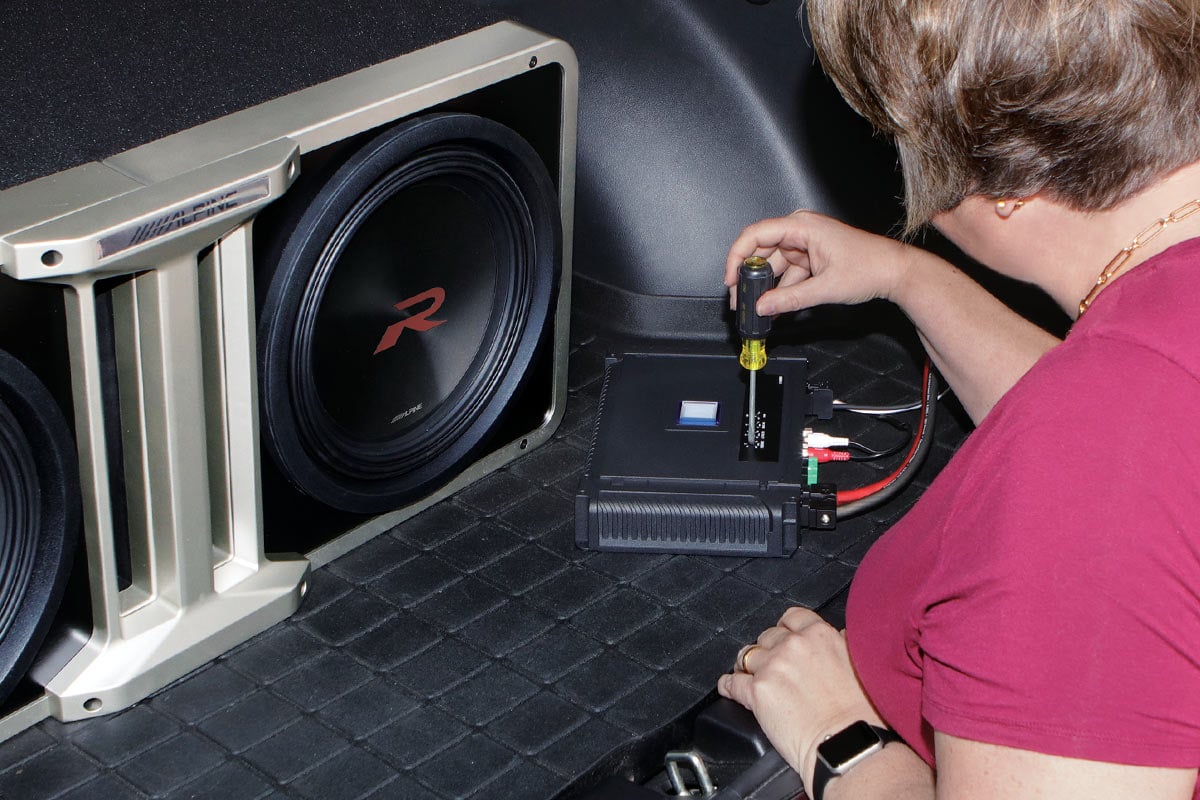
- Phase Dial: Some subwoofers have a dial instead of just a 0°/180° switch. Adjust slowly while listening for the most solid bass.
- Parametric EQ: High-end subwoofers let you adjust the bass response at different frequencies. This can fix “peaks” or “nulls” in your room.
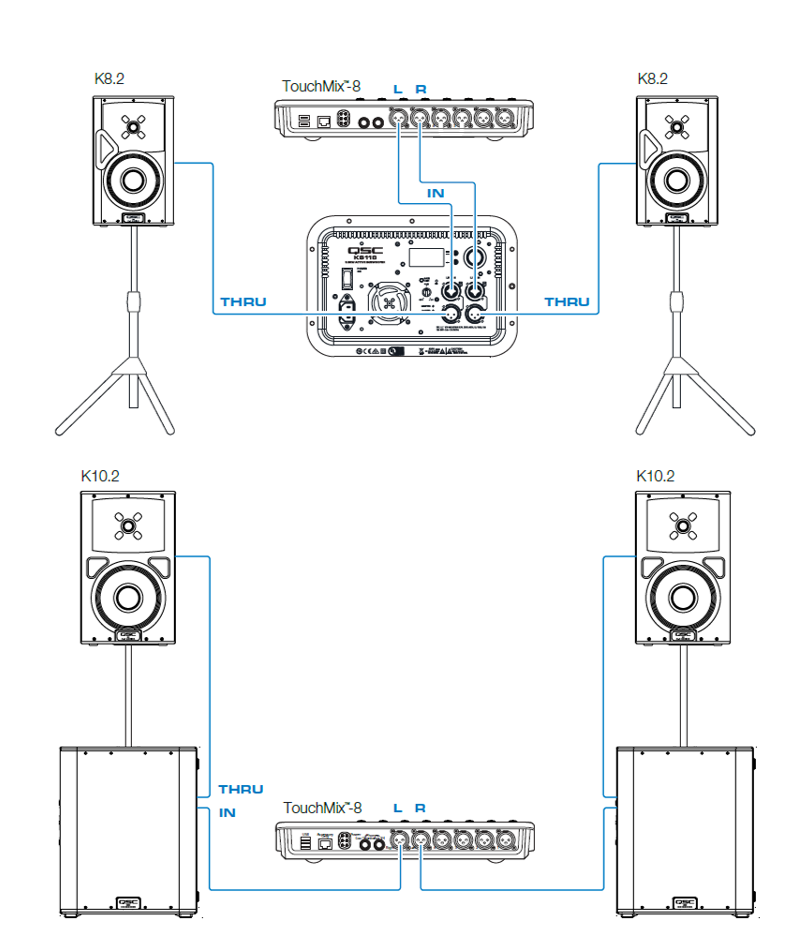
- Multiple Subwoofers: Adding a second subwoofer can smooth out bass across the room, but it requires careful placement and adjustment.
Example: Using A Measurement App
You can use a smartphone app like Room EQ Wizard or AudioTools with a simple microphone to see your bass response. This can help you spot problems you can’t hear easily.
Credit: www.crutchfield.com
Common Subwoofer Mistakes To Avoid
Beginners often make a few mistakes when adjusting their subwoofer:
- Setting the volume too high: This makes the bass “boomy” and tiring.
- Wrong crossover frequency: Too high lets voices and other sounds into the subwoofer; too low creates a gap in bass.
- Ignoring phase: If the bass sounds weak, check the phase switch.
- Placing the subwoofer in a corner: This usually increases muddiness.
Non-obvious tip: Don’t rely only on test tones. Play real music or movie scenes you enjoy—your ears are the best tool.
Testing Your Subwoofer Settings
After adjusting, test your subwoofer with different types of content:
- Play music with deep bass (try pop, electronic, or jazz).
- Watch an action movie with explosions.
- Listen for smooth, even bass at your main seat.
Example: Movie Vs. Music
Some people find they need slightly different settings for movies and music. If your subwoofer has a memory feature, save two profiles.
Stat: A study by Audioholics found that 70% of home theater owners never adjust their subwoofer after setup. Taking just 30 minutes to tune your subwoofer can double your listening satisfaction.
When To Revisit Your Settings
You should recheck your subwoofer settings if:
- You move the subwoofer or furniture.
- You change your speakers or receiver.
- You notice new rattles, weak bass, or distortion.
Seasonal changes (like opening windows or adding carpets) can also affect bass.
Troubleshooting: If Bass Doesn’t Sound Right
If you’re not happy with your bass, try these steps:
- Check all cables and connections.
- Move the subwoofer to another spot.
- Lower the crossover to see if bass tightens up.
- Flip the phase switch.
- Test with different content.
If you still have problems, look for advice on forums or check your subwoofer’s manual.
Quick Reference: Ideal Starting Settings
Here’s a summary for common setups:
| Speaker Size | Subwoofer Crossover | Sub Volume | Phase |
|---|---|---|---|
| Small Bookshelf | 100Hz | 50% | 0° or 180° (test) |
| Medium Floorstander | 80Hz | 45% | 0° or 180° (test) |
| Large Tower | 60Hz | 40% | 0° or 180° (test) |
Note: These are just starting points—adjust to your taste and room.
Frequently Asked Questions
How Do I Know If My Subwoofer Is Too Loud Or Too Quiet?
The bass should blend with your main speakers, not overpower them. If you can easily point out where the bass is coming from, it’s too loud. If you barely notice any bass, it’s too quiet. Try lowering or raising the subwoofer volume a little at a time.
What Is The Best Crossover Frequency For A Subwoofer?
For most systems, 80Hz is a good starting point. If your main speakers are small, try 100Hz. If they are large and can play deep bass, 60Hz might work. Always adjust by ear after setting the starting point.
Should I Set My Main Speakers To “small” Or “large” In My Receiver?
Set your main speakers to small if you want the subwoofer to handle most of the bass. This is the best choice for most home theater systems. “Large” is only for very big speakers that can produce deep bass on their own.
Can I Use More Than One Subwoofer?
Yes, using two subwoofers can give you smoother bass in your room and reduce “dead spots.” Placement and adjustment are more complex, but the results are often worth it. For more details, check resources like Audioholics.
Do I Need Special Cables For My Subwoofer?
Most subwoofers use a standard RCA cable for the connection. Make sure the cable is long enough to reach your subwoofer without stretching. For very long runs, a high-quality shielded cable can help reduce noise.
Fine-tuning your subwoofer is a skill that gets easier with practice. With the right adjustments, you’ll enjoy deeper, cleaner bass and a more immersive sound every time you watch a movie or listen to music. Take your time, use your ears, and don’t be afraid to experiment—your ears are the best judge.