How Do You Turn off a Pioneer Radio: Quick and Easy Steps
How Do You Turn Off A Pioneer Radio
Many people enjoy listening to music, podcasts, and news in their car or at home using a Pioneer radio. These radios are popular for their sound quality and features. But sometimes, turning off a Pioneer radio isn’t as simple as pressing a button. Different models have different controls, and it’s easy to get confused, especially for beginners. If you’re struggling to turn off your Pioneer radio or want to make sure you’re doing it right, this article will walk you through the process step by step. You’ll also learn about power modes, troubleshooting, and common mistakes so you can use your device with confidence.
Understanding Pioneer Radio Controls
Before you try to turn off your Pioneer radio, it helps to know the basic controls. Most Pioneer radios, whether in-car or home units, have a power button. But, depending on the model, this button may have more than one function.
- On most car radios, the power button is also the volume knob.
- Some touchscreen models use a software button on the display.
- Home stereo systems from Pioneer usually have a dedicated power button.
If your radio is newer, you might see extra features like standby mode or display dimming, which can make turning off the unit less obvious.
Example: Pioneer Deh Series
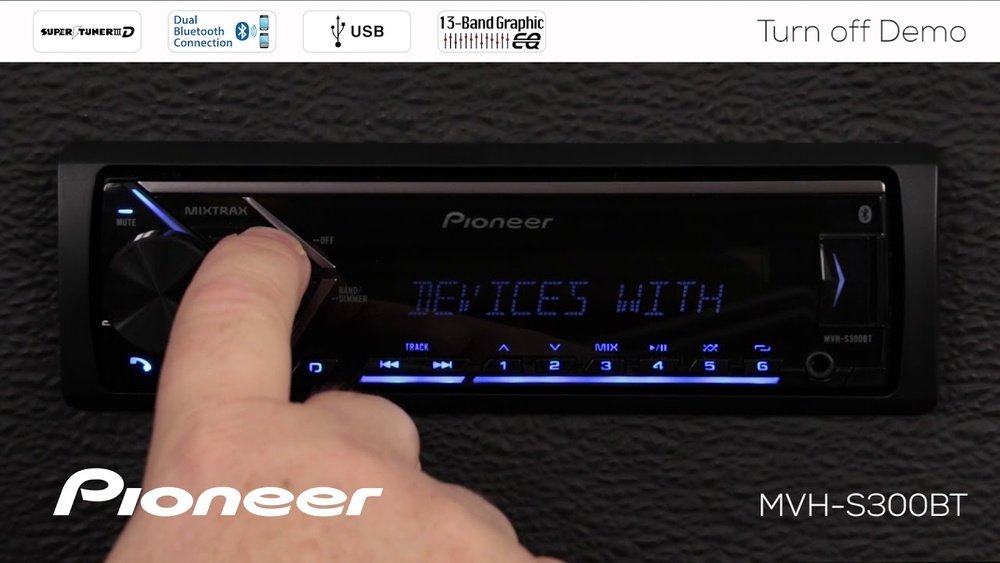
Let’s take the Pioneer DEH-S31BT, a common car stereo, as an example:
- The power button is the big round knob on the left.
- Press and hold to turn the unit off.
- A quick press might only mute the sound or change the source.
Knowing these details helps you avoid mistakes when turning off the radio.
Turning Off A Pioneer Car Radio
Turning off a Pioneer car stereo can be different from turning off a home system. Here’s how you can do it for most models:
- Locate the Power Button or Volume Knob
- This is usually on the left side of the faceplate.
- It’s often bigger than other buttons.
- Press and Hold
- For most models, press and hold the power button for about 2 seconds.
- The display will turn off, and the unit will power down.
- Alternative: Source Button
- On some models, the button is labeled SRC or Source.
- Press and hold the SRC button to turn off the unit.
- Touchscreen Models
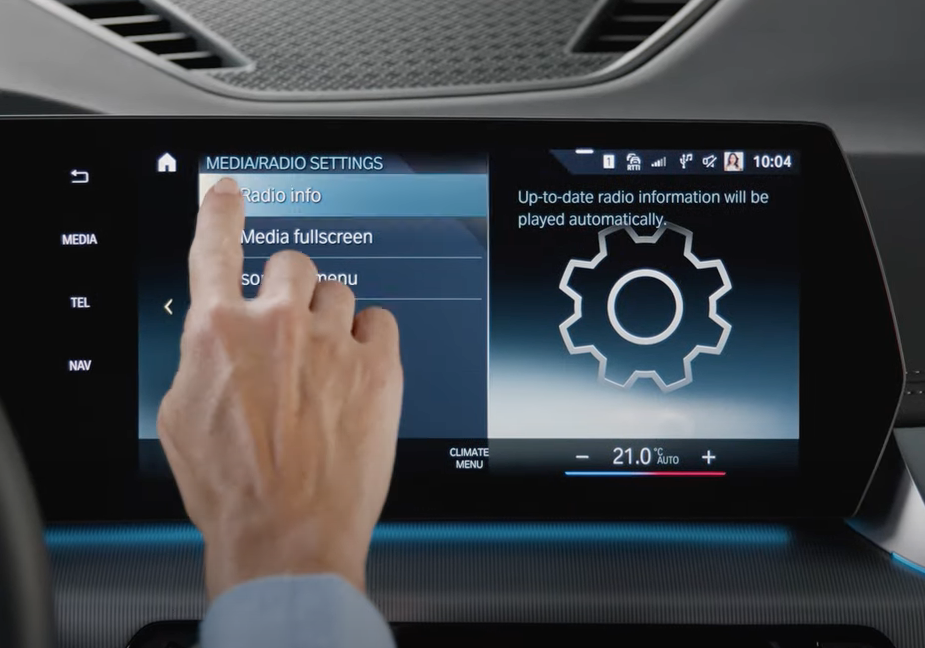
- Look for a power symbol (⏻) on the screen.
- Tap and hold until the radio shuts off.
- Key-Off Auto Power
- Many Pioneer car radios turn off automatically when you switch off the car’s ignition.
Comparison: Power Buttons On Different Pioneer Car Radios
Here’s a quick overview of how the power/off function works on three common Pioneer car radio types.
| Model Type | Power Button Location | How to Turn Off |
|---|---|---|
| Standard Button Model | Physical button/knob (left side) | Press and hold |
| Touchscreen Model | On-screen icon (main menu) | Tap and hold icon |
| Older Model | Separate power button | Quick press |
Turning Off A Pioneer Home Stereo
Pioneer also makes home stereo systems and receivers. These usually have a different process:
- Dedicated Power Button:
- Look for a button labeled Power or Standby on the front panel or remote.
- Press once to turn off (or enter standby).
- Remote Control:
- Most Pioneer home systems come with a remote that has a power button.
- Point the remote at the unit and press the power button.
- Standby vs. Off:
- Some models only go into standby mode instead of turning fully off.
- In standby, the unit uses a small amount of power.
Example: Pioneer Vsx Series Receiver
For the Pioneer VSX-534 AV receiver:
- The main power button is on the left.
- The remote also has a red power button.
- Pressing the button once puts the unit in standby; to fully power down, use the main switch on the back (if available).
Understanding Standby, Off, And Display Modes
Many Pioneer radios don’t turn off completely with one press. Here’s what you need to know:
- Standby Mode:
The radio is not playing sound, but it is ready to start quickly. Some lights may stay on.
- Display Off:
The screen goes dark, but the radio is still on.
- Full Power Off:
The unit uses no power (except for the clock or memory, in some models).
Table: Power States And What They Mean
| State | What Happens | How to Activate |
|---|---|---|
| Standby | No sound, quick start | Short press power/SRC |
| Display Off | Screen dark, audio plays | Press and hold display/dim button |
| Full Off | All functions off | Press and hold power/SRC for 2+ seconds |

Credit: www.shutterstock.com
Common Mistakes When Turning Off Pioneer Radios
Turning off a Pioneer radio seems easy, but beginners often make mistakes. Here’s what to watch for:
- Pressing the Power Button Quickly
- A quick press may only mute or change the source.
- Using the Wrong Button
- Some models use SRC instead of a power icon.
- Forgetting About Standby Mode
- The radio may look off, but is actually in standby.
- Not Checking the Display
- Sometimes, the display is off but the radio is still on.
- Remote Battery Is Dead
- The radio doesn’t turn off from the remote if the batteries are low.
Practical Tip
If you’re unsure, try pressing and holding the main button for at least two seconds. If the display and lights go off, the radio is fully off.
Troubleshooting: When Your Pioneer Radio Won’t Turn Off
Sometimes, your Pioneer radio may not turn off as expected. Here are steps to fix this:
- Check Power Connections
- Make sure the radio is connected properly to power and ground.
- Reset the Unit
- Most Pioneer radios have a small reset button (often a pinhole).
- Press with a paperclip for about five seconds.
- Test the Ignition Wire (Car Radios)
- If your radio stays on when the car is off, the yellow or red wire may be misconnected.
- Check the wiring diagram in your manual.
- Update Firmware
- Some touchscreen models may need a firmware update.
- Visit the Pioneer official support page for downloads.
- Replace Remote Batteries
- For home units, try new batteries in the remote.
- Consult the Manual
- Each model is a little different. The manual will show exact steps.
Example: Car Radio Won’t Turn Off With Key
If your Pioneer car stereo keeps playing after you turn off the car, it’s usually a wiring issue. The red ACC wire should connect to the ignition, not always-on power. Check your car’s wiring or ask a professional installer.
Credit: www.passportbmw.com
How Pioneer Radios Differ From Other Brands
Pioneer radios are popular, but their controls are a bit different from other brands like Sony or Kenwood.
- Multi-Function Buttons:
Pioneer often combines the volume and power controls.
- SRC Button:
Some brands use a clear power icon; Pioneer may use SRC or Source.
- Touchscreen Menus:
Pioneer touchscreen radios may hide the power-off in a menu.
Table: Power-off Comparison With Other Brands
| Brand | Power Off Method | Common Mistake |
|---|---|---|
| Pioneer | Press and hold SRC/power | Quick press only mutes |
| Sony | Dedicated power button | Confusing standby vs. off |
| Kenwood | Menu-based or button | Misreading icon |
Additional Tips For Beginner Users
- Read the Manual
- Every Pioneer model has a user guide. It shows the exact button layout.
- Practice with the Radio Off
- Try finding the power controls when the car is parked or at home.
- Don’t Force Buttons
- If a button feels stuck, don’t push harder. It may break.
- Label Your Buttons
- If you share your car or home stereo, use a small sticker to mark the power button.
- Check for Software Updates
- Newer models may get updates that change how controls work.
Non-obvious Insight
Many users do not realize that firmware updates can change how the power button works. If you’ve updated your radio, check the manual or the manufacturer’s website to see if the process to turn off the radio has changed.

Credit: www.youtube.com
Frequently Asked Questions
How Do I Turn Off My Pioneer Radio Without A Remote?
Most Pioneer radios have a physical power button on the unit itself. Press and hold this button (or the SRC button) for about two seconds. The display will go dark when the unit is fully off. For touchscreen models, tap and hold the on-screen power icon.
Why Does My Pioneer Car Radio Stay On When I Turn Off The Ignition?
This usually means the wiring is incorrect. The radio’s ACC (red) wire should connect to the ignition circuit. If it’s on the battery circuit, the radio stays on all the time. Check your installation or ask a professional to fix it.
What Is The Difference Between Standby And Off On A Pioneer Radio?
Standby mode means the radio is not playing but ready to turn on quickly. It uses a small amount of power. Off means the radio is completely shut down and uses almost no power except for memory or clock functions.
Can I Set My Pioneer Radio To Turn Off Automatically?
Many Pioneer car radios have a timed power-off or auto-off feature. You can set this in the radio’s settings menu. For home models, the sleep timer is usually available in the menu or on the remote.
My Pioneer Radio Turns Off By Itself. Is This Normal?
If your radio shuts off on its own, check for auto-off settings. It may also happen if the power or ground connections are loose, or if there’s a problem with your car’s battery. Check your user manual for troubleshooting steps.
Learning to turn off a Pioneer radio is simple once you know where to look and what buttons to use. With a little practice, you’ll be able to switch off your radio quickly and avoid common mistakes. If you ever get stuck, your user manual or Pioneer’s official support site can help.
Happy listening!