Kenwood Car Stereo Volume Problem: Easy Fixes for Clear Sound
Kenwood car stereos are popular for their sound quality and advanced features. But many users face volume problems—from low sound, sudden volume drops, to buttons not working as expected. These issues can be frustrating, especially if you are new to car audio systems. If your Kenwood stereo’s volume isn’t behaving normally, this guide will help you understand why and how to fix it.
Common Kenwood Car Stereo Volume Problems
Kenwood stereo users often report several volume-related problems. Knowing the most frequent issues will help you identify yours quickly:
- Volume stuck at low or high: You turn the knob but nothing changes.
- No sound at all: Stereo powers on, but speakers stay silent.
- Volume fluctuates by itself: Sound goes up or down without touching any control.
- Distorted or crackling sound: Even at low volume, the audio is not clear.
- Buttons or knob not working: Volume controls do not respond.
These problems can happen in both older Kenwood models and new digital touch-screen units. Let’s explore what causes these problems and how you can fix them.
Why Does Kenwood Car Stereo Volume Fail?
Several things may cause your Kenwood stereo’s volume to malfunction. Here are the most common reasons:
- Wiring issues: Loose or damaged wires can break the connection between the stereo and speakers.
- Speaker problems: Faulty speakers or blown fuses can cause no sound or poor quality.
- Firmware bugs: Software glitches may cause the stereo to ignore volume changes.
- Dirty or worn controls: Dust or wear can make physical knobs and buttons stop working.
- Settings errors: Incorrect audio settings or accidental mute can make you think the stereo is broken.
- External amplifiers: If you use an external amp, problems with it can affect volume.
- Bluetooth or input issues: Problems with the connected device (phone, USB, etc.) May cause unpredictable volume.
Beginner tip: Many users think a major repair is needed. In reality, more than half of all volume problems are caused by simple connection or setting errors.

Credit: www.youtube.com
Quick Checks Before Troubleshooting
Before you start opening your dashboard or buying new parts, do these quick checks:
- Make sure the stereo is not muted.
- Check if the volume limit or “maximum volume” is set low in the settings.
- Try playing music from a different source (radio, USB, Bluetooth) to see if the problem is with one input only.
- Test with another device (different phone or USB stick).
- Restart your car and the stereo. Some Kenwood models need a hard reset to fix minor glitches.
If these steps do not solve your problem, move on to more detailed troubleshooting.
Step-by-step Troubleshooting For Kenwood Volume Issues
1. Inspect Physical Controls
- Turn the volume knob slowly. Does it feel loose or unresponsive?
- Try the volume up/down buttons on the faceplate or steering wheel.
- Clean the area around the controls. Dust and dirt can block sensors.
Insight: On many Kenwood models, a faulty rotary encoder (the part behind the knob) can cause random volume jumps or no response.
2. Check Wiring And Connections
- Turn off your car and remove the stereo faceplate if possible.
- Inspect all wiring harnesses at the back of the unit. Look for:
- Loose plugs
- Frayed or pinched wires
- Corroded connectors
- Make sure the speaker wires are firmly connected.
If you see any damage, repairing or replacing the wire can restore normal volume.
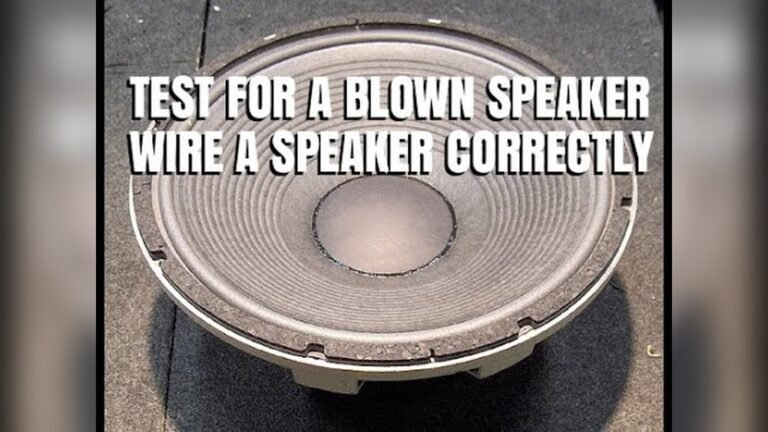
3. Test The Speakers
- Use the stereo’s fader and balance controls to send sound to each speaker.
- If one speaker is silent, the problem may be with that speaker, not the stereo.
- Try connecting a known good speaker to the stereo output.
Beginner insight: Many users forget that a single failed speaker can make it seem like the entire stereo is broken.
4. Review Audio Settings
Kenwood stereos have several sound settings that can affect volume:
- Check for “Zone,” “Subwoofer Level,” or “Attenuator” in the menu.
- Make sure the “Loudness” function is not set to minimum.
- Reset audio settings to default if unsure.
5. Update Firmware
Some Kenwood stereos can be updated via USB. Check the official Kenwood website for updates. Firmware bugs may cause strange volume behavior. Install the latest update if available.
6. Test External Devices And Inputs
- Switch between FM radio, AUX, USB, and Bluetooth.
- If volume problems happen only on one input (for example, Bluetooth), the issue is likely with the source device or connection.
7. Inspect External Amplifiers (if Used)
If you have an external amp, check:
- Amplifier power and ground wires.
- Input and output connections.
- Amp’s gain and filter settings.
An amp problem can cause no sound or very low volume, even if the stereo works fine.
8. Perform A Factory Reset
If all else fails, perform a factory reset:
- Go to the settings menu.
- Choose “Initialize” or “Reset.”
- Follow the prompts (this will erase custom settings).
This often fixes software-related volume problems.
Comparing Kenwood Car Stereo Models: Volume Reliability
Not all Kenwood stereos have the same reliability. Some models are more likely to have volume problems due to design or features. Here is a comparison of three popular Kenwood models:
| Model | Volume Control Type | Reported Volume Issues | User Rating (out of 5) |
|---|---|---|---|
| Kenwood DDX376BT | Touchscreen & Knob | Occasional glitch with knob | 4.3 |
| Kenwood KMM-BT328U | Physical Buttons & Knob | Rare button faults | 4.5 |
| Kenwood DMX47S | Touchscreen Only | Touch sensitivity issue | 4.2 |
Tip: Models with physical knobs are less likely to have touch sensor problems, but all types can develop issues over time.
Real-world Example: Sudden Volume Drop
Let’s look at a real-world scenario:
A user has a Kenwood DDX376BT. After connecting their phone via Bluetooth, the volume suddenly drops to almost zero. Manual adjustment does nothing. The user discovers:
- The phone’s volume was set very low, which affected the stereo output.
- After increasing the phone’s volume, the stereo output returned to normal.
Lesson: Many Kenwood stereos use the Bluetooth device’s volume level as the master volume. Always check both your phone and stereo volume.

Credit: www.reddit.com
Common Mistakes When Fixing Kenwood Volume Problems
Many beginners make these mistakes when trying to fix their Kenwood stereo:
- Ignoring the source device: Not checking phone or USB volume settings.
- Skipping wiring checks: Assuming the issue is inside the stereo, not the wiring.
- Resetting too soon: Factory reset erases all settings—try other steps first.
- Mismatched speaker power: Using speakers that need more power than the stereo can give.
- Overlooking amp settings: Forgetting to check gain levels on external amplifiers.
Avoid these mistakes to save time and prevent further damage.
How To Prevent Kenwood Volume Problems
Prevention is easier than repair. Here’s how to keep your stereo’s volume working well:
- Regularly clean the stereo faceplate and controls.
- Check wiring during routine car maintenance.
- Update firmware when new versions are available.
- Use quality speakers matched to your stereo’s power rating.
- Avoid extreme volume: Playing at maximum level can damage both stereo and speakers.
Non-obvious tip: When installing a new Kenwood unit, always use the wiring harness adapter. Directly splicing wires increases risk of loose connections.
When To Seek Professional Help
If you have tried all troubleshooting steps and the problem remains, it’s time to get expert help. Signs you need a professional:
- Stereo powers on but no sound from any output.
- Volume changes randomly even after resetting.
- You see or smell burnt wiring.
- Display error codes.
A professional can use diagnostic tools to find hidden electrical or hardware faults.
Should You Repair Or Replace?
Sometimes, repairing an old Kenwood stereo is more expensive than getting a new one. Here’s a comparison to help you decide:
| Option | Cost Estimate | Time Required | Long-term Reliability |
|---|---|---|---|
| Repair (minor issue) | $30–$80 | 1–2 hours | Good if done well |
| Replace with new Kenwood | $90–$200+ | 2–3 hours | Excellent |
| Professional repair (major issue) | $100–$150 | 1–3 days | Varies |
Tip: If your stereo is more than 5 years old or has multiple problems, replacement is usually a better value.

Credit: www.ebay.com
External Resources
If you want deeper technical details or firmware downloads, the official Kenwood Support page is an excellent resource.
Frequently Asked Questions
Why Is My Kenwood Stereo Volume So Low Even At Maximum?
Several factors can cause this:
- The speaker wires may be loose.
- Your source device (phone, USB) volume is set too low.
- The stereo’s internal settings (like attenuator or volume limit) may be turned on.
- External amplifiers may have low gain settings.
My Kenwood Stereo Has No Sound But Everything Looks Normal. What Should I Check First?
Start by:
- Checking if the stereo is muted.
- Testing with a different audio source.
- Inspecting the wiring and speakers for loose connections.
- Reviewing the audio settings for balance, fader, and output.
Can A Firmware Update Fix Kenwood Volume Problems?
Yes, if the problem is due to a software bug. Visit Kenwood’s official support site for the latest updates. Follow the instructions carefully to avoid damaging the unit.
Why Does My Kenwood Volume Change By Itself?
This can happen if:
- There is a problem with the rotary encoder or volume knob sensor.
- Bluetooth source device adjusts volume automatically.
- There is an electrical issue (interference, faulty amplifier).
- Firmware bugs or incorrect settings are present.
Should I Repair Or Replace My Kenwood Stereo If The Volume Does Not Work?
If the stereo is less than 3 years old and the problem is minor (like a loose wire), repair is often worthwhile. For older units or major faults (like dead mainboard or burned amplifier), replacement is usually cheaper and more reliable.
Car audio problems can be stressful, but most Kenwood volume issues are easy to diagnose with a little patience. Follow the steps above, avoid common mistakes, and maintain your system for the best sound experience. If you get stuck, don’t hesitate to contact a professional—your music is worth it!