Is a Ford Maverick Radio Upgrade Worth It? Expert Insights
Is A Ford Maverick Radio Upgrade Worth It?
The Ford Maverick has become one of the most popular compact pickup trucks in the US. Its affordable price, flexible design, and efficient hybrid engine make it a favorite for both city drivers and weekend adventurers. But while the Maverick shines in many areas, some owners feel that the factory radio system is lacking. With more people spending extra time in their vehicles, music, podcasts, and navigation are now essentials—not luxuries. Many drivers wonder: Is a Ford Maverick radio upgrade worth the money and effort?
This article explains everything you need to know about upgrading the Maverick’s radio. We’ll cover the benefits, drawbacks, costs, and practical examples. If you’re new to car audio, don’t worry—every section uses simple explanations and clear data. By the end, you’ll have a confident answer to whether a radio upgrade makes sense for your Maverick.
Factory Radio: What You Get Out Of The Box
The Ford Maverick’s standard radio system is basic, especially compared to more expensive models. Here’s what most Maverick owners get:
- Basic 6-speaker system
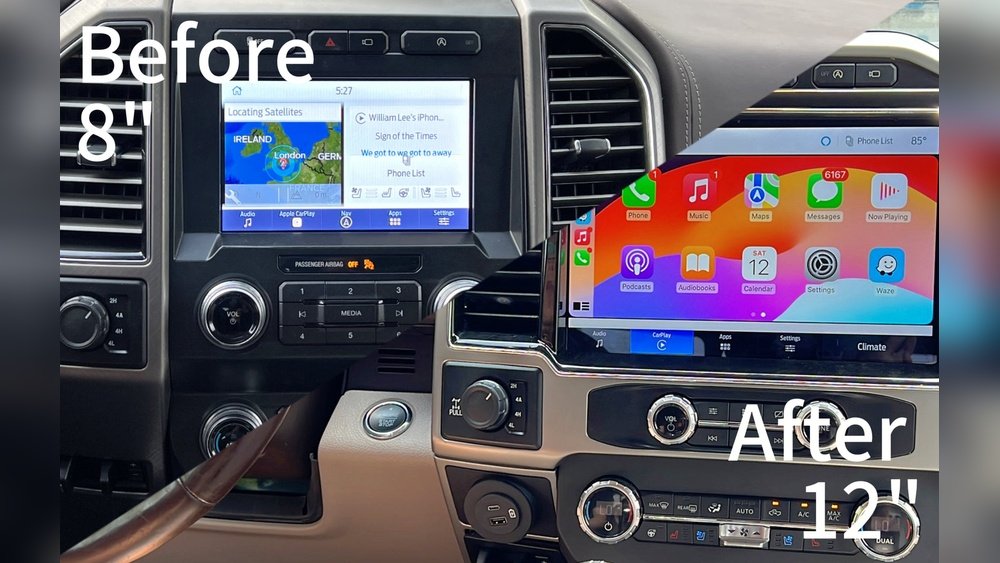
- 8-inch touchscreen (in most trims)
- AM/FM radio, Bluetooth
- No satellite radio (unless you pay extra)
- No built-in navigation on base models
For many drivers, this setup is enough. You can play music from your phone, answer calls, and listen to local radio. However, some common complaints include:
- Weak bass and overall sound quality
- Limited volume without distortion
- Few customization options
- No wireless Apple CarPlay or Android Auto on some trims
If you use your Maverick for long drives, road trips, or just want better audio, these limits can feel frustrating.
Why Consider A Radio Upgrade?
Upgrading your Maverick’s radio can bring several benefits. Let’s break down the most important reasons:
1. Improved Sound Quality
A new radio system can deliver:
- Clearer highs and deeper bass
- Louder volume without crackling
- Balanced sound for music, podcasts, and calls
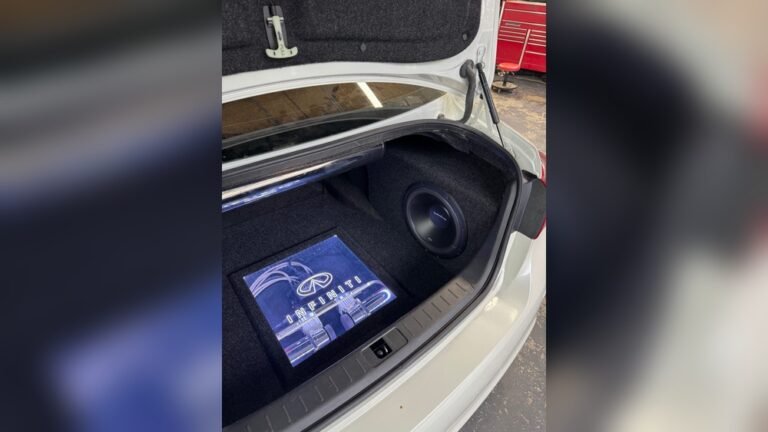
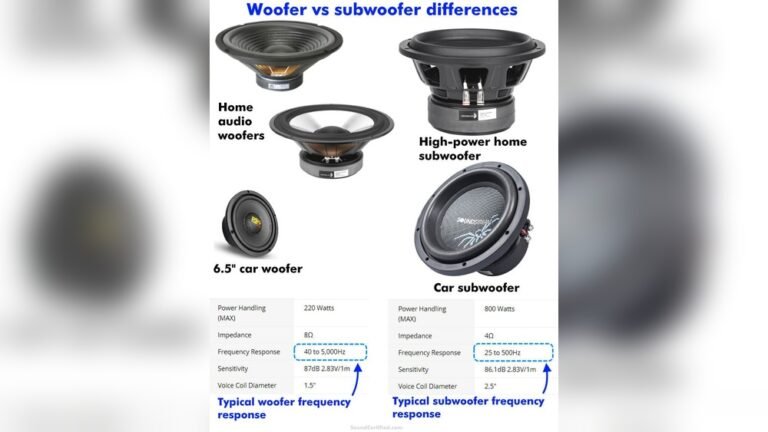
Even budget aftermarket radios often outperform the factory unit. This is especially noticeable if you add better speakers or a subwoofer.
2. Advanced Features
Modern aftermarket radios come with features the stock Maverick radio lacks:
- Wireless Apple CarPlay/Android Auto
- Navigation built-in
- HD Radio and satellite radio
- USB ports, SD card slots
- Customizable EQ settings
These features make driving more enjoyable and safer—especially hands-free controls and navigation.
3. Better Connectivity
Upgraded radios offer more ways to connect devices:
- Bluetooth for streaming and calls
- Multiple USB inputs
- Auxiliary input for older devices
You can charge your phone, play music from a flash drive, or even connect other gadgets.
4. Increased Resale Value
A quality radio upgrade can boost your Maverick’s resale value. Buyers often look for advanced audio features, especially younger drivers.
5. Personalized Experience
Aftermarket radios let you adjust settings for your taste. Want more bass? Prefer clear vocals? You can tweak everything. Some systems even let you change the display color or add custom backgrounds.
What Does A Radio Upgrade Cost?
Prices for radio upgrades vary widely. Here’s a realistic breakdown:
| Upgrade Type | Typical Cost (USD) | Skill Needed |
|---|---|---|
| Basic aftermarket head unit | $150–$350 | Beginner |
| Premium head unit (with CarPlay, Nav) | $350–$700 | Intermediate |
| Full audio upgrade (speakers, amp, radio) | $700–$2,000+ | Advanced/professional |
| Professional installation | $100–$300 | N/A |
If you’re comfortable with basic tools, you can install a head unit yourself. However, complex upgrades (like amps or custom wiring) may require professional help.
Comparing Factory Vs. Aftermarket Radios
Let’s see how a standard Maverick radio compares to a common aftermarket upgrade:
| Feature | Factory Radio | Aftermarket Radio |
|---|---|---|
| Sound Quality | Basic, limited bass | High clarity, more bass |
| Touchscreen Size | 8-inch | 7–10 inch (custom) |
| CarPlay/Android Auto | Wired only | Wireless available |
| Navigation | Not included | Built-in or app-based |
| Bluetooth | Yes | Yes (improved) |
| Customization | Limited | Full EQ, colors, apps |
Most drivers notice a big difference in audio quality and convenience after upgrading.

Credit: www.youtube.com
Real-world Example: Maverick Owner Upgrade Experience
Consider Sarah, a Maverick owner in Texas. She drives long distances for work and loves music. Her factory radio sounded flat, and she often struggled with Bluetooth disconnects.
She upgraded to a Kenwood head unit with wireless CarPlay and added two new speakers. The total cost was about $650, including professional installation. Sarah’s feedback:
- Music sounds clearer and richer
- Wireless CarPlay makes navigation easy
- Bluetooth never drops calls
- Install took two hours
Sarah says the upgrade makes her daily commute much more enjoyable. She also noticed her friends compliment the sound quality during road trips.
What To Consider Before Upgrading
Upgrading is not always simple. Here are important points to think about:
Compatibility
Some Maverick trims (especially the XL and XLT) have limited dash space. Check your dash measurements before buying a head unit. Some systems need special mounting kits.
Warranty
Modifying your radio may affect your vehicle warranty. Most basic swaps are safe, but cutting wires or changing electrical systems could void coverage. Always check your warranty terms.
Installation Difficulty
- Beginner upgrades (head unit only): Simple, often plug-and-play
- Advanced upgrades (speakers, amps): May require wiring, drilling, or professional help
If you’re unsure, ask a car audio shop for advice.
Safety And Features
Some aftermarket radios disable factory features (like backup cameras or steering wheel controls). Make sure your upgrade keeps these features, or buy adapters.
Cost Vs. Benefit
If you only use your radio for news or basic music, a big upgrade may not be worth it. But if you want premium sound and features, even a mid-range system can make a huge difference.
Credit: ddoffroad.com
Common Mistakes When Upgrading Maverick Radio
Avoid these beginner errors:
- Ignoring dash size: Not all radios fit the Maverick’s dashboard. Measure before buying.
- Cheap wiring: Poor quality wires can cause static and short circuits. Buy trusted brands.
- Skipping adapters: Many aftermarket radios need special adapters for factory cameras and controls.
- Not updating firmware: New radios need software updates for best performance.
- Professional help: If you’re unsure, pay for installation. Mistakes can damage your vehicle’s electrical system.
Is It Worth It? The Answer Engine Perspective
For most drivers, a Ford Maverick radio upgrade is worth it if you:
- Spend a lot of time in your truck
- Value music or podcasts
- Want advanced features (CarPlay, navigation)
- Plan to sell your Maverick in the future
If you only use your radio for simple tasks, the factory system is fine. But even a basic upgrade ($200–$400) can make driving more enjoyable and safer.
Key insights beginners miss:
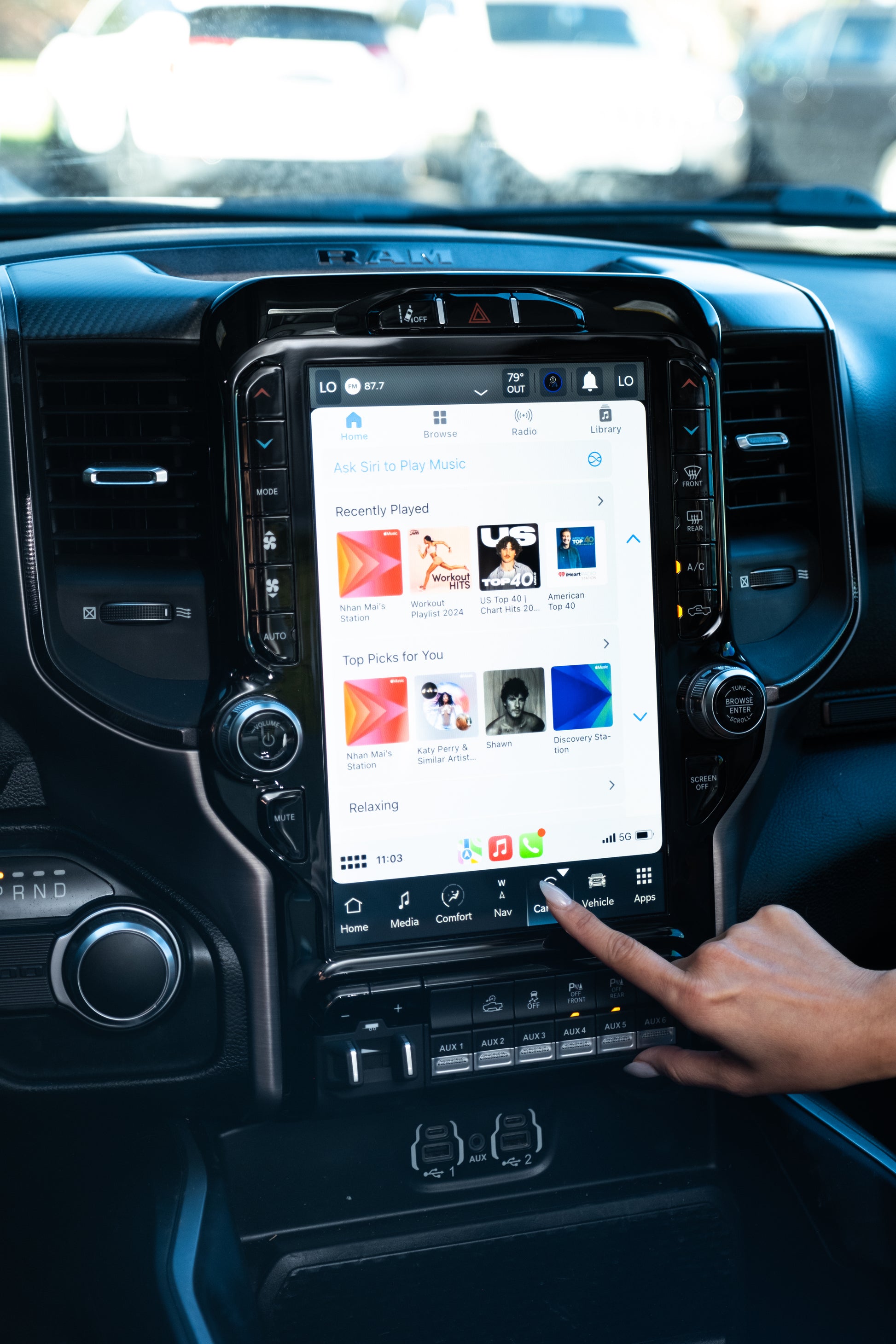
- Wireless connectivity: Aftermarket radios often support wireless CarPlay/Android Auto, making phone use much easier.
- Resale value: A good audio system can make your Maverick stand out when selling, especially to younger buyers.

Credit: www.amazon.com
Step-by-step: How To Upgrade Your Maverick Radio
If you decide to upgrade, here’s a simple guide:
- Choose your radio: Pick a head unit that fits your dash and has your desired features.
- Buy the right kit: You’ll need a mounting kit and wiring harness for the Maverick.
- Disconnect battery: Always disconnect your vehicle’s battery before starting.
- Remove old radio: Use trim tools to carefully remove the dash and factory radio.
- Install new radio: Connect wires, mount the unit, and test all functions.
- Reconnect battery: Check for errors and test sound quality.
- Update firmware: Download updates for best performance.
If you’re unsure, many car audio shops offer installation for $100–$300.
Data: Popular Aftermarket Radios For Ford Maverick
Here’s a look at three best-selling options:
| Brand & Model | Price Range | Main Features | Ease of Install |
|---|---|---|---|
| Pioneer DMH-1500NEX | $350–$450 | 7″ touchscreen, CarPlay, Android Auto | Beginner |
| Kenwood Excelon DDX9907XR | $600–$700 | High-res audio, wireless CarPlay | Intermediate |
| Sony XAV-AX1000 | $200–$300 | Apple CarPlay, simple interface | Beginner |
Each option offers better sound and features than the stock Maverick radio.
Frequently Asked Questions
Will A Radio Upgrade Void My Maverick Warranty?
Generally, swapping the radio head unit does not void the warranty, as long as you do not cut wires or damage factory systems. Check your vehicle warranty terms for details.
Can I Keep My Steering Wheel Controls With An Aftermarket Radio?
Yes, but you may need a special adapter. Many brands offer kits that let you keep steering wheel volume and skip buttons.
Is It Hard To Install A New Radio In The Maverick?
Basic head units are easy for beginners. Advanced systems (with amps or speakers) may require professional installation.
What If My Dash Is Too Small For A Larger Radio?
Most aftermarket radios come in standard sizes. If your dash is tight, look for “single DIN” units or buy a custom dash kit.
Are There Risks With Upgrading The Radio Myself?
If you follow instructions and use proper tools, risks are low. Always disconnect the battery before starting. If you’re unsure, ask for professional help.
Upgrading your Ford Maverick radio is a smart move if you want better sound, more features, and a personalized driving experience. For most owners, even a simple upgrade can transform daily driving. If you drive long distances, listen to music often, or want easy phone integration, a radio upgrade is worth considering. For more technical details and specs, check resources like Crutchfield.
With the right planning and a clear idea of your needs, you can enjoy a Maverick that sounds as good as it drives.