Why is My Skar Amp in Protect Mode: Troubleshooting Guide
If you’ve noticed your Skar amplifier suddenly goes into protect mode, you’re not alone. This common problem can be confusing, especially for beginners. Seeing that red or orange light on your amp can spoil your music experience and leave you wondering what went wrong. The good news? Protect mode is your amp’s way of keeping itself safe. Once you understand why it happens, you can fix the issue and get your sound system working again.
This article explains, in simple steps, what causes a Skar amp to enter protect mode, how to troubleshoot each reason, and what you can do to prevent it in the future. Whether you installed the amp yourself or had a shop do it, this guide gives you the knowledge to solve the problem confidently.
What Is Protect Mode?
Protect mode is a built-in safety feature in most car amplifiers, including Skar. When something is wrong, the amp shuts down or flashes a warning light to prevent permanent damage. Instead of burning out, the amp says, “Stop! Something’s not right.”
Why Do Amps Need Protect Mode?
Here’s why protect mode is important:
- Prevents overheating: Stops the amp before it gets too hot.
- Protects against short circuits: Cuts power if wiring problems or speaker faults occur.
- Avoids internal damage: Saves expensive components from breaking.
For example, if a speaker wire touches metal or a subwoofer is wired wrong, your Skar amp will quickly enter protect mode to avoid burning itself out.
Main Reasons A Skar Amp Goes Into Protect Mode
Many things can cause protect mode. Here are the most common reasons, explained simply for beginners:
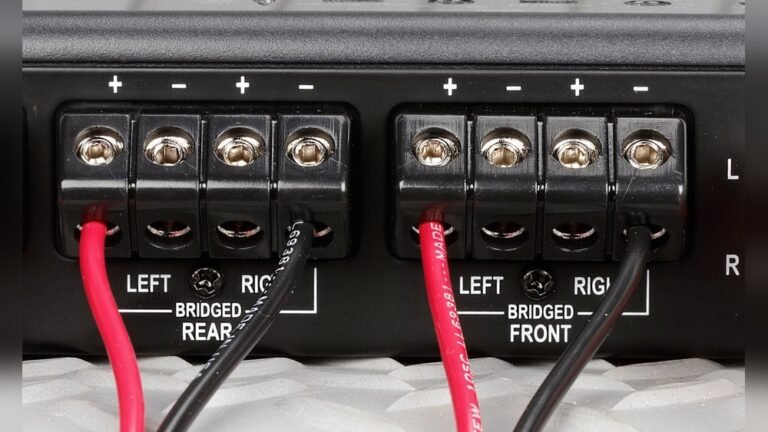
1. Speaker Wiring Problems
Incorrect speaker wiring is the most frequent cause.
- Short circuits: If the positive and negative wires touch, it creates a direct path. This is dangerous for the amp.
- Wrong impedance: If you connect speakers with a total impedance (measured in ohms) too low for the amp, it will overload.
- Loose connections: If a speaker wire is barely touching, it can cause the amp to cut out.
Example: Your Skar amp is rated for 2 ohms but you wire the subs for 1 ohm. The amp gets more power than it can handle and goes into protect mode.
2. Overheating (thermal Protection)
If the amp gets too hot, it will shut off to cool down. Overheating happens because of:
- Poor ventilation: The amp is installed in a tight space with no airflow.
- High volume for long periods: Playing music loud for a long time heats up the amp.
- Blocked cooling fans: Dust, dirt, or objects block the fan or vents.
Data Example: Most car amplifiers, including Skar, operate best below 140°F (60°C). If the temperature rises above this, protect mode activates.
3. Voltage Problems
Car amps need steady voltage, usually 12V-14.4V DC. If the voltage goes too low or too high, the amp will protect itself.
- Low voltage: Weak battery or poor alternator.
- Voltage drops: Thin power wire or bad ground connection.
- High voltage: Faulty charging system.
Example: If your battery drops below 10V while playing music, your Skar amp may enter protect mode.
4. Faulty Ground Connection
A bad ground is a silent killer for car amps.
- Rusty or painted ground point: The connection is not metal-to-metal.
- Loose ground wire: Not tightly bolted.
- Thin ground wire: Wire is too small for the amp’s power needs.
If the amp can’t send current back to the battery, it will shut down for safety.
5. Blown Or Weak Speaker/subwoofer
A blown speaker or sub can cause a short or mismatch in resistance.
- Torn voice coil: Creates a direct path, causing a short.
- Damaged cone: Speaker does not work properly and confuses the amp.
- Old or worn speakers: Resistance changes as they age.
Practical Insight: Many beginners forget to check the speakers themselves, assuming the problem is only with the amp.
6. Internal Amplifier Failure
If the amp itself is damaged, protect mode turns on.
- Blown output transistors: Often from pushing the amp too hard.
- Broken internal components: Age, vibration, or poor manufacturing can cause this.
This is less common but possible, especially with older or second-hand units.

Credit: www.reddit.com
How To Troubleshoot Your Skar Amp In Protect Mode
Let’s break down troubleshooting into simple, step-by-step actions:
Step 1: Check The Protect Light
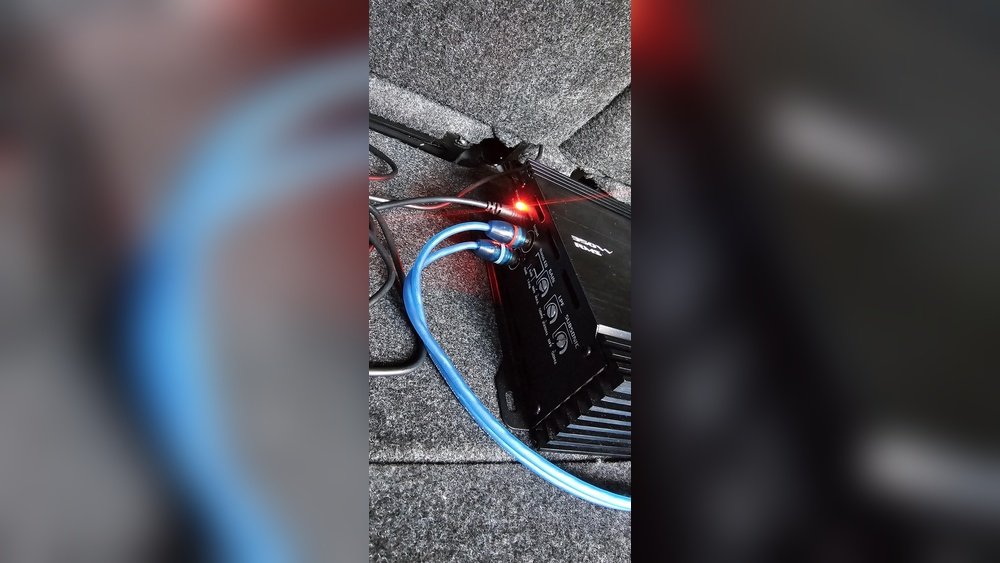
- Red or orange light: Amp is in protect mode.
- Flashing or solid? Look in your Skar manual for exact meaning.
- No light at all: The amp may not be getting power.
Step 2: Turn Off And Disconnect
- Turn off your car and remove the amplifier’s power wire.
- Wait a few minutes. Sometimes, amps reset themselves.
Step 3: Inspect All Wiring
- Power and ground wires: Look for loose, corroded, or damaged wires.
- Speaker wires: Make sure none are touching the car body or each other.
- RCAs: Check for bent pins or loose plugs.
Tip: Use a multimeter to check for shorts between the speaker wires and ground.
Step 4: Test The Ground
- Remove the ground wire.
- Clean the area down to bare metal.
- Re-attach tightly.
Step 5: Measure Voltage
- Use a multimeter at the amp’s power terminal.
- With the car running, voltage should be between 12.6V and 14.4V.
- Less than 12V means a charging/battery problem.
Step 6: Test The Speakers And Subwoofers
- Unplug the speaker wires from the amp.
- Turn on the amp with no speakers. If protect mode clears, the speakers are the issue.
- Use a multimeter to measure ohms (resistance) at the speaker terminals. It should match the speaker’s rating (e.g., 2 ohms or 4 ohms).
Step 7: Let The Amp Cool Down
- If the amp was hot, give it 30 minutes to cool.
- Improve airflow by moving the amp or adding a cooling fan.
Step 8: Inspect Internal Fuses
- Most Skar amps have fuses near the power terminal.
- A blown fuse must be replaced with the same size (amps rating).
Beginner Insight: Never use a bigger fuse than recommended. It can damage the amp more.
Step 9: Try Another Amplifier
- If possible, swap in a known good amp.
- If the new amp works, your Skar amp might need repair.
Comparison: Common Causes And How To Fix
Here’s a quick comparison to help you spot and fix the most likely issues:
| Cause | How to Check | Fix |
|---|---|---|
| Speaker Wiring | Look for shorts, test ohms | Rewire, fix shorts |
| Overheating | Touch amp, check airflow | Move amp, add fan |
| Voltage Issues | Test with multimeter | Upgrade wiring, fix battery |
| Bad Ground | Inspect and clean ground | Re-ground to bare metal |
| Blown Speaker | Disconnect, test resistance | Replace speaker |
Real-world Example
Imagine you install a Skar RP-1200. 1D amplifier with a dual 2-ohm subwoofer. You accidentally wire the subwoofer for 1 ohm, but your amp is only stable at 2 ohms.
- At first, the system works, but after a few songs at high volume, the amp overheats and enters protect mode.
- You check the wiring, see the mistake, and rewire for 2 ohms.
- The amp works perfectly after that.
Insight: Matching your amp’s ohm rating to your subwoofer wiring is critical. Beginners often miss this and cause protect mode by accident.
Data Table: Skar Amp Protect Mode Causes By Frequency
Based on user reports, here are the most common causes:
| Cause | Frequency (%) |
|---|---|
| Speaker wiring errors | 45% |
| Voltage drops | 20% |
| Bad ground connection | 15% |
| Overheating | 12% |
| Internal amp failure | 8% |
These numbers show that wiring problems are the top reason for protect mode. Always check your wires first.

Credit: www.reddit.com
How To Prevent Protect Mode In The Future
Follow these tips to avoid problems with your Skar amp:
- Double-check wiring: Use the right gauge and connect securely.
- Match impedance: Wire speakers and subs for the amp’s safe ohm load.
- Use quality connectors: Cheap terminals and wires cause issues.
- Install with airflow: Don’t hide the amp under seats or in closed boxes.
- Check voltage: Upgrade your battery or alternator if needed.
- Clean ground points: Sand to bare metal and tighten bolts.
- Inspect speakers: Test them before installation, and don’t use damaged ones.
- Don’t crank volume too high: Running the amp at full power for long periods overheats it.
Practical Tip: Write down your wiring setup and keep the manual. This makes future troubleshooting much easier.
When To Seek Professional Help
Some problems need an expert’s touch:
- The amp stays in protect mode with no clear reason.
- You suspect internal damage or hear rattling inside the amp.
- You’re not comfortable using a multimeter or working with car wiring.
A professional installer can test your system safely. They have tools and experience to find hidden issues.
If you want more details on car audio basics, check out Crutchfield’s car amplifier guide.

Credit: www.reddit.com
Frequently Asked Questions
Why Does My Skar Amp Go Into Protect Mode When The Bass Hits?
This usually means your amp is drawing too much power during heavy bass notes. Check for low voltage, undersized power wire, or speakers wired to the wrong impedance.
Can Bad Rca Cables Cause Protect Mode?
Yes, damaged RCA cables can send noise or a short signal into the amp, triggering protect mode. Inspect your RCA cables for damage and try swapping them.
Is Protect Mode The Same As The Amp Being Blown?
No. Protect mode is a safety feature. The amp turns itself off to avoid permanent damage. If you fix the problem, the amp will work again.
How Do I Reset My Skar Amp From Protect Mode?
- Turn off the car and remove the amp’s power wire.
- Wait a few minutes.
- Reconnect and see if the light turns green.
- If not, check wiring, speakers, and fuses.
Should I Replace The Fuse With A Larger Size To Stop Protect Mode?
Never use a larger fuse than recommended. It will not fix the cause and can destroy your amplifier. Always use the correct fuse size.
Protect mode is frustrating, but it’s your amp’s way of asking for help. By understanding why it happens and following these troubleshooting steps, you can fix most problems yourself and enjoy reliable, powerful sound from your Skar amplifier.