Boss Bvcp9700A C Car Stereo: Ultimate Guide to Features & Setup
The right car stereo can change your driving experience. If you want more than just radio and basic music, the Boss BVCP9700A C Car Stereo stands out as an affordable, feature-packed choice. For beginners, it can be confusing to know what makes a car stereo good. This article explains the Boss BVCP9700A C clearly—how it works, its main features, how to install it, and whether it’s the right upgrade for your vehicle.
What Is The Boss Bvcp9700a C Car Stereo?
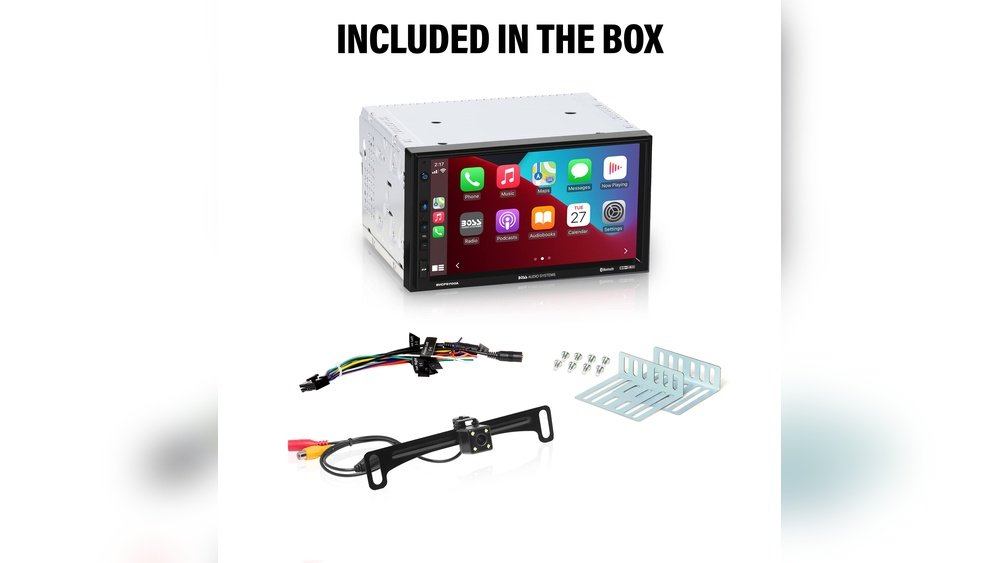
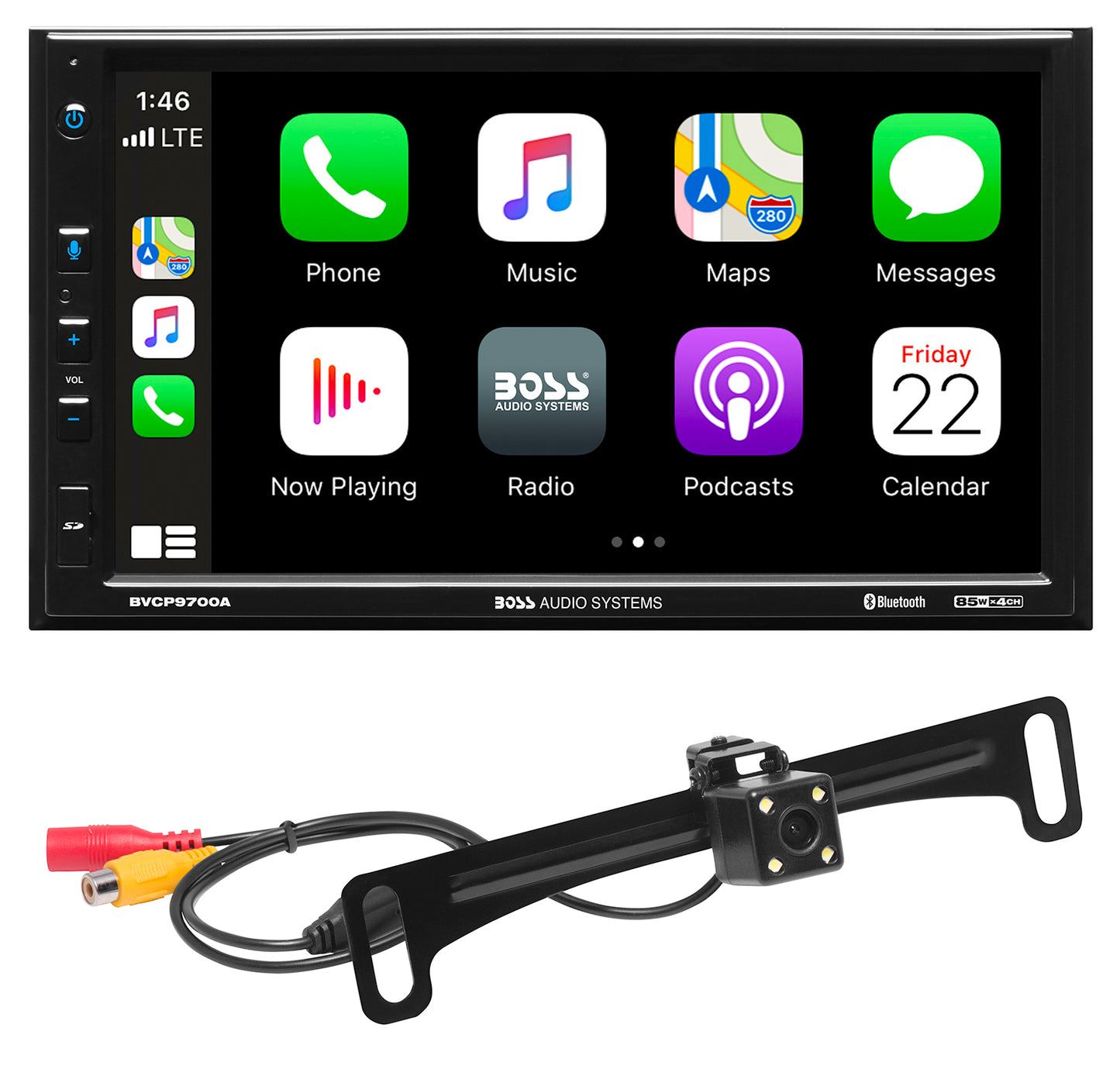
The Boss BVCP9700A C is a double DIN touchscreen car stereo. It supports Apple CarPlay and Android Auto, which means you can connect your phone and use apps directly from your dashboard. It’s popular among budget shoppers because it offers big features for a lower price.
Key facts:
- 7-inch capacitive touchscreen
- Supports both Apple CarPlay and Android Auto
- Bluetooth hands-free calling and music streaming
- Rear camera input for backup cameras
- USB and AUX inputs
- Easy-to-navigate interface
This stereo is designed to fit in most cars that accept a double DIN unit. If you want to listen to music, use navigation, or make calls without touching your phone, the BVCP9700A C brings these features together.
Main Features Explained
Understanding each feature helps you decide if this stereo matches your needs. Here’s what the Boss BVCP9700A C offers:
1. Apple Carplay And Android Auto
These are smart systems that let you use your phone safely while driving. You can:
- Get turn-by-turn navigation from apps like Google Maps or Apple Maps
- Listen to your favorite music from Spotify, Apple Music, or YouTube Music
- Send and receive texts using your voice
- Make hands-free calls
The stereo supports both systems, so it works with iPhones and Android phones.
2. Touchscreen Display
The 7-inch capacitive touchscreen is bright and easy to use, even in sunlight. Capacitive means it’s like a smartphone screen—responsive to light touch, not pressure.
Benefits:
- Large icons make controls simple for beginners
- Easy to switch between apps, music, and radio
3. Bluetooth Connectivity
You can pair your phone with Bluetooth to:
- Make hands-free calls
- Stream music wirelessly
- See caller ID on the screen
Bluetooth is useful if you don’t want to use a USB cable every time.
4. Usb And Aux Inputs
These inputs let you connect different devices:
- USB port for charging your phone or playing music from a flash drive
- AUX input for older MP3 players or any device with a headphone jack
5. Rear Camera Input
The stereo supports a rearview camera (sold separately). When you shift into reverse, the screen shows a live view behind your car, making parking safer.
6. Sound Controls And Equalizer
You can adjust the sound to match your taste:
- Bass, treble, and balance controls
- Preset equalizer modes (Pop, Rock, Jazz, etc.)
This gives you more control over music quality than a basic stereo.
7. Steering Wheel Control Compatibility
With the right adapter, you can use your car’s steering wheel buttons to control volume, skip tracks, and more.
Beginner tip: Not all cars or stereos support this feature. Check your car’s manual before buying an adapter.

Credit: www.amazon.com
Technical Specifications
Below is a quick look at the key technical details:
| Specification | Detail |
|---|---|
| Screen Size | 7-inch capacitive touchscreen |
| Resolution | 800 x 480 pixels |
| Bluetooth | Hands-free, audio streaming |
| Inputs | USB, AUX, camera, steering wheel control |
| Output Power | 80W x 4 channels |
| Preamp Outputs | Front, rear, subwoofer |
| Backup Camera Support | Yes (camera sold separately) |
| Operating System | Proprietary, with CarPlay/Android Auto |
Installation: What To Expect
For most beginners, installing a car stereo can feel challenging. The Boss BVCP9700A C is designed for “double DIN” slots—common in many cars, but not all. Here’s what you should know:
- Check your car’s dash size. Double DIN units measure about 4 inches tall and 7 inches wide.
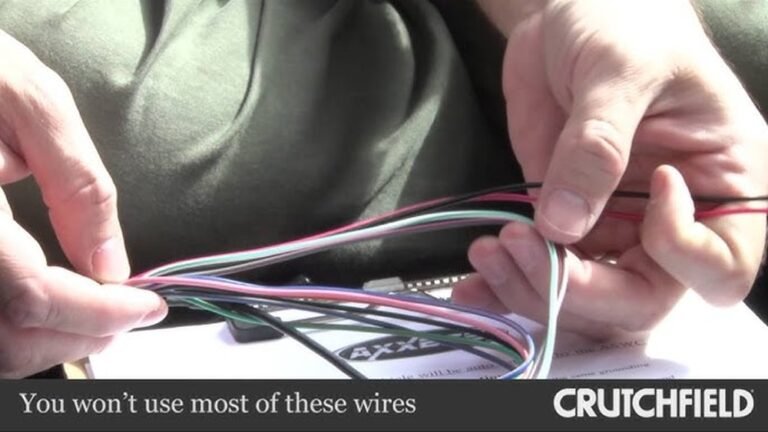
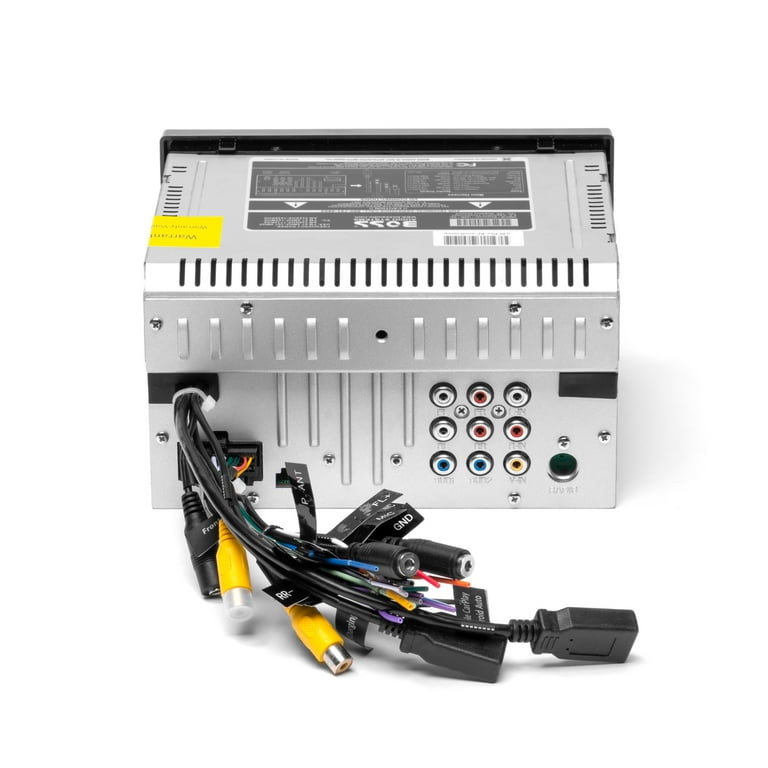
- You’ll need a wiring harness. This adapter connects the stereo to your car’s wiring without cutting wires.
- Dash kit may be required. Some cars need a special trim piece for a clean look.
- Basic tools needed: Screwdrivers, wire strippers, and possibly a socket set.
Steps:
- Disconnect your car’s battery for safety.
- Remove the old stereo using removal tools.
- Connect the wiring harness to the new stereo (match wire colors).
- Slide the new unit into the dash and secure with screws.
- Reconnect the battery and test all features before putting the dash back together.
Pro tip: Many auto parts stores will install the stereo for a fee. If you’re not confident, this is a good option.
User Experience: Everyday Use
The Boss BVCP9700A C stands out for its easy controls. Beginners often worry about complex menus, but this stereo uses large icons and simple layouts.
- Startup time: About 10 seconds from power-on to full function
- Touch response: Fast and accurate, even with light touches
- Voice controls: Work well with both Siri (iPhone) and Google Assistant (Android)
- Radio reception: Good sensitivity for local FM and AM stations
Real-world example:
Maria, a new car owner, wanted to listen to her playlists and use navigation. She connected her iPhone using the included USB cable. CarPlay started automatically, showing maps, music, and messages on the stereo’s screen. She could talk to Siri to send messages while driving.
Non-obvious insight: You can use both Bluetooth and USB at the same time, but CarPlay/Android Auto require a wired connection for full features.
Performance And Audio Quality
When it comes to sound, most users notice a clear improvement over factory stereos. Here’s what you get:
- Loud, clean output: 80 watts per channel (though real-world power is less, it’s enough for most stock speakers)
- Custom sound: Adjust bass, treble, and balance for your taste
- Expandability: Add an external amplifier or subwoofer using preamp outputs
Practical example: If you like deep bass, connect a subwoofer for extra punch. For podcasts or audiobooks, use the “Speech” or “Flat” EQ setting for clear voices.
Common beginner mistake: Not setting the clock or forgetting to adjust the volume limit. Take a few minutes to check all settings after installation.
Boss Bvcp9700a C Vs. Competing Stereos
How does this stereo compare to other popular models? Here is a simple comparison with two main competitors.
| Model | CarPlay/Android Auto | Screen Size | Bluetooth | Price Range |
|---|---|---|---|---|
| Boss BVCP9700A C | Yes (both) | 7-inch | Yes | $170-$220 |
| Pioneer DMH-1500NEX | Yes (both) | 7-inch | Yes | $320-$400 |
| JVC KW-M56BT | Yes (both) | 6.8-inch | Yes | $240-$300 |
Non-obvious insight: While more expensive stereos often have higher screen resolution or more audio controls, the Boss unit covers the basics well. For most drivers, the extra features are not essential.
Pros And Cons
Every product has strengths and weaknesses. Here’s a quick summary:
Pros:
- Supports both CarPlay and Android Auto
- Responsive touchscreen
- Affordable price
- Simple controls for beginners
- Expandable with camera or extra speakers
Cons:
- No wireless CarPlay/Android Auto (wired connection only)
- No built-in navigation (uses phone apps)
- Screen can look dim in direct sunlight
Tip: Use a high-quality USB cable to avoid connection issues with CarPlay/Android Auto.
Who Should Buy The Boss Bvcp9700a C?
This stereo is a strong choice if you:
- Want to upgrade from a basic radio to a modern touchscreen
- Use an iPhone or Android phone daily
- Need hands-free calls and music streaming
- Like simple menus and easy navigation
It’s less ideal if you:
- Want wireless CarPlay/Android Auto
- Have a single DIN dashboard (smaller slot)
- Need built-in GPS navigation (without a phone)
If you drive an older car, this stereo can make your vehicle feel new again. For newer cars with built-in touchscreens, the upgrade may not be as noticeable.
Common Installation And Setup Questions
Beginners often ask about installation and setup. Here’s a quick Q&A:
- Can I install it myself? Yes, with basic tools and patience. Many users do it at home.
- Do I need a special adapter? Most cars need a wiring harness and dash kit. These are sold separately.
- Does it fit all cars? Only double DIN dashboards. Check your car’s manual.
- Is there a warranty? Boss Audio offers a 3-year warranty if you buy from an authorized dealer.
Credit: bossaudio.com
Real-world Reviews And Ratings
Checking user reviews helps understand what real drivers think. On websites like Amazon and Crutchfield, the BVCP9700A C has an average rating of 4.3 out of 5 stars.
Highlights from reviews:
- “Easy to use, even for my parents who aren’t tech-savvy.”
- “Clear sound and simple CarPlay setup.”
- “Screen gets hard to see in bright sunlight.”
- “Great value for the price.”
Most negative reviews mention the lack of wireless CarPlay or slow startup, but these are common at this price point.
Where To Buy And Price Range
You can find the Boss BVCP9700A C at:
- Amazon
- Crutchfield
- Best Buy
- Walmart
Price usually ranges from $170 to $220, depending on sales and bundles. Sometimes stores offer free installation or include a backup camera.
Expert tip: Always buy from an authorized dealer to get the full warranty.
For more on car stereos and installation tips, you can check the official Boss Audio website.
Credit: www.walmart.com
Frequently Asked Questions
Does The Boss Bvcp9700a C Support Wireless Apple Carplay Or Android Auto?
No, this stereo supports only wired connections for CarPlay and Android Auto. You need to plug your phone into the USB port to use these features.
Will It Fit My Car?
The BVCP9700A C fits cars with a double DIN stereo slot. Measure your dashboard or check your car’s manual. If your car only has a single DIN slot, this stereo will not fit without major modifications.
Can I Use My Car’s Steering Wheel Controls?
Yes, but you’ll need a special adapter (sold separately) to connect your car’s steering wheel buttons to the stereo. Not all cars support this, so check compatibility before buying.
Does It Come With A Backup Camera?
No, the backup camera is not included. The stereo has an input for a camera, but you must buy the camera separately.
How Do I Update The Software?
Boss Audio sometimes releases firmware updates on their website. Download the update to a USB drive, insert it into the stereo, and follow the instructions in the user manual. Always keep your stereo’s software up to date for the best performance.
Choosing the right car stereo can make your daily drive safer and more enjoyable. The Boss BVCP9700A C is a solid option for beginners wanting modern features without a high price. If you want easy navigation, music, and hands-free control, this stereo offers great value.
Take your time during installation, read the manual, and enjoy your new driving experience.