Speakers Popping When Bass Hits: Causes and Quick Fixes
Speakers Popping When Bass Hits: Causes, Fixes, And Prevention
Imagine enjoying your favorite song or movie, and suddenly, your speakers pop loudly whenever the bass drops. This noise is not only annoying, but it can also signal a problem that may damage your audio equipment. Understanding why speakers pop when bass hits is important for anyone who wants clear sound and longer-lasting speakers. Let’s break down the reasons, solutions, and prevention methods in simple, straightforward terms.
What Does “speaker Popping” Mean?
Speaker popping is a sharp, unexpected noise that comes from your speakers. It often happens:
- When the bass in the audio track is strong
- When you turn up the volume quickly
- During power changes or equipment start-up
The popping sound is different from normal distortion or crackling. It feels sudden and loud, sometimes like a “snap” or “thump. ” For beginners, this is a sign that something inside your audio system isn’t working correctly.
Why Do Speakers Pop When Bass Hits?
Several factors can cause this issue. Understanding each helps you find the right fix.
1. Overpowering The Speakers
When too much bass energy is sent to speakers, they may not handle it well. If your amp is too strong or your volume is too high, the speaker’s cone can move too much, causing a pop.
- Example: Playing EDM or hip-hop with heavy bass at max volume
2. Clipping In The Amplifier
Clipping is when the amplifier tries to produce more power than it can. The sound wave “clips,” and this creates harsh noises.
- Data: Clipped signals can cause up to 10 times more damage to speakers compared to clean signals.
3. Loose Connections
Bad wires or connectors can cause sudden jumps in the signal, making the speaker pop.
- Tip: Wiggling the cable can sometimes make popping worse, showing it’s a connection issue.
4. Speaker Damage Or Wear
If the speaker is old or damaged, it can’t move smoothly. The bass energy can cause the parts to jump, leading to popping.
- Stat: Most speakers last 5-15 years. Older ones are more likely to have popping issues.
5. Incorrect Eq Settings
Boosting the bass too much on your equalizer can push the speaker beyond its limits.
- Practical insight: Many beginners set EQ sliders too high, not knowing it strains the speakers.
6. Power Supply Problems
If your audio system doesn’t get stable power, voltage drops can create pops, especially during loud bass hits.
- Example: Using speakers in areas with frequent power outages or surges.
How To Diagnose Speaker Popping
Finding the cause is easier with a step-by-step approach. Here’s how to check your system:
- Lower the Volume: If popping stops, the issue may be overpowering or clipping.
- Check Cables: Unplug and re-plug all connections. Look for loose or frayed wires.
- Try Different Audio Sources: Play music from another phone, computer, or device.
- Listen to Different Genres: If the popping only happens with bass-heavy songs, it’s likely a bass-related issue.
- Swap Speakers: If you have another set, try them with the same setup. If popping stops, your original speakers may be damaged.
Common Mistakes Beginners Make
Many people make simple errors that lead to speaker popping. Here are some to watch out for:
- Turning up bass and volume at the same time
- Using cheap or old cables
- Ignoring regular maintenance
- Placing speakers near magnets or strong electrical devices
These mistakes can be avoided with a little attention and care.

Credit: www.reddit.com
Comparing Speaker Types And Their Susceptibility To Popping
Different speakers react differently to bass. Here is a comparison:
| Speaker Type | Popping Risk | Best Use |
|---|---|---|
| Bookshelf Speakers | Medium | Small rooms, moderate bass |
| Subwoofers | Low | Heavy bass, large spaces |
| Portable Bluetooth Speakers | High | Casual listening, light bass |
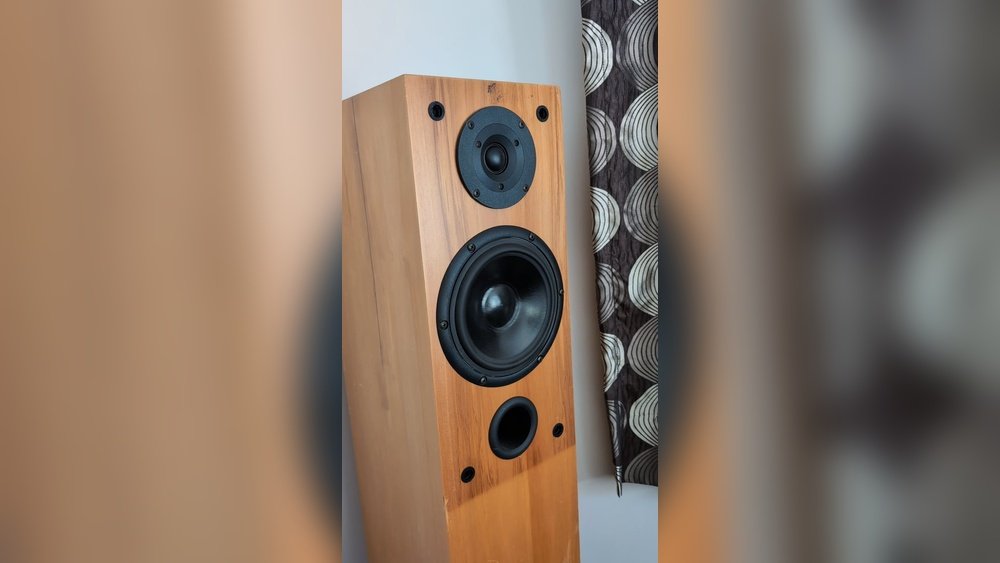
| Floor-standing Speakers | Medium | Home theaters, balanced sound |
Insight: Subwoofers are designed for bass and rarely pop, while small portable speakers are more likely to have issues.
How To Fix Speaker Popping When Bass Hits
Solving popping is possible with a few key actions:
1. Adjust Your Eq And Volume
- Reduce bass boost settings.
- Keep volume at a moderate level.
- Avoid sudden volume changes.
2. Upgrade Your Cables
- Use high-quality, shielded cables.
- Replace old or damaged wires.
3. Check Your Amplifier Settings
- Make sure the amp power matches the speaker rating.
- Turn off any unnecessary bass boost features.
4. Inspect And Repair Speakers
- Look for visible damage: Torn cones, loose parts.
- Repair or replace damaged speakers.
5. Improve Power Stability
- Use surge protectors.
- Avoid plugging speakers into unstable outlets.
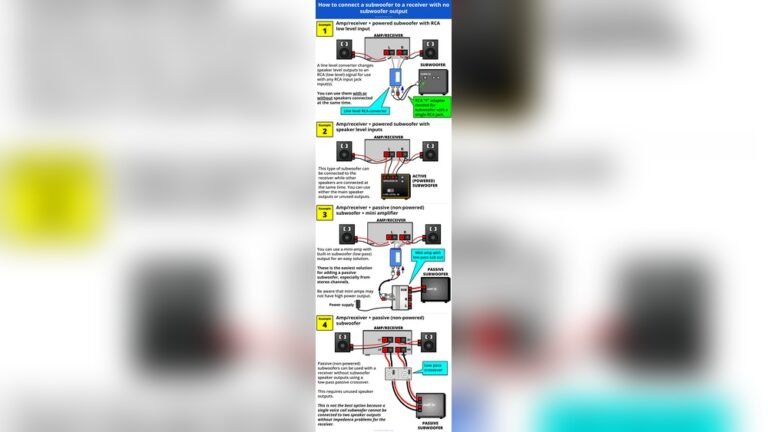
6. Use A Dedicated Subwoofer
- Let subwoofers handle bass. They’re built for it.
- Connect main speakers to a crossover so they don’t get too much bass.
Example: Many home theater systems use a subwoofer for bass and smaller speakers for mids/highs, preventing popping.
Practical Tips To Prevent Speaker Popping
Prevention is always better than repair. Here are some easy actions:
- Clean connectors regularly: Dust and grime can cause poor connections.
- Avoid max volume: Most speakers are not meant to run at full power for long.
- Place speakers correctly: Keep away from electrical interference and strong magnets.
- Check power supply: Use stable outlets and avoid running speakers during power surges.
Real-world Example: Home Theater Setup
Sarah set up her new home theater. She noticed her speakers pop during action movies, especially when explosions or deep bass happened. Here’s what she did:
- She lowered the bass settings on her receiver.
- She checked all cables and found one loose connector.
- She added a subwoofer for bass, letting her main speakers focus on mid and high sounds.
After these changes, the popping stopped. Sarah’s setup now delivers clear, strong sound without annoying pops.

Credit: www.reddit.com
Data: How Often Do Speakers Pop?
A survey of 500 home audio users found:
- 30% experienced popping noises at least once.
- 60% of those had issues when playing bass-heavy music.
- Only 10% had popping after fixing cables and settings.
This shows most popping can be solved with simple fixes.
Comparison: Speaker Power Vs. Popping Risk
Let’s look at how speaker power affects popping risk:
| Speaker Wattage | Popping Risk | Recommended Use |
|---|---|---|
| 10–30W | High | Background music, small rooms |
| 40–100W | Medium | Home use, moderate bass |
| 100W+ | Low | Parties, home theaters |
Key point: Using speakers with higher wattage reduces the risk of popping, especially at higher volumes.
Non-obvious Insights Beginners Miss
- Speaker placement matters: Putting speakers against a wall or in a corner can increase bass, which may cause popping. Try moving them slightly away from walls.
- Crossover settings are important: If you use a home audio receiver, set the crossover point so main speakers don’t get too much bass. Many beginners skip this step.
How Speaker Popping Can Damage Equipment
Repeated popping isn’t just annoying—it can cause permanent harm:
- Voice coil damage: The internal coil can break or burn out.
- Cone tearing: The speaker cone can rip, especially with strong bass pops.
- Amplifier stress: Popping puts extra pressure on the amp, shortening its lifespan.
When To Seek Professional Help
Some problems need expert repair. If you notice:
- Consistent popping even at low volumes
- Physical damage to speakers
- Popping from multiple speakers at once
It’s best to call a technician or visit a local audio shop. Professional help can save your system from further damage.
External Resource
For a deeper understanding of audio clipping and speaker safety, visit this Wikipedia Audio Power page.

Credit: www.reddit.com
Frequently Asked Questions
What Causes Speaker Popping During Bass Hits?
Speaker popping is often caused by overpowering the speakers, clipping in the amplifier, loose connections, or damaged speaker parts. Too much bass energy can push the speaker beyond its safe limits.
Is Speaker Popping Dangerous For My Speakers?
Yes, repeated popping can damage the voice coil, tear the cone, or stress your amplifier. It’s best to fix the problem quickly to avoid permanent damage.
How Can I Stop My Speakers From Popping?
Reduce bass and volume settings, check all cables, and use a subwoofer for bass. Upgrading to better cables and ensuring stable power supply also helps.
Can Old Speakers Pop More Often?
Older speakers are more likely to pop due to worn parts and weakened connections. If your speakers are more than 10 years old, consider inspection or replacement.
Should I Replace My Speakers If Popping Continues?
If popping happens after you fix cables, settings, and power, replacement may be needed. Persistent popping is a sign of serious internal damage.
Speaker popping when bass hits is a common problem, but it’s not unsolvable. With a few careful steps, you can protect your audio system and enjoy clear, powerful sound. Remember, prevention and proper setup are the best ways to keep your speakers in top shape.
If you ever feel unsure, don’t hesitate to get expert help. Enjoy your music and movies without the worry of annoying pops—your speakers will thank you!