Tips to Setting Equalizer for Best Sound in Car: Expert Guide
Setting your car’s equalizer can transform your daily drive into a rich audio experience. Many people leave their car audio settings untouched, but a few simple adjustments can make a huge difference. If you’re new to equalizers, don’t worry. This guide will walk you through practical tips, key concepts, and common mistakes, all in clear, easy English.
You’ll learn how to get the best sound from your car’s speakers—whether you listen to music, podcasts, or talk radio.
Understanding Equalizer Basics
An equalizer (EQ) lets you control different sound frequencies. Think of it like adjusting the colors in a picture—except here, you’re adjusting sounds. Most car stereos have a simple equalizer with sliders or buttons for bass, midrange, and treble. More advanced systems offer more frequency bands.
- Bass controls deep, low sounds (kick drums, bass guitars).
- Midrange affects vocals and most instruments.
- Treble is for high, sharp sounds (cymbals, hi-hats).
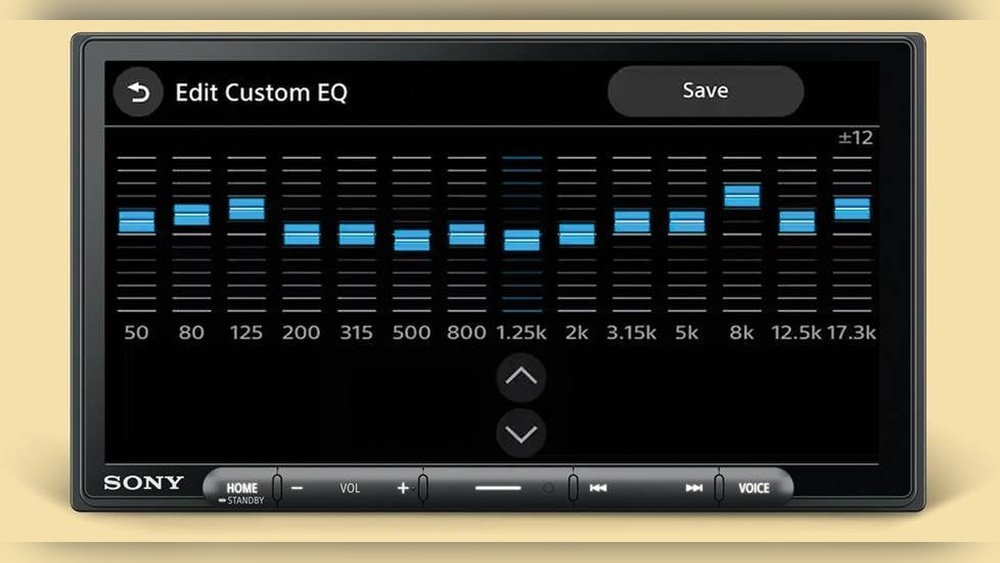
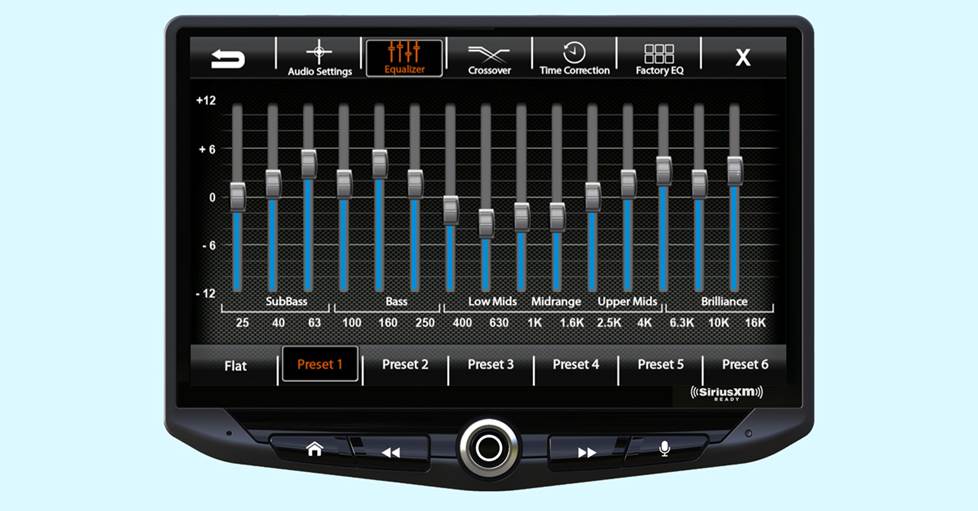
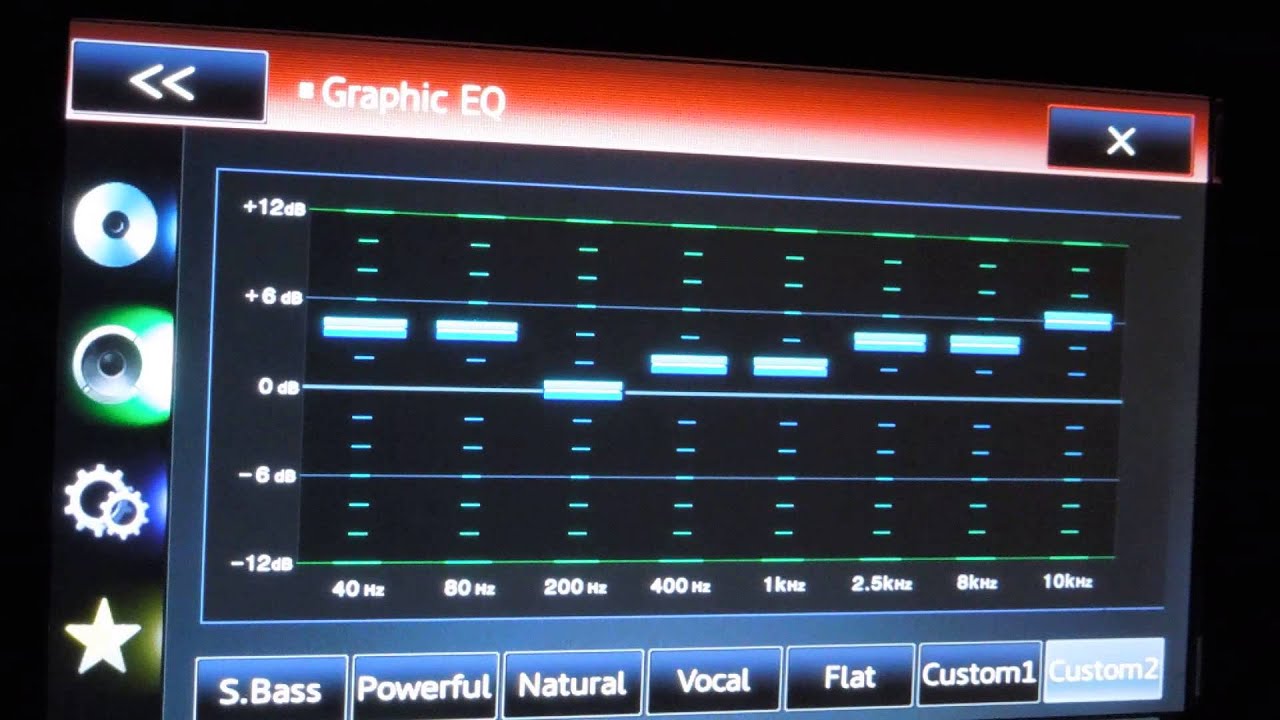
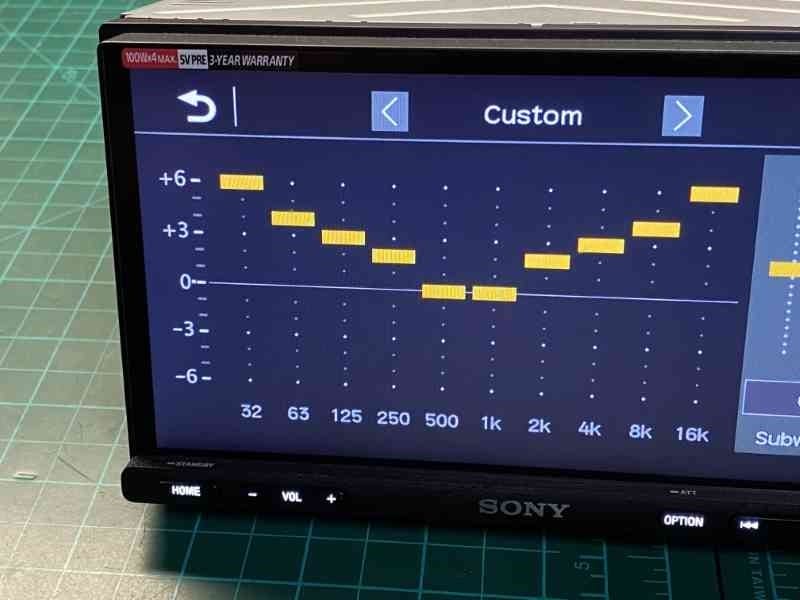
If your car audio system has a graphic equalizer, you may see sliders for specific frequencies like 60Hz, 250Hz, 1kHz, 4kHz, and 16kHz. Each slider adjusts how loud or quiet those frequencies are.
Why Equalizer Settings Matter
Many car speakers have limitations. Factory settings often push certain sounds too much or too little. Adjusting the equalizer helps you:
- Reduce distortion
- Hear vocals clearly
- Enjoy deeper bass without muddiness
- Make high notes less sharp or piercing
A well-set equalizer makes music sound natural, not forced. It also helps with tiredness during long drives since harsh sounds can be uncomfortable.
Credit: www.crutchfield.ca
Key Steps To Set Your Car Equalizer
1. Start With Flat Settings
Before making changes, set all EQ bands to zero or flat. This means no frequency is boosted or cut. Most systems have a “reset” or “flat” button.
- Flat settings let you hear the true sound of your speakers.
- It’s easier to notice what needs fixing.
2. Listen To Different Audio Types
Use a playlist with varied music—rock, pop, classical, hip-hop, and podcasts. This helps you find settings that work for all content.
- Pay attention to vocals, bass, and high notes.
- Notice if any part sounds too loud or too quiet.
3. Adjust Bass First
Bass frequencies are usually between 60Hz and 250Hz. Too much bass can make music sound muddy and drown out vocals.
- Start by raising bass slightly (+2 or +3 dB).
- If the sound becomes too thick, lower the bass.
Example: If you listen to hip-hop and the kick drum shakes your seat but vocals are hard to hear, reduce bass.
4. Fine-tune Midrange
Midrange covers 250Hz to 4kHz. This is where vocals and instruments live.
- Increase midrange if vocals sound weak.
- Decrease midrange if the music feels harsh or nasal.
Tip: Too much midrange can make music tiring. Try small changes (+1 or -1 dB).
5. Adjust Treble Last
Treble affects high frequencies (4kHz to 16kHz). These give clarity and brightness.
- Boost treble if music lacks detail.
- Lower treble if cymbals sound sharp or hissy.
Practical tip: If your car has tweeters (small speakers for highs), be careful not to overboost treble.
Comparing Common Equalizer Types
Some cars have preset EQ modes (Rock, Jazz, Classical), while others let you set each band yourself. Here’s a quick comparison:
| Equalizer Type | Control | Best For | Beginner Friendly? |
|---|---|---|---|
| Preset Modes | One-touch presets | Quick setup | Yes |
| Graphic Equalizer | Multiple sliders | Custom sound | Moderate |
| Parametric EQ | Adjust frequency & width | Precise tuning | No |
For most beginners, preset modes or a simple graphic equalizer are easiest.
Practical Equalizer Setting Examples
Let’s look at two common music styles and how to set your EQ:
| Music Style | Bass | Midrange | Treble | Notes |
|---|---|---|---|---|
| Rock | +2 dB | +1 dB | +2 dB | Boosts drums, vocals, and detail |
| Classical | 0 dB | +2 dB | +1 dB | Clear instruments, gentle highs |
| Hip-Hop | +3 dB | 0 dB | +1 dB | Strong bass, balanced vocals |
These numbers are starting points. Fine-tune based on what you like.
Avoiding Common Equalizer Mistakes
Many beginners make simple mistakes that ruin audio quality. Here are key things to watch out for:
- Boosting all frequencies: This makes music loud but messy. Only boost what’s missing.
- Cutting too much: If you lower several bands, sound becomes thin.
- Ignoring speaker quality: Old or cheap speakers can’t handle high boosts.
- Changing EQ for every song: Find a balanced setting for most music.
Non-obvious tip: Car acoustics change with windows up or down. Always set EQ with windows closed.
Testing And Adjusting Your Settings
After setting your EQ, test it in real driving conditions:
- Play music at normal volume.
- Listen at different speeds—road noise changes sound.
- Move between seats. Some cars have sweet spots.
If you hear distortion, lower the boosted bands. If vocals are hard to hear, raise midrange.
Example: Real-world Testing
Imagine you drive a sedan with stock speakers. You set bass to +3, midrange to +1, treble to +2. At low speed, music sounds great. But on the highway, engine noise covers vocals. Try lowering bass to +2 and raising midrange to +2.
This helps vocals cut through.
Equalizer Settings For Different Cars
Car shape and size affect sound. A small hatchback will sound different from a large SUV. Here’s a quick comparison:
| Car Type | Recommended EQ | Reason |
|---|---|---|
| Hatchback | Bass +2, Mid +2, Treble +1 | Small space, less bass loss |
| Sedan | Bass +3, Mid +1, Treble +2 | Balanced sound for longer cabin |
| SUV | Bass +4, Mid +1, Treble +2 | Larger space, bass fades more |
Always start with these, then adjust for your ears.
Credit: www.youtube.com
Advanced Tips For Best Car Sound
Most guides stop at basic settings, but two non-obvious insights help beginners:
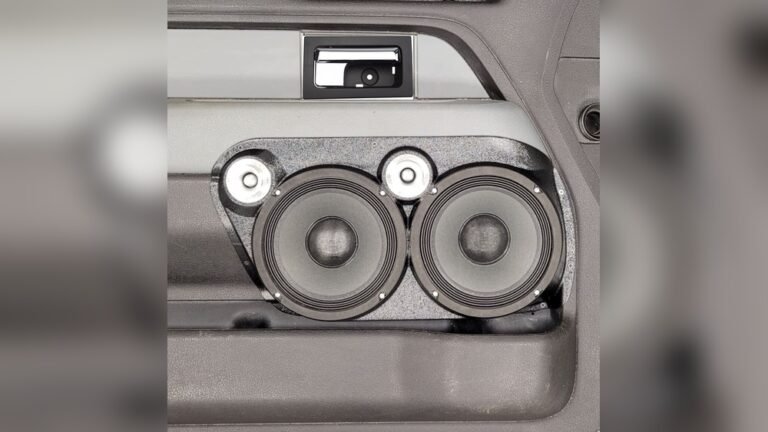
- Speaker placement matters: If speakers are under seats or in doors, some frequencies can be blocked. Try adjusting EQ to compensate (boost treble if highs are muffled).
- Use high-quality audio files: Low-quality streaming can sound dull even with perfect EQ. Download or stream in high quality whenever possible.
Also, experiment with balance and fade (left/right, front/back) controls. Sometimes moving sound toward the front improves clarity.
Equalizer Apps And Smart Solutions
Some modern cars let you control EQ with apps or touchscreens. These tools give more flexibility:
- Save presets for different users or music styles.
- Adjust EQ easily with visuals.
- Some apps analyze your car’s acoustics and suggest settings.
If your car doesn’t have this, check if your smartphone music app offers EQ control. Apps like Spotify have built-in EQ for playlists.
How Often Should You Adjust Your Eq?
You don’t need to change settings every day. Adjust your EQ when:
- You upgrade speakers or add a subwoofer.
- You listen to new music styles.
- You notice distortion or dullness.
Set your EQ once, and tweak as needed. Over-adjusting can make you lose balance.
Trusted Resources For Equalizer Learning
If you want to dive deeper, visit Crutchfield’s Car Audio Guide. They offer expert advice, speaker reviews, and detailed tutorials.
Credit: www.bestcaraudio.com
Frequently Asked Questions
What Is The Best Equalizer Setting For Car Audio?
There is no single best setting. It depends on your speakers, car type, and music style. Start with flat EQ, then boost bass and treble slightly. Adjust midrange for clear vocals.
How Do I Fix Distortion When I Turn Up The Volume?
Distortion means frequencies are boosted too much or your speakers can’t handle the power. Lower the boosted bands (especially bass) and keep volume at safe levels. If distortion continues, upgrade your speakers.
Should I Use Preset Eq Modes Or Manual Settings?
Preset modes are easy for beginners. Manual settings let you fine-tune for your taste. Try presets first, then adjust sliders if you want more control.
Do Equalizer Settings Affect Bluetooth And Radio Audio?
Yes, EQ changes affect all sources—Bluetooth, radio, USB. If radio sounds worse than Bluetooth, it could be due to signal quality, not EQ.
How Can I Make Vocals Clearer In My Car?
Boost midrange frequencies (250Hz to 4kHz) by +1 or +2 dB. Lower bass if vocals are drowned out. Also, try moving balance/fade toward the front speakers.
Getting the best sound in your car takes patience and a bit of trial and error. Equalizer settings aren’t magic, but they let you shape music to fit your ears and your car. Start simple, listen carefully, and keep adjusting until every drive sounds just right.
With these tips, you’ll enjoy music the way it was meant to be heard.