How Do I Reset My Car Stereo: Quick and Easy Guide
How Do I Reset My Car Stereo
Car stereos can sometimes stop working as expected. Maybe your favorite radio stations disappear, the Bluetooth connection drops, or the screen freezes. When this happens, a simple reset can solve many problems. But, for beginners, the process can feel confusing or even scary. Don’t worry. Resetting your car stereo is usually safe and can make your system work like new.
In this guide, you’ll learn different ways to reset your car stereo. We’ll use easy language and show practical examples. You’ll also see common mistakes and tips that most beginners miss. After reading, you’ll feel confident to reset your car stereo—step by step.
Why Reset Your Car Stereo?
A car stereo is a small computer. Like all electronics, it sometimes runs into bugs or glitches. Resetting is a way to clear errors and start fresh. Here are common reasons to reset your stereo:
- Bluetooth issues: Devices won’t connect or pair.
- Frozen screen: Touchscreen or buttons stop working.
- Audio problems: No sound or distorted music.
- Settings messed up: Random changes, lost presets, or language errors.
- Software update: The stereo acts strange after an update.
Resetting is often the fastest way to fix these problems. It’s like restarting your phone when it acts up.
Types Of Car Stereo Resets
There are different reset methods depending on your stereo and problem:
- Soft Reset: Restarts the stereo without removing saved data.
- Factory Reset (Hard Reset): Erases all settings and returns the stereo to default.
Not all stereos have both options. Always check your car or stereo manual for model-specific steps.
Soft Reset: The Quick Fix
A soft reset is like turning your stereo off and on again. It doesn’t erase presets or Bluetooth pairings.
How To Perform A Soft Reset
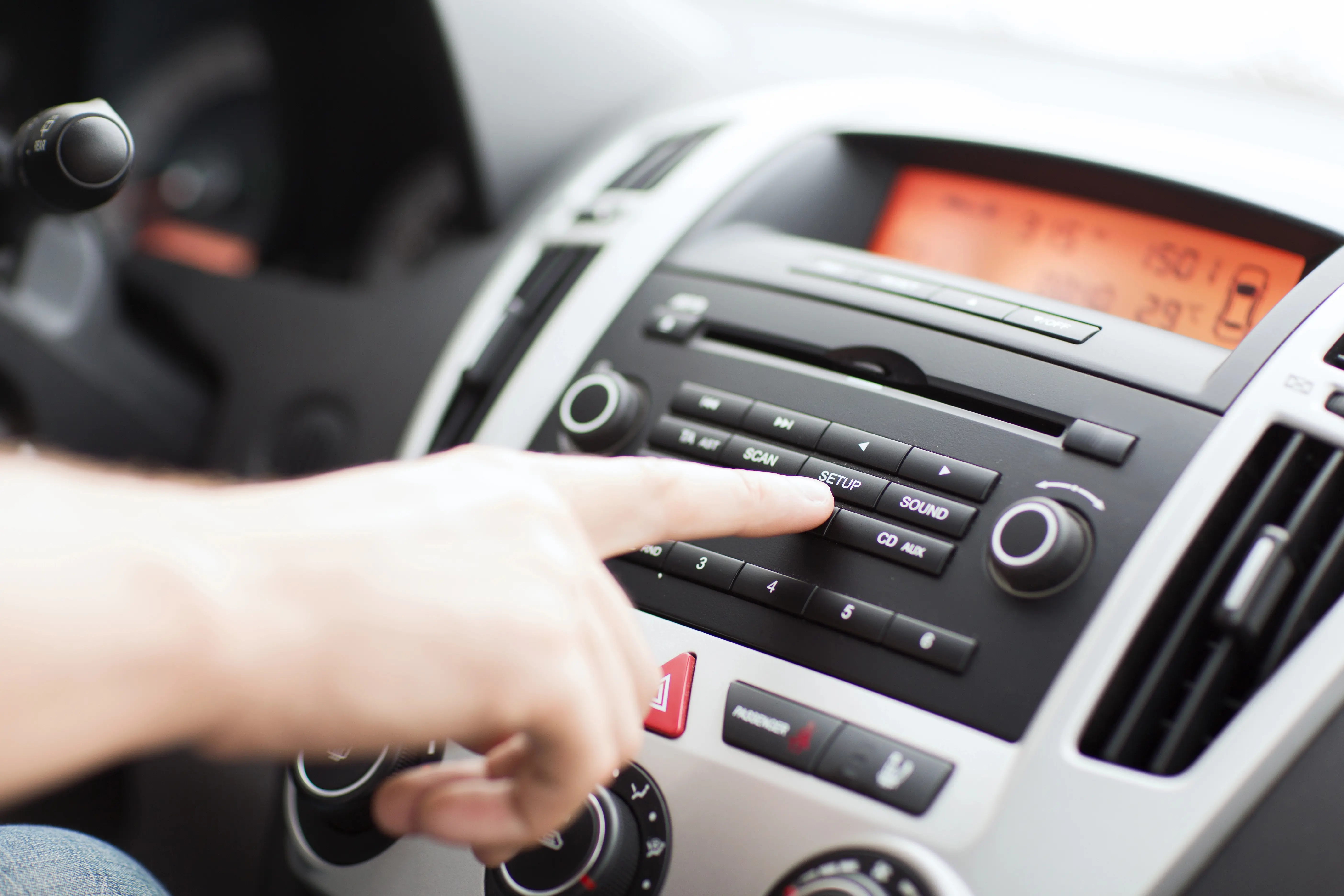
Most modern car stereos have a reset button or combination:
- Look for a small pinhole labeled “RESET” on the front or side.
- Use a paperclip or pen tip to press it gently for 2–5 seconds.
- Wait until the stereo reboots.
If your stereo has no reset hole:
- Turn off the car.
- Remove the key.
- Wait for 1–2 minutes.
- Restart the car.
Tip: In some cars, you may need to open the car door to fully power down the stereo system.
Example: Soft Reset For A 2020 Toyota Camry Stereo
- Turn the car ignition off.
- Open the driver’s door and wait 2 minutes.
- Close the door and start the car again.
This simple method resets many Toyota and Honda stereos.
Factory Reset: Back To Default Settings
A factory reset (or hard reset) erases all saved settings. Use this if you want to:
- Fix major glitches
- Sell your car (remove personal info)
- Undo unwanted changes
Warning: You’ll lose radio presets, saved devices, and custom settings.
How To Do A Factory Reset
Each car stereo brand uses different steps. Here are the most common ways:
1. Using The Stereo Menu
- Tap Settings on the touchscreen.
- Find System or General.
- Select Factory Reset or Restore Default.
- Confirm and wait for the process to finish.
2. Button Combination
Some stereos require pressing several buttons at once. For example:
- Turn off the stereo.
- Hold Power and Eject together for 10 seconds.
- Release when you see the logo.
3. Disconnecting The Car Battery
This works on older stereos:
- Turn off the car.
- Open the hood and locate the battery.
- Use a wrench to remove the negative (-) cable.
- Wait 5–10 minutes.
- Reattach the cable.
This cuts power to the stereo, forcing a reset.
Example: Factory Reset For Pioneer Avh Models
- Press the Home button.
- Tap Settings > System > Restore Settings.
- Confirm and wait.
Not all Pioneer models use the same steps. Check your manual if unsure.
How To Know Which Reset Method To Use
Choosing the right method depends on your problem:
| Problem | Soft Reset | Factory Reset |
|---|---|---|
| Bluetooth not working | ✓ | |
| Frozen touchscreen | ✓ | ✓ (if soft reset fails) |
| All settings lost/strange | ✓ | |
| After major update | ✓ | ✓ (if issues remain) |
| Preparing to sell car | ✓ |
Insight: Always try a soft reset first. Factory resets should be your last option.
Reset Steps For Popular Car Stereo Brands
Different brands use different reset steps. Here are guides for the most popular:
1. Pioneer
- Soft Reset: Press the small RESET button (often near the CD slot) with a pen tip.
- Factory Reset: Use the Settings menu as shown above.
2. Sony
- Soft Reset: Press and hold the OFF button for 2–5 seconds.
- Factory Reset: Press MENU > Settings > Reset > Confirm.
3. Kenwood
- Soft Reset: Find the reset pinhole and press with a paperclip.
- Factory Reset: MENU > Settings > System > Initialize All.
4. Jvc
- Soft Reset: Use the reset pinhole.
- Factory Reset: MENU > Settings > All Reset.
5. Alpine
- Soft Reset: Power off and on.
- Factory Reset: Hold the rotary knob and preset button together.
6. Stock Car Stereos (toyota, Honda, Ford, Etc.)
- Soft Reset: Turn off ignition, open driver’s door, wait 2 minutes.
- Factory Reset: Usually done through the touchscreen menu.
Tip: Always check the owner’s manual or brand website for model-specific info.
Credit: jerry.ai
What To Do Before And After Resetting
Resetting is usually safe, but prepare first:
Before Reset:
- Write down your favorite radio presets.
- Save phone pairing info.
- Back up custom sound settings.
- Make sure you have the stereo’s security code (older models).
After Reset:
- Re-enter radio presets.
- Re-pair Bluetooth devices.
- Set the clock and sound settings again.
This prevents frustration after the reset.
Data You Lose When You Reset
A factory reset will erase:
- Radio presets
- Bluetooth pairings
- Custom EQ and sound profiles
- Navigation destinations (on some models)
- Language settings
You will not lose:
- Software updates
- Stereo firmware
- Physical CDs or music on USB drives
Example: If you reset a 2018 Ford Sync stereo, you’ll need to re-pair your phone and re-enter your home address for navigation.

Credit: www.youtube.com
Common Mistakes To Avoid
Beginners often make these errors:
- Not saving presets: People forget to write down radio stations or Bluetooth devices.
- Using the wrong reset button: Some buttons only restart the display, not the whole system.
- Disconnecting the wrong battery cable: Always remove the negative (-) cable, not the positive (+).
- Not waiting long enough: After battery disconnect, wait at least 5 minutes.
- Forgetting security codes: Some older stereos ask for a code after reset. Have it ready.
Insider Tip: If your stereo asks for a code you don’t have, check your car’s manual, glove box sticker, or contact the dealer.
When Resetting Doesn’t Work
If your car stereo still has problems after a reset, try these steps:
- Check all cables and fuses.
- Make sure your car battery is fully charged.
- Update stereo firmware if possible.
- Consult your car dealer or a professional.
Example: A persistent black screen may mean a hardware issue, not a software glitch.
Modern Car Stereos Vs. Old Models
Modern stereos are more complex, with touchscreens, navigation, and smartphone connections. Old stereos use simple buttons and dials.
Here’s a quick comparison:
| Feature | Modern Stereo | Old Stereo |
|---|---|---|
| Bluetooth | Yes | No |
| Touchscreen | Yes | No |
| Reset Button | Often hidden | Sometimes on front |
| Needs Security Code | Sometimes | Often |
| Factory Reset Option | Yes, in menu | No, battery reset only |
Non-obvious insight: Some new cars use “soft” power-off; the stereo does not fully turn off when you turn the key—only a full battery disconnect will reset it.
Troubleshooting After A Reset
If your stereo does not turn on after a reset:
- Double-check battery connections.
- Look for blown fuses.
- Make sure the security code is entered (if needed).
- Try another reset.
If you see a “CODE” or “LOCKED” message, your stereo needs a security code. These are usually in your car’s documents or can be obtained from the dealer.
Tip: For some Honda and Ford models, the serial number is on the side of the stereo unit. You may need to remove the stereo to see it.

Credit: www.youtube.com
Safety And Warranty Notes
Resetting your stereo does not harm your car if done correctly. However:
- Disconnecting the battery may reset other systems (clock, windows).
- If your car is still under warranty, check the manual before doing a factory reset.
- Never force open the stereo or push buttons too hard.
Pro insight: If your car stereo is part of the car’s security system, always check with your dealer first.
Where To Find More Help
If you’re unsure, your car’s owner manual is the best place to start. Many brands also have support pages and forums with step-by-step guides. For advanced help, visit a car audio specialist.
If you want more technical details, check the Car Audio Wikipedia page.
Frequently Asked Questions
How Often Should I Reset My Car Stereo?
You only need to reset your car stereo when you face issues—like freezing, Bluetooth errors, or after a big update. Regular resets are not necessary.
Will Resetting Delete My Music Or Apps?
A factory reset will erase saved settings, radio stations, and paired devices, but it will not delete music on USB drives, CDs, or installed apps. Only the stereo’s internal memory is affected.
My Stereo Asks For A Code After Reset. What Do I Do?
Look for the security code in your car manual, on a card in the glove box, or ask your car dealer. Each car and stereo brand stores this code differently.
Can I Damage My Car By Resetting The Stereo?
No, if you follow the correct steps. The most common mistake is disconnecting the wrong battery cable or not waiting long enough. Always follow the instructions for your car model.
What If My Stereo Still Doesn’t Work After Resetting?
If resetting doesn’t fix the problem, check for loose wires, blown fuses, or hardware failures. Sometimes, a professional needs to repair or replace the stereo.
Resetting your car stereo can solve many problems and make your music sound great again. By following these simple steps, you’ll feel confident handling most car stereo resets. Remember to save your settings before you start, and don’t be afraid to ask for help if you get stuck.