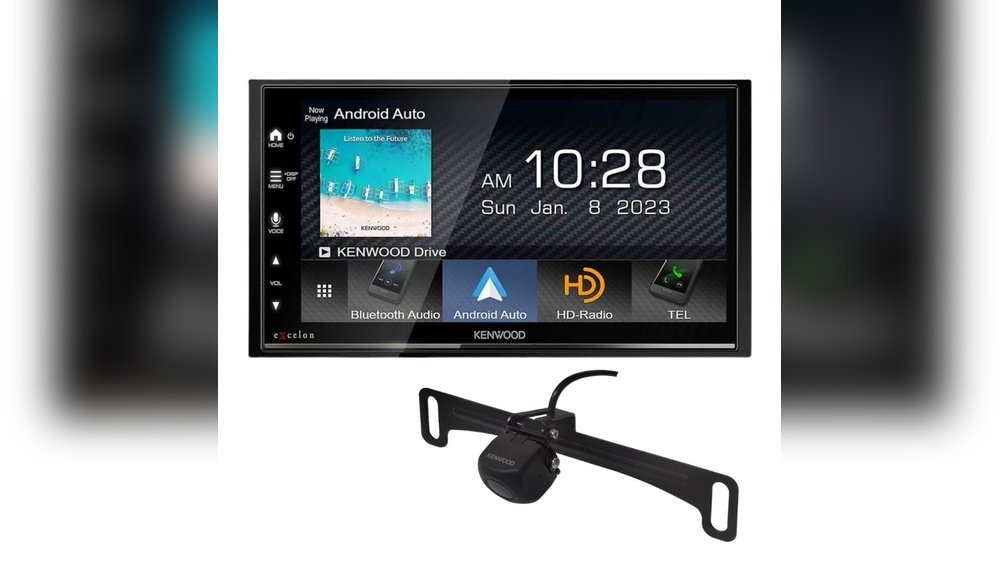
Pioneer Dmh W4660Nex Rear Camera Turns Off: Quick Fixes
If you own a Pioneer DMH-W4660NEX and your rear camera turns off or stops working, you are not alone. Many car owners face this problem, especially after installing a new head unit or camera. It can be stressful, especially if you depend on your rear camera for safe parking and reversing. Fortunately, most rear camera issues with this Pioneer model are simple to diagnose and fix. This guide explains the most common causes, step-by-step troubleshooting, and practical solutions to get your camera working again—even if you are new to car electronics.
Why The Pioneer Dmh-w4660nex Rear Camera Turns Off
Understanding why your rear camera stops working is the first step. There are a few main reasons this happens:
- Loose wiring connections
- Faulty camera power supply
- Wrong camera settings
- Firmware glitches
- Damaged camera or cable
- Vehicle-specific wiring issues
Let’s break down each cause so you know what to check.
1. Loose Wiring Connections
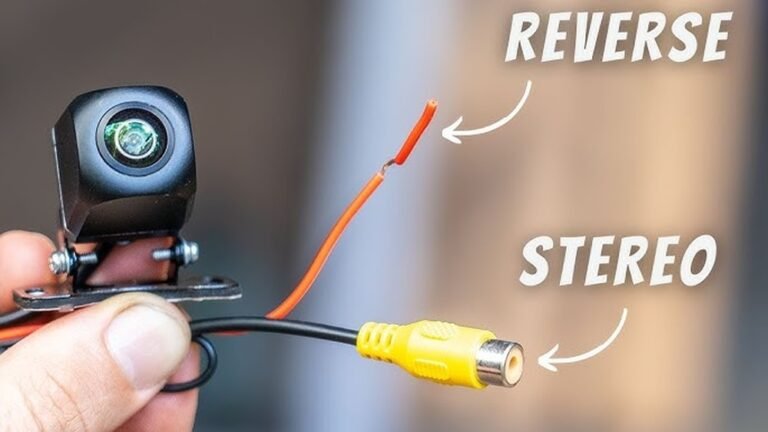
Most often, the camera stops working because the wiring is not secure. The rear camera input on the Pioneer unit connects to a cable that runs to the back of your car. If this cable is loose, the camera loses power or video signal.
- Check that all connectors are firmly plugged in.
- Look for any exposed wires or broken pins.
- Make sure the camera’s ground wire is attached properly.
2. Faulty Camera Power Supply
Your camera needs power to turn on. It usually gets 12V from the reverse light circuit or from the head unit’s dedicated camera power wire.
- If the camera is wired to the reverse light, it only gets power in reverse gear.
- If the connection is weak, the camera may turn off or show a black screen.
A multimeter can help test for 12V at the camera when the car is in reverse.
3. Wrong Camera Settings
Sometimes the camera is fine, but the Pioneer’s camera settings are not correct.
- The camera input might be disabled in the menu.
- The camera polarity (battery/ground) might not match the wiring.
Go to the Pioneer settings and check:
- Camera Input: Should be ON
- Polarity: Should match your wiring (usually Battery)
4. Firmware Glitches
Modern head units are like small computers. Sometimes, a software bug causes the camera to stop working until you restart the unit or update the firmware.
- Check if your Pioneer has the latest firmware.
- Restart the unit or reset to factory settings if needed.
5. Damaged Camera Or Cable
If the camera or video cable is damaged, it can cause the image to cut in and out.
- Inspect the camera for cracks or water damage.
- Check the cable for pinches, cuts, or corrosion.
6. Vehicle-specific Wiring
Some cars have special wiring or need adapters for aftermarket head units.
- Check if your vehicle needs a camera adapter or relay.
- Some cars use a CAN bus system that needs a special interface.
How To Fix Pioneer Dmh-w4660nex Rear Camera Turns Off
You can often solve the problem yourself, even with little experience. Follow these steps in order—each one is beginner-friendly.
Step 1: Check Rear Camera Settings
- Turn on your Pioneer unit.
- Go to Settings > Camera Settings.
- Set Camera Input to ON.
- Check Polarity (Battery is most common).
- Test if the camera works in reverse.
Step 2: Inspect Connections
- Park your car safely and turn off the ignition.
- Remove the Pioneer unit from the dash (if possible).
- Check the rear camera RCA cable behind the unit.
- Tug gently on the cable to see if it is loose.
- Make sure the camera’s power and ground wires are secure.
Step 3: Test Camera Power
- Put the car in reverse with the engine running (parking brake ON).
- Use a multimeter to check for 12V at the camera’s power wire.
- If there is no power, check the fuse or wiring from the reverse light.
Step 4: Check The Camera And Cable
- Unplug the camera and connect it to another video source (like a TV).
- If you get no image, the camera is faulty.
- Try a different RCA cable to rule out a bad wire.
Step 5: Firmware Update Or Reset
- Go to the Pioneer website and download the latest firmware for DMH-W4660NEX.
- Follow the instructions to update.
- If the camera still turns off, try a full factory reset in the settings menu.
Step 6: Consult Your Vehicle Manual
- Some vehicles need extra parts like relay adapters.
- Look up your car model and see if a special interface is required.

Credit: www.ebay.com
Common Mistakes When Fixing Rear Camera Problems
Many beginners make simple mistakes that can make the problem worse. Here are things to avoid:
- Guessing the wiring: Always check with a diagram before connecting wires.
- Not testing with a multimeter: This simple tool saves time and prevents confusion.
- Forgetting to check settings: Sometimes the camera is just turned off in the menu.
- Not securing connections: Loose plugs are the most common cause of camera dropouts.
- Ignoring firmware updates: Old software can cause random glitches.
Example Scenarios And Solutions
Let’s look at two common real-life examples to make things clearer.
Example 1: Camera Works, Then Turns Off
Anna installed a new DMH-W4660NEX in her Honda Civic. The rear camera worked for a week, then started turning off randomly.
- She checked the menu and saw Camera Input was ON.
- She found the RCA plug behind the head unit was loose.
- After pushing it in tightly, the problem was solved.
Example 2: No Camera Image At All
Mike’s camera stopped working after a car wash. The screen was black in reverse.
- He measured power at the camera—only 6 volts instead of 12.
- He found water had entered the camera housing and corroded the wiring.
- After replacing the camera and sealing the new one, it worked perfectly.
Data Table: Causes And Fixes For Rear Camera Turning Off
Here’s a simple comparison of common causes and fixes:
| Problem | How to Check | Solution |
|---|---|---|
| Loose RCA cable | Inspect behind head unit | Secure connection |
| No power at camera | Measure voltage in reverse gear | Fix wiring/fuse |
| Wrong settings | Check menu options | Set camera input ON |
| Firmware bug | Check Pioneer website | Update firmware |
| Damaged camera | Test camera on TV | Replace camera |
How The Pioneer Dmh-w4660nex Handles Rear Camera Input
The Pioneer DMH-W4660NEX is designed to switch to the rear camera automatically when you shift into reverse. Here’s how it works:
- The reverse signal wire tells the unit to switch the screen.
- The unit sends 12V to the camera (if wired to supply power).
- The camera sends video to the RCA input.
- When you shift out of reverse, the unit switches back.
If any part of this chain fails, the camera image may disappear.
Comparison Table: Stock Vs Aftermarket Camera Installation
Many people replace their factory camera with an aftermarket one. Here’s how the setup usually differs:
| Feature | Stock Camera | Aftermarket Camera |
|---|---|---|
| Power Source | Integrated with car wiring | Reverse light or head unit |
| Signal Type | Often digital, special connector | Analog RCA video |
| Wiring Complexity | Low (factory harness) | Medium (may need adapters) |
| Reliability | High | Depends on install quality |
Non-obvious Insights For Beginners
- Camera Polarity Setting: Many users don’t realize that if the polarity in the menu does not match your wiring (Battery vs Ground), the camera will not turn on. Try switching this setting if your camera image is missing.
- Reverse Trigger Wire Importance: The reverse input wire must receive 12V only when you’re in reverse. If connected wrong (always 12V or always 0V), the camera may not work correctly or the screen may stay black.
Preventing Future Camera Problems
To avoid rear camera problems in the future:
- Use heat-shrink tubing or electrical tape to protect all wire joints from water.
- Secure all cables with zip-ties to prevent vibration damage.
- Check camera function every few months, especially after heavy rain or car washes.
- Update your Pioneer firmware when new versions are released.
When To Ask For Professional Help
If you’ve tried all the steps and the camera still turns off, it may be time for expert help. Seek a professional installer if:
- You are not comfortable removing the head unit.
- Your car uses a CAN bus or advanced wiring.
- The camera works sometimes but not always—this could mean a wiring or unit problem.

Credit: www.amazon.com
Resources For Further Help
If you want to learn more about troubleshooting car electronics or get the latest firmware, visit the official Pioneer Car Electronics website. They offer manuals, software downloads, and support.
Frequently Asked Questions
Why Does My Pioneer Dmh-w4660nex Rear Camera Only Work Sometimes?
Intermittent camera function usually means a loose connection or a power supply issue. Check all wiring, especially the RCA plug and the power wire to the camera. Sometimes, the problem is with the camera’s ground wire.
Can I Use Any Backup Camera With My Pioneer Dmh-w4660nex?
You can use most universal RCA backup cameras with this unit. Just make sure the camera uses 12V, has a standard RCA video output, and is wired correctly to the reverse light or head unit.
How Do I Reset My Pioneer Dmh-w4660nex If The Camera Stops Working?
Go to Settings > System > Restore Settings to reset the unit. You can also disconnect your car battery for a few minutes to do a hard reset. Remember, you will lose your custom settings.
Why Is The Rear Camera Image Upside Down Or Mirrored?
This happens if the camera’s image flip setting is wrong or if the camera is mounted upside down. Check the settings in the Pioneer menu and adjust the camera’s physical position if needed.
Is It Safe To Drive Without A Working Rear Camera?
While you can drive without a rear camera, it is less safe, especially when reversing in crowded areas. Always use your mirrors and turn your head to check blind spots if the camera is not working.
If you follow these steps and tips, you should be able to get your Pioneer DMH-W4660NEX rear camera working again with confidence—even if you are just starting with car audio. Proper installation and regular checks can prevent most problems and keep your parking experience safe and easy.

Credit: www.amazon.com