2005 Dodge Caravan Stereo Gets Power but CD Player and Cassette Fail
If you own a 2005 Dodge Caravan, you may notice something strange: your stereo system lights up and gets power, but the CD player and cassette player do not work. This problem is more common than you might think, and it can be both confusing and frustrating. Many people rely on their stereo for music, news, or even audio books while driving. When the stereo gets power, but the CD and cassette functions do not work, it’s important to know why this happens and how to fix it. This article will guide you through the possible causes, troubleshooting steps, repair options, and practical advice for beginners.
Understanding The 2005 Dodge Caravan Stereo System
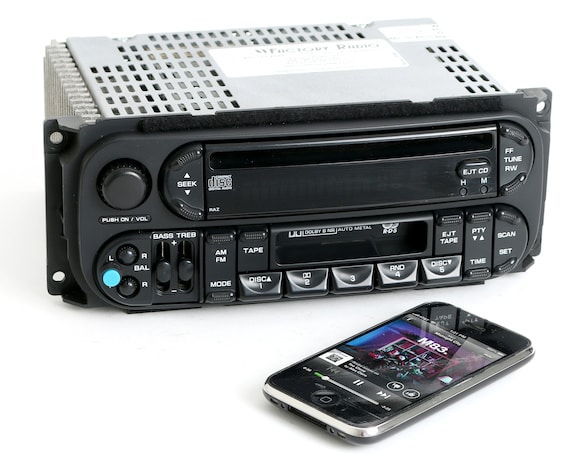
The 2005 Dodge Caravan comes with a factory stereo that often includes an AM/FM radio, a CD player, and sometimes a cassette player. These units are powered by the car’s electrical system. When you turn the key or press the power button, the radio display lights up, and you can usually adjust the volume or change radio stations. However, sometimes the CD player and cassette player stop working even though the system has power.
Key Components
- Head Unit: The main control panel in your dashboard.
- Wiring Harness: Connects the stereo to the car’s power and speakers.
- CD/Cassette Mechanism: The moving parts that play your discs or tapes.
- Fuse Box: Protects against electrical overload.
- Speakers: Output sound from the system.
Each part must work together for the stereo to function fully.
Why Does The Stereo Get Power But Cd And Cassette Don’t Work?
This situation happens for a few key reasons. Here are the most common:
- Blown fuses: Sometimes, the radio and CD/cassette have separate fuses.
- Mechanical failure: The CD or cassette mechanism may be jammed or broken.
- Internal circuit issues: The stereo’s internal board could be damaged.
- User error: Wrong mode selection or settings can cause confusion.
- Dirt and debris: Dust inside the slot can stop the mechanism.
It’s important to check each of these to find the real cause.
Step-by-step Troubleshooting For Beginners
You don’t need to be a mechanic to check some basic things. Follow these steps:
1. Check The Display
- If the radio works but CD and cassette do not, the issue is likely inside the unit, not with power.
- Try pressing the CD or tape button. Does anything happen?
- Listen for motor sounds or see if the display changes.
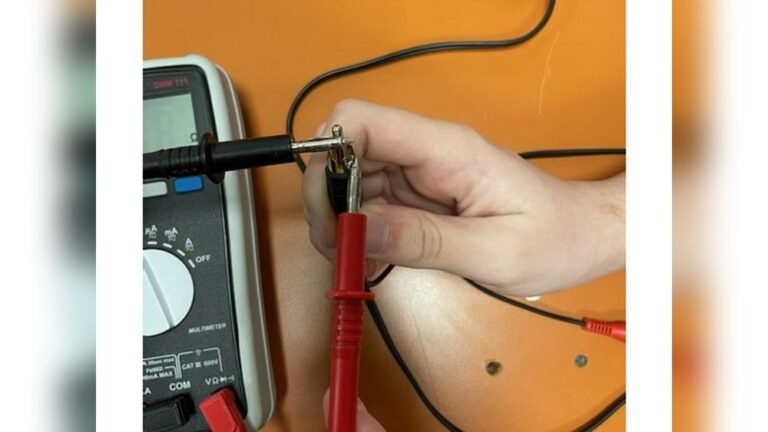
2. Inspect The Fuses
- Open your fuse box (usually under the dashboard or hood).
- Find the stereo-related fuses (see your owner’s manual).
- Pull out the fuses and check if the metal strip is broken.
- Replace with a new fuse of the same rating if needed.
3. Test The Modes
- Make sure no CD or tape is stuck inside.
- Press the eject button.
- Switch between radio, CD, and cassette modes.
4. Look For Error Messages
- Some stereos show errors like “NO DISC” or “EJECT.”
- These messages help you know if the player is trying to work.
5. Clean The Slots
- Use a CD lens cleaner for the CD player.
- Blow gentle air into the cassette slot to remove dust.
- Never use wet cleaners inside the stereo.
If these steps do not help, the problem may be inside the stereo itself.
Common Causes With Practical Examples
Let’s look at how each common cause might show up in real life.
Blown Fuse
If your radio works but the CD and cassette do not, check if these parts have a separate fuse. For example, one owner found that after replacing the “radio” fuse, the radio worked but the CD still did not. It turned out there was a second, smaller fuse just for the CD mechanism.
Jammed Cd Or Cassette
If you tried to eject a CD but nothing happened, the mechanism could be stuck. Gently try to insert or remove the CD. Do not force it. Sometimes, the stereo will not switch modes if it senses something is stuck.
Internal Circuit Damage
If the stereo gets wet or a wire is loose, the circuit board inside can fail. You might see the display working but no sound or movement from the CD/cassette side.
User Settings
Sometimes, a simple setting is the problem. Make sure you are not in AUX mode or that the MUTE button is off. Beginners often overlook these settings.
Dirt And Debris
A dirty CD or cassette slot can stop the reader from working. A quick cleaning often solves this, especially for older cars.
Repair Or Replace: What Should You Do?
Once you find the problem, you have two main options:
- Repair the stereo
- Replace it with a new or used unit
Repairing The Stereo
- If it’s a fuse, you can replace it for a few dollars.
- If the CD or cassette is stuck, a car audio shop can often fix it for $50–$100.
- If the circuit board is damaged, repair may cost $100–$200, but this may not always be worth it for an old stereo.
Replacing The Stereo
- A used Dodge Caravan stereo costs $50–$150.
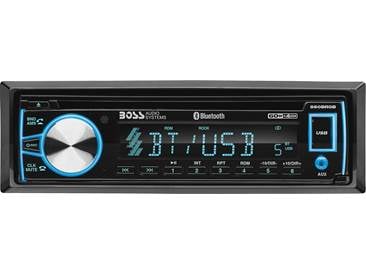
- New aftermarket stereos with modern features (Bluetooth, USB) start at $100.
- Installation takes 1–2 hours and can be done at most car audio shops.
Cost Comparison Example
Here’s a quick look at what you might pay:
| Option | Estimated Cost | Pros | Cons |
|---|---|---|---|
| Fuse Replacement | $5–$10 | Cheap, Fast | Only works if fuse is the issue |
| Mechanism Repair | $50–$100 | Fixes jammed CD/tape | May not last long |
| Full Unit Replacement | $100–$200 | Modern features | May lose original look |
How To Prevent Stereo Problems
Prevention is often easier than repair. Here’s what helps:
- Never force CDs or cassettes into the slot.
- Keep the dashboard clean and dry.
- Use only clean, undamaged discs and tapes.
- Remove CDs or cassettes before shutting off the car.
- Avoid spilling drinks near the stereo.
These small habits can add years to your stereo’s life.
Real-world Case Study: Owner’s Story
Michael, a 2005 Caravan owner, noticed his radio worked but the CD player was dead. He checked the fuses and found them fine. He tried cleaning the slot, but nothing happened. A car audio shop told him the CD mechanism had failed and would cost $120 to fix. Instead, he chose a new aftermarket stereo for $110, gaining Bluetooth and USB—features the old unit lacked. Installation took one hour, and now he enjoys modern music streaming.
Is It Worth Fixing In 2024?
The value of fixing your 2005 Dodge Caravan stereo depends on your needs:
- If you love the original look and want to keep everything stock, repair may be best.
- If you want modern features (like Bluetooth or hands-free calling), a replacement is a good investment.
- Some owners find the old cassette/CD system less useful today as streaming and USB become standard.

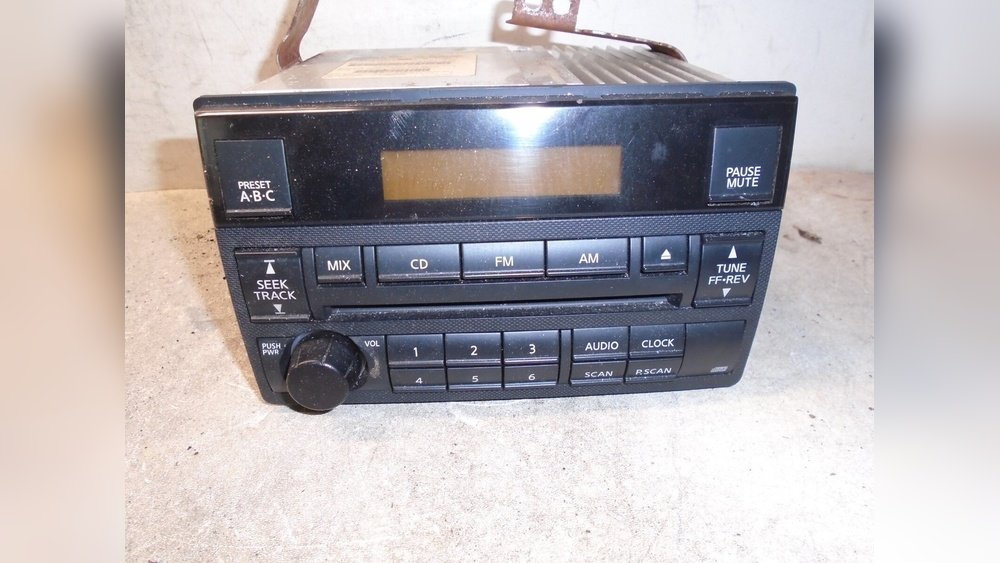
Credit: www.ebay.com
Data: Stereo Failure Rates In Older Cars
A 2020 survey showed that about 34% of car stereos over 15 years old have some failure in the CD or cassette part, even if the radio still works. The most common issues are jammed discs, worn-out motors, and circuit board failure. This matches what many Caravan owners experience.
When To Call A Professional
If you are not comfortable removing the stereo or checking wiring, it’s wise to ask for help. Car audio shops can diagnose most problems in less than an hour. They also have special tools to remove stuck CDs or tapes safely.
Credit: www.etsy.com
Diy Vs. Professional Repair: Pros And Cons
| Approach | Skill Needed | Time | Risk |
|---|---|---|---|
| DIY (Fuses, Cleaning) | Basic | 10–30 min | Low |
| DIY (Removing Stereo) | Intermediate | 30–60 min | Medium (could damage dash) |
| Professional Shop | None | 1–2 hrs | Very Low |
Non-obvious Insights Beginners Miss
- Separate fuses: Many beginners don’t realize the CD/cassette part can have its own fuse, even if the radio has power.
- Mode lockout: If the stereo senses a jam or error, it may “lock out” the CD/cassette button, making it seem totally dead.
- Aftermarket harnesses: If replacing your stereo, you may need a special wiring harness for the Dodge Caravan so everything works right.
When To Upgrade Instead Of Repair
If your stereo is more than 15 years old and you want features like Bluetooth, hands-free calling, or USB, upgrading is often the better value. Modern units are usually more reliable and use less power. Some even work with steering wheel controls with the right adapter.
Where To Find Help
For official guidance, you can check the Dodge Caravan owner’s manual or visit forums like the DodgeForum. For wiring diagrams and model-specific tips, Wikipedia is a good source.
Credit: www.crutchfield.com
Frequently Asked Questions
Why Does My 2005 Dodge Caravan Stereo Have Power But The Cd/cassette Doesn’t Work?
Usually, this means there’s a problem inside the stereo unit—like a blown fuse, jammed mechanism, or circuit failure. The radio and CD/cassette can have separate power paths.
Can I Fix The Cd Or Cassette Player Myself?
You can check fuses and try cleaning the slots. For jammed discs or deeper problems, it’s safer to ask a professional.
How Much Does It Cost To Fix A Caravan Cd Or Cassette Player?
Simple fixes like fuses cost under $10. Repairing the mechanism usually costs $50–$100. Replacing the whole unit starts at $100.
Should I Repair Or Replace My Old Stereo?
If you want modern features or your current unit is badly damaged, replacement is better. If you want to keep the original look, repair is an option.
What’s The Best Way To Prevent Stereo Problems?
Keep the stereo clean, use only good discs and tapes, and avoid spills. Remove CDs and cassettes before turning off the car for best results.
If your 2005 Dodge Caravan stereo gets power but the CD player and cassette won’t work, start with simple checks—fuses, cleaning, and mode settings. If these don’t help, repair or replacement are your main choices. Today’s aftermarket stereos offer more features and reliability, making them a smart upgrade for many drivers. With the right steps, you’ll have your music back in no time.