Kenwood Kdc Bt382U Cd Car Stereo: Ultimate Guide & Features
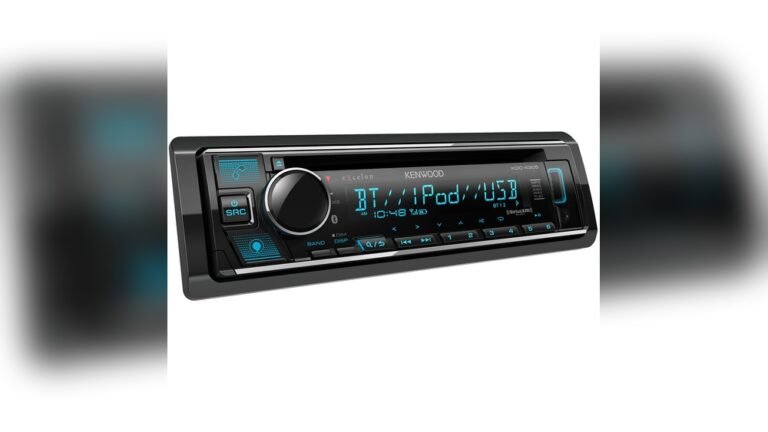
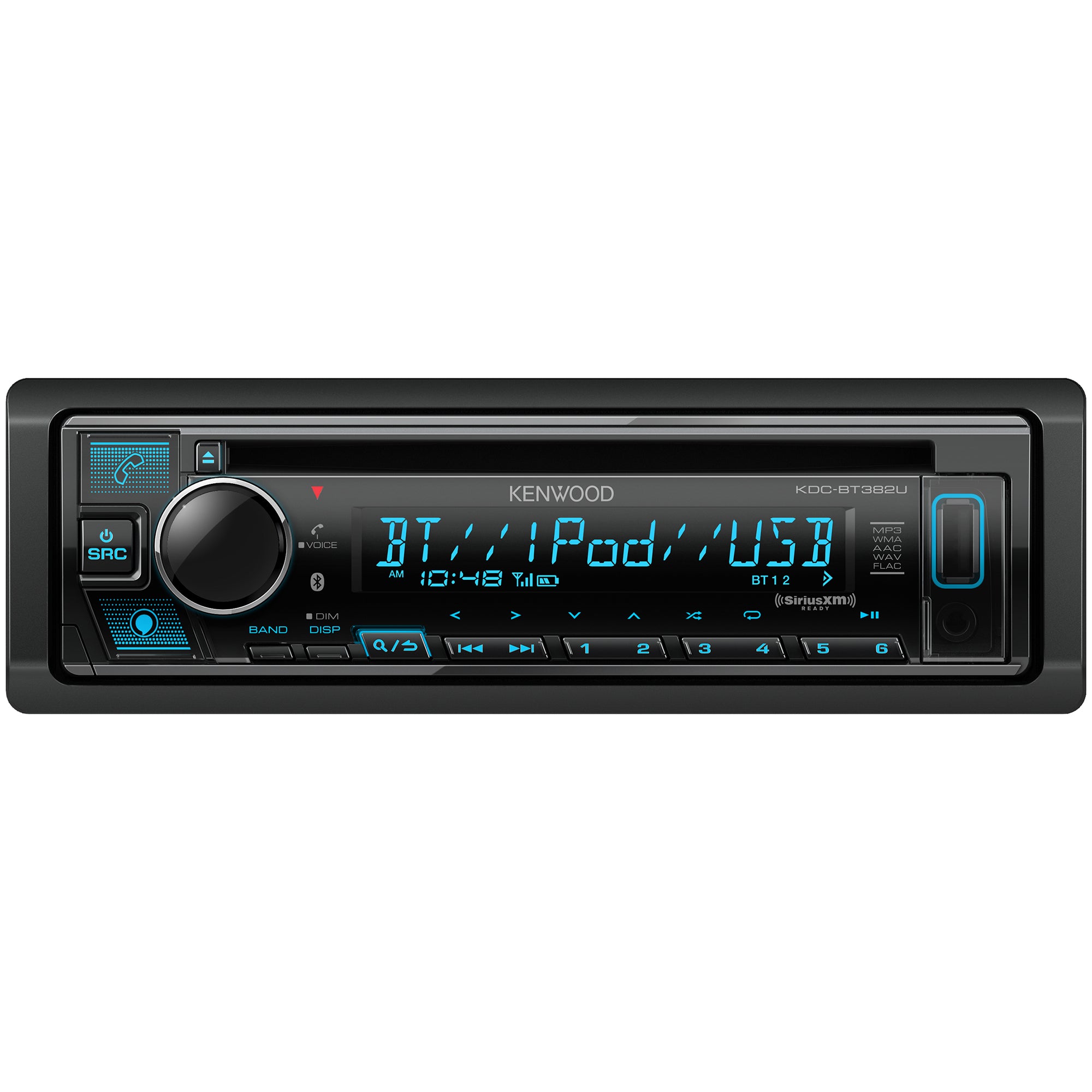
The Kenwood KDC-BT382U CD Car Stereo is a popular choice for drivers who want reliable music and hands-free calling in their cars. If you are new to car audio or just looking for an upgrade, this model offers many features without being too complicated. Let’s explore everything you need to know about this stereo, including its main features, performance, compatibility, installation tips, and how it compares to other models.
What Makes The Kenwood Kdc-bt382u Stand Out?
The KDC-BT382U is designed for everyday users who want simple operation and modern features. You get both CD playback and Bluetooth streaming, making it easy to listen to music from almost any source. Here’s why it’s popular:
- Bluetooth connectivity: Stream music wirelessly and take calls hands-free.
- CD player: Play your favorite CDs, even older ones.
- USB and AUX inputs: Connect your phone, USB drive, or MP3 player.
- Easy controls: Large buttons and clear display for quick navigation.
- Affordable price: Usually costs less than high-end touch screen models.
This stereo fits most cars and works well with factory speakers, making it a practical upgrade for beginners.
Key Features Explained
Let’s break down the main features so you can see if this stereo fits your needs.
Bluetooth Functionality
The built-in Bluetooth lets you connect your smartphone for music and calls. You can:
- Stream music from apps like Spotify or Apple Music.
- Answer calls with a single button.
- Use voice commands (if your phone supports them).
Bluetooth setup is simple. After pairing your phone, the stereo remembers it for next time. You can pair two phones at once, which is useful for families.
Cd And Usb Playback
Some newer stereos skip CD players, but the KDC-BT382U keeps it. This is great for:
- Listening to old CD collections.
- Playing burned CDs with custom music.
The USB port lets you play music files from a flash drive. Supported formats include MP3, WMA, and FLAC. This means you can load hundreds of songs onto a single drive.
Aux Input
If your device doesn’t have Bluetooth, you can use the AUX port. Just plug in a headphone cable and play music from:
- Older phones
- MP3 players
- Tablets
This is handy for devices that don’t support wireless connections.
Display And Controls
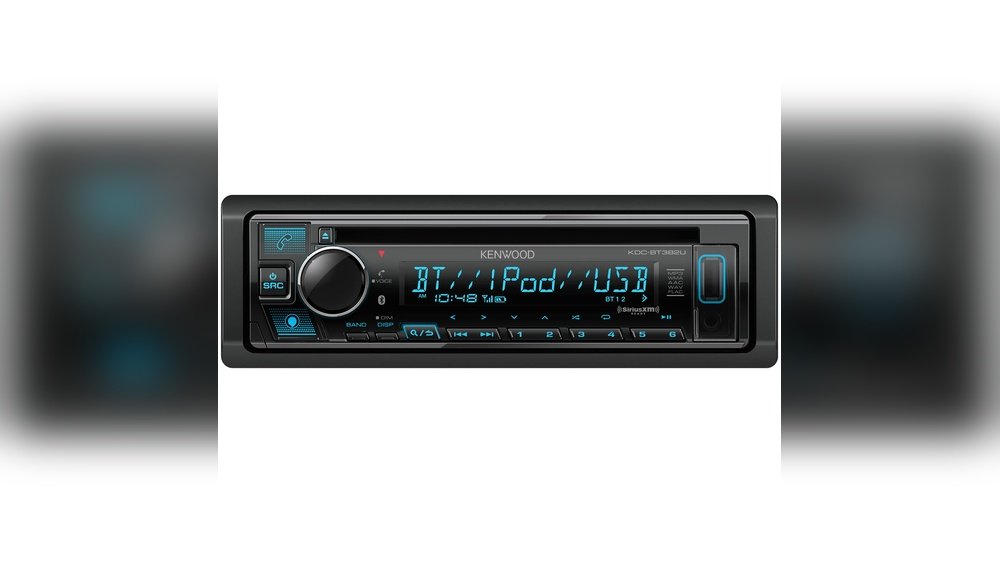
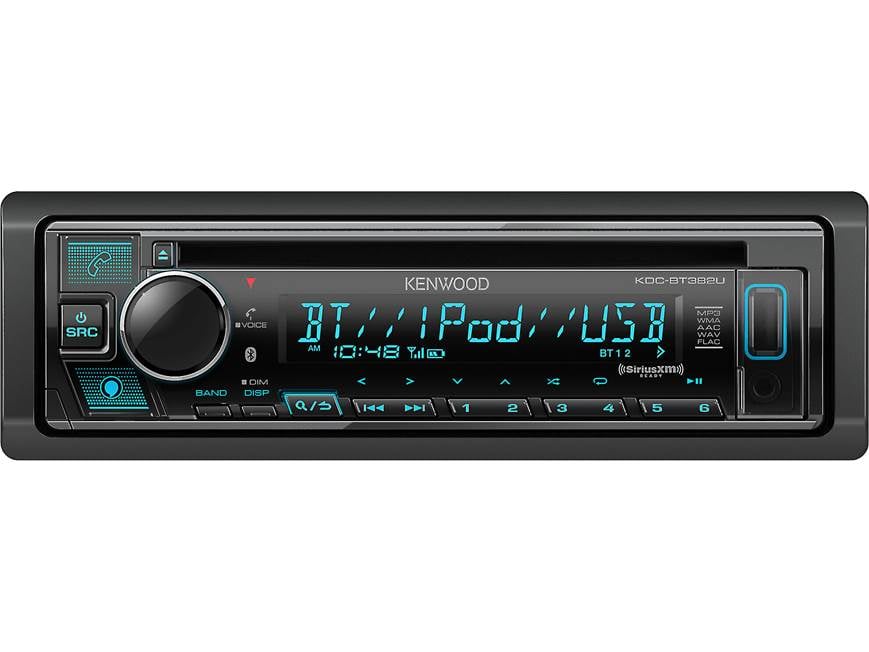
The stereo has a 1.5-line LCD display with adjustable brightness. Key information like song title, radio station, and caller ID is easy to read. Large buttons make it beginner-friendly. You can change tracks, adjust volume, or answer calls quickly.
Custom Sound Settings
Kenwood includes a 13-band equalizer. You can:
- Adjust bass, mid, and treble levels.
- Choose preset sound profiles (Rock, Jazz, Pop, etc. ).
- Customize settings for different music genres.
For beginners, the presets work well. Advanced users can fine-tune for better audio.
Installation Tips For Beginners
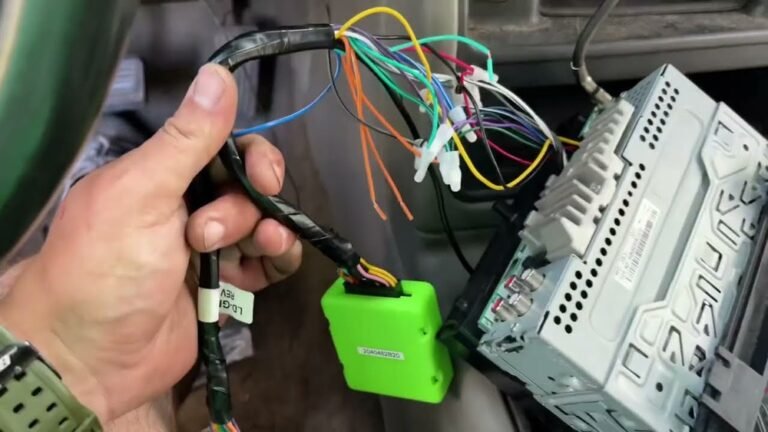
Installing a car stereo seems difficult, but the KDC-BT382U is designed for easy setup. Here are simple steps and tips:
- Check compatibility: Make sure your car uses a single-DIN slot (most cars do).
- Gather tools: You’ll need screwdrivers, wire cutters, and a wiring harness adapter (sold separately).
- Disconnect battery: Always unplug the car battery before starting.
- Remove old stereo: Use removal keys or tools to take out the existing unit.
- Wire connections: Match wires by color (Kenwood provides a clear manual).
- Mount and test: Secure the stereo and test each function before finishing.
Many beginners use online video tutorials for extra help. Local car audio shops can install it for a fee if you’re unsure.
Compatibility With Cars And Devices
The KDC-BT382U works with most vehicles that have a standard single-DIN slot. Check your car’s manual or ask a shop if you’re not sure. For device compatibility:
- Works with iPhone and Android via Bluetooth, USB, or AUX.
- Supports USB drives up to 32GB.
- Compatible with factory or aftermarket speakers.
The stereo also supports steering wheel controls (with an extra adapter), so you can keep using your car’s built-in buttons.
Credit: www.crutchfield.com
Comparing Kenwood Kdc-bt382u To Similar Models
Many brands offer budget car stereos. Here is a simple comparison with similar options:
| Model | Bluetooth | CD Player | USB/AUX | Price (Approx.) |
|---|---|---|---|---|
| Kenwood KDC-BT382U | Yes | Yes | Yes/Yes | $100 |
| Pioneer DEH-S4200BT | Yes | Yes | Yes/Yes | $110 |
| JVC KD-T710BT | Yes | Yes | Yes/Yes | $90 |
| Sony MEX-N5300BT | Yes | Yes | Yes/Yes | $120 |
Kenwood’s model is priced competitively and offers similar features to rivals. Most users will find its performance and reliability strong for the price.
Real-world Performance
The stereo delivers clear sound and reliable connectivity. Here are some practical observations:
- Bluetooth calls: Good microphone clarity, less background noise than older models.
- Music playback: Both CD and USB sound quality are strong.
- FM radio: Reception is stable in most areas.
- Startup speed: Takes about 3 seconds to boot up.
Many users report that the stereo works well even with factory speakers. Upgrading speakers can improve sound, but it’s not required.
Example Use: Family Car
Imagine you have an older family car with no Bluetooth. Installing the KDC-BT382U gives you:
- Wireless music for road trips.
- Hands-free calling for safety.
- CD playback for kids’ audiobooks.
- Easy control for anyone in the family.
This makes it a practical upgrade for both beginners and experienced drivers.
Advanced Features You Might Miss
Most buyers focus on Bluetooth and CD, but there are some less obvious features:
- Drive EQ: Adjusts audio to reduce road noise.
- Variable color illumination: Change button color to match your dashboard.
- IPod/iPhone direct control: Use the stereo to browse playlists on your device.
These features are hidden in menus, so check the manual if you want to use them.
Common Mistakes Beginners Make
When buying or installing a stereo, avoid these errors:
- Forgetting to buy a wiring harness adapter for your car.
- Not checking if your car uses single-DIN or double-DIN slots.
- Ignoring speaker compatibility (old speakers may sound weak).
- Skipping Bluetooth setup steps (read the manual for pairing).
If you’re unsure, ask for advice or watch installation videos online.

Credit: www.amazon.com
Kenwood Kdc-bt382u Technical Specifications
Here are the key specs for this model:
| Feature | Specification |
|---|---|
| Dimensions | 7.2 x 7.2 x 2 inches |
| Power Output | 50W x 4 channels |
| CD Playback | MP3, WMA, AAC |
| USB Support | MP3, WMA, FLAC |
| Bluetooth | Version 4.2 |
| Radio | AM/FM tuner |
| Equalizer | 13-band |
These specs are enough for most users. If you need more power or advanced options, Kenwood has higher models.
Practical Tips For Getting The Best Experience
To make the most of your stereo, consider these tips:
- Use high-quality audio files (like FLAC or 320kbps MP3) for best sound.
- Adjust the equalizer to match your car’s acoustics.
- Keep the firmware updated (check Kenwood’s website for updates).
- Clean the CD lens regularly to avoid playback issues.
- Pair your phone before driving to avoid distractions.
Beginners often forget to check audio file formats. If your USB drive doesn’t play, try converting files to MP3.
How The Kenwood Kdc-bt382u Enhances Daily Driving
This stereo adds convenience and safety to your drives:
- Hands-free calling reduces distractions.
- Wireless streaming means no messy cables.
- Easy controls let you focus on the road.
- CD support is perfect for older cars or CD lovers.
Drivers who switch from factory radios notice a big improvement in both sound and usability.
Comparing Sound Quality: Kenwood Vs Aftermarket Speakers
If you want to upgrade your sound, pairing the KDC-BT382U with better speakers helps. Here’s how it affects audio:
| Speaker Type | Sound Quality | Cost (Approx.) |
|---|---|---|
| Factory Speakers | Basic, clear but not deep | $0 (already installed) |
| Kenwood Aftermarket | Rich bass, clearer highs | $50–$150 per pair |
| Premium Brands (JBL, Pioneer) | Very detailed, strong bass | $100–$300 per pair |
For beginners, factory speakers are usually fine. Upgrading is optional and can be done later.
Credit: freemanscarstereo.com
Is This Stereo Right For You?
The Kenwood KDC-BT382U is ideal for:
- Drivers who want both Bluetooth and CD playback.
- Beginners who need easy installation and controls.
- Cars with standard single-DIN slots.
- Anyone looking for a balance of price and features.
It’s less suited for those who want touch screens or advanced smartphone integration. For most users, it covers all basic needs and adds extra convenience.
If you want more details on car audio basics, you can read guides at Crutchfield.
Frequently Asked Questions
Can I Use The Kenwood Kdc-bt382u In Any Car?
Most cars with a single-DIN slot can use this stereo. Check your car’s dashboard to see if the slot is the right size. Some vehicles may need a special mounting kit or wiring adapter.
Does It Support Hands-free Calls?
Yes, the stereo has built-in Bluetooth for hands-free calling. It comes with a microphone so you can talk safely while driving. The call quality is good and easy to use.
What Types Of Music Files Does The Usb Port Play?
The USB port supports MP3, WMA, and FLAC files. FLAC offers higher sound quality but takes more space. If your files don’t play, convert them to MP3 for best compatibility.
Is It Easy To Install For Beginners?
Installation is simple if you follow the manual and use the right tools. Most beginners can install it in 1–2 hours. If you are unsure, ask a car audio shop for help.
Can I Connect Two Phones At Once?
Yes, the stereo allows you to pair two phones via Bluetooth. This is useful for families or anyone who wants to switch between devices quickly.
The Kenwood KDC-BT382U offers a strong mix of classic CD playback and modern Bluetooth features. It’s beginner-friendly, reliable, and brings fresh convenience to your daily drives. Whether you’re upgrading an older car or just want better music options, this stereo is a smart choice for most drivers.