How to Reset Pioneer Radio Without Parking Brake Easily
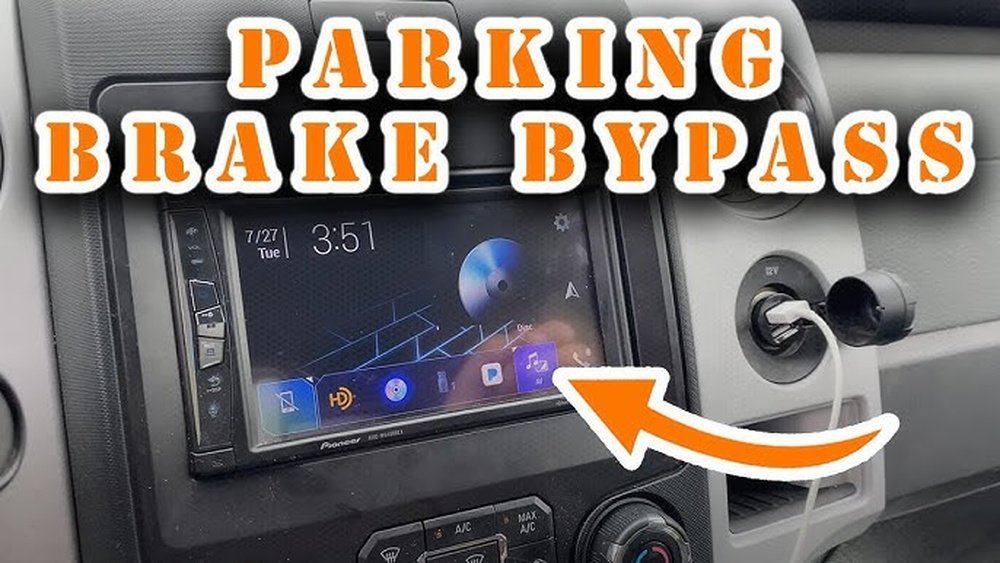
Resetting a Pioneer radio can seem confusing, especially if you see warnings like “Parking Brake” or your system refuses to enter certain menus. Many Pioneer car radios and head units require the parking brake to be engaged before you access some settings. This is a safety feature. However, there are times you need to reset your Pioneer radio but cannot use the parking brake, such as after a battery change, when troubleshooting, or if the brake wire isn’t installed. This guide explains safe, legal, and practical ways to reset your Pioneer radio without the parking brake, keeping everything simple for beginners. You’ll also learn what to do if your model is different or if you run into common problems.
Understanding The Pioneer Parking Brake Lock
Before changing any settings, it’s useful to know why Pioneer added the parking brake lock. Pioneer radios, especially models with screens, use this feature to prevent drivers from adjusting settings while the car is moving. This helps keep drivers safe and follows road laws in many countries.
The parking brake wire tells your radio when the car is stopped. If it isn’t connected (for example, during an installation or repair), the radio may block you from accessing menus or resetting the device. If you try to reset your Pioneer radio and see “Parking Brake” on the screen, it means the radio thinks the car is not safe to use certain features.
Common Reasons To Reset Your Pioneer Radio
Knowing why you might need to reset your radio can help you decide which method works best. Here are common reasons:
- Frozen screen: The touch or buttons don’t work.
- Bluetooth not working: Devices fail to connect.
- Forgotten password: You’re locked out of menus.
- Strange errors: The radio acts differently than before.
- After battery change: The radio needs to reboot.
Not all resets are the same. A soft reset keeps your settings, while a factory reset erases everything and returns the unit to its original state.
Quick Ways To Reset Pioneer Radio Without Parking Brake
Here are practical methods to reset your Pioneer radio even if you can’t use the parking brake. Always check your radio’s manual for model-specific steps.
1. Using The Physical Reset Button
Most Pioneer radios have a small reset button. This is the simplest way to reset your radio.
- Turn off your car.
- Look for a tiny hole labeled “Reset” on the radio’s faceplate or near the display. You may need to remove the faceplate.
- Use a pointed object like a paperclip.
- Press and hold the reset button for about 5 seconds.
- Release and wait for the radio to restart.
This method works for most Pioneer single-DIN and double-DIN models. It’s a soft reset, so your saved stations and settings usually stay.
2. Disconnecting The Car Battery
If you can’t find a reset button or the radio is still stuck, you can reset the radio by disconnecting power.
- Turn off the car and remove the key.
- Open the hood and find the negative battery terminal (marked with a minus sign).
- Use a wrench to loosen the nut and carefully remove the cable.
- Wait at least 60 seconds.
- Reconnect the cable and tighten the nut.
- Turn on your car and test the radio.
This method resets many electronics but does not always erase radio settings. Be careful: Disconnecting the battery may reset your clock and other car electronics.
3. Using Button Combinations
Some Pioneer radios allow resets using button combinations. This works even if the parking brake wire isn’t connected.
- Turn off the radio.
- Press and hold the SRC (Source) button and the Eject button at the same time.
- While holding, turn the radio on.
- Hold for about 10 seconds until the radio restarts.
This method varies by model, so check your manual. If your radio has a Menu or Home button, try holding it together with the Power or SRC button.
4. Accessing Service/hidden Menus
Advanced Pioneer radios may have service menus hidden from normal view. You can often access these with a special code or sequence.
- Turn off the radio.
- Hold down the Menu and Volume Up buttons together.
- Turn on the radio while still holding the buttons.
- Look for a “Factory Reset” or “Initialize” option.
- Confirm the reset.
Not every model has a service menu, but this method can help if you’re locked out of settings.
Is Bypassing The Parking Brake Safe And Legal?
Many people search for ways to “bypass” the parking brake wire. While you can reset the radio without it, bypassing the wire to access video or advanced menus while driving is not safe and may be illegal.
- Safety: The parking brake lock is there to prevent distraction.
- Law: Many countries, including the US, have laws against watching video on a dashboard screen while driving.
If you only want to reset the radio, the methods above are safe. Do not connect the parking brake wire to ground or use bypass modules unless you understand the legal risks.
Pioneer Radio Reset: Data And Comparison
Understanding which reset method works for your model can save time. Here is a comparison of common reset types:
| Reset Method | Works Without Parking Brake? | Erases All Settings? | Skill Level |
|---|---|---|---|
| Physical Reset Button | Yes | No | Beginner |
| Disconnect Battery | Yes | Sometimes | Beginner |
| Button Combination | Yes | Yes/No (depends on model) | Intermediate |
| Service Menu | Yes | Yes | Advanced |
Step-by-step Example: Pioneer Avh Series
Let’s go through a real example with the popular Pioneer AVH series touchscreen radios. These often show a “Parking Brake” warning if the wire isn’t connected.
- Turn off your car.
- Find the Reset button (it’s a small hole—often top left or right of the screen).
- Use a toothpick or pen tip to press and hold the button for 5 seconds.
- If the radio restarts but still shows problems, disconnect the car battery’s negative terminal for 1–2 minutes.
- Reconnect and check if the radio boots normally.
If you see a password or the screen is locked, try the SRC + Eject button method described earlier.
Why The Parking Brake Wire Matters
Many beginners miss how the parking brake wire affects their Pioneer radio. If this wire is not connected during installation, or if there’s a loose connection, your radio may:
- Block certain menus
- Prevent video playback
- Limit setup options
- Show warning messages
If you plan to use features like Bluetooth or radio presets, resetting will usually work fine. But you need the parking brake wire for advanced video settings.
Preventing Future Reset Issues
A few simple steps can help you avoid having to reset your Pioneer radio in the future:
- Check connections: Make sure the parking brake wire is attached during installation.
- Use surge protectors: Prevents random resets after power surges.
- Update firmware: New software can fix bugs that cause lockups.
- Test after battery changes: Check radio operation after disconnecting your car battery.

Credit: www.youtube.com
Troubleshooting: When Reset Doesn’t Work
Sometimes, resetting your Pioneer radio without the parking brake still doesn’t fix the problem. Here are common reasons:
- Wiring issue: The radio’s power or ground wires may be loose.
- Blown fuse: Check the radio fuse in your car’s fuse box.
- Faulty radio: If nothing works, the radio itself may be broken.
A practical tip: Try your radio in a friend’s car or with a bench power supply. If it still fails, it’s likely a hardware issue.
Important Differences By Pioneer Model
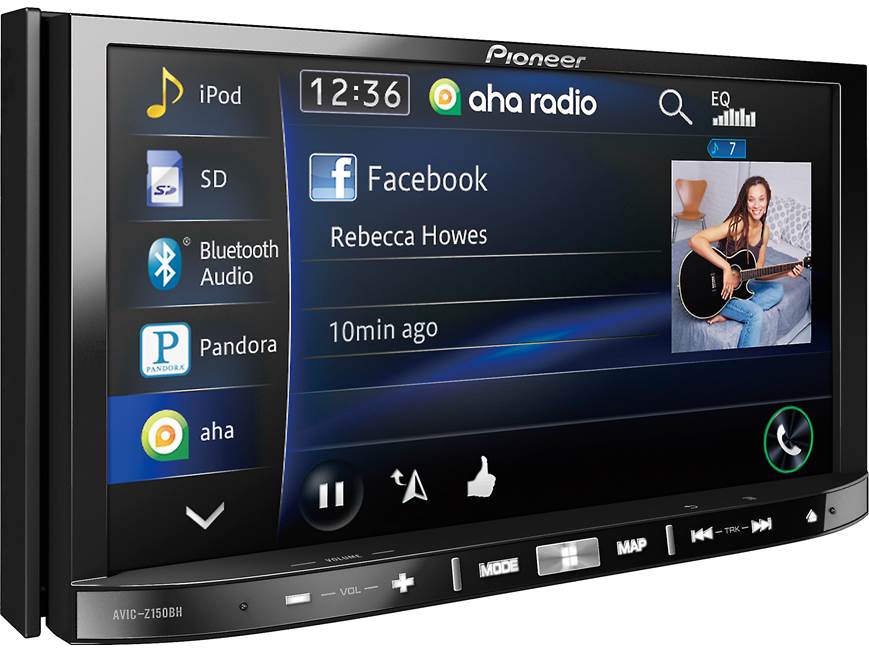
Not all Pioneer radios use the same reset methods. Older models and basic single-DIN radios often have a reset button on the front. Newer touchscreen models like the DMH or AVH series may hide the reset in menus or behind the faceplate.
Use the following table to compare different models:
| Model | Reset Button Location | Supports Button Combo? | Requires Parking Brake for Factory Reset? |
|---|---|---|---|
| AVH Series | Faceplate or behind screen | Yes | No |
| DMH Series | Side or menu | Sometimes | Sometimes |
| Single-DIN (DEH, MVH) | Front panel | No | No |
Two Key Insights Most Beginners Miss
- Radio settings and car settings are separate: Resetting your Pioneer radio will not change your car’s clock or other electronics, unless you disconnect the battery. If your car loses its clock or window memory, it’s a sign you’ve done a full battery disconnect.
- Reset does not always unlock menus: If you reset the radio but still cannot access certain settings, it’s likely the parking brake wire is not connected, or you need to use a combination of button presses. Simply resetting is not a “magic fix” for all lockouts.
Additional Tips For A Smooth Reset
- Always write down your favorite radio stations before resetting.
- Take a photo of your Bluetooth devices list for easy re-pairing.
- If you see “AMP Error” or “Check USB,” unplug all accessories before resetting.
- After a reset, some radios take a few minutes to rebuild memory.
Credit: www.crutchfield.ca
When To Call A Professional
If you’ve tried all the above and your Pioneer radio still doesn’t work, it may be time to call a car audio professional. They can check wiring, update firmware, or test for hardware faults. This is especially important if your radio is under warranty.
For more information on car audio safety and installation, you can read the official NHTSA guidelines.
Frequently Asked Questions
How Do I Know If My Pioneer Radio Has A Reset Button?
Most Pioneer radios have a reset button that looks like a small hole on the front or side of the unit. Check the manual or look for labels like “Reset.”
Will Disconnecting The Battery Erase My Radio’s Memory?
Disconnecting the car battery may erase radio presets and settings, but not always. It depends on your car and radio model.
Is It Safe To Ground The Parking Brake Wire To Bypass The Lock?
Grounding the parking brake wire can allow access to blocked menus, but it is not safe or legal in most places. It may void your warranty or cause safety issues.
Why Does My Radio Keep Showing “parking Brake” After A Reset?
If you see this message, the parking brake wire is not connected or there’s a wiring problem. Resetting the radio will not clear this unless the wire is properly attached.
Where Can I Find My Pioneer Radio’s Manual?
You can download the manual from the official Pioneer website by searching your model number. This helps find model-specific reset instructions.
Resetting your Pioneer radio without the parking brake is possible for most models and situations. By following the steps above, you can get your radio working again quickly. Remember, safety and legal rules are important, so avoid bypassing features meant to protect you.
With a bit of care, your Pioneer radio can stay reliable and easy to use for years.

Credit: mechanics.stackexchange.com