Dmh W4660Nex Not Turning Off: Quick Fixes and Solutions
If you own a Dmh W4660Nex car stereo and it will not turn off, you are not alone. Many users face this issue, and it can be confusing. The stereo may stay powered even when your car is off, draining your battery and causing frustration. Understanding why this happens, and learning how to fix it, can save you time and money. This article will help you find clear answers, practical steps, and real examples to solve the Dmh W4660Nex not turning off problem.
What Is The Dmh W4660nex?
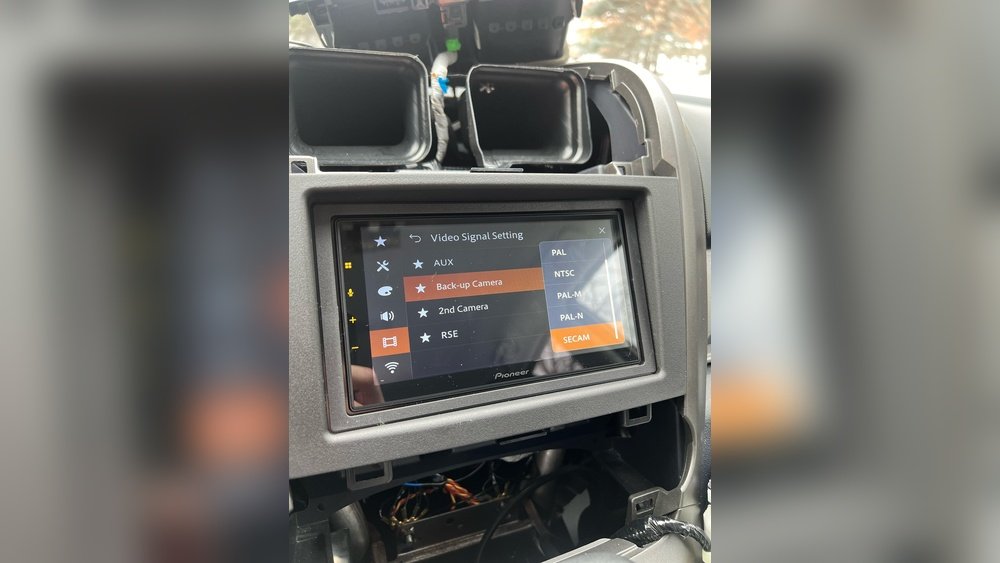
The Dmh W4660Nex is a popular touchscreen car stereo made by Pioneer. It is known for:
- Smartphone connectivity (Apple CarPlay, Android Auto)
- Touchscreen display
- Bluetooth and USB support
- Easy audio control
Many drivers choose this model for its features and reliability. However, like any electronic device, it can sometimes face technical problems.
Common Reasons Why Dmh W4660nex Will Not Turn Off
There are several reasons why your stereo may stay on. Here are some of the most common:
- Incorrect wiring: If the wires are not connected properly, the stereo may not receive the signal to turn off.
- Faulty ignition switch: If your car’s ignition switch is damaged, the stereo may think the car is still running.
- Settings issue: Sometimes, a setting in the stereo menu can cause it to stay powered.
- Software glitch: Like other electronics, the stereo may have a bug or software error.
- Accessory power issue: If the stereo is connected to a constant power source instead of accessory power, it will not turn off.
These reasons cover most cases. Let’s look at each one in more detail.

Credit: www.reddit.com
How Car Stereos Receive Power
To understand the problem, you need to know how car stereos get electricity.
- Accessory wire (red): This wire tells the stereo to turn on when the car key is in the “ON” or “ACC” position.
- Constant wire (yellow): This wire provides power all the time, even when the car is off. It keeps settings and the clock running.
- Ground wire (black): This wire completes the circuit.
If the accessory wire is not connected correctly, the stereo will get power non-stop. This is a common mistake during installation.
| Wire Color | Function | Power On/Off? |
|---|---|---|
| Red | Accessory | Turns on/off with ignition |
| Yellow | Constant | Always on |
| Black | Ground | Completes circuit |
Diagnosing The Problem: Step-by-step
You do not need advanced skills to check why your Dmh W4660Nex is not turning off. Follow these beginner-friendly steps:
Step 1: Check The Wiring
- Remove the stereo from the dashboard carefully.
- Find the red, yellow, and black wires.
- Make sure the red wire is connected to the car’s accessory power.
- The yellow wire should go to constant power.
- The black wire should be grounded.
Example: If both red and yellow wires are connected to constant power, the stereo will never turn off.
Step 2: Test The Ignition Switch
- Turn your car key to the “OFF” position.
- Watch if the stereo stays on.
- If yes, the accessory wire may be receiving constant power, or the ignition switch is faulty.
Step 3: Review Stereo Settings
- Go to the stereo’s menu.
- Look for power-saving or auto-off options.
- Make sure “Auto Power Off” is enabled.
Step 4: Check Software Updates
- Visit Pioneer’s official website.
- Download the latest firmware for Dmh W4660Nex.
- Follow the instructions to update.
Sometimes, a software bug can cause power issues. Updating the firmware may solve it.
Step 5: Inspect The Fuse Box
- Check your car’s fuse box for any blown fuses.
- Make sure the accessory fuse is working.
Real-world Example: Mistaken Wiring
Let’s look at a practical case.
John installed his Dmh W4660Nex in a Toyota Camry. He connected both the red and yellow wires to the same power source, thinking it would be safer. After installation, his stereo stayed on all the time, even when he removed the key. After rechecking the wiring, he connected the red wire to accessory power. The problem disappeared.
How To Fix Dmh W4660nex Not Turning Off
If you have found the cause, here are solutions:
- Correct the wiring: Connect red to accessory, yellow to constant, black to ground.
- Replace faulty ignition switch: If your switch is damaged, change it.
- Adjust stereo settings: Enable auto power off.
- Update software: Install the latest firmware.
- Reconnect to accessory power: If the stereo is wired to constant power, move it to accessory.
Tools You Might Need
- Wire strippers
- Electrical tape
- Multimeter (to check voltage)
- Screwdrivers
Comparing Accessory Vs Constant Power
Here is a simple table to help you understand:
| Type | Behavior | Ideal For Stereo? |
|---|---|---|
| Accessory Power | Turns on/off with ignition | Yes |
| Constant Power | Always on | No |
Preventing Battery Drain
If your stereo stays on, it can drain your car battery. Here are tips to prevent this:
- Always connect the red wire to accessory power.
- Do not leave your car stereo running when the engine is off.
- Check connections after installation.
- Use the auto power off feature.
Even a small stereo like the Dmh W4660Nex can drain a battery in a few hours if left on.

Credit: usa.pioneer
How Much Power Does Dmh W4660nex Use?
On average, the stereo uses:
- Standby mode: 0.1–0.3 amps per hour
- Active mode: 1–2 amps per hour
If your car battery is 45 amps, the stereo can drain it in 1–2 days if always on. This is why fixing the power issue is so important.
Common Mistakes Beginners Make
Many new users make simple mistakes:
- They connect both red and yellow wires to constant power.
- They ignore the settings menu.
- They skip firmware updates.
- They forget to check the ignition switch.
Avoid these mistakes by following the steps above.
When To Call A Professional
If you try the steps and the stereo still will not turn off, it may be time to call an expert. Look for a car audio specialist or visit a Pioneer-authorized shop. They have the tools and skills to fix complex wiring or software issues.
Some users waste hours trying to fix the issue themselves. If you feel unsure, get help early.
Software Updates Matter
Updating the stereo’s firmware can fix bugs and improve performance. Pioneer regularly releases updates. Always check the official site for the latest version. Sometimes, a small update can solve the power issue.
pioneer Dmh-w4660nex Official Page

Credit: www.youtube.com
Comparing Dmh W4660nex With Other Models
Some users wonder if other Pioneer models have the same issue. Here is a quick comparison:
| Model | Auto Power Off | Common Power Issues? |
|---|---|---|
| DMH-W4660NEX | Yes | Sometimes |
| DMH-W4600NEX | Yes | Rarely |
| AVH-2550NEX | No | Often |
Insight: Models with auto power off have fewer issues. Always check your stereo’s settings.
Practical Tips For Beginners
- Read the manual: The Pioneer manual has wiring diagrams.
- Double-check connections: Never assume the installer did it right.
- Use a multimeter: Test wires for correct voltage.
- Backup settings: Before updating firmware, save your favorite settings.
- Ask for help: If unsure, join online forums or contact Pioneer support.
Non-obvious Insights
- Sometimes, aftermarket car alarms or remote starters can affect stereo wiring. If you have these, check their connections.
- If your car is older, wires may be worn or corroded. Inspect for damage during installation.
Frequently Asked Questions
Why Does My Dmh W4660nex Stay On When The Car Is Off?
The most common reason is incorrect wiring. If the red accessory wire is connected to constant power, the stereo will not turn off. Check your installation and make sure the red wire is connected to the accessory circuit.
Will The Dmh W4660nex Drain My Battery If It Stays On?
Yes. If the stereo is always on, it can drain your battery in one or two days. Always fix power issues quickly to avoid battery problems.
Can A Software Update Fix The Power Issue?
Sometimes. If the problem is caused by a software bug, updating the firmware may solve it. Always use the latest version from Pioneer’s official site.
Do I Need A Professional To Fix The Wiring?
If you are comfortable working with car electronics, you can fix the wiring yourself. If not, or if you are unsure, it is better to call a professional. Incorrect wiring can damage the stereo or your car.
Where Can I Find The Wiring Diagram For Dmh W4660nex?
The wiring diagram is in the Pioneer manual and on their website. It shows each wire’s function and color. Always use the diagram when installing or troubleshooting.
Solving the Dmh W4660Nex not turning off problem is not complicated if you follow clear steps. Make sure your wiring is correct, update software, and check settings. If you still have trouble, do not hesitate to ask for help. Taking action quickly can save your battery and keep your stereo working well for years.