Best Wireless Carplay Adapters: Top Picks for Effortless Connectivity
If you want to enjoy Apple CarPlay without plugging in your phone every time, you’re not alone. Wireless CarPlay adapters have become a must-have for many drivers who want a smarter, cleaner setup. These handy devices let you connect your iPhone to your car’s CarPlay system using Bluetooth and Wi-Fi, so you can keep your phone in your bag or pocket. But with so many options, picking the right one can be confusing—especially if you’re new to car tech. Let’s break down what matters, which adapters stand out, and how to choose the best wireless CarPlay adapter for your needs.
Why Choose A Wireless Carplay Adapter?
Switching to wireless CarPlay is all about convenience and safety. With a wireless connection, you don’t need to fumble with cables every time you drive. Here are some reasons drivers are making the switch:
- No more messy cables: The inside of your car stays neat.
- Quick connection: Your iPhone connects automatically as soon as you enter the car.
- Better focus on driving: Less time plugging in means more attention on the road.
- Works with most cars: As long as your vehicle has wired CarPlay, most adapters will work.
Many drivers are surprised that wireless CarPlay isn’t standard in all cars. Most vehicles, even new ones, still require a cable. Wireless adapters fill this gap, offering a simple upgrade without replacing your car’s infotainment system.
Key Features To Consider
When searching for the best wireless CarPlay adapter, focus on what really matters. Here’s what to check:
- Compatibility: Make sure the adapter works with your car’s make, model, and year.
- Connection speed: Look for adapters with fast boot-up and stable connections.
- Firmware updates: Good brands offer updates to fix bugs and add features.
- Size and design: A compact adapter is less likely to get in the way.
- Ease of use: Simple setup means less frustration for beginners.
- Price: Expect to pay $50–$150 for reliable adapters.
Beginners often overlook firmware updates. These keep your adapter working as Apple updates iOS, so don’t skip this feature.

Credit: uk.pcmag.com
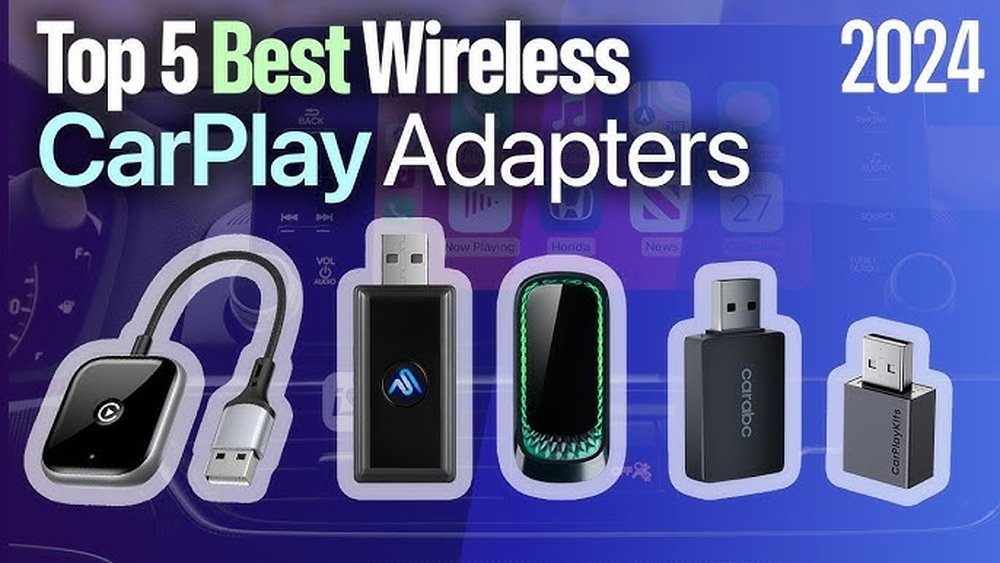
Top 7 Best Wireless Carplay Adapters (2024)
Choosing the right adapter can be tough, so we’ve picked the top models based on user reviews, expert tests, and real-world performance. Below is a quick comparison to help you spot the key differences.
| Adapter | Price Range | Compatibility | Boot Time | Firmware Updates |
|---|---|---|---|---|
| Carlinkit 3.0 | $60–$90 | Wide (2016+) | 10–20s | Yes |
| Ottocast U2-X Pro | $110–$130 | Wide (2016+) | 7–15s | Yes |
| MA1 by Motorola | $90–$120 | Most (2018+) | 8–12s | Yes |
| Wiredream Wireless Adapter | $70–$90 | Wide (2015+) | 10–18s | Yes |
| Binize CarPlay AI Box | $110–$150 | Wide (2016+) | 12–20s | Yes |
| Teeran Wireless Adapter | $60–$85 | Wide (2016+) | 10–15s | Yes |
| OTTOCAST PICASOU 2 | $130–$160 | Wide (2017+) | 10–15s | Yes |
Let’s look at what makes each adapter a smart choice.
1. Carlinkit 3.0
Carlinkit is one of the most popular brands for wireless CarPlay adapters. The Carlinkit 3.0 works with many car models (2016 and newer) and most aftermarket head units. It’s known for:
- Fast boot times (10–20 seconds)
- Regular firmware updates
- Easy setup: Plug into your car’s USB port, pair once, and it auto-connects each time
One non-obvious advantage: Carlinkit provides helpful online support, which is useful for beginners who may need extra guidance.
2. Ottocast U2-x Pro
The Ottocast U2-X Pro stands out for reliability and fast connection (7–15 seconds). It supports both CarPlay and Android Auto, making it ideal if you sometimes switch between iPhone and Android. Features include:
- Dual compatibility: Great for families with mixed devices
- Slim design: Easy to hide in your center console
- Frequent software updates
Beginners often don’t realize that not all adapters support Android Auto. Ottocast covers both in one device.
3. Ma1 By Motorola
The MA1 is one of the few adapters from a major tech brand. It’s easy to set up and works with most cars from 2018 onward. Key highlights:
- Fast and stable connection
- Trusted Motorola brand
- Simple interface: Perfect for users who dislike tech headaches
This adapter tends to cost a bit more, but it’s a favorite for those wanting “set it and forget it” simplicity.
4. Wiredream Wireless Adapter
Wiredream’s adapter is beginner-friendly, with a simple plug-and-play approach. It works with a wide range of vehicles (2015 and newer). Benefits:
- Affordable price
- Reliable connection for most users
- Compact and lightweight
Some users report slower boot times, so if speed is critical, consider another model.
5. Binize Carplay Ai Box
The Binize AI Box does more than just wireless CarPlay. It adds Android features, so you can run apps like YouTube or Netflix on your car’s screen. Notable details:
- Android 9.0 built-in: More than just CarPlay
- Plug-and-play on most 2016+ cars
- Regular updates for new features
If you want to use your car screen for entertainment, this is a unique option. However, streaming video while driving isn’t recommended for safety.
6. Teeran Wireless Adapter
Teeran’s adapter is a budget-friendly pick with good reviews. It works with most cars from 2016 onward. Advantages:
- Fast auto-connection
- Compact design
- Supports firmware updates over Wi-Fi
Many beginners miss that firmware updates often require a Wi-Fi connection—Teeran makes this easy with a simple update app.
7. Ottocast Picasou 2
This is an advanced adapter with powerful hardware. The PICASOU 2 supports wireless CarPlay, Android Auto, and even lets you install extra apps. Key features:
- 4GB RAM and 64GB storage: Handles heavy tasks
- Built-in GPS
- Dual system support (CarPlay/Android Auto)
It’s more expensive and might be overkill for simple needs, but it’s great if you want extra features.
How To Set Up A Wireless Carplay Adapter
Getting started is usually fast and easy. Here’s how most adapters work:
- Plug into your car’s USB port (the same one used for wired CarPlay).
- Wait for the adapter’s light to turn on.
- On your iPhone, go to Settings > Bluetooth, and select the adapter.
- Follow the prompts to connect via Wi-Fi.
- CarPlay should launch automatically.
If you run into issues:
- Check that your car already has wired CarPlay (adapters won’t add CarPlay to cars that don’t support it).
- Make sure your iPhone is running iOS 10 or later.
- Update the adapter’s firmware if available.
Many beginners miss that some adapters need to be updated before first use. Check the brand’s website for the latest software.

Credit: www.youtube.com
Real-world Performance: What To Expect
Wireless CarPlay adapters have improved a lot, but they’re not perfect. Here’s a look at what you’ll likely experience:
- Boot time: Most adapters connect within 10–20 seconds after you start the car.
- Audio quality: Nearly all adapters offer clear sound, but a few may have a slight delay.
- Touchscreen response: Usually smooth, but can lag if your adapter is slow or needs an update.
- Connection drops: Rare, but can happen if your phone’s Wi-Fi is weak or if the adapter is overheating.
Some adapters get warm during use. This is normal, but avoid blocking the adapter’s vents with objects or cables.
Here’s a quick look at user experience ratings:
| Adapter | Average User Rating | Connection Stability | Setup Difficulty |
|---|---|---|---|
| Carlinkit 3.0 | 4.2/5 | Very Stable | Easy |
| Ottocast U2-X Pro | 4.3/5 | Very Stable | Easy |
| MA1 by Motorola | 4.5/5 | Excellent | Very Easy |
| Wiredream Wireless Adapter | 4.0/5 | Stable | Easy |
A surprising insight: If you share your car with family members who use different phones, look for an adapter that supports both CarPlay and Android Auto. This avoids frustration and extra setup.
Common Mistakes When Buying
Many first-time buyers make these mistakes:
- Assuming all cars are compatible: Always check your car’s year and infotainment system.
- Ignoring firmware updates: This can cause problems as Apple releases new iOS versions.
- Buying the cheapest option: Low-cost adapters may have poor support or frequent disconnects.
- Not checking return policy: Some adapters don’t work with certain cars, so a good return policy is important.
If you want more technical details, you can read about CarPlay’s development and compatibility on the Apple CarPlay Wikipedia page.
Practical Tips For Smooth Wireless Carplay
For the best experience, keep these tips in mind:
- Restart your iPhone if CarPlay doesn’t connect after setup.
- Keep your adapter cool: Avoid placing it near heating vents.
- Update your adapter’s firmware every few months.
- If your connection drops, try a different USB port in your car.
- Place your phone close to the center console for a better signal.
Remember, if you change your car or iPhone, you may need to re-pair the adapter.
Frequently Asked Questions
Is A Wireless Carplay Adapter Safe To Use While Driving?
Yes, using a wireless CarPlay adapter is safe as long as you set it up before driving. It lets you use navigation, music, and calls hands-free, so you can focus on the road.
Do Wireless Carplay Adapters Drain My Car Battery?
No, these adapters use very little power. They only work when your car is on, so battery drain is not a concern for most users.
Can I Use Wireless Carplay With An Older Car?
You can use a wireless CarPlay adapter if your car has wired CarPlay support. If your car doesn’t have CarPlay at all, you’ll need to upgrade your head unit.
Do I Need To Update My Adapter’s Firmware?
Yes, updating the firmware helps fix bugs and keeps your adapter working with new iOS updates. Most brands offer free updates on their website.
Will Wireless Carplay Work If I Have A Weak Wi-fi Signal?
Wireless CarPlay adapters create their own Wi-Fi network for your phone. Your home or mobile internet is not involved, so a weak Wi-Fi signal outside your car won’t affect it.
Switching to a wireless CarPlay adapter is a simple way to make driving more enjoyable and less cluttered. With the right adapter, you’ll enjoy fast, reliable Apple CarPlay without cables—and once you try it, you’ll never want to go back.

Credit: www.esquire.com