How to Install the Rockville Rvb10 Subwoofer Step-by
Installing a subwoofer in your car can completely change your music experience. The Rockville Rvb10 subwoofer is a popular choice for people who want deep bass and clear sound but do not want a complicated setup. Many beginners worry that installing a subwoofer will be difficult or require special tools. This guide is designed for anyone, even if you have little or no experience with car audio. You will learn step-by-step how to install the Rockville Rvb10, what mistakes to avoid, and how to get the best sound from your system.
What Makes The Rockville Rvb10 Subwoofer Special?
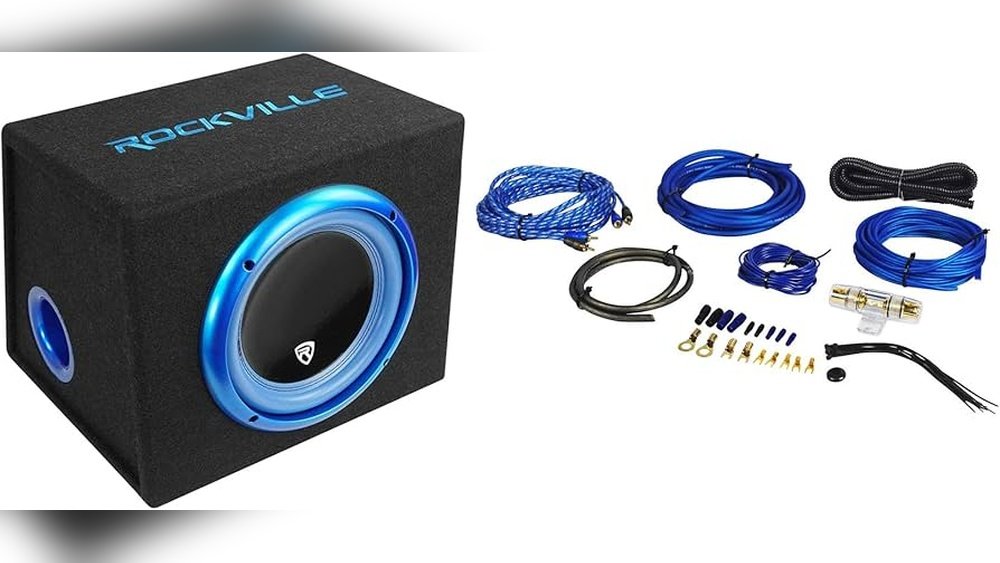
The Rockville Rvb10 is an all-in-one subwoofer. This means it includes a subwoofer speaker, a built-in amplifier, and a special enclosure (box). You do not need to buy these parts separately or figure out how to connect many pieces. It is designed to fit easily in most cars, even if you have a small trunk. The Rvb10 usually comes with remote controls and all the wires you need.
Key features:
- 10-inch subwoofer
- Built-in 500-watt amplifier
- Compact enclosure (fits in most cars)
- Remote bass control included
This design makes it perfect for beginners who want a strong bass without a complicated installation.
Tools And Materials You Need
Before you start, make sure you have everything you need. Having the right tools will save time and prevent damage.
Basic Tools
- Wire cutters/strippers
- Screwdrivers (usually Phillips and flathead)
- Socket wrench set
- Electrical tape
- Panel removal tool (optional, but safer for your car’s panels)
Materials
- Rockville Rvb10 subwoofer (with amp and enclosure)
- Wiring kit (should include power wire, ground wire, remote wire, RCA cable, fuse holder, and speaker wire)
- Zip ties (for neat wiring)
- User manual (for reference)
Most Rockville Rvb10 packages include the wiring kit, but double-check before you start.
Planning The Installation
A good plan makes installation easier and safer. Decide where you want to place the subwoofer. The trunk or cargo area is the most common location.
Things to consider:
- Make sure the subwoofer will not block your spare tire.
- Check that you have enough wire to reach the battery and head unit.
- Think about how you will route wires to avoid sharp edges and moving parts.
If you measure the space before starting, you can avoid surprises during installation.
10 Steps To Install The Rockville Rvb10 Subwoofer
Each step is important. Take your time, follow them in order, and you’ll get a clean, professional result.
1. Disconnect The Car Battery
This is the most important safety step. Never work with car electronics while the battery is connected. Find the negative terminal on your car battery (usually marked “-”) and use a wrench to loosen the bolt. Remove the cable and move it away from the battery post.
Why this matters:
- Prevents short circuits
- Protects you from electric shock
- Protects your car’s electrical system
2. Position The Subwoofer In The Car
Place the Rvb10 enclosure in your chosen location (usually the trunk). Make sure the speaker faces the correct direction (usually toward the rear of the car for deeper bass). Leave space behind it so the bass can move freely.
Tip: Test-fit the subwoofer with your seats up and down, if you have folding seats. This way, you know it will fit in daily use.
3. Run The Power Wire From The Battery
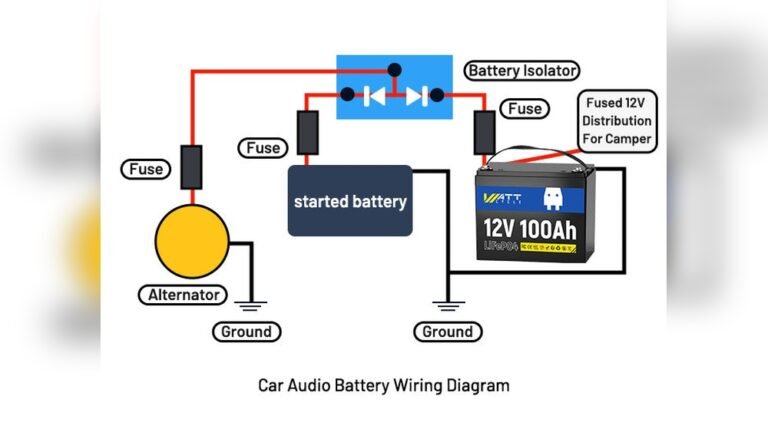
You need a direct power wire from the car battery to the subwoofer’s amplifier.
How to do it:
- Find a hole (grommet) in the car’s firewall (between the engine and cabin).
- Push the power wire through this hole into the car interior.
- Secure the wire with zip ties so it doesn’t touch hot or moving parts.
Example: In many cars, you’ll find a rubber grommet near the steering column. Use a small knife to make a hole (if needed), but be careful not to cut other wires.
4. Install The Fuse Holder
The fuse holder should be as close as possible to the battery (within 18 inches). This protects your car if there is a short circuit.
- Cut the power wire near the battery.
- Attach the fuse holder between the battery and the wire going into the car.
- Put the fuse in last, after all other connections are finished.
Common mistake: Do not install the fuse yet! Wait until everything else is connected.
5. Connect The Ground Wire
The ground wire is just as important as the power wire. It completes the electrical circuit for the subwoofer’s amplifier.
Best practice:
- Find a clean, unpainted metal part of the car body near your subwoofer.
- Sand down the area so it’s shiny (no paint or rust).
- Attach the ground wire securely using a bolt or screw.
Tip: A poor ground connection causes humming or weak bass.
6. Connect To The Head Unit (stereo)
You need to send music signals from your car stereo (head unit) to the subwoofer’s amplifier.
If your stereo has RCA outputs:
- Plug the RCA cable into the subwoofer output on the head unit.
- Run the RCA cable to the back of the car, away from the power wire (to avoid noise).
If your stereo does not have RCA outputs:
- Use the speaker-level input wires that come with the Rvb10. Connect them to the rear speaker wires behind your stereo.
Example: Most modern aftermarket stereos have RCA outputs. Factory stereos may need speaker-level inputs.
7. Connect The Remote Turn-on Wire
The remote wire tells your subwoofer amplifier when to turn on and off. Without this, your amp could drain your car battery.
- Find the blue (sometimes blue/white) wire behind your head unit labeled “Remote.”
- Connect the remote wire from the amp wiring kit to this wire.
Tip: Make sure the connection is tight. A loose remote wire means your subwoofer may not turn on.
8. Secure All Wires
Now that all wires are run, secure them so they do not move or get damaged.
- Use zip ties to bundle wires together.
- Avoid sharp edges or moving parts (like seat rails).
- Hide wires under carpets or trim panels for a clean look.
Non-obvious insight: Neatly secured wires not only look better but also prevent future problems, like wires getting pulled or cut accidentally.
9. Make Final Connections To The Subwoofer
Now, connect all wires to the Rvb10 subwoofer:
- Power wire to the amp’s “+12V” input
- Ground wire to the “GND” input
- Remote wire to the “REM” input
- RCA or speaker-level inputs to “INPUT”
Double-check that each wire is in the correct spot and tightened firmly.
10. Reconnect The Battery And Test The System
Go back to the car battery:
- Insert the fuse into the fuse holder.
- Reconnect the negative battery cable.
Turn on your car and the stereo. The Rvb10’s power light should come on. Play some music with deep bass and adjust the settings.
If there’s no sound: Check all connections, especially the ground and remote wire.
If you hear humming or buzzing: Check the ground wire and make sure RCA cables are not running next to power wires.

Credit: www.ebay.com
Key Comparison: Factory Stereo Vs. Aftermarket Stereo
Choosing the right audio connection is important for sound quality. Here’s a simple comparison:
| Feature | Factory Stereo (No RCA) | Aftermarket Stereo (With RCA) |
|---|---|---|
| Connection Type | Speaker-level input | RCA input |
| Sound Quality | Good | Better (less noise) |
| Ease of Install | Moderate | Easy |
| Extra Parts Needed | Wire taps | None |
Setting Up Your Subwoofer For Best Sound
After installation, you need to adjust the gain and crossover on the Rvb10 for the best sound.
- Gain controls how much signal the amp uses. Start low and increase until you hear clean, strong bass.
- Crossover sets which frequencies go to the subwoofer. Set it to 80 Hz as a starting point.
Pro tip: If your bass sounds “boomy” or unclear, lower the gain or adjust the crossover.

Credit: www.amazon.sa
Common Problems And How To Fix Them
Many beginners face small problems after installation. Here are some quick solutions:
- No power: Check the fuse, battery connection, and remote wire.
- Weak bass: Check gain/crossover settings and make sure the enclosure is not blocked.
- Buzzing noise: Check the ground connection. Try moving RCA cables away from power wires.
- Subwoofer does not turn off: Make sure the remote wire is connected to the head unit, not the battery.
If you follow these troubleshooting steps, most problems are easy to fix.
Example Installation Timeline
Knowing how long each step might take helps you plan. Here’s a typical timeline:
| Step | Time Estimate |
|---|---|
| Disconnect battery | 5 minutes |
| Run power wire | 30 minutes |
| Install ground wire | 10 minutes |
| Connect to head unit | 20 minutes |
| Secure wires | 15 minutes |
| Final connections/test | 15 minutes |
Total time: About 1.5 to 2 hours for most beginners.

Credit: www.liberia.ubuy.com
Safety Tips For First-time Installers
- Always disconnect the car battery before starting.
- Use the correct fuse size (usually 30-40 amps for the Rvb10).
- Do not run wires under seats where they can get pinched.
- Test everything before fully reassembling your car.
Upgrading Your System Later
If you want more bass in the future, you can add a second subwoofer or upgrade the amplifier. The Rvb10’s all-in-one design is a good first step, but many users later add an external amplifier or upgrade to a larger subwoofer. Plan your wiring so upgrades are easier (for example, run extra power wire now).
Professional Installation Vs. Diy
You may wonder if you need a professional installer. For most people, DIY installation is possible and saves money. However, if you are not comfortable working with car electronics, a professional can install a subwoofer in about one hour. Average cost: $80–$150 (US).
Fact: Over 70% of Rockville Rvb10 owners install their subwoofer themselves, thanks to its beginner-friendly design. If you want to see how professionals do it, check out the official Rockville installation videos or visit the Crutchfield guide.
Frequently Asked Questions
How Much Power Does The Rockville Rvb10 Use?
The Rvb10 has a built-in 500-watt amplifier. You need a wiring kit that supports at least 8-gauge wire and a 30-40 amp fuse.
Can I Install The Rvb10 In A Small Car?
Yes, the Rvb10 is compact and fits in most small trunks or hatchbacks. Measure your available space before buying to make sure.
Will The Subwoofer Drain My Battery?
If installed correctly with a remote turn-on wire, the subwoofer will only use power when the car stereo is on. It will not drain your battery when the car is off.
Do I Need A Special Stereo To Use The Rvb10?
No. The Rvb10 works with both factory and aftermarket stereos. If your stereo has RCA outputs, use them for better sound quality. Otherwise, use the speaker-level inputs.
What If I Hear A Buzzing Sound After Installation?
A buzzing or humming sound is usually a ground loop problem. Check your ground wire connection. Make sure RCA cables are not running next to power wires. Move them if needed.
Installing the Rockville Rvb10 subwoofer will give your music a new life. Follow these steps carefully, check your connections, and enjoy powerful bass every time you drive. With a little patience, even beginners can get professional results and improve their car audio system for years to come.