2011 Silverado Stereo Upgrade: Boost Your Sound System Today
Upgrading the stereo in your 2011 Silverado is one of the best ways to improve your driving experience. The factory system can sound dull, and many features are outdated. With a modern stereo upgrade, you get better sound, more features, and even improved connectivity. Whether you’re looking for deep bass, clearer vocals, or just easier Bluetooth streaming, a stereo upgrade delivers real value. This guide covers everything you need to know, step by step, so even beginners can upgrade confidently and avoid common mistakes.
Why Upgrade Your 2011 Silverado Stereo?
The original Silverado stereo was decent for its time, but technology has moved fast. Today, people expect:
- Bluetooth streaming for music and calls
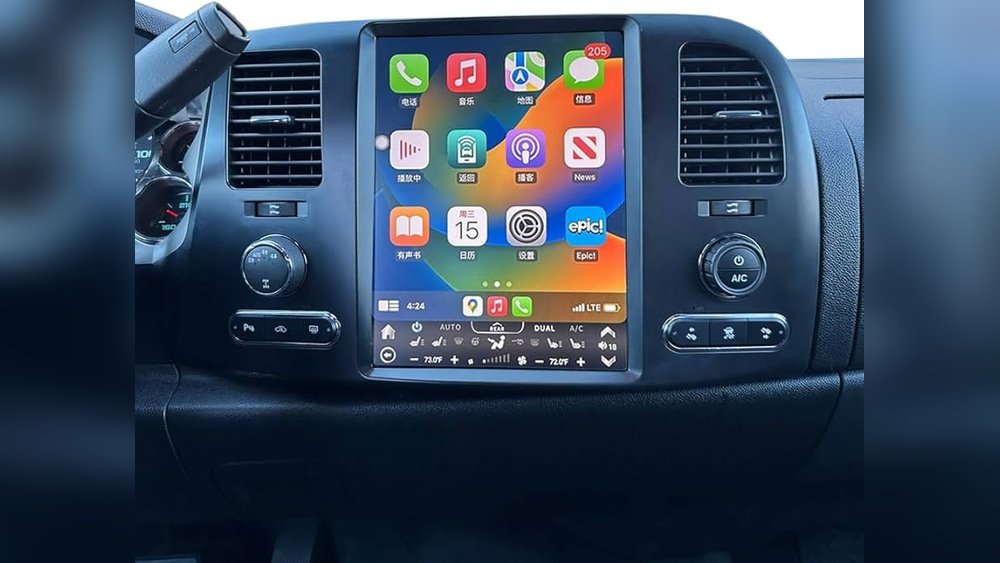
- Support for Apple CarPlay and Android Auto
- Better sound quality and louder volume
- Touchscreen controls and easy navigation
Old stereos often lack these features. Upgrading means you get more enjoyment from every drive. Better sound also helps you hear podcasts, phone calls, and navigation directions more clearly, which is especially useful during noisy highway trips. Modern systems allow you to connect multiple devices, so passengers can share music or make hands-free calls.
For people who use their truck for work, upgrading can make daily tasks easier—like using maps, managing contacts, and listening to audio books without distraction.
One detail beginners often miss: many new stereos support voice commands, letting you control your music or make calls without touching the screen. This improves safety and keeps your hands on the wheel. Upgrades can also refresh your dashboard’s look, making your vehicle feel newer and more comfortable.
Planning Your Stereo Upgrade
Before you start, it’s important to plan. This saves money and prevents headaches.
- Set your budget: Good upgrades cost between $150 and $900, depending on features.
- Pick your priorities: Decide if you want better sound, more features, or both.
- Check compatibility: Not every stereo fits the Silverado dashboard. Use online fit guides or ask at a local car audio shop.
When planning, think about who uses your truck. If you often have family or friends, consider features like multiple USB ports or dual-zone audio. If you drive long distances, features like navigation and good radio reception become more important.
Common Mistakes
Many beginners make these mistakes:
- Buying a stereo that doesn’t fit the Silverado dash.
- Forgetting needed wiring adapters.
- Ignoring speaker upgrades, which limits sound quality.
Some people also overlook the importance of matching the stereo’s power to the speakers. If your speakers can handle more power than your stereo provides, you won’t get the best sound. Another mistake is not considering future upgrades—if you think you might add a subwoofer or amp later, buy a stereo with preamp outputs now.
This saves money and effort in the long run.
Choosing The Right Stereo For Your 2011 Silverado
There are three main types of aftermarket stereos for the Silverado:
- Single-DIN units: Small and simple, but limited features.
- Double-DIN units: Larger screens, touch controls, and more options.
- Factory-fit replacements: Designed to look like the original, but with modern features.
Most 2011 Silverados accept double-DIN units, but always check your dash size.
It’s also important to check if your truck has additional features like OnStar or factory backup cameras. Some stereos work better with these systems, while others need extra adapters.
Key Features To Consider
- Bluetooth: Essential for hands-free calls and music.
- Touchscreen: Makes controls easy and modern.
- CarPlay/Android Auto: For smartphone integration.
- USB/Aux inputs: For connecting devices.
- Sound quality: Look for units with built-in amplifiers.
If you travel often, consider stereos with advanced radio reception, such as HD radio or satellite radio compatibility. Touchscreens with customizable menus can make switching between apps and sources much faster.
Example Models
- Pioneer AVH-2500NEX: Double-DIN, touchscreen, CarPlay, Android Auto.
- Kenwood Excelon DDX396: Double-DIN, Bluetooth, good sound.
- JVC KD-T710BT: Single-DIN, basic Bluetooth.
A less obvious tip: Some stereos have removable faces for security, useful if you park in public places. Models with multiple preamp outputs allow future expansion, such as adding more speakers or amplifiers.
Upgrading Speakers For Better Sound
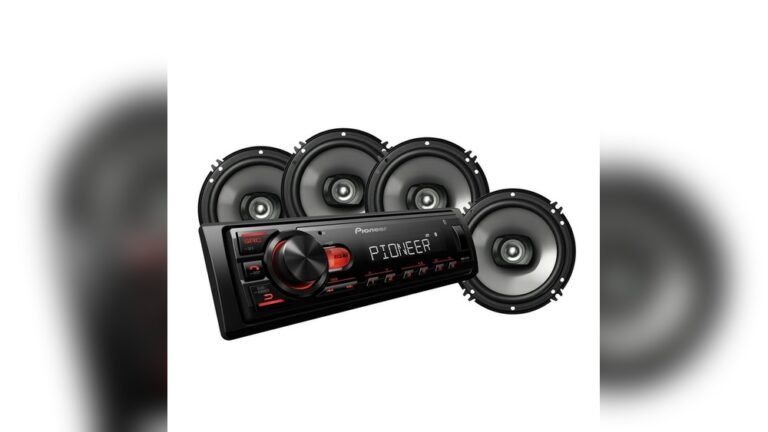
The stereo is only part of the system. Speakers matter for real improvement.
- The 2011 Silverado usually has 6.5” front and rear door speakers.
- Upgrading to component speakers brings clearer highs and deeper bass.
- Budget options start at $70 per pair, while premium brands cost $200+.
Quality speakers use better materials, like polypropylene cones or silk tweeters, which last longer and sound cleaner. Component speakers separate the woofer and tweeter, so you get crisp vocals and strong bass without distortion. Coaxial speakers are easier to install but may not sound as detailed.
One insight beginners miss: Even modest upgrades, like replacing just the front speakers, can make a big difference. If your budget is limited, focus on the front doors first, since those speakers are closest to your ears.
Installation Tips
- Use speaker mounting brackets for easy fitting.
- Connect wires securely and check polarity (plus/minus).
- Test each speaker before finishing the door panel.
Extra advice: Use foam baffles behind speakers to reduce vibration and improve clarity. When connecting wires, twist and solder them if possible, or use high-quality crimp connectors for a reliable fit. If you hear distortion after installation, check that no wires are pinched and all connections are tight.
Adding An Amplifier And Subwoofer
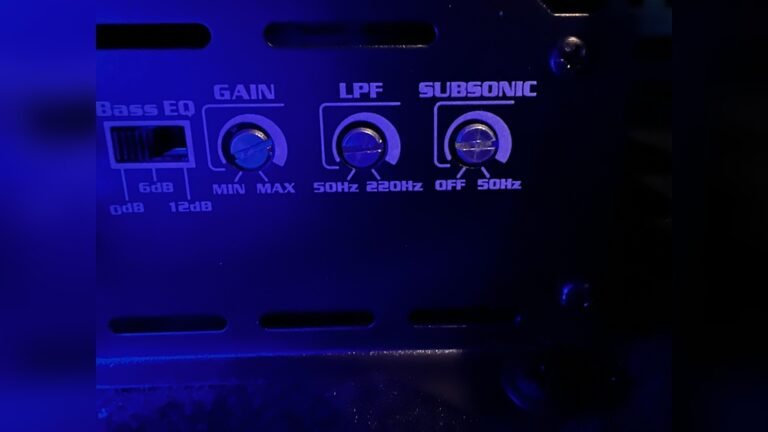
For deep bass and powerful sound, consider adding an amplifier and subwoofer.
- Most factory stereos cannot handle extra power, so an amplifier is important.
- Subwoofers (8”-12”) fit under the rear seat or behind it.
- Amplifiers range from $100 to $350 depending on power.
A common mistake is buying an amp that’s too powerful for your speakers. Match the amp’s RMS (continuous power) rating to your speakers and subwoofer for best results. Some amps come with built-in crossovers, which help direct the right frequencies to each speaker, making your system more efficient.
Practical Example
A common beginner setup:
- Rockford Fosgate R500X1D amplifier
- Kicker 10” CompVT subwoofer
- Together, this setup costs about $300 and transforms sound quality.
This setup is compact and fits under the rear seat, making it ideal for trucks. If you want even more bass, look for dual subwoofer boxes, but check your Silverado’s space first.
Wiring And Installation Essentials
Proper wiring is vital for safety and performance.
- Buy a Silverado-specific wiring harness to connect aftermarket stereos.
- Get a dash kit for fitting new stereos into the dashboard.
- Use quality speaker wire (16-gauge or thicker).
Some vehicles have extra wires for features like steering wheel controls or factory amplifiers. Research these before starting, as missing connections can cause features to stop working.
Basic Installation Steps
- Disconnect the battery to prevent electrical shorts.
- Remove the Silverado dash trim using plastic tools.
- Unplug the old stereo and speakers.
- Install the new stereo using the dash kit and harness.
- Connect speakers and amplifiers.
- Test the system before reinstalling panels.
Add a ground wire for amplifiers and check that all connections are tight. Use zip ties to keep wires neat and away from moving parts. If you’re unsure, take photos of each step so you can retrace your work if needed.

Credit: www.youtube.com
Data Table: Stereo Feature Comparison
Here’s a quick comparison of popular Silverado stereo upgrades:
| Model | Screen Size | Bluetooth | CarPlay/Android Auto | Price |
|---|---|---|---|---|
| Pioneer AVH-2500NEX | 6.8″ | Yes | Yes | $350 |
| Kenwood Excelon DDX396 | 6.2″ | Yes | No | $250 |
| JVC KD-T710BT | N/A | Yes | No | $120 |
Data Table: Speaker Upgrade Options
Comparing speaker choices helps beginners pick the right option.
| Brand | Size | Type | Power Handling | Price (Pair) |
|---|---|---|---|---|
| Kicker CS Series | 6.5″ | Coaxial | 100W | $75 |
| Alpine R-Series | 6.5″ | Component | 200W | $180 |
| Pioneer TS-A1670F | 6.5″ | Coaxial | 70W | $65 |

Credit: www.soundoftristate.com
Tips For A Smooth Upgrade
Beginner mistakes can lead to frustration. Here are some practical tips:
- Read the manual: Most stereos include detailed instructions.
- Label wires: Use tape to mark each wire, so you don’t mix them up.
- Test everything: Before closing up the dash, check every feature.
- Avoid cheap adapters: Poor quality can cause static or system failures.
- Consult experts: If you’re stuck, visit a car audio shop for help.
Another tip: Set aside extra time for installation. Even simple upgrades can take longer than expected, especially if you run into problems. If you plan to keep your truck for years, invest in higher-quality parts—they last longer and sound better. Take photos of wiring before you disconnect anything, so you can easily reconnect later.
Real-life Example: Silverado Owner Upgrade Story
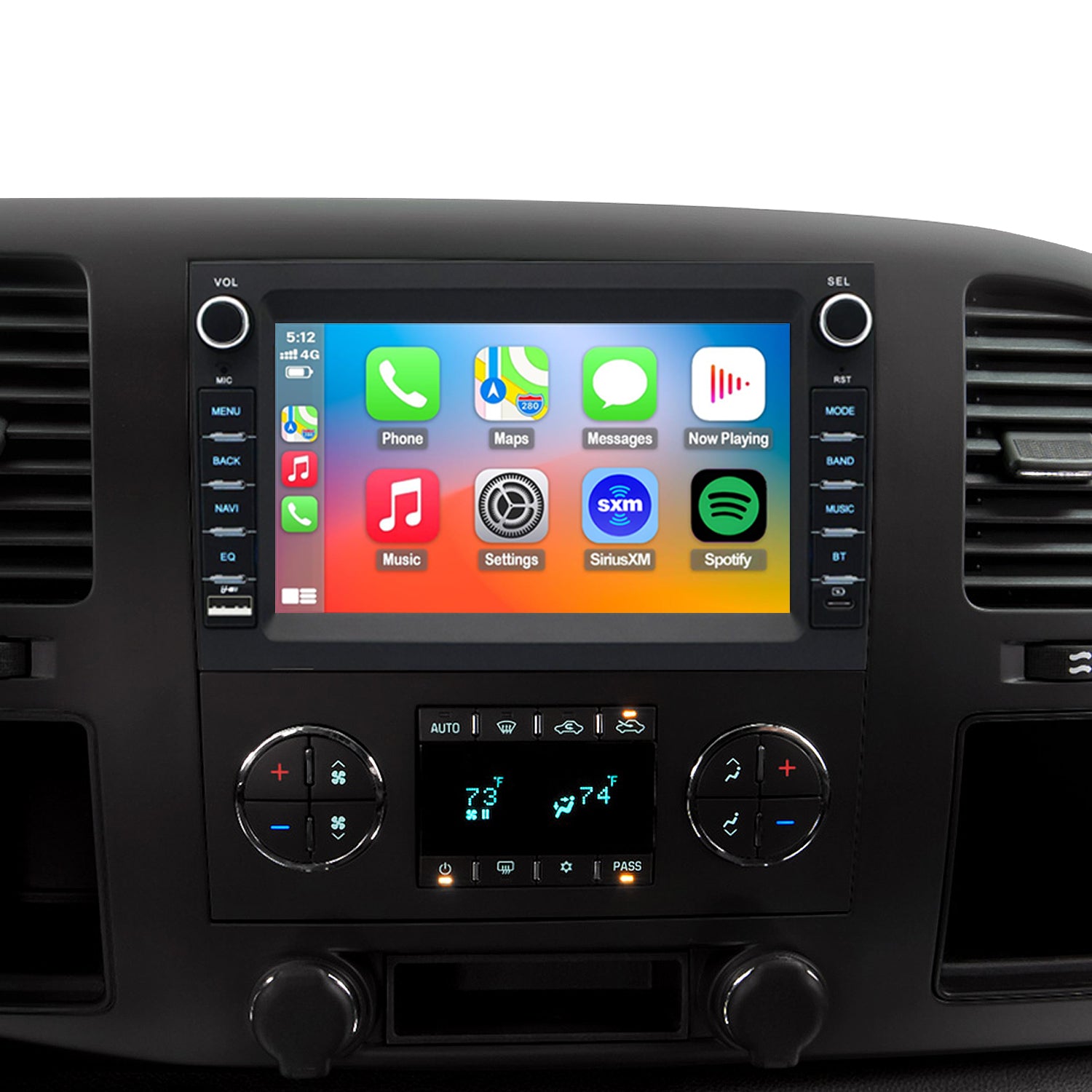
Jake, a Silverado owner, wanted better sound and Bluetooth streaming. He chose a Pioneer AVH-2500NEX and Kicker speakers. He watched YouTube videos to learn installation basics and used online fit guides. The upgrade took a weekend, cost $500, and improved every drive. Jake’s mistake? He didn’t buy the right dash kit, so he had to order one mid-project. This is a common issue for beginners—always double-check the parts list.
After his upgrade, Jake noticed clearer sound and stronger bass, even at highway speeds. He could use voice commands for navigation and music, making driving safer. Jake later added a backup camera, which made parking much easier. He recommends testing each feature before reassembling the dash, and saving all old parts in case you need to reverse the upgrade.
Credit: www.ustopdisplay.com
Advanced Upgrades: Navigation And Cameras
Some modern stereos offer built-in navigation and support for backup cameras. If you want these features:
- Pick a stereo with a GPS antenna.
- Install a compatible camera (wired or wireless).
- Use the stereo’s screen to view maps and camera feed.
If you tow trailers or drive in tight spots, adding a front camera can help. Some stereos support multiple camera inputs, so you can see different angles. Navigation systems can also store favorite locations and provide real-time traffic updates, which saves time on long trips.
Example
The Kenwood DNX577S offers navigation and camera support but costs about $700. If you drive often or park in tight spaces, these features are worth considering.
Common Questions Beginners Ask
Beginners often worry about wiring, compatibility, and installation. Here’s what you need to know:
- Can I install a stereo myself? Yes, with basic tools and patience.
- Will I lose factory features? Some steering wheel controls may need extra adapters.
- Is professional installation better? It costs more, but avoids mistakes.
If you want to keep features like OnStar or factory backup cameras, check for compatible adapters. Many shops can install these for you if you’re unsure.
Data Table: Installation Cost Breakdown
Here’s a look at typical costs for upgrading your Silverado stereo.
| Upgrade Item | DIY Cost | Professional Install Cost |
|---|---|---|
| Stereo Head Unit | $150-$400 | $100-$200 labor |
| Speakers | $70-$200 | $80-$150 labor |
| Amplifier/Subwoofer | $100-$350 | $120-$200 labor |
| Wiring/Dash Kit | $20-$60 | Included in labor |
Where To Find Parts And Support
Trusted sources for stereo upgrades include:
- Crutchfield for fit guides and wiring kits
- Amazon for deals and reviews
- Local car audio shops for expert advice
Always check reviews and buy from reputable sellers. For detailed Silverado-specific guides, visit Crutchfield.
If you need extra support, many shops offer installation classes or online help. Don’t hesitate to ask questions—experts can save you time and money. Check forums for advice from other Silverado owners; they often share solutions for common issues.
Frequently Asked Questions
What Stereo Fits The 2011 Silverado?
Most double-DIN stereos fit, but check your dash size and buy a proper dash kit.
Do I Need A Wiring Harness?
Yes, a wiring harness makes installation easier and keeps factory features working.
Will New Speakers Really Improve Sound?
Absolutely. Factory speakers are basic, while aftermarket speakers offer clearer highs, deeper bass, and louder volume.
Can I Keep Steering Wheel Controls?
Yes, but you’ll need a steering wheel control adapter. Some stereos support this natively.
Is Bluetooth Worth It?
For hands-free calls and streaming, Bluetooth is a must-have feature in modern vehicles.
Upgrading your 2011 Silverado stereo is a beginner-friendly project with big rewards. The right stereo and speakers can transform your truck’s audio, make driving safer, and add modern features you’ll use every day. Take your time, plan your upgrade, and enjoy the difference.