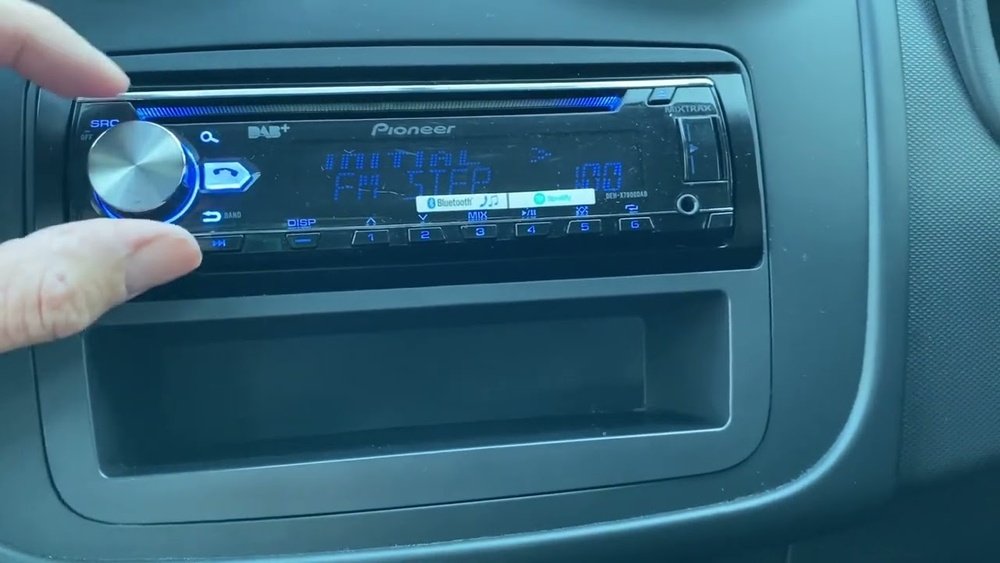
How to Reset Pioneer Radio to Factory Settings: Easy Step-by-Step Guide
Is your Pioneer radio acting up or not working like it used to? Sometimes, a simple reset to factory settings can fix glitches, clear unwanted settings, and give your radio a fresh start.
Whether you want to erase all your customizations, fix frozen screens, or just start over, knowing how to reset your Pioneer radio is a must. In this guide, you’ll learn easy, step-by-step methods to restore your Pioneer radio to its original factory settings—no tech expertise needed.
Keep reading, and you’ll quickly get your radio back to perfect working order.
Credit: www.reddit.com
Reset Button Location
Locating the reset button on your Pioneer radio is the first step to restoring factory settings. This button is small and often hidden for safety. Knowing where to find it helps avoid frustration during reset.
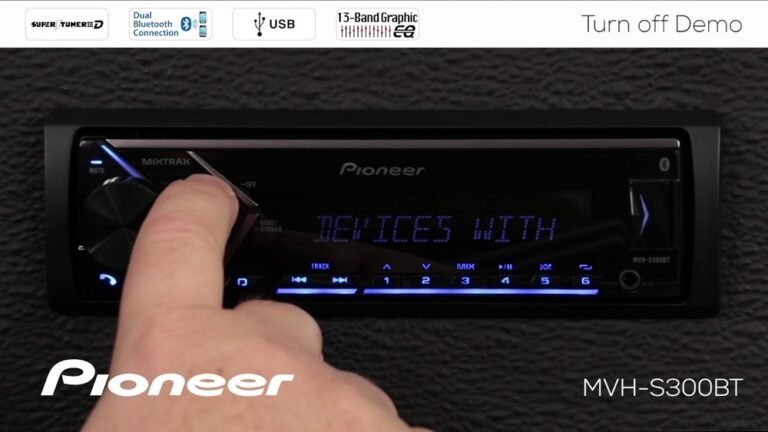
The reset button is usually a tiny pinhole. It sits on the front panel or near the faceplate. Some models place it close to the volume knob or display screen. The pinhole is designed to prevent accidental resets.
Finding The Pinhole Reset
Look carefully at the front of the radio. The pinhole reset button is small and round. It often has “Reset” printed nearby or a small symbol. Use a flashlight if needed to spot it clearly.
If you cannot find the pinhole on the front, check the edges or bottom of the unit. Some Pioneer radios hide it to keep it safe from dust or damage. The manual can also give exact location details.
Using A Paperclip For Reset
To press the reset button, use a thin tool like a paperclip. Straighten one end of the paperclip before use. Gently insert it into the pinhole until you feel a click.
Press and hold the button inside for 3 to 5 seconds. Release the paperclip and wait for the radio to restart. This method clears errors and resets settings to factory defaults.
Never use sharp or heavy objects to avoid damaging the button. A paperclip is safe and fits perfectly for this task.
Factory Reset Via Menu
Resetting your Pioneer radio to factory settings can fix many issues. The easiest way is through the menu system. This method restores the original settings without needing extra tools. It works well for most Pioneer models. Follow the simple steps below based on your radio type.
Touchscreen Models Steps
Start by turning on your radio. Tap the Home button on the screen. Open the Settings menu. Scroll to find System Settings. Select Factory Reset or Restore Settings. Confirm your choice by tapping Yes. Wait as the system resets and restarts. Your radio will return to default settings.
Digital Models Steps
Turn on the radio and press the Menu button. Use the arrow keys to navigate to Setup. Select System or Settings. Find and choose Factory Reset. Confirm by selecting OK or Yes. The radio will reset automatically. After restarting, it will have factory defaults.
Home Receiver Reset
Power on your Pioneer home receiver. Press the Menu button on the remote or front panel. Navigate to System Setup or Settings. Locate Factory Reset or Initialize. Select it and confirm the reset. The receiver will reboot with original settings. This clears all custom setups and data.
Resetting When Frozen
When your Pioneer radio screen freezes, it stops responding to touch or button commands. This can disrupt your music or navigation and cause frustration during drives. Resetting the device helps restore normal function quickly. The reset clears temporary glitches and lets the radio reboot fresh.
Resetting a frozen Pioneer radio is simple and does not require technical skills. You can try a physical reset or alternative methods depending on the model. Both options aim to unfreeze the screen and bring the unit back to factory settings safely.
Physical Reset For Unresponsive Screens
Locate the small pinhole reset button on the radio’s front panel. Use a paperclip or thin object to press and hold this button for about 10 seconds. Release it once the screen turns off or the unit restarts.
This method forces a hard reset by cutting power momentarily. It clears frozen software and resets the system without erasing your saved settings or data. The radio should boot up normally and respond to commands.
Alternative Reset Methods
If the physical button is hard to find, try powering off the car and removing the radio fuse for 5 minutes. Reinsert the fuse and start the car to reset the unit. This cuts all power and resets the hardware.
Some Pioneer models allow resets through menu navigation. Hold the power button and fast-forward button together for several seconds to trigger a reset. Check the user manual for model-specific reset combinations.

Credit: www.youtube.com
What Resets Erase
Resetting your Pioneer radio to factory settings removes many customized options. It clears stored data and restores original configurations. Understanding what resets erase helps prepare for the process.
Resetting deletes personal adjustments and saved preferences. This includes sound settings, paired devices, and radio channels. The radio returns to its default factory state.
Audio And Eq Settings
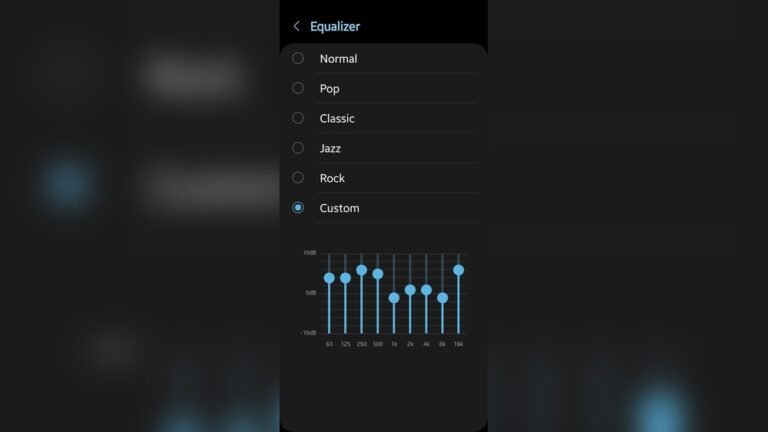
All audio adjustments vanish after a reset. Custom equalizer presets are erased. Bass, treble, balance, and fade return to default levels. Any saved sound profiles will no longer be available. You must reconfigure these settings to suit your taste.
Bluetooth And Radio Presets
Bluetooth connections are removed during the reset. All paired devices, including phones, are forgotten. You need to pair devices again after resetting. Radio presets, like favorite stations, are cleared too. You lose saved AM/FM stations and must set them up anew.
Safety And Precautions
Resetting your Pioneer radio to factory settings requires care. Taking safety steps helps avoid damage and data loss. Follow these precautions for a smooth reset process. Proper preparation protects your device and personal information.
Parking Brake Requirements
Many Pioneer radios only allow resets when the parking brake is engaged. This safety feature prevents distractions while driving. Make sure your vehicle is parked, and the parking brake is set. Without this, the reset option may be locked or unavailable.
Confirm the parking brake light is on before starting the reset. This ensures the radio will accept the factory reset command. Never try to reset the radio while driving. Safety comes first.
Backup Important Data
Resetting deletes all saved settings and data. Backup your favorite stations, Bluetooth pairings, and equalizer settings. Write them down or save them on your phone. This avoids losing personal preferences and connections.
Consider syncing contacts and music playlists with your phone or cloud storage. After the reset, you can easily restore your data. Taking time to backup prevents frustration later.
Troubleshooting Reset Issues
Resetting a Pioneer radio can solve many issues. Sometimes, the reset process itself causes problems. Troubleshooting reset issues helps you fix these problems quickly. This section explains common challenges and easy solutions.
Knowing what to check prevents frustration. It saves time and avoids damage to the radio. Follow the tips below for smooth resetting.
Menu Access Problems
Accessing the reset option in the menu can be tricky. Some radios have complex menus with many layers. Sometimes the touchscreen does not respond well. This stops you from reaching the factory reset setting.
Try restarting the radio before accessing the menu. Check if the screen is clean and free of dirt. Use the manual buttons if the touchscreen fails. Look for “Settings” or “System” in the menu options. If the menu is locked, check if a security code is needed.
Reset Button Not Working
The reset button is a small pinhole on many Pioneer radios. It needs a paperclip or similar tool to press. Sometimes pressing the button does nothing. This may happen if the button is stuck or damaged.
Make sure you use the right tool to press the button gently. Avoid using too much force. If the button is dirty, clean it carefully. Try holding the button for a few seconds instead of a quick press.
If the button still does not work, the radio might have an internal issue. Contact a professional or Pioneer support for help. Do not try to open the radio yourself.

Credit: www.reddit.com
Frequently Asked Questions
How To Do A Hard Reset On Pioneer Radio?
Press the small reset pinhole on the Pioneer radio’s front panel with a paperclip. Or go to Settings > System Settings > Factory Reset to restore defaults. This erases all custom settings and Bluetooth pairings. Some models require the parking brake engaged to access reset options.
How To Do A Hard Factory Reset?
Press and hold the power and fast-forward buttons together for 10 seconds. Or, use a paperclip to press the reset pinhole on the front panel. Alternatively, navigate to Settings > System Settings > Factory Reset and confirm. This erases all custom settings permanently.
Where Is The Factory Reset Button?
The factory reset button is a small pinhole on the front panel. Use a paperclip to press it. Alternatively, access Settings > System Settings > Factory Reset from the menu.
How Do I Reset My Touchscreen Radio?
Press and hold the power button or use the small reset pinhole with a paperclip near the volume knob. Navigate to Settings > System > Factory Reset to restore defaults. This erases all custom settings and Bluetooth pairings. Some models need the parking brake engaged to enable reset.
Conclusion
Resetting your Pioneer radio to factory settings helps fix many common issues. Use the reset button or menu options to clear errors. This process restores original settings and clears stored data. Remember to back up important information before resetting. Following these simple steps saves time and avoids frustration.
Your radio will work smoothly again with default settings. Stay patient and perform the reset carefully for best results.