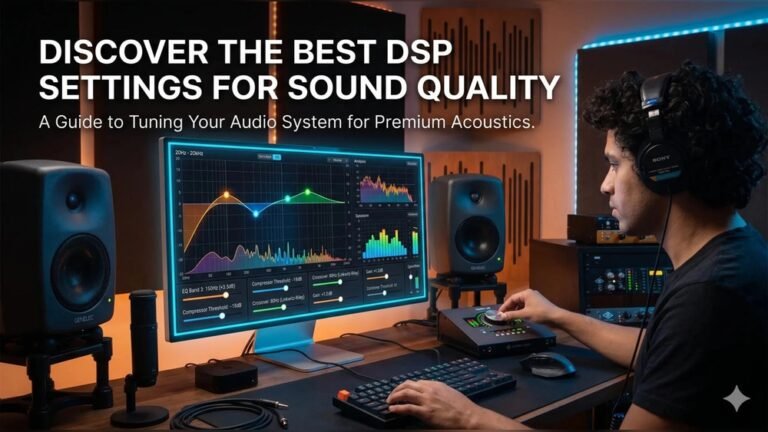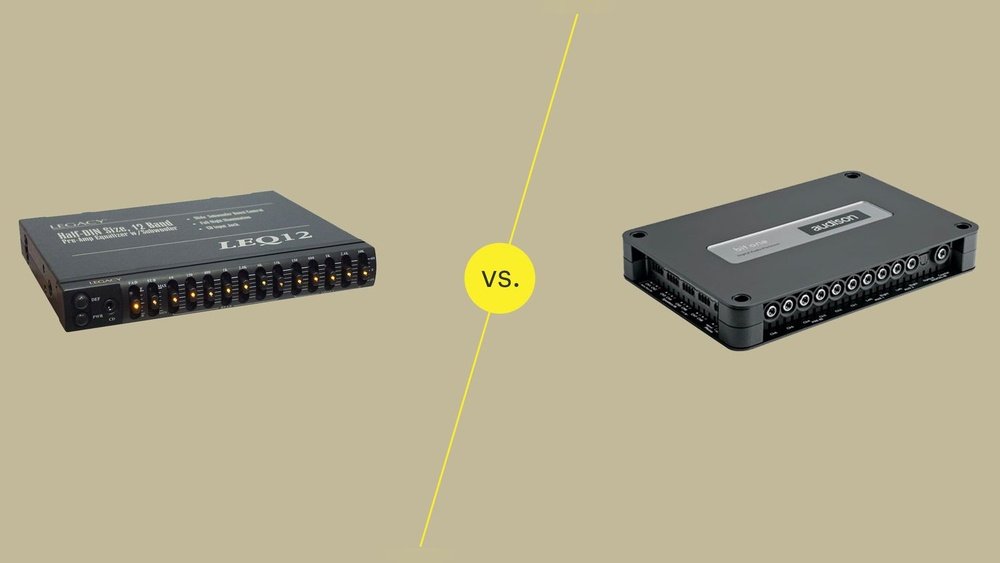
Dsp Vs Equalizer: Which Delivers Superior Sound Quality?
Digital audio can sound amazing—or disappointing. The difference often comes from how you shape and control the sound. Two common tools for audio improvement are the DSP and the Equalizer. If you’re new to audio, you might wonder: What’s the difference? Which one do you need? Let’s break down these concepts in simple English, using practical examples and real data.
What Is A Dsp?
A Digital Signal Processor (DSP) is a device or software that changes sound in many ways. It does more than just adjust the volume or bass. DSPs can:
- Remove noise
- Add effects (like reverb or echo)
- Change timing (delay, phase)
- Shape sound with filters
Think of DSP as the “brain” behind audio processing. It uses math to change audio signals in real-time.
A DSP works by taking the digital audio signal and processing it with algorithms. These algorithms can be simple or complex, but their purpose is always to improve or change the audio before it reaches your ears. DSPs work extremely fast—so you don’t notice any delay when you listen.
Common Uses Of Dsp
- Car audio systems: To make music sound better in any vehicle
- Home theater receivers: For surround sound and room correction
- Professional music studios: For mixing and mastering tracks
DSPs are also used in hearing aids, Bluetooth speakers, and even smartphones. For example, noise-canceling headphones use DSP to create anti-noise waves that block unwanted sounds.
Example: Car Audio Dsp
In a car, speakers are not always placed perfectly. DSP can:
- Adjust each speaker’s timing so sound arrives together
- Correct frequency problems caused by the car’s shape
- Add effects to make the music feel bigger
A car with DSP usually sounds clearer and more powerful than one without it.
For example, if your left speaker is closer to you than the right, the sound will reach your ear first from the left side. The DSP can delay the left speaker by a few milliseconds so both sounds arrive at the same time.
This makes the music feel centered and balanced, even if you are not sitting exactly in the middle.
What Is An Equalizer?
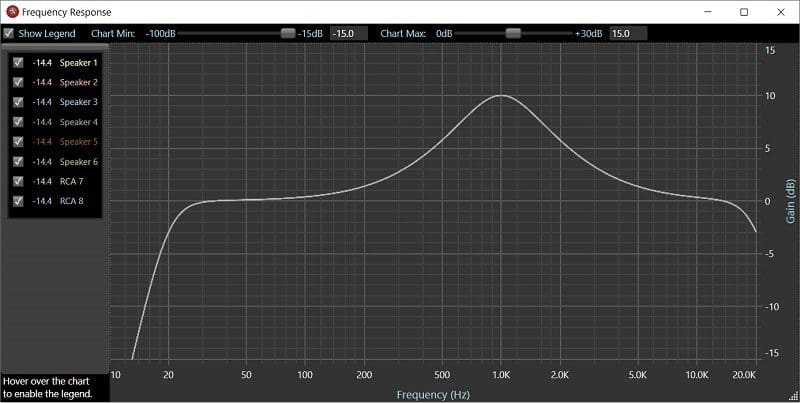
An Equalizer (EQ) is a tool that changes the balance of frequencies in audio. It lets you increase or decrease specific parts, like:
- Bass (low frequencies)
- Midrange (middle frequencies)
- Treble (high frequencies)
EQ is like a set of volume controls for different parts of the sound.
You can use EQ to fix problems, or just to make music sound the way you like. For example, if you listen to jazz, you might want more bass. If you watch movies, you might want clearer voices.
Types Of Equalizers
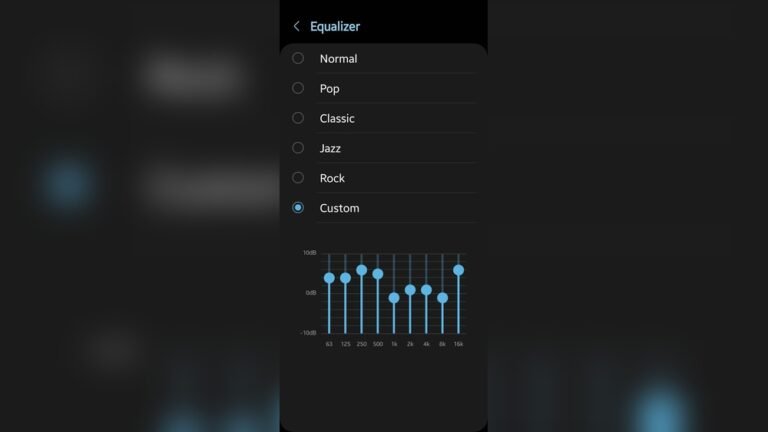
- Graphic EQ: Has sliders for fixed frequencies
- Parametric EQ: Lets you pick the frequency, boost/cut amount, and bandwidth
- Shelving EQ: Raises or lowers all frequencies above or below a certain point
Graphic EQs are common in music players and car stereos. Parametric EQs are used more in studios because they give more control. Shelving EQs are found in simple bass and treble knobs.
Example: Simple Equalizer Adjustment
If your music sounds too boomy, lower the bass slider. If vocals are too quiet, boost the midrange. EQ is very direct and easy to use.
Let’s say you’re listening to rock music and the cymbals sound sharp and harsh. You can lower the high frequencies (treble) by a few decibels. This will make the sound softer and less tiring over time.
Credit: 919motoring.com
Dsp Vs Equalizer: Key Differences
Both DSP and EQ change audio, but they do it in different ways.
| Feature | DSP | Equalizer |
|---|---|---|
| Main Function | Multiple audio changes | Frequency adjustment |
| Complexity | Advanced | Simple |
| Common Use | Professional, car, home theater | Music players, apps, mixers |
| Effects | Reverb, delay, phase, filters | Bass, treble, midrange |
| Price | Usually higher | Usually lower |
A DSP is like a toolbox with many tools inside—EQ is just one of them. On the other hand, an equalizer is a single tool focused only on frequency changes.
Another Key Difference
- DSP often includes EQ as one feature. You can use EQ inside a DSP.
- EQ is usually a single tool, not a full processing system.
So, if you buy a DSP, you usually get EQ, plus much more. But if you only have an EQ, you can’t do what a DSP does, like correcting the timing or adding effects.
Why Choose Dsp?
DSPs are powerful. They can solve problems that EQ cannot. For example:
- Room correction: DSPs can measure your room and fix sound issues automatically.
- Speaker matching: DSPs can make different speakers sound similar.
- Delay and phase: DSPs can sync sound from speakers placed far apart.
DSPs can also add audio effects, reduce background noise, and even protect your speakers by limiting how loud they get.
Practical Data
- Research shows DSP room correction can improve clarity by 20–35% (source: Audioholics)
- Car audio DSPs can boost bass response by up to 15 dB without distorting other frequencies
Some DSPs let you create different sound profiles for movies, music, or games. You can switch between profiles easily.
Non-obvious Insight
Beginners often miss that DSPs can fix timing problems. If two speakers fire at different times, the sound can feel “messy. ” DSP can delay one speaker by milliseconds to fix this.
Another point people miss: DSP can solve problems caused by the room itself, like echo or uneven sound. EQ alone cannot fix this because it only changes frequency, not how sound travels in space.
Why Choose Equalizer?
EQs are simple and fast. If you want to:
- Make music brighter or darker
- Reduce harsh sounds
- Boost vocals or bass
EQ is usually enough. Many music players, smartphones, and car radios include EQ.
EQ is great for quick fixes. If you only need to change the tone a little—maybe more bass for hip-hop, or less treble for classical music—EQ gives you what you need with just a few slider moves.
Practical Example
You’re listening to a podcast. The voice sounds thin and weak. You boost the midrange frequency by 3 dB. The voice becomes fuller and easier to understand.
Or, imagine you’re watching a movie late at night. The explosions are too loud, but voices are too soft. With EQ, you can lower the bass and raise the mids, so you hear dialogue better without waking the neighbors.
Non-obvious Insight
Many beginners think more bass always sounds better. But boosting bass too much can hide details in music. EQ can help balance, but overuse can create new problems.
Another thing people miss: Each speaker or headphone responds differently to EQ. A setting that works on one system may sound strange on another. Always listen and adjust by ear, not just by numbers.
Real-world Applications
DSP and EQ are used in many places.
Home Audio
- DSP: Room correction, surround sound, automatic volume leveling
- EQ: Adjusting bass/treble for personal taste
If your living room has lots of windows or hard floors, a DSP can help smooth out echoes. An EQ lets you quickly make the sound warmer or crisper, depending on your mood.
Studio Recording
- DSP: Adding effects, noise reduction, mastering
- EQ: Shaping instruments, fixing bad sounds
In studios, engineers use DSP for things like reverb and noise removal. They use EQ to make each instrument sit well in the mix, so nothing sounds too loud or too quiet.
Car Audio
- DSP: Matching speaker timing, fixing car acoustics
- EQ: Quick bass/treble tweaks
Newer cars often have built-in DSPs to adjust for different seat positions. You can also use EQ to quickly add more bass for energetic music or reduce treble for softer styles.
| Application | DSP Benefit | EQ Benefit |
|---|---|---|
| Home Theater | Surround sound, room correction | Personalize sound profile |
| Live Music | Effects, feedback control | Shape instrument tone |
| Podcast | Noise removal, voice enhancement | Fix harsh or dull voice |

Credit: www.youtube.com
How Do You Use Them?
Using A Dsp
- Connect device: DSPs are hardware or software. Connect your speakers or audio source.
- Set up: Many DSPs offer automatic setup. They measure your room or environment.
- Fine-tune: Adjust delay, phase, EQ, and effects as needed.
- Save settings: Most DSPs let you save profiles for music, movies, or podcasts.
Some DSPs come with microphones for setup. Place the mic where you sit, and the DSP plays test sounds to measure your room. Then, it adjusts the audio for best results.
Using An Equalizer
- Find the EQ: Usually part of your player, app, or audio device.
- Adjust sliders: Move bass, mid, treble sliders up or down.
- Listen and tweak: Change settings while listening to music.
- Avoid extremes: Big boosts can cause distortion or hurt clarity.
Try making small changes first—like +2 dB or -2 dB. Listen for a few minutes. If it sounds better, keep the setting. If not, reset and try again.
Common Mistakes
- Overusing EQ: Too much boost can make audio muddy or harsh.
- Ignoring DSP setup: Skipping calibration can waste DSP’s power.
- Using EQ to fix problems DSP should handle (like timing or phase).
A less obvious mistake: copying someone else’s settings. Your room, speakers, and ears are unique. Always trust your own listening experience.
Which Is Right For You?
Choosing between DSP and EQ depends on your needs.
- If you want simple control: Choose EQ. It’s easy and quick.
- If you want advanced sound shaping: Choose DSP. It solves complex audio problems.
- If you’re a beginner: Start with EQ. Learn how sound changes. Move to DSP if you need more.
Key Factors To Consider
- Budget: DSPs cost more. EQs are often free or cheap.
- Setup: DSPs need setup and calibration. EQs are plug-and-play.
- Features: DSPs offer many functions. EQs focus on frequency balance.
Also consider your listening space. If you have a challenging room, a DSP can make a big difference. If you use headphones most of the time, EQ is usually enough.
| Factor | DSP | EQ |
|---|---|---|
| Price | $100–$1000+ | Free–$100 |
| Setup Time | 30–60 min | Instant |
| Learning Curve | Moderate to high | Low |
| Flexibility | Very high | Medium |
How Beginners Can Get Started
If you’re new:
- Try using the EQ on your phone or music app.
- Listen to how small changes affect sound.
- If you buy a DSP, follow the setup instructions. Use automatic calibration if available.
- Watch videos or read guides about DSP and EQ.
- Don’t worry about making mistakes—audio is about personal taste.
You can also join audio forums or online groups. People often share tips and settings for different music types or devices. Learning from others can help you get better results faster.
Useful Tips
- Use EQ to fix quick issues (like too much bass).
- Use DSP for bigger challenges (like improving sound in a bad room).
- Start simple, then move to more advanced tools.
Remember to test your changes with different types of music or movies. What sounds good for one song may not work for another. Save your favorite settings so you can return to them easily.
Frequently Asked Questions
What Is The Main Difference Between Dsp And Equalizer?
DSP changes sound in many ways—timing, effects, correction. EQ only adjusts frequency balance (bass, mid, treble).
Can I Use Both Dsp And Eq Together?
Yes. Many DSPs include EQ as one feature. Using both gives you more control, but start simple.
Is Dsp Only For Professionals?
No. Modern DSPs are in cars, home theaters, and even some headphones. Beginners can use DSP, especially with automatic setup.
Does Eq Damage Sound Quality?
EQ does not damage quality if used carefully. Big boosts or cuts can cause distortion or hide details. Always listen and tweak gently.
Are Dsps Expensive?
Prices vary. Basic DSPs can be under $150. High-end models can cost over $1000. EQs are often free in apps or devices.

Credit: www.amazon.com
Final Thoughts
DSP and Equalizer are both useful for shaping sound. DSP offers deep control and solves complex problems. EQ gives quick, easy adjustments. For most beginners, starting with EQ makes sense. As you learn, you may want the power of a DSP. Remember: audio is personal. Experiment, listen, and enjoy. With the right tool, your music and movies can sound much better.