How to Test RCA Cables: Easy Steps for Perfect Audio Quality
Testing RCA cables is important for anyone who wants clear sound and reliable video signals. Whether you are connecting a home theater, DJ equipment, or older gaming consoles, a bad cable can cause buzzing, static, or no picture at all. You don’t need to be an expert to test RCA cables. With a few simple tools and steps, you can check your cables and avoid common mistakes that lead to signal problems.
What Are Rca Cables?
RCA cables are used to carry audio and video signals. You’ll recognize them by their colored plugs—usually red (right audio), white (left audio), and yellow (video). They connect devices like TVs, speakers, DVD players, and more.
Common Rca Cable Problems
- No signal: The cable is broken inside.
- Static or buzzing: Poor connection or damaged shielding.
- Weak audio/video: Corrosion or loose plugs.
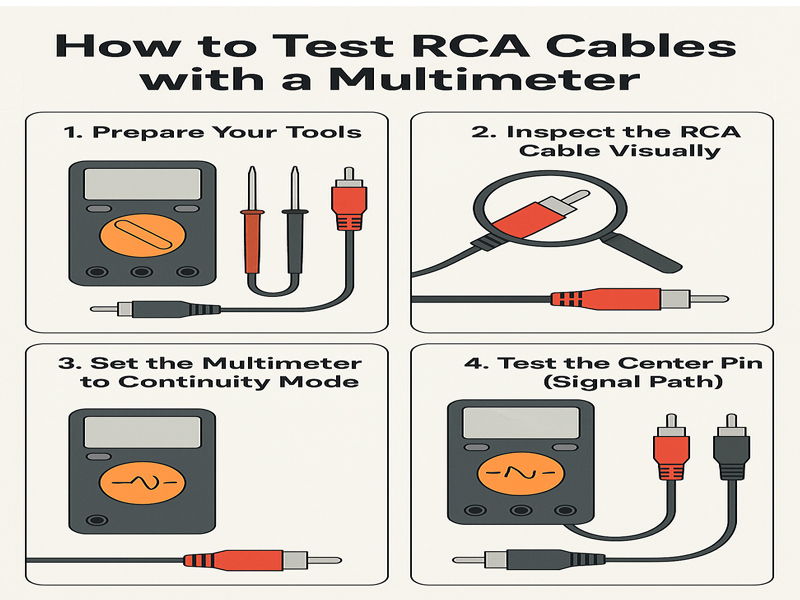
Tools Needed To Test Rca Cables
You don’t need expensive gear. Here’s what you should have:
- Multimeter (for electrical testing)
- Known working device (like a speaker or TV)
- Flashlight (for checking plug ends)
- Rag or alcohol wipes (for cleaning contacts)
Credit: rasantekaudio.com
Step-by-step: Testing Rca Cables
Visual Inspection
Start by looking at the cable. Check for:
- Broken plugs
- Bent pins
- Corroded contacts
Cleaning the contacts with a rag or alcohol wipe can improve signal quality.
Using A Multimeter
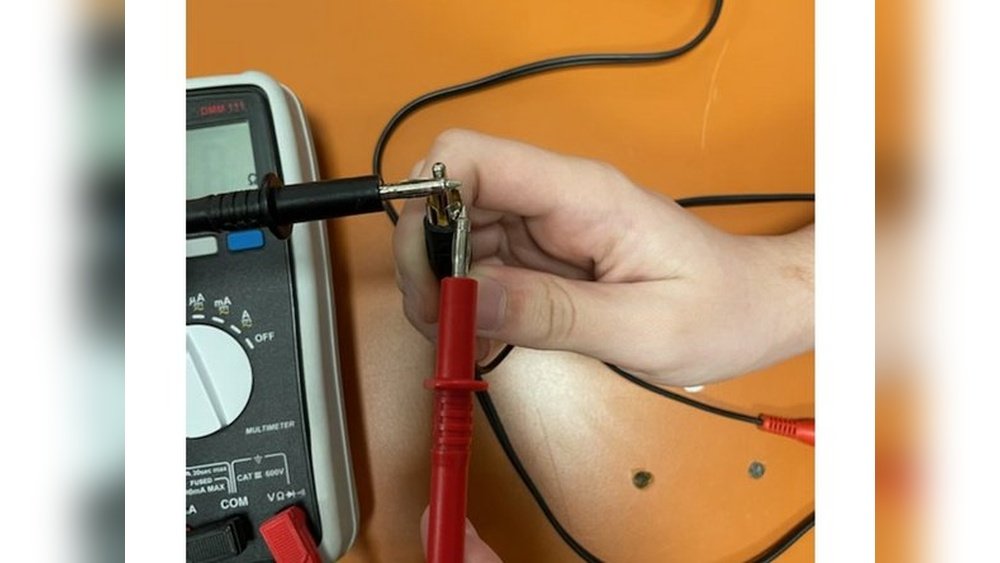
A multimeter helps you check if the cable is broken inside. Set it to continuity mode. Touch one probe to the tip of one plug and the other probe to the matching tip on the other end. The multimeter should beep or show “0” resistance if the wire is good.
Here’s a comparison of normal vs faulty cable readings:
| Multimeter Reading | Meaning |
|---|---|
| Beep or 0 Ω | Cable is good |
| No beep or infinite | Cable is broken |
Plug-and-play Method
Connect the RCA cable between two devices you know work. Play audio or video. If you hear sound or see a picture, the cable is working. If not, try another cable to rule out device issues.
| Test Result | Action |
|---|---|
| Clear signal | Keep using cable |
| No signal | Replace cable |
| Static/buzz | Clean contacts or replace |
Practical Tips Most Beginners Miss
- Test each channel: Check the red, white, and yellow plugs separately. Sometimes only one fails.
- Check shielding: If you hear buzzing, the cable’s shield may be damaged. Try a new cable to compare.

Credit: www.ifixit.com
Frequently Asked Questions
How Do I Know If My Rca Cable Is Faulty?
If you get no sound, static, or weak video, your cable is likely faulty. Testing with a multimeter or plug-and-play can confirm.
Can I Fix A Broken Rca Cable?
You can sometimes fix a cable by cleaning contacts or re-soldering broken wires, but it’s often easier and safer to replace it.
Why Is One Channel Not Working?
It’s common for only the red or white plug to fail. Test each plug separately with a multimeter or device.
Is Expensive Cable Always Better?
Not always. Many budget RCA cables perform just as well as pricier ones. Quality matters more than brand.
Where Can I Learn More?
For deeper technical details about RCA cables, visit Wikipedia.
Testing RCA cables is simple but can save hours of troubleshooting. With these steps, you’ll quickly find and fix cable problems, ensuring your devices sound and look their best.