Car Stereo With Bluetooth And Navigation: Upgrade Your Ride Today
If you drive often, you know how important it is to stay connected and reach your destination easily. A car stereo with Bluetooth and navigation combines entertainment, hands-free calling, and GPS in one device. This modern upgrade is a practical way to make every drive safer and more enjoyable.
Many people think replacing a car stereo is difficult or expensive. But today’s models are user-friendly and come with features that even beginners can use. Let’s explore what makes these car stereos special, what to look for, and why they’re a smart investment for almost any vehicle.
What Is A Car Stereo With Bluetooth And Navigation?
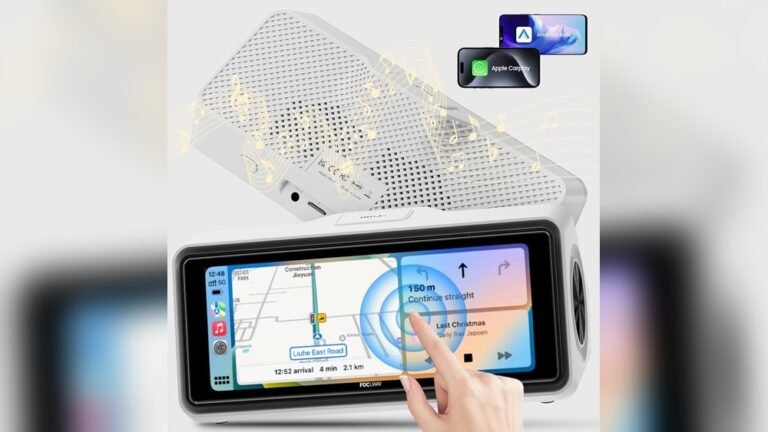
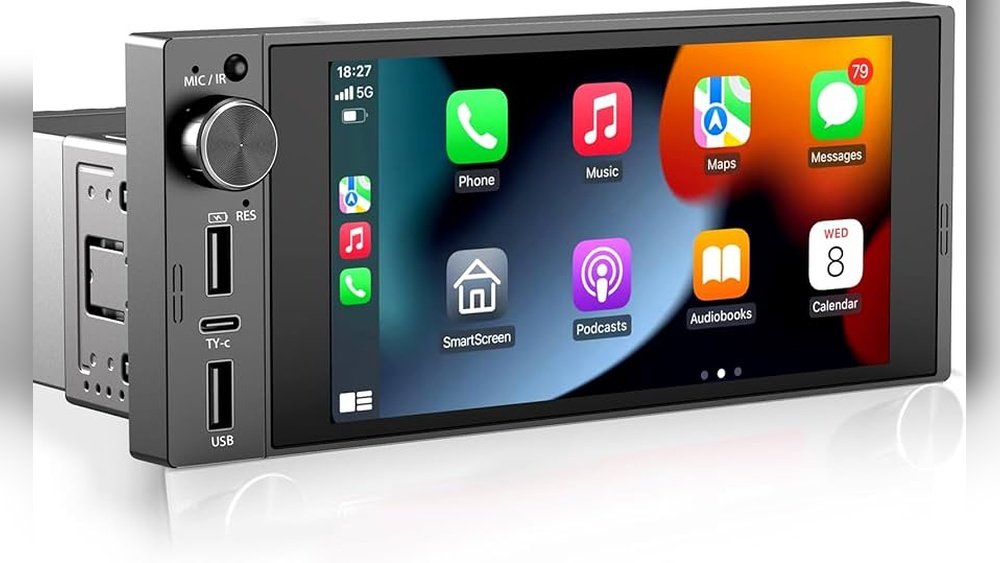
A car stereo with Bluetooth and navigation is more than just a music player. It is a central system that controls your car’s audio, connects to your smartphone, and gives you turn-by-turn directions.
- Bluetooth lets you play music and make calls without wires.
- Navigation uses GPS and maps to guide you on the road.
Some people call these units “head units” or “multimedia receivers. ” They often include a touchscreen and can support apps, voice control, and even backup cameras.
Why Upgrade To A Car Stereo With Bluetooth And Navigation?
Upgrading your car stereo has clear benefits for both safety and convenience.
- Hands-free calling means you can keep both hands on the wheel.
- Wireless music streaming makes it easy to enjoy playlists or podcasts.
- GPS navigation helps you avoid getting lost or stuck in traffic.
- Many systems show real-time traffic and alert you to hazards.
Older cars usually lack these features. A new stereo can make an old car feel modern and more valuable.
Key Features To Look For
Not all car stereos with Bluetooth and navigation are the same. Here are the most important features to consider:
1. Touchscreen Size And Quality
- Most units have screens from 6 to 10 inches.
- Bigger screens are easier to use, but may not fit all dashboards.
- Look for a high-resolution display for clear maps and menus.
2. Bluetooth Version
- Bluetooth 5.0 offers better sound and faster connections than older versions.
- Newer Bluetooth also supports more than one device at a time.
3. Gps Navigation
- Some units use built-in maps (no internet needed).
- Others use your phone’s apps (like Google Maps or Waze) via Android Auto or Apple CarPlay.
- Built-in GPS is useful in areas with weak cell signal.
4. Smartphone Integration
- Apple CarPlay and Android Auto make it easy to use your favorite apps.
- Voice assistants like Siri or Google Assistant help with hands-free control.
5. Audio Quality
- Check for features like equalizer settings or support for high-quality audio files.
- Some units have built-in amplifiers for better sound.
6. Ease Of Installation
- Look for a model that fits your car’s dash size (“single-DIN” or “double-DIN”).
- Some brands include all parts needed for a simple install.
7. Backup Camera Support
- Many units work with backup cameras for safer parking.
8. Updates And Support
- Choose a brand that offers map updates and software support.
Comparing Popular Models
Choosing the right unit can be tricky. Here’s a comparison of three popular models for beginners:
| Model | Screen Size | Bluetooth | Navigation | CarPlay/Android Auto | Price Range (USD) |
|---|---|---|---|---|---|
| Pioneer AVIC-W8500NEX | 7″ | 5.0 | Built-in & App | Both | $950–$1200 |
| Kenwood DNX997XR | 6.8″ | 5.0 | Built-in | Both | $1300–$1500 |
| Boss BE950WCPA | 7″ | 4.2 | App Only | Both | $300–$400 |
As you can see, there are options for every budget. The main differences are in navigation type, screen quality, and price.

Credit: www.amazon.com
How To Install A Car Stereo With Bluetooth And Navigation
Installing a new car stereo may sound difficult, but many people do it themselves with basic tools. Here’s a beginner-friendly guide:
1. Check Your Car’s Dash Size
- Most cars use single-DIN (2-inch tall) or double-DIN (4-inch tall) openings.
- Measure your current stereo to know what fits.
2. Buy A Wiring Harness
- This adapter connects the new stereo to your car’s wires.
- It prevents the need to cut factory wires.
3. Remove The Old Stereo
- Disconnect the battery.
- Remove trim panels and screws.
- Slide out the old unit.
4. Connect The New Stereo
- Match the wiring harness colors to the stereo.
- Secure connections with crimp connectors or solder.
5. Install The Gps Antenna
- Place it on your dash for best signal.
- Run the wire behind trim panels.
6. Attach The Bluetooth Microphone
- Clip it near your sun visor for clear voice pickup.
7. Test Everything
- Reconnect the battery.
- Check sound, Bluetooth, and navigation before finishing reassembly.
If you’re not comfortable, a professional can install it for $100–$200.
Real-life Example: How Bluetooth And Navigation Change Driving
Let’s look at a common situation. Maria has a 2012 Honda Accord with a basic stereo. She upgrades to a double-DIN unit with Bluetooth and navigation.
- She now streams music from her phone without wires.
- When she gets a call, she answers by touching the screen.
- The navigation helps her find the fastest route to work, avoiding traffic jams.
- When reversing, the stereo shows the view from her new backup camera.
Maria’s driving is safer, less stressful, and more enjoyable.

Credit: www.atotodirect.com
Common Beginner Mistakes
Many first-time buyers make small mistakes. Here’s how to avoid them:
- Wrong dash size: Always check if your car needs single or double-DIN.
- No map updates: Some units come with old maps. Make sure updates are available and easy to install.
- Ignoring wiring harness: Cutting factory wires can cause problems. Always use a harness.
- Poor microphone placement: If the mic is too far, voice commands and calls won’t work well.
- Not checking phone compatibility: Some older phones may not work with newer stereos.
How Bluetooth And Navigation Improve Safety
- Hands-free calling keeps your focus on the road.
- Navigation gives voice directions, so you don’t need to look down.
- Real-time traffic helps you avoid dangerous routes.
- Some units even warn you about speed cameras and hazards.
A study by the National Safety Council found that using hands-free features reduces the risk of accidents by nearly 30%. This is a big reason why many new cars have these systems as standard.
The Cost Of Upgrading
Prices can vary widely. Here’s a summary of what you might spend:
| Item | Low-End | Mid-Range | High-End |
|---|---|---|---|
| Stereo unit | $150 | $400 | $1500 |
| Wiring kit | $15 | $40 | $60 |
| Backup camera | $20 | $60 | $200 |
| Professional install | $100 | $150 | $250 |
A basic DIY setup may cost under $200, while a full-featured system with professional install can reach $2,000.
Non-obvious Insights For Beginners
- Navigation with offline maps: If you travel to remote areas, choose a stereo with built-in offline maps. App-based navigation needs cell service.
- Firmware updates matter: Many features improve through software. Models with easy update options stay useful longer.
- Audio quality depends on speakers too: Even the best stereo will sound poor with old speakers. Consider upgrading them for the best sound.
Should You Choose Built-in Or App-based Navigation?
Many people are unsure if they need built-in GPS or if using their phone is enough. Here are some things to consider:
- Built-in navigation works everywhere, even without cell service.
- App-based navigation (like Google Maps) always has the latest maps and traffic info, but needs a phone connection.
If you often drive in cities, app-based is fine. For rural or international travel, built-in maps are safer.
Environmental And Security Benefits
Modern car stereos can help in ways you may not expect:
- Eco-routing: Some GPS units offer routes that save fuel.
- Security codes: Some stereos need a code if removed, which helps prevent theft.
- Battery saving: Bluetooth uses less power than older aux cables or FM transmitters.
Future Trends In Car Stereos
The technology in car stereos is advancing quickly:
- Wireless CarPlay and Android Auto mean no more plugging in your phone.
- AI-powered assistants can read messages or suggest routes.
- Integration with smart home devices (like opening your garage) is becoming common.
For more on how these technologies are changing driving, visit the Car Audio Wikipedia page.
Frequently Asked Questions
What Is The Main Advantage Of A Car Stereo With Bluetooth And Navigation?
The main advantage is convenience and safety. You can play music, make hands-free calls, and get directions—all without distractions.
Can I Install A Car Stereo With Bluetooth And Navigation Myself?
Yes, many people install these themselves using a wiring harness and simple tools. However, if you are not comfortable, a professional can help.
Do I Need A Special Phone For Bluetooth And Navigation Features?
Most modern smartphones work with these systems. Just check if the stereo supports your phone’s operating system (iOS or Android).
How Often Do I Need To Update My Maps?
If your stereo uses built-in GPS, you should update maps once a year or as new updates are released. App-based navigation updates automatically.
Will This Upgrade Affect My Car’s Warranty?
Usually, changing the stereo does not void your warranty, but check your car’s manual or ask your dealer to be sure.
Upgrading to a car stereo with Bluetooth and navigation is a smart move for nearly any driver. It makes driving safer, more comfortable, and keeps your car feeling modern. With the right unit, you’ll enjoy better sound, easier communication, and reliable directions every time you get behind the wheel.

Credit: www.mytrendyphone.eu