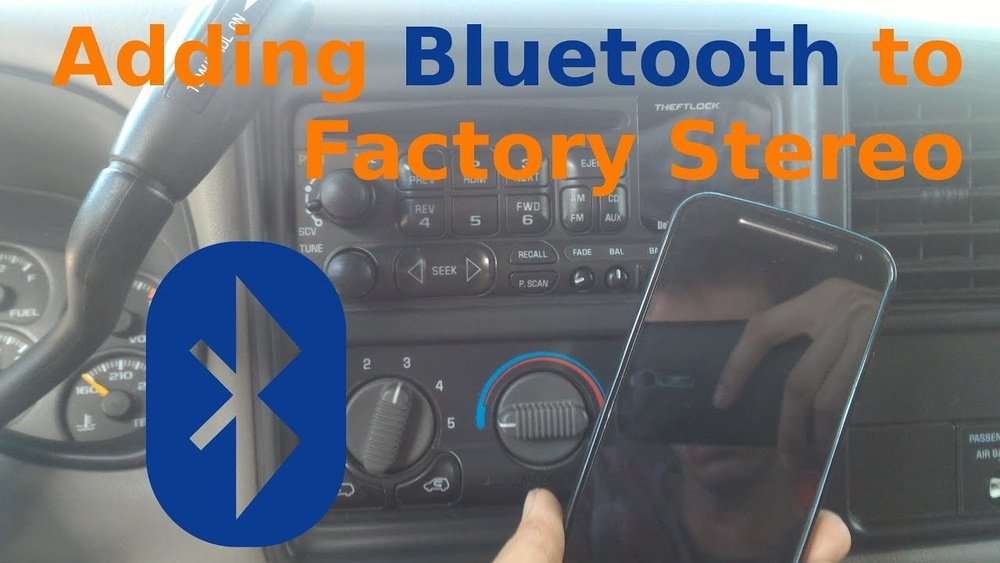
How to Add Bluetooth to Car Factory Stereo Easily and Affordably
If your car’s factory stereo doesn’t have Bluetooth, you’re not alone. Many older vehicles only offer CD players, radio, or even cassette decks. But today, Bluetooth is almost essential for safe hands-free calling and streaming music. The good news? You don’t need to buy a new car or expensive stereo.
Adding Bluetooth to your car’s factory stereo is easier and more affordable than you might think. Let’s explore the best ways to add Bluetooth, the tools you’ll need, and tips for beginners who want clear, step-by-step guidance.
Why Add Bluetooth To Your Factory Stereo?
Modern drivers expect Bluetooth connectivity for several reasons:
- Hands-free calls: You can talk safely without touching your phone.
- Music streaming: Play songs from Spotify, Apple Music, or other apps.
- Navigation audio: Hear directions from your phone through your car speakers.
- Wireless convenience: No more tangled cables or plugging in devices.
Statistics show that over 80% of drivers prefer Bluetooth features in their vehicles. Many states in the US now require hands-free phone use while driving. Adding Bluetooth improves safety and brings your car up to modern standards without major upgrades.
Main Ways To Add Bluetooth To Factory Stereos
There’s no single solution. The best method depends on your car model, stereo type, and budget. Here are the most common options:
1. Bluetooth Fm Transmitters
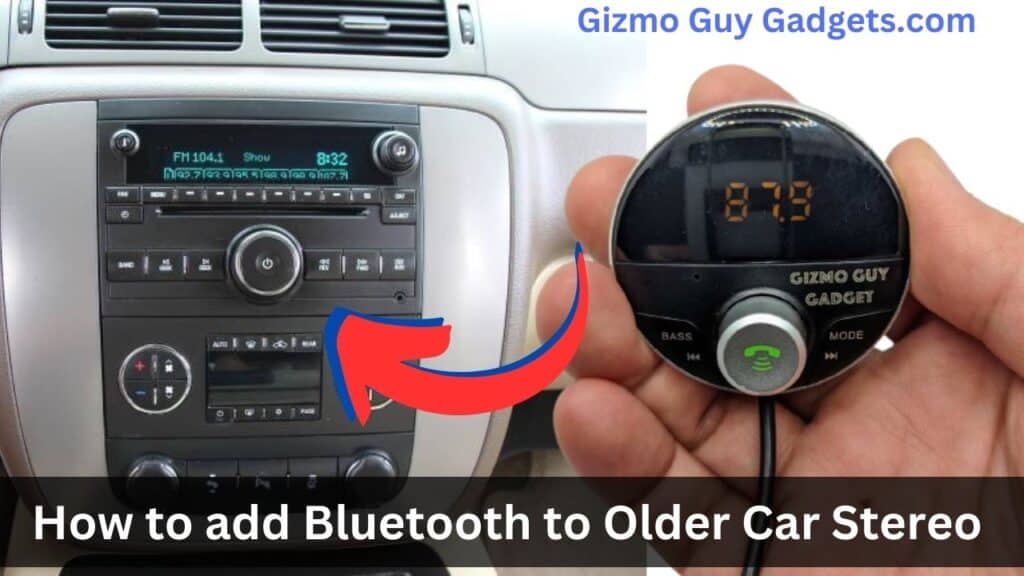
FM transmitters are the most popular for beginners. They plug into your car’s cigarette lighter and connect with your phone via Bluetooth.
- How it works: The transmitter receives Bluetooth audio and “broadcasts” it as an FM radio signal. Tune your car stereo to the same frequency.
- Key features: Hands-free calling, music streaming, USB charging ports.
- Price range: $15–$50.
Example: The Nulaxy KM18 FM transmitter is a best-seller with over 50,000 reviews on Amazon. It offers clear sound and easy setup.
2. Bluetooth Aux Adapters
If your car stereo has a 3.5mm aux input, a Bluetooth aux adapter is a great choice.
- How it works: The adapter connects to your stereo’s aux port. Your phone pairs via Bluetooth.
- Key features: Simple plug-and-play, small size, no radio interference.
- Price range: $20–$40.
Example: The TaoTronics Bluetooth Receiver works for older Honda, Toyota, and Ford models with aux inputs.
3. Bluetooth Cassette Adapters
For cars with a cassette player, a Bluetooth cassette adapter is surprisingly effective.
- How it works: The adapter slides into the cassette deck. It connects wirelessly to your phone.
- Key features: Easy installation, nostalgia appeal, decent sound.
- Price range: $25–$35.
Example: The ION Audio Cassette Adapter Bluetooth is popular for classic vehicles from the 90s.
4. Hardwired Bluetooth Kits
Hardwired kits are more advanced but offer the best audio quality. These connect directly to your stereo’s wiring.
- How it works: Professional or DIY installation. Some kits use the CD changer port or wire into the speaker system.
- Key features: Crystal-clear sound, integrated controls, microphone for calls.
- Price range: $40–$120.
Example: The BOSS Audio BCPA10 kit works for many factory radios and provides both music streaming and hands-free calls.
5. Replacing The Head Unit
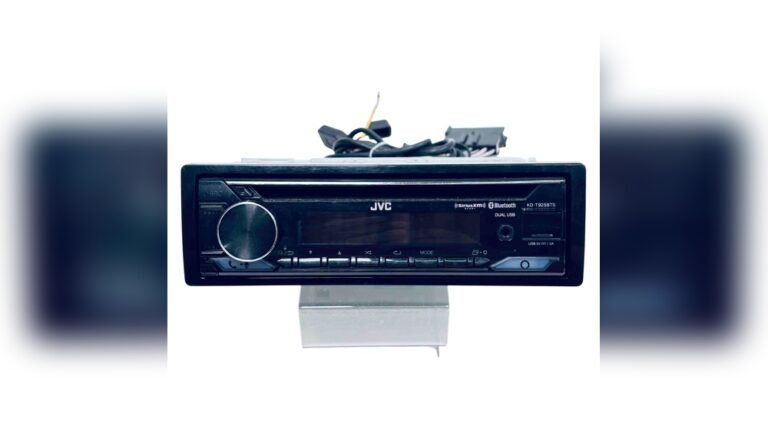
The most expensive but permanent solution is to replace your factory stereo with a Bluetooth-enabled head unit.
- How it works: Full swap of your stereo system. Requires installation and sometimes a dash kit.
- Key features: Modern design, touch screen, advanced Bluetooth features.
- Price range: $80–$300+.
Example: Pioneer and Kenwood offer Bluetooth head units that fit many older cars.

Credit: www.youtube.com
Comparing Bluetooth Options For Factory Stereos
To help you choose, here’s a simple comparison:
| Method | Installation | Audio Quality | Price | Best For |
|---|---|---|---|---|
| FM Transmitter | Plug & Play | Good | $15–$50 | No aux/cassette input |
| Aux Adapter | Plug & Play | Very Good | $20–$40 | Has aux input |
| Cassette Adapter | Plug & Play | Fair | $25–$35 | Has cassette deck |
| Hardwired Kit | Moderate | Excellent | $40–$120 | Want best sound |
| Head Unit Replacement | Complex | Excellent | $80–$300+ | Want full upgrade |
Step-by-step Guide: Installing Bluetooth In Your Car
Let’s walk through the basic steps for the most beginner-friendly methods.
Using A Bluetooth Fm Transmitter
- Buy a transmitter: Choose a model with good reviews and USB charging.
- Plug it in: Insert into your car’s cigarette lighter or power socket.
- Pair your phone: Turn on Bluetooth and select the transmitter device.
- Set the FM frequency: Choose a radio frequency with no local stations.
- Tune your stereo: Match the radio frequency on your car’s stereo.
- Start streaming: Play music or make calls directly from your phone.
Tip: For best sound, avoid frequencies used by popular local stations. FM transmitters work well in urban and rural areas, but interference can happen.
Using A Bluetooth Aux Adapter
- Buy an adapter: Confirm it fits your car’s aux port.
- Plug in adapter: Connect to your stereo’s 3.5mm input.
- Pair your phone: Turn on Bluetooth and select the adapter.
- Switch to aux mode: Press the “aux” button on your stereo.
- Play music or calls: The sound comes through your car speakers.
Tip: Aux adapters usually offer clearer audio than FM transmitters. Some models include built-in microphones for hands-free calls.
Using A Bluetooth Cassette Adapter
- Buy the adapter: Make sure it’s compatible with your cassette deck.
- Insert adapter: Slide into the cassette player slot.
- Pair with phone: Connect via Bluetooth.
- Press play: Your stereo recognizes the adapter as a cassette tape.
- Enjoy wireless audio: Stream music or calls easily.
Tip: Cassette adapters are great for older vehicles but may have lower audio quality compared to aux and hardwired options.
Installing A Hardwired Bluetooth Kit
- Choose the right kit: Check compatibility with your car make/model.
- Read instructions: Follow the manual carefully.
- Disconnect battery: For safety, disconnect the car battery.
- Connect wires: Attach the kit to the stereo’s CD changer or speaker wires.
- Install microphone: Place for clear voice pickup.
- Reconnect battery: Power up and test the system.
Tip: If you’re unsure about wiring, ask a professional installer. Hardwired kits give the best sound and seamless integration.
Replacing The Head Unit
- Select a new stereo: Make sure it fits your car’s dashboard.
- Buy a dash kit: Needed for non-standard shapes.
- Remove old stereo: Use proper tools and follow the guide.
- Install new unit: Connect wiring harness and antenna.
- Test Bluetooth: Pair your phone and enjoy modern features.
Tip: Head unit replacement is more involved. If you’re new to car electronics, professional installation is recommended.

Credit: www.hemmings.com
Extra Tips For Beginners
Adding Bluetooth is simple, but here are some key points beginners often miss:
- Check compatibility: Not every adapter fits all cars. Check your stereo’s ports before buying.
- Quality matters: Cheap FM transmitters can cause static. Spending $5–$10 more brings noticeable improvements.
- Battery drain: Some adapters draw power when not in use. Unplug when parked for long periods.
- Microphone placement: For hands-free calls, place microphones near your mouth, not hidden in the glove box.
- Update firmware: Occasionally, Bluetooth adapters have software updates. Check manufacturer websites for updates.
Real-world Example
Sarah owns a 2008 Toyota Corolla with no Bluetooth. She wanted to stream music and make hands-free calls. Her stereo had a 3. 5mm aux input. She bought a $25 Bluetooth aux adapter, plugged it into the port, paired her phone, and was streaming music in less than five minutes.
With the built-in mic, calls sounded clear even at highway speeds.
Credit: www.gizmoguygadgets.com
Data: Bluetooth Adapter Popularity
Here’s a look at US sales data for Bluetooth adapters in 2023:
| Adapter Type | Market Share (%) | Average Rating |
|---|---|---|
| FM Transmitter | 42% | 4.2/5 |
| Aux Adapter | 28% | 4.4/5 |
| Cassette Adapter | 12% | 3.8/5 |
| Hardwired Kit | 10% | 4.6/5 |
| Head Unit Replacement | 8% | 4.7/5 |
Insight: FM transmitters are the most common, but hardwired kits and head unit replacements get the highest user ratings.
Common Mistakes To Avoid
- Buying the wrong adapter: Double-check your car’s inputs before purchasing.
- Ignoring audio quality: FM transmitters are easy but may produce static. Aux and hardwired kits sound better.
- Skipping instructions: Always follow the manual, especially for hardwired kits.
- Poor microphone placement: Calls sound bad if the mic is hidden or placed far from your mouth.
- Not updating firmware: Some adapters need software updates for better performance.
Maintenance And Troubleshooting
Bluetooth adapters are mostly maintenance-free, but here are simple troubleshooting tips:
- Connection issues: Reset your phone’s Bluetooth and re-pair.
- Audio delay: FM transmitters sometimes lag. Try a different frequency.
- Static or noise: Avoid frequencies with local radio interference.
- Adapter not powering up: Check the car’s power socket or fuse.
If your adapter keeps disconnecting, check for firmware updates or try another power source.
Safety And Legal Considerations
Hands-free Bluetooth is not just convenient—it’s safer. Distracted driving causes over 3,000 deaths per year in the US, according to NHTSA. Many states require hands-free use by law. Adding Bluetooth helps you comply and keeps your focus on the road.
For more on safe driving laws and Bluetooth use, visit NHTSA.
Frequently Asked Questions
What Is The Easiest Way To Add Bluetooth To My Car?
For most beginners, a Bluetooth FM transmitter is the easiest and quickest solution. You just plug it in, pair your phone, and tune your radio.
Will Bluetooth Adapters Work With All Cars?
Not all adapters fit every car. Check your stereo for aux input, cassette deck, or CD changer port before buying. Some adapters are universal, but others are model-specific.
Is Audio Quality Good With Bluetooth Adapters?
Audio quality varies. FM transmitters can have static, but aux adapters and hardwired kits usually offer better clarity. Head unit replacements provide the best sound.
How Much Does It Cost To Add Bluetooth To A Factory Stereo?
Costs range from $15 for basic FM transmitters to $300+ for head unit replacements. Most people spend between $20–$40 for a plug-and-play adapter.
Can I Install A Bluetooth Kit Myself, Or Do I Need A Professional?
Simple adapters are plug-and-play. Hardwired kits and head units may require basic tools and some car electronics knowledge. If unsure, professional installation is safest.
Adding Bluetooth to your factory stereo brings your car up to date, helps you drive safer, and makes every trip more enjoyable. With the right adapter and a few simple steps, you can enjoy wireless audio and hands-free calls in any vehicle.