What Head Unit Fits My Car: The Ultimate Compatibility Guide
Many car owners want to upgrade their stereo system for better sound, more features, or smartphone connection. But one common question is: What head unit fits my car? Picking the right head unit can be confusing with so many options and technical terms. This guide will help you find the perfect head unit for your car, even if you are a beginner.
What Is A Head Unit?
A head unit is the main part of your car’s audio system. People also call it a car stereo, radio, or infotainment system. The head unit controls music, radio, Bluetooth, navigation, and sometimes even vehicle settings.
Most cars come with a factory head unit. But many drivers upgrade for features like:
- Apple CarPlay or Android Auto
- Better sound quality
- Touchscreen controls
- Navigation
- Bluetooth hands-free calls
Changing your head unit can make your driving experience more modern and enjoyable.
Why Head Units Don’t Fit All Cars
Head units are not universal. Each car has a unique dashboard size, wiring, and shape. Some cars have simple rectangles, while others have custom shapes with extra buttons or screens. That’s why you need to check what fits before buying.
If you buy the wrong size or type, it won’t fit your dash, or you might have to cut or modify your car, which can be risky and expensive.

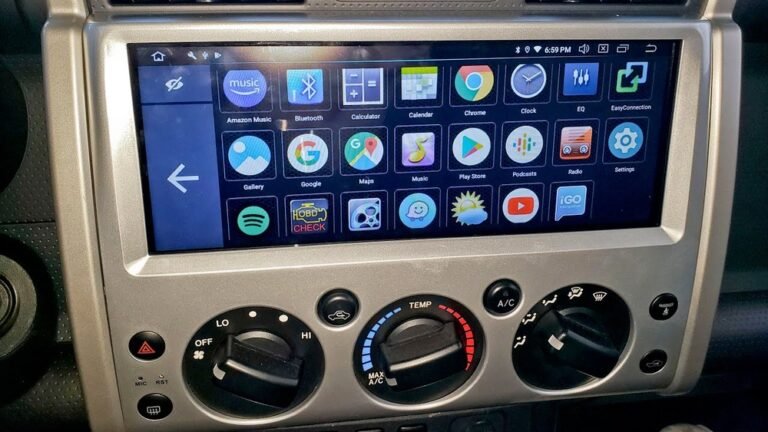
Credit: www.reddit.com
Types Of Head Units
There are two main head unit sizes for most cars:
- Single DIN
- About 2 inches (50 mm) tall
- Standard width (7 inches/180 mm)
- Basic radios or simple screens
- Double DIN
- About 4 inches (100 mm) tall
- Same width as single DIN
- Fits large touchscreens and more features
Some cars use custom sizes or special shapes (called “proprietary” or “integrated” units), especially luxury or newer cars.
Here’s a quick size comparison:
| Type | Height | Width | Common Features |
|---|---|---|---|
| Single DIN | 2″ | 7″ | Radio, CD, basic Bluetooth |
| Double DIN | 4″ | 7″ | Touchscreen, navigation, CarPlay |
How To Check What Head Unit Fits Your Car
Before you buy, follow these steps:
- Measure Your Dash Opening
- Remove the trim around your radio (if possible).
- Use a ruler to measure the height and width.
- Compare with single DIN (2” x 7”) or double DIN (4” x 7”).
- Check Your Car’s Year, Make, and Model
- Head units may fit differently in different years.
- Example: A 2010 Toyota Corolla may use a different shape than a 2015 Corolla.
- Look Up a Fit Guide
- Use online databases or retailer fit guides.
- Enter your car’s info to see which head units fit.
- Example: Crutchfield’s fit tool, or Metra’s application guide.
- Inspect the Dashboard Shape
- Some cars have curved or custom dash panels.
- If your dash is not a basic rectangle, you may need a special installation kit.
- Check for Factory Features
- Some cars have factory amps, steering wheel controls, or backup cameras.
- You may need extra adapters to keep these features.
Key Terms Beginners Should Know
When shopping, you’ll see some common terms:
- DIN: Refers to the size standard (single or double DIN)
- Dash Kit: Plastic frame needed for some cars to fit a new head unit
- Harness Adapter: Lets you plug new head unit into factory wiring
- ISO Mount: Mounting style for head units
Common Car Examples
To make things clear, here are examples for popular cars:
- Honda Civic (2012-2015): Double DIN fits with dash kit
- Toyota Camry (2010): Double DIN fits, dash kit usually needed
- Ford F-150 (2011): Double DIN fits, but some trims need special kit
- Mazda 3 (2014): Custom size, aftermarket units need special kit
If your car is not listed, use an online fit guide with your car’s year, make, and model.
What To Look For In A New Head Unit
Don’t just focus on size. Think about these features:
- Compatibility: Fits your car’s dash and wiring
- Smartphone Support: Apple CarPlay, Android Auto, Bluetooth
- Screen Quality: Touchscreen, brightness, anti-glare
- Sound Quality: Built-in amplifier, equalizer settings
- Inputs/Outputs: USB, AUX, backup camera support
- Expandability: Add amps, subwoofers, or extra screens
Comparing Head Unit Features
Here’s a simple comparison of common features:
| Feature | Basic Unit | Mid-Range | High-End |
|---|---|---|---|
| Bluetooth | Yes | Yes | Yes |
| Touchscreen | No | Yes | Yes (HD) |
| Apple CarPlay/Android Auto | No | Optional | Yes |
| Navigation | No | Optional | Yes |
| Backup Camera Input | No | Yes | Yes |
Installation: What To Expect
Most head units are not just “plug and play.” Here’s what you need:
- Dash Kit: To fill gaps around new head unit
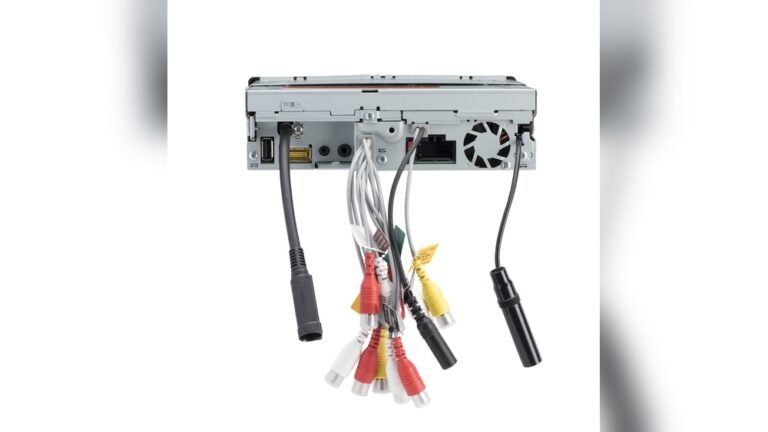
- Wiring Harness Adapter: Matches your car’s wires to the new unit
- Antenna Adapter: For radio signal in some cars
- Steering Wheel Control Adapter: Keeps factory button controls
Professional installation costs between $75–$200 in the US, depending on complexity. DIY is possible, but watch out for:
- Cutting wires (use adapters instead)
- Breaking dash clips (be gentle)
- Wrong connections (follow wiring diagrams)
For new cars with advanced systems, professional help is recommended.
Mistakes To Avoid
Many beginners make these mistakes:
- Ignoring Dash Shape: Not all double DINs fit every double DIN car
- Skipping Adapters: Missing harness or dash kit can delay installation
- Overlooking Features: Not all units have Bluetooth or CarPlay
- Buying Cheap Units: Poor sound, short lifespan, or unreliable touchscreens
Check reviews before buying. If possible, try the unit in person.
Non-obvious Insights
1. Factory Systems Are Sometimes Integrated:
Some cars (like modern BMW, Audi, or Mercedes) use the head unit to control air conditioning, vehicle settings, or other features. Replacing it may disable these controls. Always check if your car’s head unit is part of a larger system.
- Not All Head Units Support All Cars, Even If Size Matches:
For example, some double DIN units have deep bodies that may not fit shallow dashboards. Always check the depth of your dash and the unit.
Using Online Fit Guides
Major sites offer fitment tools. Here’s how they help:
- Enter your car’s year, make, and model.
- See all compatible head units.
- Get a list of required dash kits and harnesses.
One reliable resource is Crutchfield. They also offer technical support for installation.
Head Unit Brands To Consider
Some of the most popular and reliable brands:
- Pioneer
- Kenwood
- Sony
- Alpine
- JVC
- Boss Audio (budget option)
High-end brands offer more features and better sound, but even affordable brands have good models for basic needs.
Example: Choosing A Head Unit For A 2015 Honda Civic
Let’s go through a real example:
1. Check Size:
2015 Civic uses a double DIN slot.
2. Pick Features:
Want Bluetooth, CarPlay, and a backup camera.
3. Select Unit:
Kenwood DMX4707S (double DIN, supports CarPlay).
4. Check Accessories:
Need a dash kit and wiring harness for Honda Civic.
5. Installation:
Can be DIY or done by a pro.
This process works for most cars.

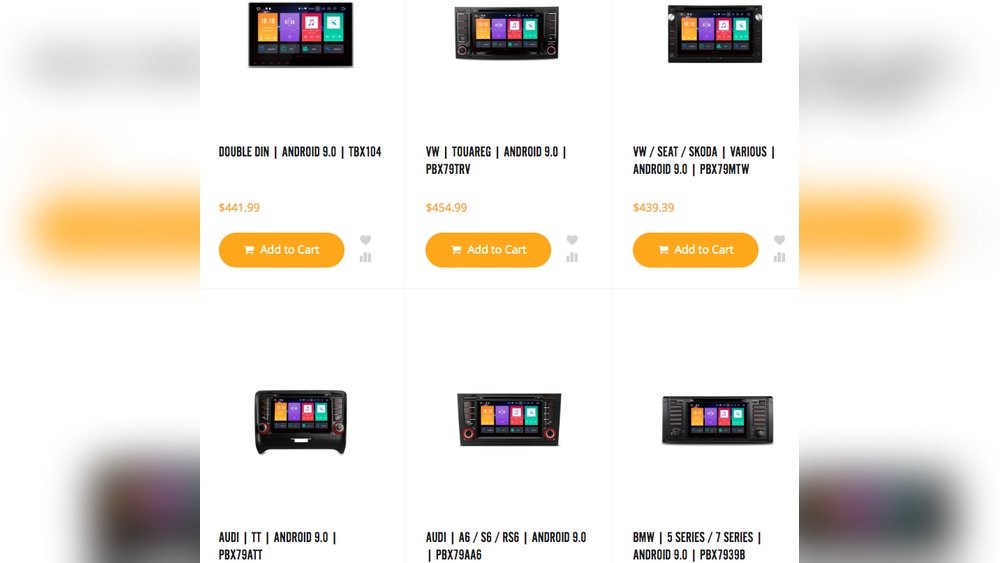
Credit: xtrons.com
Cost Breakdown
Here’s an average cost comparison:
| Item | Low-End | Mid-Range | High-End |
|---|---|---|---|
| Head Unit | $60 | $200 | $600+ |
| Dash Kit | $10 | $20 | $40 |
| Wiring Harness | $10 | $25 | $40 |
| Installation | $75 | $125 | $200 |
Extra Tips For Beginners
- Always keep your factory stereo. Some states require it for emissions testing or resale.
- Take pictures before removing anything, so you can reinstall if needed.
- Test all functions (radio, Bluetooth, steering wheel controls) before finishing installation.
- If you’re not sure, ask a pro or join a car audio forum for your car model.

Credit: www.youtube.com
Frequently Asked Questions
How Do I Know If My Car Is Single Din Or Double Din?
Measure the opening of your car’s stereo slot. Single DIN is about 2 inches tall; double DIN is about 4 inches. Most online guides let you check by entering your car’s year, make, and model.
Can I Install A Head Unit Myself?
Yes, if you are comfortable using basic tools and can follow instructions. You will need a dash kit, wiring harness, and possibly an antenna adapter. Always disconnect your battery before starting.
Will I Lose Steering Wheel Controls If I Change My Head Unit?
Not always. Many new head units support steering wheel controls, but you often need an extra adapter. Check compatibility before buying.
What If My Car Has A Built-in Screen Or Backup Camera?
Many aftermarket head units support backup cameras and screens, but you may need extra adapters. Always check if your new unit is compatible with your car’s features.
Where Can I Find Which Head Units Fit My Car?
Use trusted online fitment tools like Crutchfield or ask at a local car audio shop. Enter your car’s details to see what works.
Upgrading your head unit can change your daily drive with better sound and smart features. By measuring your dash, checking fitment guides, and picking the right accessories, you can find the perfect head unit for your car—no guesswork needed.