How to Adjust Your Car Amp With Oscillating Subwoofer Easily
If you want your car’s audio system to sound amazing, adjusting your car amp with an oscillating subwoofer is a smart move. Many people install amps and subwoofers but miss the right tuning. This leads to weak bass, distortion, or even damage. Learning to set your amp correctly can make your music sound deep, clear, and powerful—without risking your equipment. If you’re a beginner, don’t worry. This guide will help you understand everything step by step, using simple words and practical examples.
Why Proper Amp Adjustment Matters
Getting the amp settings right is not just about loudness. It’s about quality. When your amp and subwoofer work together smoothly, you get:
- Clean bass with no buzzing
- Maximum power without distortion
- Longer life for your speakers and amp
Incorrect settings can cause:
- Blurry, muddy sound
- Speaker damage from too much power
- Amp overheating
One common mistake is turning all controls to maximum. This is risky and rarely gives the best sound.
Understanding Key Amp Controls
Before you start, it’s important to know what each control does. Most car amps have these main settings:
- Gain – Adjusts how much input signal the amp uses. Too high causes distortion.
- Bass Boost – Adds extra bass. Use carefully; it can cause distortion.
- Crossover (LPF/HPF) – Filters frequencies. LPF (Low Pass Filter) lets only bass through to the subwoofer.
- Subsonic Filter – Blocks very low frequencies that can damage the subwoofer.
- Phase – Aligns the movement of the subwoofer with other speakers.
Many beginners think “gain” is the same as “volume. ” This is wrong. Gain matches the amp to your head unit’s signal—not how loud your music plays.
What Is An Oscillating Subwoofer?
An oscillating subwoofer is a subwoofer that moves back and forth, creating sound waves. All subwoofers technically oscillate, but some models use advanced technology for smoother movement. This means:
- Less distortion at high volumes
- More accurate bass response
If you have a subwoofer that’s designed for high oscillation, it can handle more power and deliver deeper bass. However, setting your amp correctly is vital to use its full potential.
Step-by-step Guide: Adjusting Your Car Amp
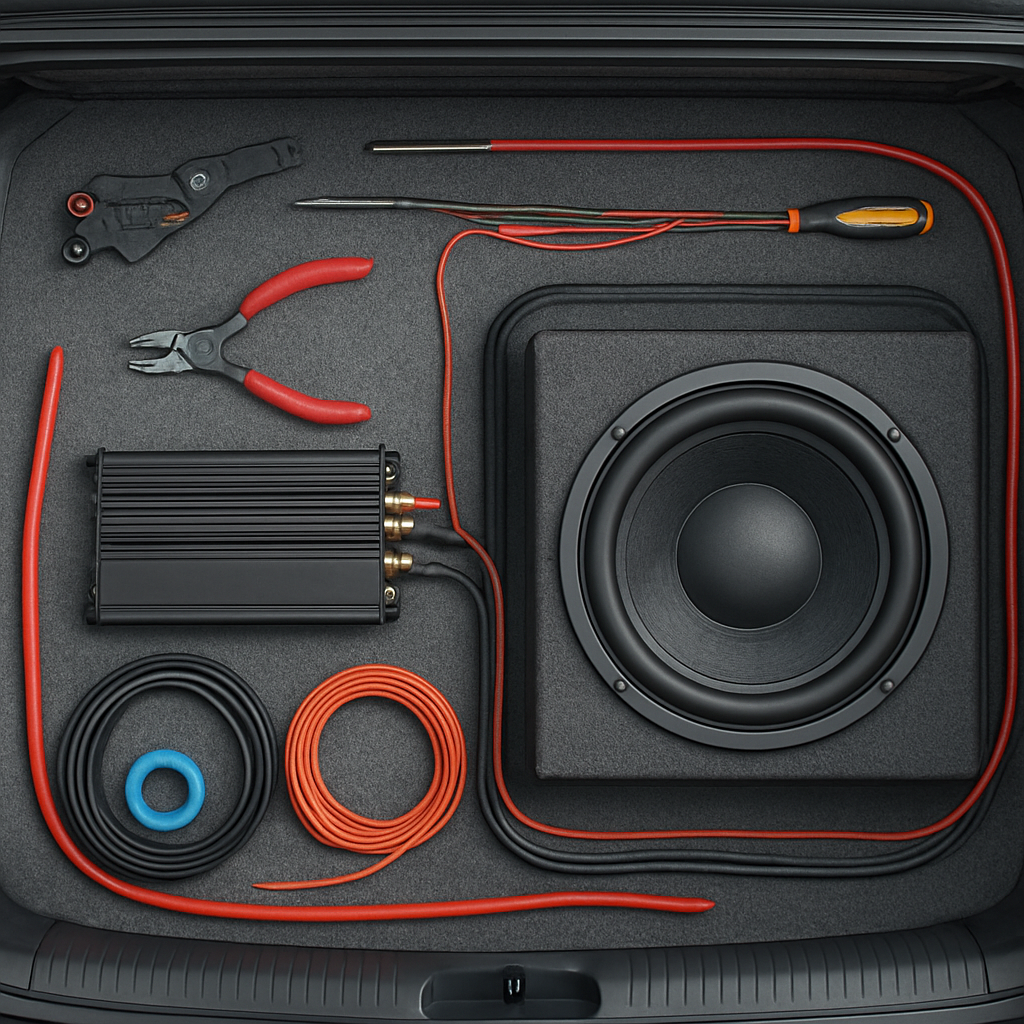
Let’s break down the process, so even beginners can follow. You’ll need:
- A reliable oscillating subwoofer
- Your car amp
- A test tone CD or audio file (usually 40Hz-60Hz sine wave)
- A small screwdriver
- Optional: A digital multimeter
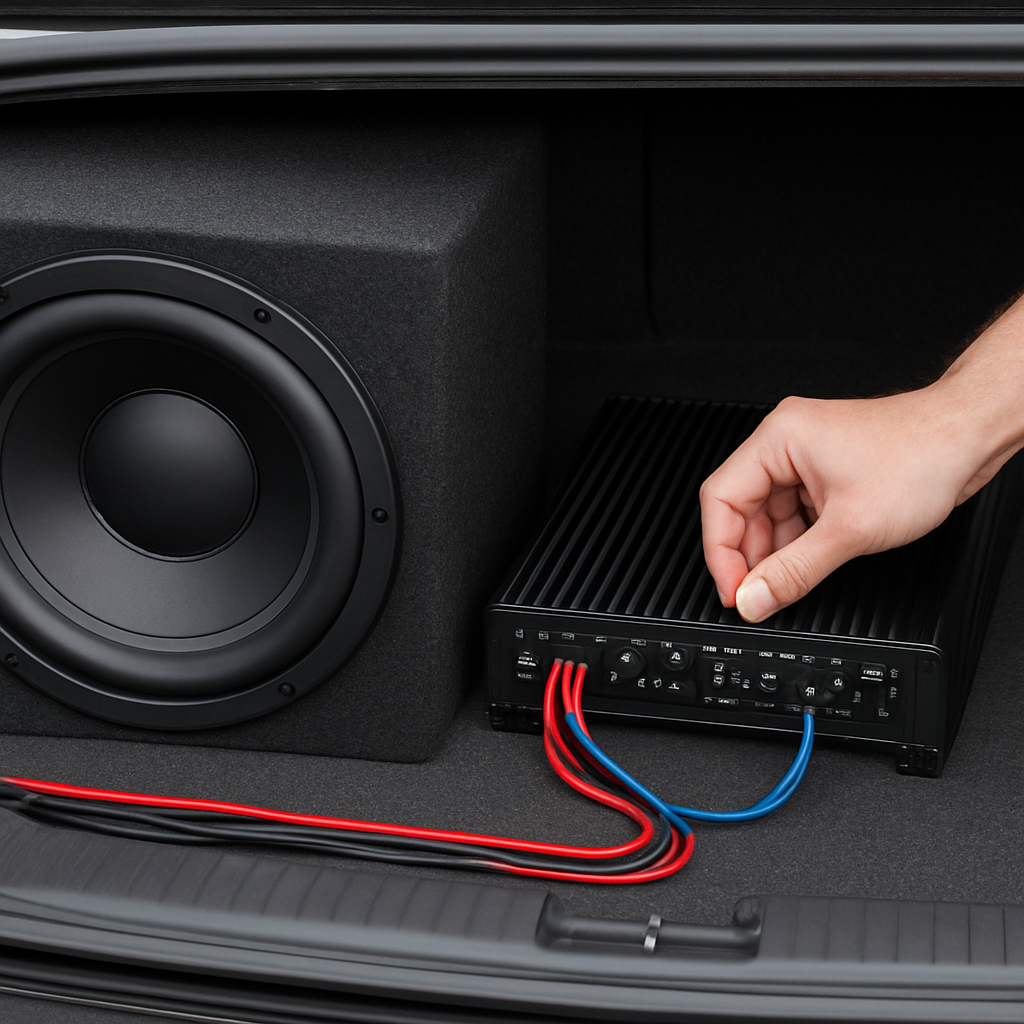
1. Prepare Your Equipment
- Turn off your car.
- Disconnect the subwoofer from the amp.
- Set all amp controls (gain, bass boost, crossover) to minimum or default.
2. Set The Head Unit Volume
- Turn on the car stereo.
- Play the test tone.
- Increase the volume to about 75% of max. This is your “reference volume.”
3. Adjust The Gain
- Reconnect the subwoofer.
- Slowly turn up the amp gain until you hear distortion, then back down slightly.
- If you have a multimeter, set the gain to match your subwoofer’s RMS rating. Example: If your subwoofer is 300W RMS at 4 ohms, use Ohm’s Law (V = √(P × R)). In this case: V = √(300 × 4) ≈ 34.6 volts.
4. Set The Low Pass Filter (lpf)
- Set LPF to around 80Hz–120Hz. This lets only bass frequencies reach the subwoofer.
- If your subwoofer sounds muddy, lower the LPF. If it lacks punch, raise it slightly.
5. Adjust Bass Boost
- Start with bass boost off.
- Play music with heavy bass.
- Turn up bass boost slowly. Stop if you hear distortion or rattling.
6. Set The Subsonic Filter
- If your subwoofer is in a ported box, set the subsonic filter just below the box’s tuning frequency (usually 20Hz–30Hz).
- This protects your subwoofer from damage caused by ultra-low frequencies.
7. Fine-tune The Phase
- If your bass sounds weak, try switching the phase (0° or 180°).
- Choose the setting that gives the strongest, clearest bass.
8. Final Listening Test
- Play a variety of music.
- Listen for clean, strong bass.
- Make small adjustments as needed.
Comparing Different Subwoofer Types
Not all oscillating subwoofers are the same. Here’s a quick comparison to help you understand the differences.
| Subwoofer Type | Oscillation Quality | Power Handling | Recommended Amp Setting |
|---|---|---|---|
| Standard Subwoofer | Basic | Low–Medium | LPF: 80Hz, Gain: Moderate |
| High-Oscillation Subwoofer | Smooth, Accurate | High | LPF: 100Hz, Gain: Higher |
| Ported Box Subwoofer | Enhanced | Medium–High | Subsonic Filter: 25Hz, LPF: 100Hz |
Tip: Always check your subwoofer’s manual for recommended settings.
Common Mistakes Beginners Make
It’s easy to make errors when adjusting your amp. Here are some frequent mistakes and how to avoid them.
- Setting gain too high – Causes distortion and damages your subwoofer.
- Ignoring filters – Not using LPF or subsonic filter lets unwanted frequencies through.
- Maxing out bass boost – This strains your amp and can cause “clipping.”
- Wrong phase setting – Leads to weak or canceling bass.
- Skipping manual – Every subwoofer and amp is different. Always read the manual.
Practical Example: Setting Up A 500w Oscillating Subwoofer
Let’s say you have a 500W RMS oscillating subwoofer and a matching amp.
- Head unit volume: 75% (reference)
- Gain: Set to produce about 44.7 volts (V = √(500 × 4))
- LPF: Start at 100Hz
- Bass Boost: Off or minimal
- Subsonic Filter: 25Hz
- Phase: Try both 0° and 180°, choose the stronger bass
You should hear deep, punchy bass with no distortion. If you notice buzzing or rattling, reduce gain or bass boost.
Data: How Settings Affect Performance
Let’s look at some real-world data showing how different settings impact subwoofer performance.
| Setting | Bass Quality | Distortion Level | Speaker Safety |
|---|---|---|---|
| Gain Low | Weak | Low | Safe |
| Gain Optimal | Strong, Clean | Very Low | Safe |
| Gain High | Strong, Distorted | High | Unsafe |
| Bass Boost Max | Very Strong | Very High | Unsafe |
Insight: Optimal settings balance power and clarity. Extreme settings can damage your equipment.
Tools That Make Adjustment Easier
You don’t need fancy tools, but a few basics help:
- Test tone CD – Lets you tune amp at a specific frequency.
- Multimeter – Measures voltage for precise gain setting.
- Screwdriver – Adjusts amp controls.
- Sound meter (optional) – Measures bass output.
These tools help you avoid guessing, so you get better sound and safer operation.
Non-obvious Tips For Better Results
Many beginners miss these useful tricks:
- Tune with doors/windows closed – Car acoustics change with open doors.
- Check for rattles – Loose panels or wires can buzz. Fix them for cleaner bass.
- Use quality cables – Cheap cables can cause interference or weak sound.
- Tune in small steps – Make small changes. Big jumps can hide the best setting.
Credit: www2.parklanejewelry.com
Example Setup Vs. Factory Settings
Here’s a comparison showing why manual tuning beats factory settings.
| Setting | Factory Default | Manual Tuned |
|---|---|---|
| Gain | Low/Medium | Matched to subwoofer RMS |
| LPF | 80Hz | 90–100Hz (customized) |
| Bass Boost | Off | Minimal (if needed) |
| Subsonic Filter | Off | Set to box tuning |
Result: Manual tuning delivers stronger, clearer bass and protects your equipment.
How To Maintain Your Setup
Once your amp and subwoofer are set up, keep them working well by:
- Checking connections every few months
- Cleaning amp and subwoofer surfaces
- Listening for new noises or distortion
- Retuning if you change music style, head unit, or subwoofer
Credit: audiointensity.com
When To Seek Professional Help
If you notice:
- Persistent distortion
- Weak bass even after tuning
- Amp overheating
You may need a car audio specialist. Sometimes, there are deeper issues like wiring faults, mismatched equipment, or bad installation.
Additional Resources
For more detailed guides and technical advice, visit Crutchfield.
Credit: audiointensity.com
Frequently Asked Questions
How Do I Know If My Amp Is Set Correctly?
You should hear clear, strong bass with no buzzing or distortion. If your subwoofer sounds muddy or weak, or if your amp gets hot, recheck your settings.
What Is The Best Frequency For A Subwoofer?
Most car subwoofers sound best with LPF set between 80Hz and 120Hz. For deep bass, start at 100Hz and adjust as needed.
Can I Use Any Subwoofer With Any Amp?
Not always. Match the RMS power and impedance (ohms) of your subwoofer and amp. Using mismatched equipment can cause damage or poor sound.
Why Is My Bass Rattling?
Rattling often comes from loose panels, wires, or too much bass boost. Check your car’s interior and lower the bass boost if needed.
Is A Multimeter Necessary For Tuning?
It’s optional but very helpful. A multimeter lets you set gain precisely, avoiding distortion and protecting your subwoofer.
Setting up your car amp with an oscillating subwoofer is not hard if you follow these steps. Using the right settings, tools, and tips will help your music sound powerful, clear, and safe. Take your time, make small changes, and enjoy better sound every day.