The Importance of a Subwoofer on off Switch: Boost Audio Control
A great sound system can make your favorite music, movies, or games come alive. But to get the best sound, many people use a subwoofer. A subwoofer adds deep, powerful bass that small speakers cannot produce. However, one small feature often gets overlooked: the subwoofer on/off switch. This simple button can make a big difference in how you use and enjoy your sound system.
Many beginners think the subwoofer should always be on. Others ignore the switch completely. In reality, knowing when and how to use the on/off switch can help you save energy, protect your equipment, and improve your listening experience. Let’s explore why the subwoofer on/off switch is so important, and how you can use it wisely.
What Is A Subwoofer On/off Switch?
Every subwoofer needs power to work. The on/off switch is a basic control that lets you turn your subwoofer on or off manually. You can usually find this switch at the back of the subwoofer. Some models also have a remote or an automatic power-on feature.
- Manual switch: You flip it yourself.
- Auto-on: The subwoofer turns on when it gets a signal from your receiver.
- Remote control: Some advanced subwoofers allow you to control power with a remote.
While it seems simple, this switch gives you direct control over the subwoofer’s power and operation.
Why Is The On/off Switch Important?
Many users overlook the on/off switch because they assume their audio gear will always work perfectly. But using the switch has several key benefits:
- Energy savings
- Equipment protection
- Better sound control
- Noise reduction
- Safety improvement
Let’s look at each benefit in detail.
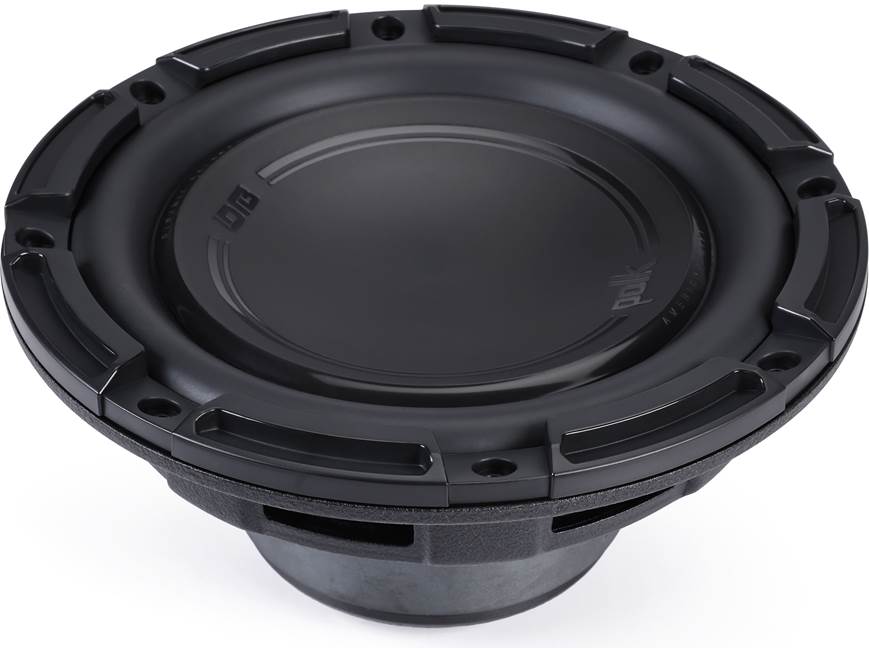
Credit: www.crutchfield.com
Energy Savings: Reducing Electricity Use
A subwoofer can use a lot of power, even when not playing music. If you leave it on all the time, you waste electricity.
Example:
A typical powered subwoofer uses about 30-60 watts when on. If you play music for 2 hours but leave the subwoofer on all day, you waste about 20 hours of power.
Data comparison:
| Usage Scenario | Hours On Per Day | Annual Energy (kWh) |
|---|---|---|
| Always On | 24 | 525.6 |
| Used 2 Hours/Day | 2 | 43.8 |
Turning off your subwoofer when not in use can lower your electric bill and help the environment.
Non-obvious tip:
Some subwoofers still use a little power in standby mode. Physically switching off saves the most.
Equipment Protection: Extending Subwoofer Life
Subwoofers use sensitive electronic parts. Keeping them on all the time can cause faster wear or overheating.
- Heat: Electronics get hot, which can shorten their lifespan.
- Power surges: If left on, the subwoofer is at risk during power spikes.
- Dust: Fans and vents may pull in more dust if always running.
By using the on/off switch, you give your subwoofer time to cool down and avoid unnecessary stress on its components.
Practical example:
A user who turns off their subwoofer after each use may get several more years of reliable service compared to someone who leaves it on 24/7.
Sound Control: Customizing Your Listening
Not every song or movie needs heavy bass. Sometimes you want a more relaxed sound, or maybe you are listening late at night.
When to turn off your subwoofer:
- Listening to podcasts or talk radio
- Watching TV at low volume
- When neighbors or others need quiet
When to keep it on:
- Watching action movies
- Listening to dance or hip-hop music
- Playing video games with explosions
Example:
If you live in an apartment, turning off your subwoofer at night can prevent disturbing your neighbors.
Noise Reduction: Avoiding Unwanted Sounds
Subwoofers sometimes make low hums or popping sounds, especially when not matched well with your main speakers. If you notice buzzing or vibration, switching off the subwoofer can fix the problem.
Common noise issues:
- Ground loop hum
- Pops when turning on/off other equipment
- Low-level rumbles
Non-obvious insight:
Some subwoofers make noise even with no input signal. This is usually easier to stop by switching off the power than by troubleshooting cables.
Safety Improvement: Reducing Fire Risk
Any device left on can overheat or fail. While fires are rare, electrical faults do happen. Using the on/off switch lowers the risk.
- Unattended equipment can overheat.
- Power surges during storms may damage electronics.
Quick tip:
Always turn off your subwoofer before cleaning or moving it.
Comparing Subwoofer Power Modes
Some subwoofers offer auto-on or standby features. How do these compare to using a manual switch?
| Mode | How It Works | Energy Use | User Control |
|---|---|---|---|
| Manual On/Off | User switches power | Lowest when off | High |
| Auto-On | Turns on with signal | Medium (standby drains some power) | Moderate |
| Always On | Stays on | Highest | None |
Experience-based advice:
If your subwoofer has auto-on but you hear noises or want to save every bit of energy, use the manual switch.
Credit: www.rvpartscenter.com
How To Use The Subwoofer On/off Switch Properly
Many beginners worry they will harm their system by turning the subwoofer off and on. If you follow a few simple rules, you’ll keep your equipment safe and your sound system running well.
- Always turn off the subwoofer before unplugging or moving it.
- Switch off the subwoofer before turning off your audio receiver or amplifier. This avoids popping sounds.
- Wait a few seconds after turning off before turning on again. This lets internal parts reset.
- Check the volume is low before turning on. This prevents sudden loud sounds.
- If you use a power strip, switch off the subwoofer first, then the strip.
Practical tip:
If your subwoofer is hard to reach, consider a smart plug so you can control it with your phone.
Common Mistakes Beginners Make
It’s easy to make simple mistakes with the subwoofer on/off switch. Here are some common ones and how to avoid them:
- Forgetting to turn off the subwoofer after use
- Switching off while playing loud music (this can cause pops)
- Unplugging the subwoofer without turning it off first
- Assuming standby mode is the same as off (it’s not)
- Ignoring strange noises (these could be fixed by switching off, then on)
Non-obvious advice:
If your subwoofer stops responding or sounds distorted, a power cycle (off, wait, then on) often fixes minor issues.
Practical Scenarios: When The Switch Matters Most
Home Theater Use
During a movie night, you want big, deep bass for explosions or music. But after the film, if you leave the subwoofer on, you waste energy and may hear unwanted hums.
Small Apartments
If you live in close quarters, turning off your subwoofer at night keeps peace with your neighbors and avoids late-night complaints.
Parties And Gatherings
You might want your subwoofer on for high-energy music, but remember to switch it off when the party ends. This protects your gear and prevents accidents.
Kids Or Pets
If you have children or pets, turning off your subwoofer when not in use avoids unexpected loud sounds and keeps curious hands (or paws) safe.
Subwoofer On/off Switch Vs. Other Power Controls
Many beginners confuse the subwoofer’s on/off switch with other controls:
- Receiver power: Turning off your audio receiver does not always turn off the subwoofer.
- Remote controls: Not all subwoofers respond to remotes.
- Power strips: Some think switching off the strip is enough, but this can cause pops if the subwoofer is not switched off first.
Comparison table:
| Control Method | Directly Powers Off Subwoofer? | Safe for Equipment? | Convenience |
|---|---|---|---|
| On/Off Switch | Yes | Yes | Moderate |
| Receiver Off | Sometimes | Usually | High |
| Power Strip | Yes | Risk of pop | High |
| Auto-On/Standby | No (standby only) | Yes | High |
Straight-to-the-point tip:
The subwoofer on/off switch is the safest way to fully power off your subwoofer.
How To Choose A Subwoofer With Good Power Controls
When shopping for a subwoofer, don’t just look at size or wattage. Pay attention to its power features.
- Easy to reach on/off switch is best for manual use.
- Auto-on feature is helpful if you often forget to switch off.
- Remote power adds convenience for home theaters.
- Clear status lights show if the subwoofer is on, off, or in standby.
Common mistake:
Buying a subwoofer without an accessible switch, then struggling to turn it off behind a TV stand.
Subwoofer On/off Switch And Smart Homes
Many people now use smart plugs or smart home systems. You can connect your subwoofer to a smart outlet and control it with your phone or voice assistant.
Benefits:
- Turn off subwoofer from anywhere.
- Set timers for automatic shutdown.
- Check power status remotely.
Caution:
Always switch off your subwoofer with its own switch before using a smart plug for extra safety.
Real-world Example: Saving Energy And Money
Let’s say you use your subwoofer for 2 hours a day. If you leave it on 24/7, at 50 watts, you use about 438 kWh per year. At an average US electricity rate of $0. 13 per kWh, that’s about $57 per year.
If you turn it off after use, you spend less than $5 per year.
Result:
A simple habit—using the on/off switch—can save over $50 every year, just from one device.
Frequently Asked Questions
What Happens If I Never Turn Off My Subwoofer?
Your subwoofer will use more electricity, may wear out faster, and could make unwanted noise. It’s safer and more efficient to use the on/off switch when you’re done listening.
Is It Bad To Turn My Subwoofer On And Off Often?
No, as long as you wait a few seconds between switching off and on, and keep the volume low, it’s safe. Frequent use of the switch will not harm most modern subwoofers.
Does Standby Mode Save As Much Energy As Turning Off?
Standby mode uses less power than being fully on, but still uses some electricity. Manual off saves the most energy.
Can I Use A Smart Plug To Control My Subwoofer?
Yes, but for best safety, use the subwoofer’s own switch first, then the smart plug. This avoids sudden pops or power surges.
Why Does My Subwoofer Make Noise When Not Playing Music?
This could be a ground loop, interference, or a sign it’s left on. Turning off the subwoofer stops most hums or buzzes.
Using your subwoofer’s on/off switch is a simple habit that brings real benefits. It saves energy, protects your gear, gives you better sound control, and keeps your home safer. Small actions can make a big difference, and this one is worth adding to your routine. For more details on how power controls affect electronics, check out this Wikipedia article on standby power. With a little care, you’ll enjoy your music and movies for years to come.

Credit: insights.samsung.com