Car Stereo SD Card: Upgrade Your Music Experience Today
Car Stereo Sd Card: The Beginner’s Guide
Music makes driving more fun. But, finding the best way to play music in your car can be confusing. If you want lots of songs without CDs or messy cables, using an SD card with your car stereo is a smart choice. This guide explains how SD cards work with car stereos, how to choose the right card, and how to avoid common problems. Whether you drive every day or just want better sound on road trips, you’ll find clear answers here.
What Is An Sd Card Car Stereo?
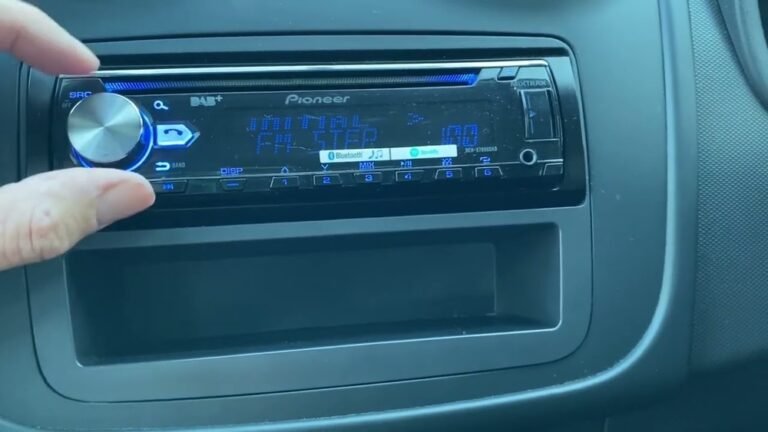
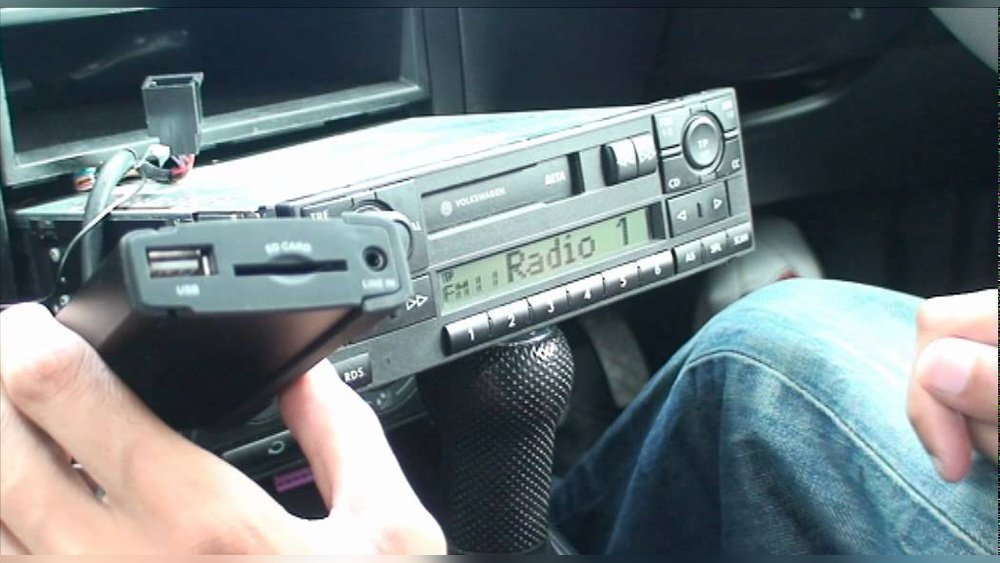
A car stereo SD card is a music system in your car that can play songs stored on an SD card. SD (Secure Digital) cards are small memory chips used in phones, cameras, and now, car stereos. Many modern car stereos have slots for SD cards, letting you play music files directly.
- SD cards are small and easy to carry.
- They store thousands of songs, depending on size.
- You can organize music into folders for easy access.
- No internet or phone connection needed.
Most car stereos with SD card slots support formats like MP3, WMA, or WAV. Some even show album art and song info on their display.
Why Choose An Sd Card For Your Car Stereo?
SD cards are popular for car audio because they offer several benefits:
- Storage capacity: 8GB SD card holds about 2,000 MP3 songs.
- Easy to update: Add or remove songs using your computer.
- No streaming data: Saves your phone’s battery and mobile data.
- Fewer distractions: No phone calls or notifications while playing music.
- Durable: SD cards handle heat, vibration, and dust better than CDs.
Compared to CDs and USB drives, SD cards are lighter and less likely to break. They also don’t need a wireless connection, so you always have music ready.
How To Use An Sd Card In Your Car Stereo
Getting started is simple. Follow these steps:
- Check compatibility: Make sure your car stereo has an SD card slot. Most manuals or online product pages show this.
- Choose the right SD card: Most car stereos support SD cards up to 32GB (SDHC type). Some newer models accept SDXC cards (64GB+).
- Format the card: Use FAT32 file system for best compatibility.
- Add music files: Copy MP3, WMA, or WAV files into folders. Avoid special characters in file names.
- Insert the SD card: Slide the card into the stereo slot gently. Wait for it to read.
- Select SD source: Use the stereo’s menu to choose SD as the music source.
If you don’t see your songs, remove the card and check file format or folder structure.
Types Of Car Stereos With Sd Card Support
There are several kinds of car stereos that accept SD cards:
- Single-DIN head units: Basic models for older cars. Usually have SD slot and USB port.
- Double-DIN touchscreens: Larger screens, more features. Often include SD slot, Bluetooth, and navigation.
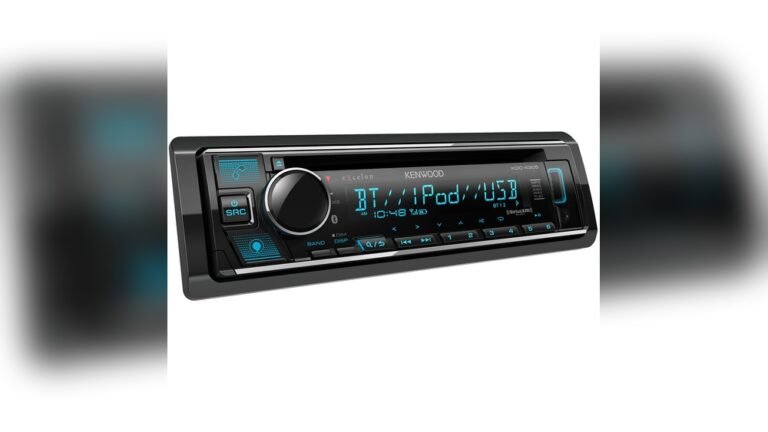
- Aftermarket stereos: Brands like Pioneer, Kenwood, and Sony offer SD card options.
- Factory stereos: Some newer cars (especially European models) include SD slots.
Here’s a comparison of popular models:
| Brand | SD Card Support | Max Capacity | Extra Features |
|---|---|---|---|
| Pioneer MVH-S622BS | Yes | 32GB | Bluetooth, USB |
| Kenwood DDX376BT | Yes | 64GB | Touchscreen, DVD |
| Sony XAV-AX100 | Yes | 32GB | Apple CarPlay, Android Auto |
Always check the stereo’s manual or website for SD card limits and supported formats.
Choosing The Right Sd Card For Your Car Stereo
Picking the best SD card makes a big difference. Here’s what to look for:
- Capacity: Most stereos work best with 8GB–32GB cards. Bigger isn’t always better, as some systems won’t read 64GB+.
- Speed class: Class 4 or higher is enough for music. Faster cards (Class 10, UHS-I) are good for large libraries but not required.
- Brand reliability: Choose known brands like SanDisk, Kingston, or Samsung.
- Type: SDHC (up to 32GB) is most common. SDXC (64GB+) only for newer stereos.
Common mistake: Using a card that’s too big, or formatted in exFAT instead of FAT32.
Here’s a quick comparison:
| Type | Capacity Range | Recommended Use |
|---|---|---|
| SD | Up to 2GB | Small libraries |
| SDHC | 2GB–32GB | Most car stereos |
| SDXC | 64GB+ | High-end stereos only |
Organizing Your Music For Best Performance
A well-organized SD card helps your stereo read files quickly and makes finding songs easier.
- Keep folders simple: Artist/Album or Genre.
- Avoid special characters: Use letters and numbers only.
- Limit folder depth: Max 2-3 levels deep.
- Don’t overload: Put 1,000–2,000 files max per card (even if space allows more).
- Use standard formats: MP3 is safest.
Example folder structure:
- /Rock/Queen/BohemianRhapsody.mp3
- /Pop/TaylorSwift/Lover.mp3
Some stereos may freeze or skip files if the card has too many folders or files.

Credit: www.amazon.com
Common Problems And Solutions
Even beginners face issues with SD cards in car stereos. Here are quick fixes:
- Card not recognized: Remove and reinsert. Try another card. Format to FAT32.
- Music not playing: Check file format and folder names.
- Slow loading: Too many files. Simplify folder structure.
- Skipping or errors: Dirty contacts. Clean with dry cloth. Try a new card.
- No album art: Not all stereos show images. Check manual.
If problems continue, update your stereo’s firmware or ask the manufacturer.
Sd Card Vs. Usb Drive: Which Is Better?
Both SD cards and USB drives are popular. Here’s how they compare:
| Feature | SD Card | USB Drive |
|---|---|---|
| Size | Very small | Small |
| Durability | High | Medium |
| Compatibility | Some stereos only | Almost all stereos |
| Speed | Stable | Fast |
| Ease of use | Easy | Very easy |
Beginners often miss that SD cards don’t stick out, so they are less likely to get bumped or broken in the car. USB drives are more universal, but SD cards are great for built-in slots.

Credit: www.amazon.com
Safety And Security Tips
SD cards are safe, but you can protect your music and privacy:
- Remove the card before washing or cleaning inside the car.
- Backup music files on your computer. SD cards can fail over time.
- Keep your card out of extreme heat for long periods.
- Don’t share your SD card with others. Viruses or malware can spread.
- Buy genuine cards from trusted shops.
Some car stereos lock the SD card during use, making it harder to steal music.
Real-life Examples
Here are practical ways drivers use SD cards in their car stereos:
- Road trips: Load playlists for long drives. No need for internet.
- Family cars: Kids’ music, audiobooks, or language lessons.
- Older cars: Upgrade sound system with aftermarket stereo and SD card.
- Rental cars: Bring your own music; many rentals have SD slots.
An 8GB card can hold over 40 hours of music. That’s enough for a week-long trip without repeats.
Sd Card Maintenance For Long-term Use
To make your SD card last:
- Format the card every 6–12 months.
- Remove safely from computer and car stereo.
- Clean contacts gently with dry cloth.
- Store in protective case when not in use.
- Avoid bending or dropping the card.
Many users don’t realize that rough handling can damage SD cards, even if they look tough.
Advanced Features In Modern Car Stereo Sd Card Systems
Some newer car stereos offer extra features for SD card users:
- Playlist support: Create playlists on your computer, save as .m3u files.
- Display album art: Some stereos show images if files are tagged correctly.
- File search: Search by artist, album, or song name.
- Firmware updates: Update stereo software for better compatibility.
These features make using SD cards even easier and more enjoyable.

Credit: www.youtube.com
Environmental Impact Of Sd Cards Vs. Cds
SD cards are more eco-friendly than CDs:
- Less plastic waste.
- Last longer, reducing replacements.
- Reusable for different files.
Many people switch from CDs to SD cards to reduce clutter and help the environment. According to the EPA, over 100 million CDs are thrown away every year in the US. SD cards help lower this waste.
Where To Buy Sd Cards For Car Stereos
Buy SD cards from reliable stores:
- Electronics shops (Best Buy, Walmart)
- Online (Amazon, official brand websites)
- Car audio retailers
Always check the packaging for authenticity. Avoid cards with missing labels or strange packaging. For more details, see Wikipedia.
Frequently Asked Questions
What Size Sd Card Should I Use For My Car Stereo?
Most car stereos support SD cards up to 32GB. Check your stereo’s manual. Using a bigger card may cause problems. If unsure, start with 8GB or 16GB.
How Do I Format An Sd Card For Car Stereo Use?
Use your computer to format the card to FAT32. Avoid exFAT or NTFS, as many car stereos cannot read these formats. Right-click the card in Windows and select “Format,” then choose FAT32.
Can I Play Music From Sd Cards In All Car Stereos?
No, only stereos with an SD card slot support this feature. If your stereo does not have a slot, you can’t use an SD card. Look for the slot near the front panel or check your car’s manual.
What Music Formats Work Best On Sd Cards For Car Stereos?
The safest format is MP3. Some stereos also support WMA or WAV. Avoid unusual formats like FLAC unless your stereo lists them as compatible.
Why Isn’t My Car Stereo Reading My Sd Card?
Common reasons:
- Card is too large (over 32GB)
- Wrong file system (not FAT32)
- Music files not in supported format
- SD card contacts dirty or damaged
Try using a smaller card, formatting to FAT32, and checking your files.
Music in your car should be simple. SD cards make it easy to carry thousands of songs, organize them, and play them anytime, anywhere. With the tips and data in this guide, you can enjoy music without hassle and avoid the mistakes many beginners make.
Whether you’re upgrading your stereo or just want more options, SD cards offer a reliable, beginner-friendly solution for car audio.