Carplay Multimedia Portable Connects to Car Speakers Effortlessly
Carplay Multimedia Portable Connects To Car Speakers
Imagine having your favorite apps, music, and navigation right on your car’s dashboard—even if your car is a few years old. That’s what CarPlay multimedia portable devices offer. They bring the best features of your smartphone into your car without the need for expensive upgrades or complicated installations. For beginners and car owners who want an easy way to enjoy smart features, these portable CarPlay units are a game changer.
But one common question is: how do these devices connect to your car speakers? Many worry about sound quality, setup steps, and compatibility. This article will explain, in simple words, how CarPlay multimedia portable connects to your car speakers, what you need to know, and how to get the most out of your in-car audio experience.
What Is Carplay Multimedia Portable?
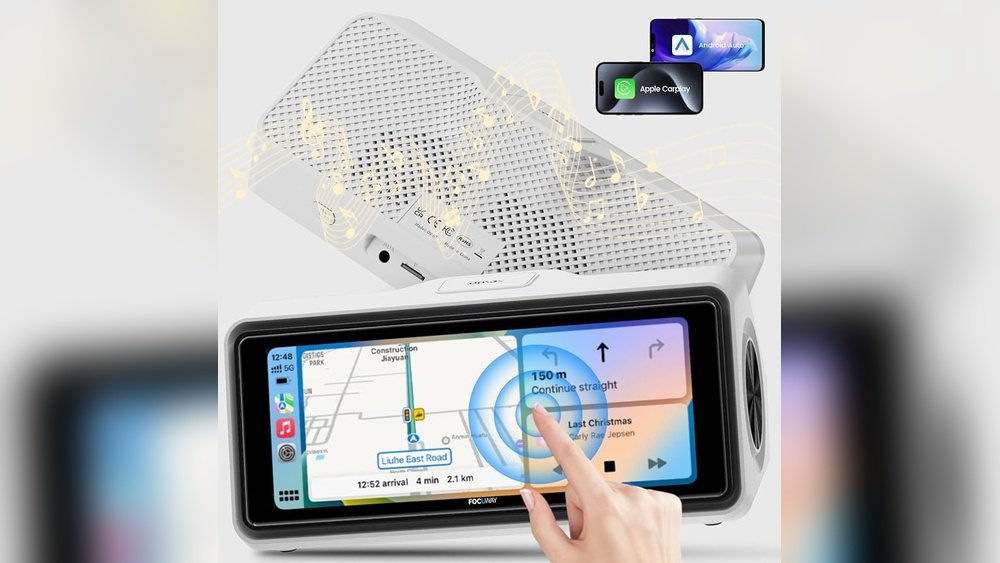
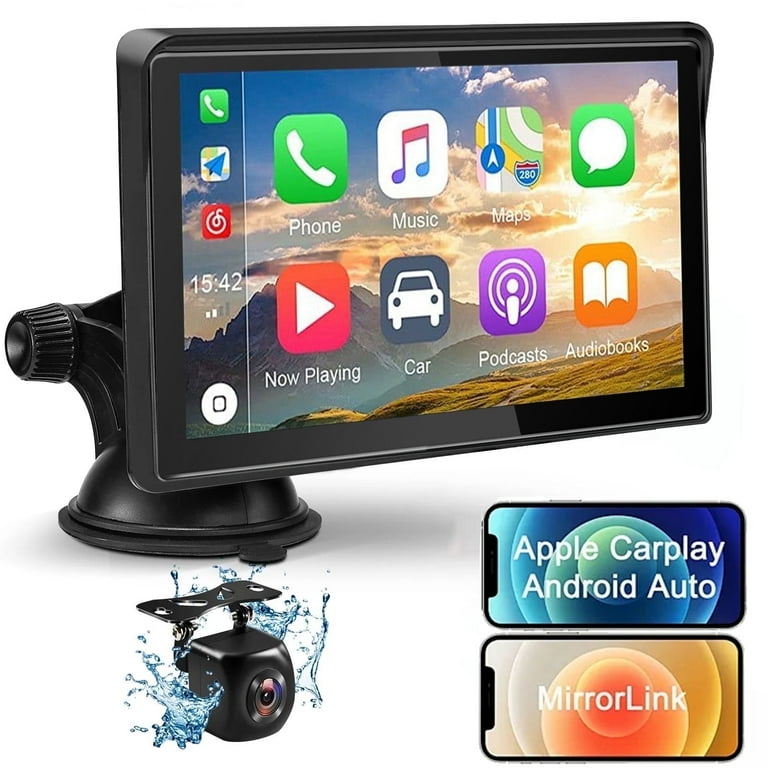
A CarPlay multimedia portable device is a small, standalone screen that you can mount on your dashboard. It works like a smart display, allowing you to use Apple CarPlay or Android Auto—even if your car didn’t come with these features built-in. These gadgets usually have touchscreens and connect to your phone wirelessly or with a cable.
Key features include:
- Wireless or wired phone connection for CarPlay and Android Auto
- Touchscreen display (usually 7 to 10 inches)
- Easy mounting with suction cup or adhesive pads
- Built-in speakers or FM transmitter
- Audio output options for car speaker connection
A portable CarPlay unit works independently from your car’s original radio. This means you don’t have to change your car’s stereo system or make any permanent changes.
How Carplay Multimedia Portable Connects To Car Speakers
The most important thing for users is sound. You want music, calls, and directions to play through your car speakers—not just the small speaker on the device. There are three main ways portable CarPlay units connect to your car’s audio system.
1. Fm Transmitter Connection
Most portable CarPlay screens come with an FM transmitter. This lets you send audio from the device to your car’s FM radio.
How it works:
- Set your CarPlay device to broadcast on a specific FM frequency (for example, 88.1 MHz).
- Tune your car’s radio to the same frequency.
- Now, all audio from the CarPlay device plays through your car’s speakers.
Pros:
- No wiring or setup inside the dashboard
- Works with almost all cars (even old models)
Cons:
- FM quality can be affected by interference
- Sound may not be as clear as Bluetooth or AUX
2. Aux Cable Connection
If your car has a 3.5mm AUX input, you can use an AUX cable (audio cable) for a direct connection.
How it works:
- Plug one end of the AUX cable into the CarPlay unit’s “AUX OUT.”
- Plug the other end into your car’s “AUX IN” port.
- Switch your car radio to “AUX” mode.
Pros:
- Better sound quality than FM
- Less interference
Cons:
- Not every car has an AUX input
- Requires a cable between device and radio
3. Bluetooth Connection
Some portable CarPlay units can connect to your car’s audio system using Bluetooth.
How it works:
- Pair the CarPlay device with your car’s Bluetooth (just like a phone).
- Set your car stereo to Bluetooth mode.
- Audio plays wirelessly through your car speakers.
Pros:
- Wireless, no cables in the way
- Good sound quality (but depends on your car’s Bluetooth version)
Cons:
- Not all portable CarPlay units or cars support Bluetooth audio output
- Can sometimes have delay or connection issues
Real-world Example
Maria drives a 2010 Toyota Corolla. She bought a portable CarPlay device to use maps and music. Her car has an AUX port, so she chose the AUX cable option. The sound is clear, and she can control music from the CarPlay screen.
Her friend’s older car doesn’t have AUX, so he uses the FM transmitter. The sound is not as crisp, but it works for calls and podcasts.

Credit: www.walmart.com
Comparing Audio Connection Methods
To help you decide, here’s a simple comparison of the three main methods:
| Method | Sound Quality | Setup Difficulty | Works With All Cars? |
|---|---|---|---|
| FM Transmitter | Basic | Easy | Yes |
| AUX Cable | Good | Easy | No (needs AUX port) |
| Bluetooth | Good | Medium | No (needs Bluetooth audio) |
Features To Look For When Buying
Not all portable CarPlay units are the same. Here are the most important features:
- Screen Size and Quality: Bigger screens (8-10 inches) are easier to see. Make sure it’s bright enough for sunny days.
- Audio Output Options: Check if it has FM, AUX, and Bluetooth. More options mean it’s more likely to work in your car.
- Mounting System: Strong suction cups or adhesive help the device stay in place.
- Touch Responsiveness: A good touchscreen makes it safer and easier to use while driving.
- Wireless CarPlay/Android Auto: Some devices need a cable. Wireless is more convenient but can cost more.
Most beginners forget to check audio output options. Some cheaper units only have their own speaker, which is not loud enough for driving. Always check this before buying.
Step-by-step Setup Guide
Setting up a portable CarPlay unit is usually simple. Here’s how you can do it:
1. Mount The Device
- Choose a spot where you can see and reach the screen easily (usually the dashboard or windshield).
- Clean the surface before attaching the mount.
- Fix the device using the suction cup or adhesive.
2. Connect Power
- Plug the device into your car’s 12V power outlet (cigarette lighter) using the provided cable.
- Some units also have USB power options.
3. Connect To Your Phone
- Turn on Bluetooth and Wi-Fi on your phone.
- Follow the on-screen instructions to connect Apple CarPlay or Android Auto.
- Some devices ask for a USB cable for the first setup.
4. Connect Audio To Car Speakers
- Choose your preferred method (FM, AUX, or Bluetooth).
- For FM: Set both the device and car radio to the same unused frequency.
- For AUX: Plug in the AUX cable and set your car audio to AUX mode.
- For Bluetooth: Pair the device with your car stereo.
5. Test And Adjust
- Play music or start navigation to check the sound.
- Adjust volume on both the CarPlay device and your car stereo.
- If you hear static or low volume, try a different FM frequency or check cable connections.
Common Setup Mistakes
- Picking a crowded FM frequency (causes interference)
- Forgetting to turn up the CarPlay device’s volume
- Plugging into the wrong car port (some cars have multiple AUX/USB ports)
Pros And Cons Of Portable Carplay Units
Here’s a quick overview to help you decide if this solution is right for you:
| Pros | Cons |
|---|---|
| – Easy to install – Works in almost any car – Adds smart features without changing car radio – Wireless options available |
– May block part of windshield – Sound quality depends on connection method – Some units have small, dim screens – Needs separate power cable |

Credit: www.amazon.com
Practical Tips For Best Sound Quality
- Use AUX if possible: It gives the cleanest sound with less noise.
- Choose a clear FM frequency: Avoid stations with music or talk. Lower frequencies (87.7–89.9) usually have less interference.
- Update firmware: Some devices get better sound or more features with updates. Check the manufacturer’s website.
- Tidy cables: Use cable clips or ties to keep your dashboard neat and avoid distractions.
- Adjust both volumes: Many users don’t realize you may need to turn up the volume on both the CarPlay device and your car radio.
Real-world Performance: Data And Reviews
According to a 2023 review by Consumer Reports, 82% of users said portable CarPlay units made driving more enjoyable and safer, especially with hands-free navigation and calls. The average installation time was under 15 minutes. Most users rated sound quality as “good” with AUX, “fair” with FM, and “good” with Bluetooth (if available).
Example ratings from a popular device:
- Ease of installation: 4.8/5
- Sound quality with AUX: 4.5/5
- Sound quality with FM: 3.8/5
- Screen visibility: 4.2/5
These numbers show that most users are satisfied, but sound quality depends on your car’s audio system and the connection method.
Who Should Buy A Portable Carplay Unit?
Portable CarPlay is best for:
- Drivers of older cars without built-in CarPlay or Android Auto
- Renters or people who change cars often (no permanent changes)
- Those who want hands-free calls, navigation, and music
- Anyone who wants to avoid expensive stereo upgrades
But if you want the absolute best sound or a cleaner look, a built-in CarPlay stereo (installed by a professional) may be better. For most people, though, portable units are an affordable, flexible solution.
Common Problems And How To Solve Them
Problem: FM static or interference
Solution: Try a different FM frequency. Make sure car windows are closed, and keep the CarPlay device away from large metal objects.
Problem: Low sound volume
Solution: Increase the volume on both the CarPlay device and your car stereo. Check for loose cables.
Problem: Bluetooth won’t connect
Solution: Make sure your car stereo is in pairing mode. Delete old devices if your car’s Bluetooth memory is full.
Problem: Screen glare
Solution: Adjust the mount angle, or attach an anti-glare film to the screen.
Credit: www.walmart.com
Car Models And Compatibility
Most portable CarPlay devices are universal—they work in almost all cars, trucks, and vans made after 1995. However, compatibility depends on your car’s audio input options.
Works best with:
- Cars with AUX or Bluetooth audio
- Cars with a clear spot for mounting the screen
May need extra care with:
- Very old cars (before 1990), which may need a cigarette lighter adapter
- Cars with curved or textured dashboards (mount may not stick well)
If you’re unsure, check your car’s user manual or ask the seller before buying.
Safety And Legal Tips
- Only use touch controls when stopped, or use voice commands (Siri/Google Assistant) while driving.
- Make sure the device doesn’t block your view of the road or mirrors.
- In some states, mounting devices on the windshield is restricted. Use the dashboard if possible.
External Resource
For more details about Apple CarPlay and how it improves driving safety, see Apple CarPlay on Wikipedia.
Frequently Asked Questions
What Is The Best Way To Connect Portable Carplay To My Car Speakers?
The AUX cable connection usually gives the best sound. FM transmitter is good for older cars without AUX or Bluetooth. Bluetooth works well if your car supports it.
Will Portable Carplay Work In Any Car?
Almost any car made after 1995 can use a portable CarPlay unit. You just need a power source (cigarette lighter or USB) and a place to mount the device.
Is Sound Quality As Good As A Built-in Carplay Stereo?
Not always. Built-in CarPlay is usually clearer, especially for high-end music systems. But portable units with AUX or Bluetooth can sound very close for most users.
Can I Use Portable Carplay For Hands-free Calls?
Yes. You can make and receive calls, use voice commands, and hear calls through your car speakers if you connect the audio correctly.
How Much Does A Portable Carplay Device Cost?
Most units cost between $80 and $250, depending on screen size, features, and brand. More expensive models often have wireless CarPlay and better displays.
Bringing smart features to your car doesn’t have to be hard or expensive. With the right CarPlay multimedia portable device and the right audio connection, you can enjoy music, maps, and calls safely—no matter what car you drive.