Pioneer Radio Won’t Let Me Restore Settings: Quick Fix Guide
Many car owners enjoy using Pioneer radios because they offer good sound, useful features, and a modern look. But sometimes, users face problems with their settings. One common issue is when the Pioneer radio won’t let you restore settings. This can be frustrating, especially if you want to reset the radio to fix a problem or start fresh. In this article, you’ll learn why this happens, what you can do about it, and how to avoid common mistakes. We’ll keep explanations simple, so even beginners can understand and fix the issue with confidence.
Why Pioneer Radios Need A Settings Restore
Pioneer radios come with many features. Over time, you may change the audio settings, pair new devices, or use different sources. Sometimes, the radio may start acting strange or not working as expected. A settings restore (also called a reset or factory reset) brings the radio back to its original state. Here’s why this is helpful:
- Fixes glitches or bugs caused by software issues
- Removes saved Bluetooth pairings and connections
- Returns sound settings to normal if you made unwanted changes
- Helps when selling or giving away your car
Restoring settings is like starting fresh. But what if your radio won’t let you do it?
Common Reasons You Can’t Restore Settings
If your Pioneer radio won’t let you restore settings, there are a few main causes:
- Incorrect reset method – Each model has its own way to restore settings. Using the wrong steps will not work.
- Locked settings – Some radios have a security lock or password that stops resets.
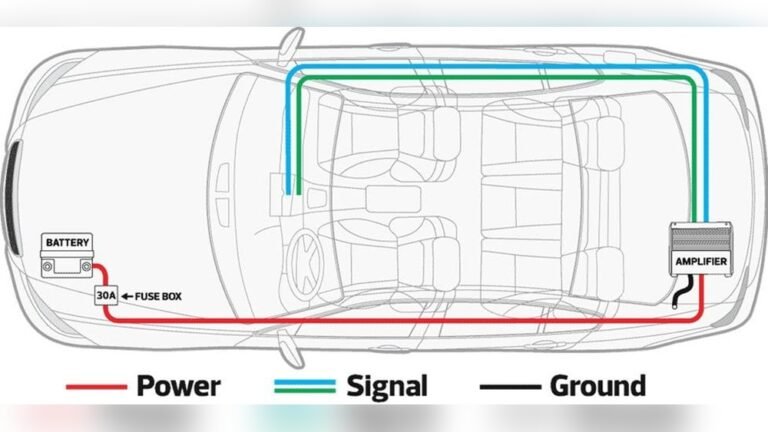
- Power or wiring issues – If the radio doesn’t have steady power, the reset might fail.
- Software problems – Sometimes, the radio’s firmware is corrupted.
- Physical damage – Water, dust, or impacts can break the reset function.
Example:
You press the “reset” button, but nothing happens. Or, you follow the manual, but the radio stays the same. These are signs something is blocking the reset.
How To Restore Settings On Pioneer Radios
Let’s walk through the most common ways to restore settings. Always check your radio’s model number first, since steps can be different.
Using The Menu
Many new Pioneer radios use a touchscreen or menu system:
- Turn on your radio.
- Press the Home or Menu button.
- Go to Settings.
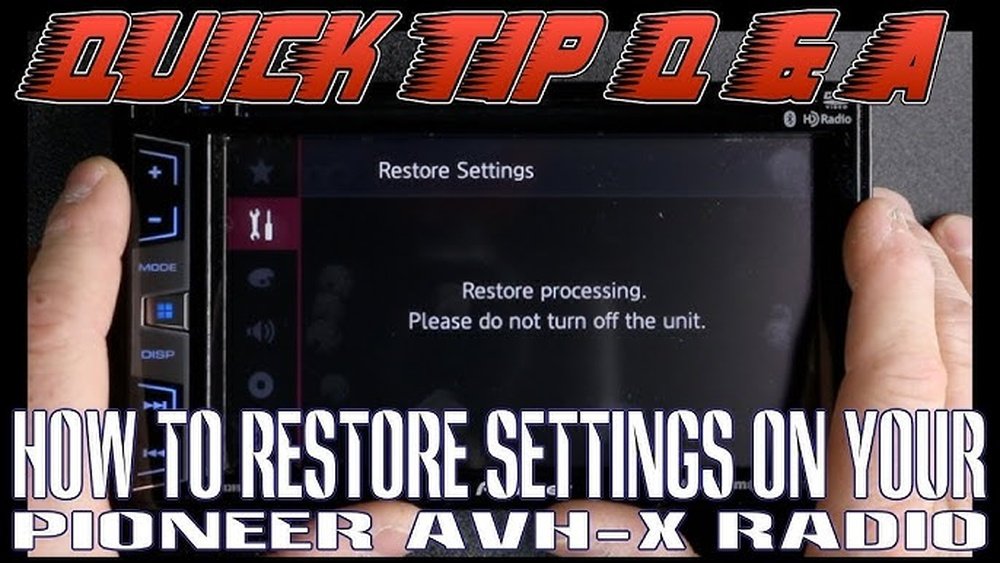
- Look for System, then Restore Settings or Factory Reset.
- Confirm the reset.
The radio will turn off and restart. Most settings will go back to default.
Using Physical Buttons
Older Pioneer models use buttons instead of touchscreens:
- Turn off the radio.
- Press and hold the SRC (Source) button and the Eject button at the same time.
- While holding, turn the radio on.
- Wait for the screen to show “Initializing” or “Resetting”.
Release the buttons. The radio should reset.
Using The Reset Pin Hole
Some radios have a small hole labeled RESET:
- Use a paperclip to gently press the button inside the hole for a few seconds.
- The radio will restart.
Tip: Always check your manual for exact steps. Doing the wrong method won’t work.
What To Do When Restore Settings Fails
If your Pioneer radio still won’t restore, try these troubleshooting tips:
1. Check For Power Issues
- Make sure your car battery is strong.
- Check radio wiring. Loose connections can stop the reset.
- Try restarting your car and radio.
2. Remove Security Lock
- Some radios have a password lock.
- Enter the code if you set one.
- If you forgot the code, contact Pioneer support with your proof of purchase.
3. Update Firmware
- Old software can block resets.
- Go to Pioneer’s website and find your model.
- Download the latest firmware to a USB drive.
- Follow the update steps in the manual.
4. Try A Hard Reset
- Disconnect your car battery for 5–10 minutes.
- Reconnect and try resetting the radio again.
5. Look For Physical Damage
- Check for water or dust inside the radio.
- If the unit is damaged, you may need a repair.
Common Mistakes When Restoring Pioneer Radios
Beginners often make these mistakes:
- Not checking the manual – Every model is different.
- Not saving presets – All radio stations and Bluetooth devices are erased during reset.
- Ignoring power issues – Low battery voltage can block resets.
- Forgetting security codes – You may lock yourself out if you don’t know your code.
- Skipping firmware updates – Outdated software can cause bugs.
Data Table: Common Pioneer Radio Models And Restore Steps
Below is a quick guide for popular Pioneer models and their reset methods.
| Model Series | Restore Method | Special Notes |
|---|---|---|
| AVH Series | Menu > Settings > System > Factory Reset | Touchscreen models |
| DEH Series | Hold SRC + Eject, then power on | Button models |
| DMH Series | Menu > System > Restore Settings | Check for firmware updates |
| FH Series | Reset pinhole | Use a paperclip |
Credit: www.pistonheads.com
Advanced Troubleshooting Tips
If normal fixes don’t work, try these advanced steps:
Reset Without Losing All Data
Some Pioneer radios allow a soft reset:
- This resets only sound settings, not Bluetooth or radio stations.
- Look for “Restore Audio Settings” in the menu.
Check For Error Codes
- Radios sometimes show codes like E-01 or E-99.
- Search your code in the manual or online.
- Some codes mean hardware problems.
Use Dealer Tools
- Car dealers or audio shops have tools to reset radios.
- Useful if you’re locked out or have a complex problem.
Comparing Pioneer Vs Other Brands: Reset Process
Understanding how Pioneer radios compare with other brands can help you see if your problem is unique.
| Brand | Restore Method | User Friendliness |
|---|---|---|
| Pioneer | Varies by model, menu or button | Moderate |
| Kenwood | Menu > Reset or pinhole | Easy |
| Sony | Hold power + eject | Easy |
| JVC | Pinhole reset | Very easy |
Pioneer is not the hardest, but it is not always the easiest. Always check your model steps.
When To Seek Professional Help
Sometimes, the problem is too complicated to fix at home. Here’s when you should get help:
- The radio does not turn on at all
- The screen is stuck or frozen
- Error messages you can’t clear
- Physical damage (cracks, water, etc.)
- You tried all steps and nothing works
Visit an authorized Pioneer dealer or a trusted car audio shop. They have special tools and experience.
Cost Of Fixing Pioneer Radio Restore Problems
It’s natural to worry about costs. Here’s what you can expect:
| Service | Average Cost (USD) | Notes |
|---|---|---|
| Basic reset (shop) | $0–$30 | Some shops do it for free |
| Firmware update | $0–$50 | Free if you do it yourself |
| Hardware repair | $60–$200 | Depends on parts and labor |
| New radio | $80–$400+ | Last option if repair fails |
Most users can fix restore issues without spending much money.
Two Insights Many Beginners Miss
- Firmware matters. Many users forget that old radio software causes bugs. Updating firmware can solve problems—even if the reset option is missing or grayed out.
- Battery voltage is critical. Car radios need steady power to reset. If your car battery is weak, the radio may block the reset command. Always check battery health before troubleshooting.
Preventing Restore Issues In The Future
You can avoid most problems by following these tips:
- Always keep your radio’s firmware up to date.
- Write down or save your radio’s security code in a safe place.
- Avoid changing settings you don’t understand.
- If you install a new battery, check all radio functions after.
- Keep the radio clean and dry.
Credit: vehicleinfo.mopar.com
Real User Example
Maria owns a Pioneer DEH-S31BT. She wanted to reset her radio because the Bluetooth stopped working. She held the SRC and Eject buttons, but nothing happened. After checking her manual, she realized her radio needed a different reset method—a pinhole reset. She used a paperclip, and the radio reset successfully. This shows how important it is to check the manual and use the right method for your model.
Where To Find More Help
Pioneer’s official support site has manuals and troubleshooting guides for every model. For extra tips, the community at DIYMobileAudio.com is also helpful.

Credit: www.youtube.com
Frequently Asked Questions
Why Can’t I Find The Restore Settings Option In My Pioneer Radio Menu?
Not all Pioneer radios show “restore settings” in the menu. Some require button combinations or a pinhole reset. Always check your user manual for your exact model steps.
Will Resetting My Pioneer Radio Delete My Bluetooth Pairings And Radio Stations?
Yes, a full settings restore will erase Bluetooth devices, radio presets, and sound adjustments. Save important information before you reset.
My Radio Stays The Same After A Reset. What Should I Do?
Check for power issues, update the firmware, or try a hard reset by disconnecting your car battery. If nothing works, your radio may need service.
Can A Weak Car Battery Stop The Reset Process?
Yes. If your battery voltage is low, the radio might not complete the reset. Charge or replace the battery, then try again.
Do I Need To Pay To Reset My Pioneer Radio?
Most resets are free if you do them yourself. Shops may charge for help, but many will do a basic reset at no cost if you ask.
Solving the “Pioneer radio won’t let me restore settings” problem takes patience and careful steps. By following this guide, you’ll know what to check, what to avoid, and when to ask for help. With the right approach, you can get your radio working the way you want—no stress, no wasted time.