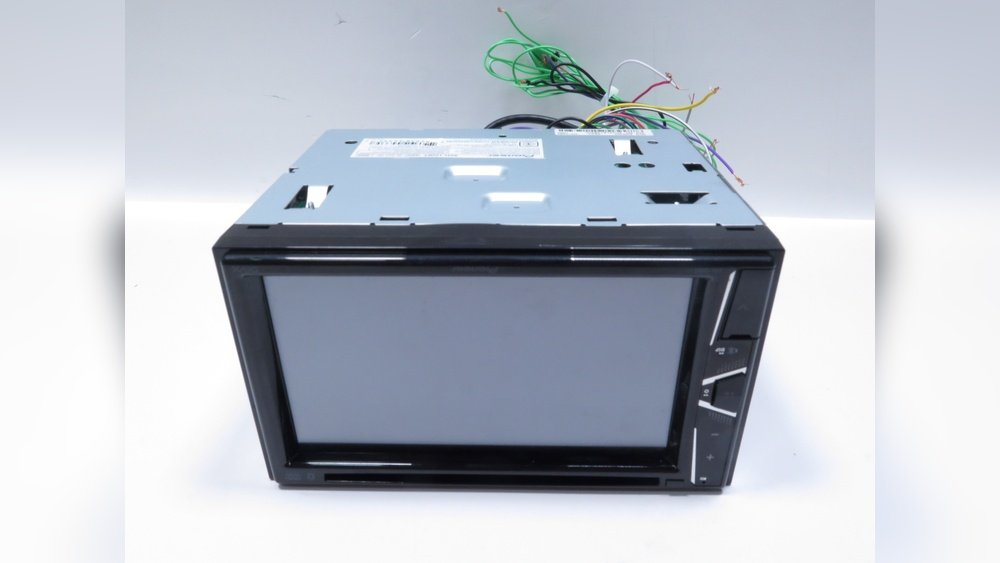
Pioneer Avh Secret Menu: Unlock Hidden Features Instantly
If you own a Pioneer AVH car stereo, you may have heard about the secret menu. This hidden feature lets you access advanced settings and functions not shown in the regular menu. For beginners, the secret menu can seem mysterious or risky. But with the right guidance, you can safely use it to unlock new possibilities for your stereo. In this article, you’ll learn what the Pioneer AVH secret menu is, how to access it, what you can do with it, and important tips for beginners.
What Is The Pioneer Avh Secret Menu?
The secret menu in Pioneer AVH units is a hidden section of the software. It is not listed in the manual or on-screen menus. Manufacturers use secret menus for advanced settings or service purposes. This menu lets users:
- Change system settings not available in the standard menu
- Enable or disable certain features
- Reset the unit to factory settings
- Access diagnostic information
Most people never use the secret menu. It’s mainly for technicians or advanced users. But with careful use, it can help you customize your unit or fix problems.
Why Use The Secret Menu?
There are several reasons to access the secret menu:
- Unlock new functions: Some features are hidden by default. The secret menu lets you turn them on.
- Troubleshoot issues: You can reset your unit, check system info, or diagnose problems.
- Change region settings: If you move to a new country, you may need to adjust radio or DVD settings.
- Customize display and sound: Advanced settings can improve audio or video quality.
For example, you may want to enable video playback while driving (for passengers). Or, you may need to reset the unit after a software update.
How To Access The Pioneer Avh Secret Menu
Accessing the secret menu is not always easy. The steps depend on your Pioneer AVH model. Here are common methods used on popular models:
- Turn off the unit. Make sure the stereo is off.
- Press and hold certain buttons. Usually, you need to hold a combination of buttons, like the Home, Volume Up, and Track Forward.
- Turn on the unit while holding. Continue holding the buttons as you power on.
- Wait for the menu to appear. If you did it right, a new menu will show up.
Important: These steps may not work on all AVH models. Always check your model number before trying. Using the wrong steps can cause errors.
Example: Accessing Secret Menu On Pioneer Avh-4200nex
- Turn off the unit.
- Hold the Home and Track Forward buttons.
- Turn on the unit.
- Keep holding until the menu appears.
This method works for AVH-4200NEX, but other models may use different combinations.
Hidden Features And Settings In The Secret Menu
Once inside the secret menu, you can access several advanced options. Here are some of the most common:
1. Factory Reset
- Resets the unit to original settings.
- Useful for fixing software problems or clearing custom settings.
2. Region And Dvd Settings
- Change radio frequency steps (US, Europe, Asia).
- Adjust DVD region codes for compatibility.
3. Video Lock/unlock
- Enables video playback while driving.
- Legal in some areas only for passengers.
4. Firmware Update
- Allows manual firmware updates.
- Good for fixing bugs or adding new features.
5. Diagnostic Tools
- Shows system info: Voltage, temperature, software version.
- Helps troubleshoot hardware issues.
6. Audio Tuning
- Advanced equalizer and audio settings.
- Customize sound beyond standard menu options.
7. Screen Calibration
- Adjust touch sensitivity and screen alignment.
Tip: Always write down your current settings before changing anything. This prevents mistakes.

Credit: www.youtube.com
Pros And Cons Of Using The Secret Menu
Using the secret menu can be helpful, but there are risks. Here’s a quick comparison:
| Pros | Cons |
|---|---|
| Unlock hidden features | Risk of voiding warranty |
| Fix software issues | Possible errors if settings are wrong |
| Customize audio/video | Legal issues with certain features |
| Update firmware manually | May cause system crashes |
Beginners often miss: Changing settings in the secret menu can sometimes erase saved data or cause the unit to malfunction. Always double-check before saving changes.
Comparison: Standard Menu Vs Secret Menu
To help beginners, here’s a clear comparison of what you can do in the regular menu versus the secret menu:
| Feature | Standard Menu | Secret Menu |
|---|---|---|
| Audio Settings | Basic EQ, fader, balance | Advanced tuning, hidden presets |
| Video Settings | Brightness, contrast | Unlock video playback, calibration |
| Reset Option | Partial reset | Full factory reset |
| Firmware Update | Automatic update | Manual update, rollback |
| System Info | Limited info | Full diagnostics |
Common Beginner Mistakes And How To Avoid Them
Many beginners make errors when exploring the secret menu. Here are the most common mistakes:
- Not checking model-specific instructions.
- Every Pioneer AVH unit has different steps.
- Changing settings without backup.
- Always write down current settings before changing.
- Ignoring legal restrictions.
- Some features (like video playback while driving) are illegal in many regions.
- Updating firmware incorrectly.
- Wrong firmware can cause permanent damage.
- Leaving the menu without saving.
- Make sure to save your changes, or they may not apply.
Non-obvious insight: The secret menu is not just for customization. It can help you recover your system after a failed update or fix hardware faults by running diagnostics.
Practical Example: Using The Secret Menu To Fix A Touchscreen Issue
Suppose your Pioneer AVH touchscreen is not responding well. Here’s how you can use the secret menu:
- Access the secret menu using your model’s button combination.
- Navigate to Screen Calibration.
- Follow the on-screen instructions to calibrate the touch.
- Test the screen. If it improves, exit the menu and save changes.
If calibration does not fix the issue, you can use the Diagnostic Tools to check voltage and hardware status. This helps you decide if the problem is software or hardware.
Safety Tips For Beginners
Before using the secret menu, follow these safety tips:
- Read the manual for your AVH model and check online forums.
- Do not change settings blindly. Make changes one step at a time.
- Avoid illegal features. For example, video playback while driving may break the law.
- Backup your data. Some settings can erase Bluetooth pairings, radio presets, or custom EQ.
- Update firmware from official sources. Never use unofficial or modified firmware files.
Is Using The Secret Menu Legal?
The legality of using the secret menu depends on what you change. For example:
- Unlocking video playback while driving is illegal in most states. Only use this for parked vehicles or passengers.
- Changing region codes is legal if you move to a new country.
- Factory reset and diagnostics are always legal.
Always check local laws before changing features.
Where To Find Trusted Information
For reliable guides and troubleshooting, use official sources like the Pioneer website or trusted forums. For example, the Pioneer user manual often lists basic reset options, but not the secret menu. Community forums and video tutorials can help, but always use caution.
You can also find helpful guides from expert sites, such as Crutchfield, which provides reviews and technical advice for Pioneer AVH units.
How The Secret Menu Can Help In Real Life
Here are practical ways people have used the secret menu:
- Recovering from failed firmware updates: If your unit crashes, the secret menu can restore basic functions.
- Fixing audio distortion: Advanced EQ lets you remove unwanted noise.
- Changing radio regions: If you import a car, region settings help tune local stations.
- Diagnosing battery issues: System voltage readings can show if your car battery is weak.
Non-obvious insight: If your unit is not powering on, the secret menu sometimes lets you force a reset that is not possible through regular buttons.
Credit: www.cnet.com
Frequently Asked Questions
How Do I Access The Pioneer Avh Secret Menu?
You usually need to turn off the unit, then press and hold a specific combination of buttons while turning it back on. The exact steps depend on your model. Check your manual or online guides for your model number.
Is It Safe To Use The Secret Menu?
Yes, if you follow instructions carefully and do not change settings you do not understand. Always backup your current settings before making changes.
What Can I Change In The Secret Menu?
You can reset the unit, change region codes, unlock hidden features, update firmware, and access diagnostics. Only change settings you need.

Credit: www.youtube.com
Can I Unlock Video Playback While Driving?
The secret menu often lets you do this, but it may be illegal in your area. Always check local laws and use this feature only for passengers or parked vehicles.
Will Using The Secret Menu Void My Warranty?
If you change advanced settings or update firmware unofficially, you may void your warranty. Always check with Pioneer before making major changes.
Final Thoughts
The Pioneer AVH secret menu is a powerful tool for beginners and experts. It can unlock hidden features, fix problems, and help you customize your car stereo. But it also comes with risks. Always follow model-specific instructions, backup your settings, and avoid illegal changes. With careful use, the secret menu can make your Pioneer AVH unit even better. If you need help, trusted resources like the Pioneer website and car audio forums are your best guides. Remember, a little caution goes a long way in keeping your stereo safe and functional.