Can You Put a Touch Screen Radio in Any Car? Expert Guide
Upgrading to a touch screen radio is a popular way to modernize any car. Many drivers want the features they see in new vehicles—like navigation, music streaming, and hands-free calling—without buying a brand-new car. But is it really possible to put a touch screen radio in any car? The answer depends on a few important factors. Let’s break them down in simple terms.
What Is A Touch Screen Radio?
A touch screen radio is also called an infotainment system or multimedia head unit. It combines standard radio with features like:
- Bluetooth calling and music
- GPS navigation
- Smartphone integration (Apple CarPlay, Android Auto)
- Video playback
- Backup camera display
These units have a digital touch screen, usually between 6 and 10 inches. They make using your car’s technology easier and safer.
Can Any Car Support A Touch Screen Radio?
Most cars can support a touch screen radio, but not all. Here’s what matters:
- Dash size and shape: Some cars have small or unusual dash openings.
- Electrical system: Very old cars may need extra wiring changes.
- Integration with car features: Some modern cars use the radio for climate controls or safety alerts.
Key point: Most cars built since the late 1990s can be upgraded, but some older or rare models may require more work.
Dash Compatibility: Will The Touch Screen Fit?
The most common problem is the space in your dashboard. Radios come in two standard sizes:
- Single DIN: About 2 inches tall. Most touch screens need more space.
- Double DIN: About 4 inches tall. Standard for most touch screen radios.
If your car has a double DIN opening, you can install most touch screens. If not, you have options:
- Use a dash kit (adapter frame) to fit the new radio.
- Some single DIN touch screens have a flip-out display.
Here’s a quick comparison of radio slot sizes:
| Slot Type | Height | Touch Screen Support |
|---|---|---|
| Single DIN | 2 inches | Possible with flip-out models |
| Double DIN | 4 inches | Standard for most touch screens |
Non-obvious tip: Some European and luxury cars use custom dash designs. Installing a touch screen may need special kits or cutting the dashboard.
Wiring And Electronics: What Needs To Change?
A touch screen radio needs power, speaker connections, and sometimes extra wiring for features like backup cameras or steering wheel controls.
Most cars need:
- A wiring harness adapter (lets you connect new radio to old wiring)
- An antenna adapter (so radio works properly)
- Bypass modules if the car uses computer controls for things like alarms
Older vehicles: If your car is older than 1995, you may need to run new speaker wires or add a power source.
Newer vehicles: Cars with advanced safety features (like airbags tied to the radio unit) may need professional installation.
Pro tip: Always disconnect the battery before installation to avoid electrical shorts.

Credit: issautomotive.com
Keeping Factory Features
Modern cars often connect the radio to other systems:
- Steering wheel audio controls
- Backup cameras
- Factory amplifiers
- Bluetooth microphones
Good news: Most touch screen radios can keep these features with the right adapters. For example, a steering wheel control interface lets your buttons work with the new radio.
Watch out for: Some advanced car systems (like climate control on the radio screen) can’t be moved to an aftermarket radio.
Popular Features In Touch Screen Radios
Why do people want a touch screen radio? Here are the most common features:
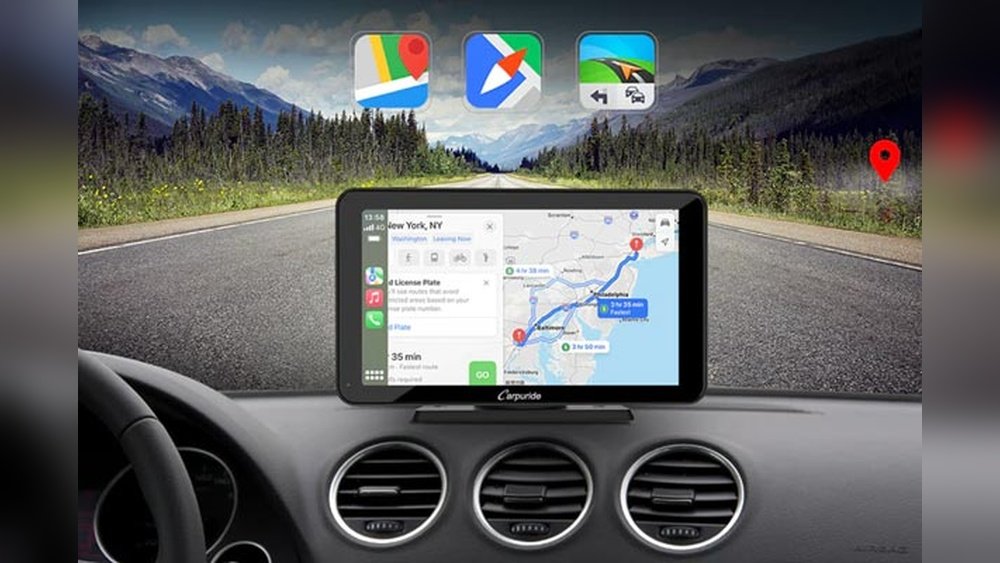
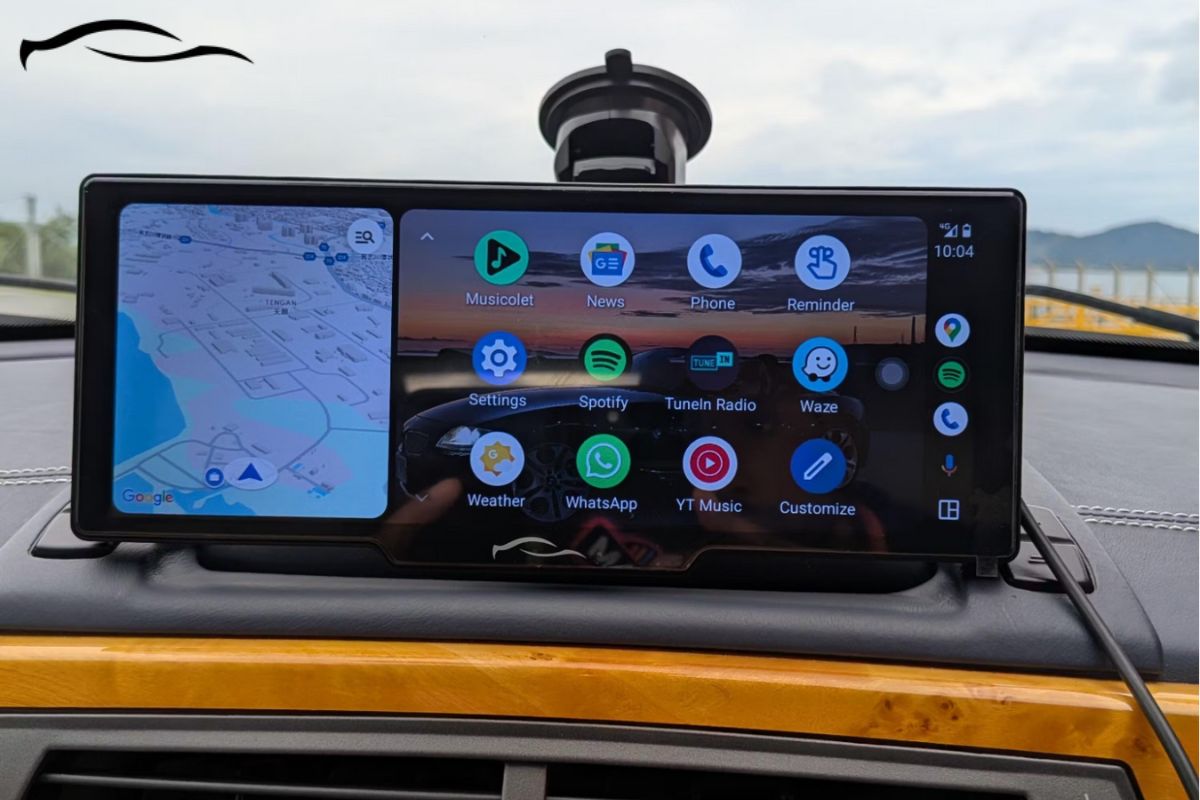
- Apple CarPlay/Android Auto: Use your phone apps on the car screen.
- Bluetooth: Hands-free calling and wireless music.
- Navigation: Built-in GPS or use your phone’s maps.
- Backup Camera Support: Makes parking safer.
- Customizable Sound: Graphic equalizer and sound controls.
- USB/SD Inputs: Play music or video from storage devices.
Here’s a quick feature comparison:
| Feature | Touch Screen Radio | Standard Factory Radio |
|---|---|---|
| Bluetooth | Yes | Not always |
| Navigation | Yes | Rare |
| Video Playback | Yes | No |
| Backup Camera | Yes | Optional |
| Smartphone Integration | Yes | Rare |
Non-obvious insight: Some touch screen radios support wireless CarPlay/Android Auto, but cheaper models may require a USB cable.
Cost Of Upgrading: What To Expect
The price to add a touch screen radio depends on:
- The radio model and features
- The cost of dash and wiring kits
- Labor if you hire a professional
Price range:
- Basic touch screen radios: $100–$250
- Mid-range with CarPlay/Android Auto: $250–$500
- High-end with GPS, video, etc. : $500–$1000+
- Dash and wiring kits: $15–$100
- Professional installation: $100–$300
Example: Upgrading a 2010 Honda Civic to a touch screen with CarPlay might cost $350 for parts and $150 for labor.
DIY tip: If you install it yourself, watch online videos specific to your car model.
Installation: Diy Or Professional?
You can install a touch screen radio yourself if you’re comfortable with car electronics. Many people do it as a weekend project. Here’s what’s involved:
- Remove old radio and trim panels
- Connect wiring harness and adapters
- Mount the new radio and dash kit
- Test all features before final assembly
DIY benefits:
- Save money on labor
- Learn about your car
Professional benefits:
- Faster, often under 2 hours
- Less risk of damage
- Proper integration with advanced car systems
Common mistake: Forgetting to connect the parking brake wire. Some radios won’t play video unless this is connected (for safety).
Cars That Are Hard To Upgrade
While most cars can be upgraded, some are more challenging:
- Luxury brands (BMW, Mercedes, Audi): Many use unique dash designs or connect car settings to the radio. Special kits or professional help needed.
- Very old cars (pre-1990s): May need custom dash modifications and extra wiring.
- Integrated control panels: If your radio also controls air conditioning, seat heaters, or other features, replacing it can be risky or expensive.
Always check forums for your specific car model before buying a radio.
Practical Data: Success Rates And Satisfaction
A 2023 survey by Crutchfield (a leading car audio retailer) showed:
- Over 80% of cars built since 2000 can have a touch screen radio installed with an off-the-shelf kit.
- 90% of users reported increased satisfaction with their in-car experience after upgrading.
- The most common problems were:
- Dash fit issues (15%)
- Loss of some factory functions (8%)
- Wiring mistakes (6%)
Advice: Pick a radio and kit designed for your exact car year and model to avoid problems.

Credit: essgoo.com
Steps To Upgrade To A Touch Screen Radio
If you’re ready to upgrade, follow these steps:
- Check dash size: Find out if your car is single or double DIN.
- Choose a compatible radio: Match the radio to your dash and wiring.
- Buy the right kit: Get a dash kit, wiring harness, and any adapters.
- Read instructions: Each car and radio is a little different.
- Disconnect battery: Safety first.
- Remove old radio: Keep screws and parts organized.
- Connect wiring: Use harness adapters for safety.
- Test the radio: Try all features before re-assembling.
- Install dash kit and radio: Make sure everything fits well.
- Finish installation: Secure all panels and check for rattles.
Pro tip: Take photos during disassembly so you remember how things fit.
Common Mistakes To Avoid
- Buying a radio that doesn’t fit your dash
- Skipping the wiring harness (never cut factory wires if you can avoid it)
- Ignoring steering wheel controls or backup camera adapters
- Not checking that the radio supports your phone (CarPlay/Android Auto)
- Rushing the process (patience prevents mistakes)
When Is It Not Worth Upgrading?
A touch screen radio isn’t right for everyone. Consider skipping the upgrade if:
- Your car has a unique dash or integrated controls you don’t want to lose
- The cost is close to the value of your car
- You plan to sell the car soon
In these cases, a universal smartphone mount or Bluetooth adapter might give you most of the features with less hassle.
Real-world Example
Let’s look at a common upgrade: a 2008 Toyota Corolla.
- Dash: Double DIN (fits most touch screen radios)
- Needed: Dash kit ($20), wiring harness ($15), antenna adapter ($10)
- Touch screen radio with CarPlay: $250
- DIY installation: 2 hours
Result: Modern features, backup camera support, and hands-free calling—without buying a new car.
Where To Research And Buy
You can find touch screen radios at:
- Major retailers (Best Buy, Walmart)
- Online stores (Amazon, Crutchfield)
- Car audio shops
Before buying, search for your car’s year and model plus “touch screen radio install. ” Forums and YouTube have many guides.
For detailed compatibility and installation guides, check Crutchfield.
Frequently Asked Questions
Can I Install A Touch Screen Radio In A Car With A Single Din Slot?
Yes, but you’ll need a single DIN touch screen (usually flip-out style) or a custom dash kit. Make sure the screen won’t block your air vents or controls.
Will A Touch Screen Radio Drain My Car Battery?
Not if installed correctly. Modern radios use very little power in standby. If you notice battery problems, check for wiring mistakes or settings that leave the unit on when the car is off.
Can I Keep My Steering Wheel Controls?
In most cases, yes. You’ll need a steering wheel control adapter that matches your car and new radio. These adapters are widely available for popular models.
Do I Need Professional Installation?
If you’re comfortable with basic wiring and following instructions, you can do it yourself. For cars with advanced features or integrated systems, professional installation is safer and may protect your warranty.
Will A Touch Screen Radio Improve My Car’s Value?
It may help slightly, especially if the car is older and the upgrade is well done. However, most buyers value the features more than the resale price. Always keep your original radio in case you want to restore the car to stock.
Upgrading to a touch screen radio brings your car up to date with modern tech. With the right parts and careful planning, almost any car can enjoy the benefits—just double-check compatibility and be ready to adapt if your car is a tricky case.
Credit: getcartablet.com