What is Dso Audio: Essential Guide to Features and Benefits
What Is Dso Audio
If you’re searching for “What is Dso Audio,” you’re not alone. Many people see this term online, in product manuals, or on audio forums. It can look confusing if you’re new to audio technology. Let’s break it down in simple words and cover what Dso Audio means, how it works, why it matters, and where you’ll see it in real life.
Dso Audio Meaning And Origins
DSO Audio stands for Dynamic Sound Optimization Audio. Sometimes, it is also called Dynamic Stage Organizer in certain brands, especially in car audio systems. The DSO feature is developed to improve the quality and experience of sound, mostly in environments where speakers are not at ear level.
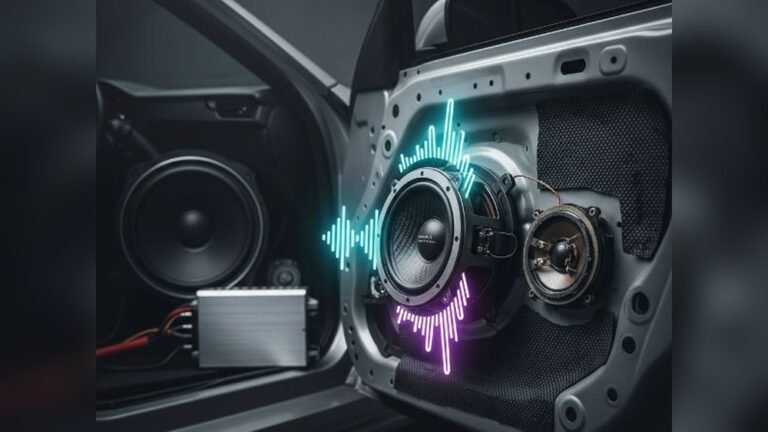
The concept first became popular with car audio, as vehicles have limited space and awkward speaker placement. For example, car speakers are often installed in doors or under dashboards, so they don’t point directly at your ears. DSO Audio helps fix this by “organizing” or “optimizing” the soundstage, making it feel like the music is coming from in front of you rather than down near your feet.
Key points:
- DSO Audio = Dynamic Sound Optimization or Dynamic Stage Organizer
- Improves soundstage and clarity
- Common in car audio, but found in home and portable devices too
How Dso Audio Works
The main job of Dso Audio is to change how you hear music from your speakers. It does this using digital signal processing (DSP). Let’s see how it works step-by-step:
- Analyzing the Sound: DSO systems measure the sound coming from each speaker.
- Adjusting Frequencies: DSO boosts certain frequencies, especially mid and high tones, to bring the sound “upwards.”
- Timing Correction: Some advanced systems even add tiny delays so the sound from different speakers reaches your ears at the same time.
- Creating a Virtual Soundstage: The result is a “virtual” effect where the music seems to come from in front of you, not from below or the sides.
Here’s a simple example: In a car, you turn on Dso Audio. The vocals in a song, which usually sound like they are coming from your legs, now seem to come from the dashboard or windshield area. This makes the listening experience more natural and enjoyable.
Where You’ll Find Dso Audio
Dso Audio is most common in:
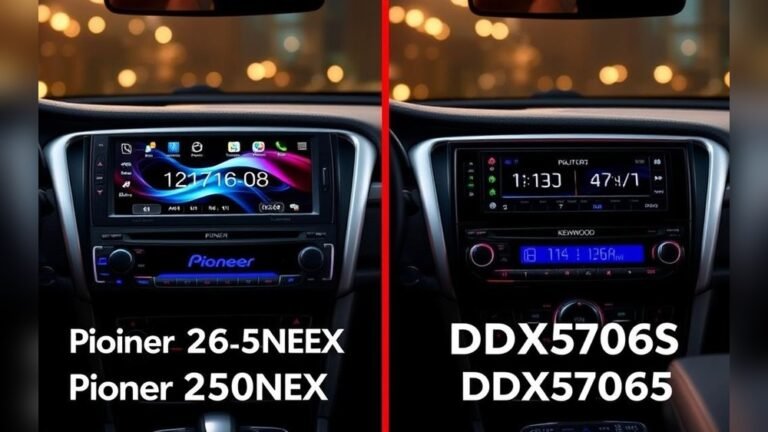
- Car stereos (especially Sony, Pioneer, Kenwood)
- Home theater receivers
- Portable Bluetooth speakers
- Some headphone apps
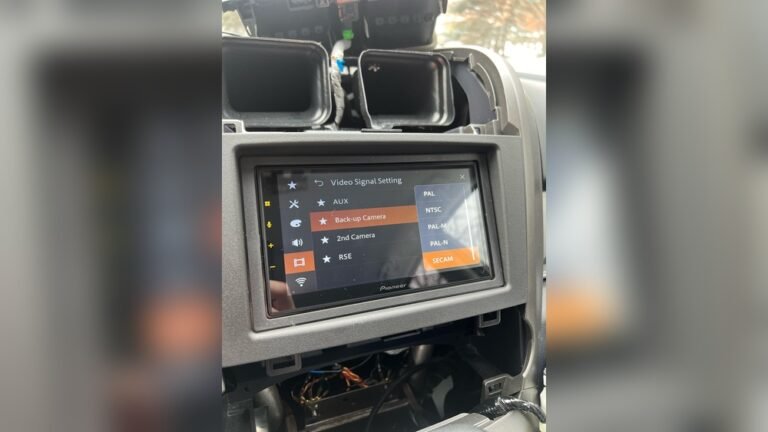
Sony, for example, includes a DSO button or menu option in many of its car audio models. Some high-end home audio receivers also offer a version of DSO to simulate a better soundstage in tricky rooms.
Real-world Example
Let’s say you buy a Sony car stereo with DSO. You listen to your favorite song:
- With DSO off, the vocals sound low and muffled.
- With DSO on, the vocals are clear and seem higher, as if the singer is in front of you.
That’s the DSO effect in action.
Why Dso Audio Matters
For many listeners, Dso Audio can make a huge difference. Here’s why:
- Better Sound Placement: Music sounds like it comes from the front, not your feet or the sides.
- Clearer Vocals and Instruments: DSO boosts vocals and lead instruments, making details easier to hear.
- Less Fatigue: When sound is more natural, you can listen longer without getting tired.
- Improved Experience in Bad Environments: Cars, small rooms, or odd speaker setups all benefit from DSO.
Dso Audio Vs. Regular Audio
Let’s compare DSO Audio to normal, unprocessed audio. This helps you see the difference.
| Feature | DSO Audio | Regular Audio |
|---|---|---|
| Soundstage | Lifted, more centered | Lower, from speaker position |
| Vocal Clarity | Improved | Can be muffled |
| Listening Comfort | Less fatigue | More tiring, less natural |
| Best For | Cars, small rooms | Ideal speaker setup |
Dso Audio Settings And Customization
Most devices with Dso Audio allow you to:
- Turn DSO on or off
- Choose levels (DSO 1, 2, 3, etc.)
- Combine with other settings (bass boost, EQ)
For example, in a Sony car stereo, you might see options like:
- DSO OFF
- DSO Level 1 (mild effect)
- DSO Level 2 (medium)
- DSO Level 3 (strong)
Try each level to see what sounds best in your car or room. For some music, you might like DSO OFF. For others, DSO Level 2 may sound best.
Who Should Use Dso Audio?
DSO Audio works best for people who:
- Listen in cars with door or low speakers
- Have speakers placed far from ear level
- Want clearer vocals and more “in front” sound
You may not need DSO if:
- Your speakers are at ear level and aimed at you
- You use headphones (some headphone apps have DSO-like features, but it’s less needed)
Benefits Of Dso Audio
DSO Audio gives clear benefits:
- Improves bad speaker positions: Makes music sound more natural in cars or odd rooms.
- Customizable: Try different levels for different tastes and types of music.
- Easy to use: Usually just a button or menu setting.
Non-obvious insight #1: DSO can also help with podcasts and audiobooks in cars, making voices clearer, not just music.
Non-obvious insight #2: DSO can sometimes make a big difference with older speakers or cheap factory systems, giving them a “premium” sound without changing hardware.
Credit: twen.rs-online.com
Limitations And Drawbacks
No audio feature is perfect. Dso Audio has some downsides:
- Artificial Sound: Sometimes, the effect can sound fake or “processed.”
- Music Style Matters: Some music (like classical or jazz) may sound less natural with DSO.
- Not a Fix for All Problems: If your speakers are broken or very poor quality, DSO can’t fix everything.
Practical tip: If you notice the music sounds harsh or too bright, try lowering the DSO level or turning it off for certain songs.
Dso Audio Vs Other Audio Enhancements
There are many audio features out there. Let’s compare DSO with some common ones.
| Feature | Main Purpose | Effect | When to Use |
|---|---|---|---|
| DSO Audio | Lift soundstage, clarity | Vocals/instruments higher, centered | Car audio, speakers below ear |
| Bass Boost | More bass (low end) | Stronger, deeper bass | Dance, hip-hop, pop music |
| EQ (Equalizer) | Custom sound tuning | Change bass, mid, treble | All music types, personal taste |
| Surround Sound | Wider audio experience | Feels like all around you | Movies, home theater |
Practical Tips For Using Dso Audio
To get the best results with Dso Audio, try these steps:
- Start With DSO Off: Listen to a song you know well.
- Turn DSO On: Try Level 1 first.
- Test Different Levels: Move to Level 2 or 3 if you want more effect.
- Switch Back and Forth: Compare DSO on and off with different types of music.
- Adjust Other Settings: If your stereo has EQ or bass boost, set those first, then adjust DSO.
Example: In a sedan car, you might find DSO Level 2 makes pop music and podcasts sound great, but Level 1 works better for jazz.
Common Mistakes With Dso Audio
Beginners often make these errors:
- Leaving DSO Always On: Not every song needs it. Try switching off for some music styles.
- Ignoring Speaker Quality: DSO improves soundstage, but won’t fix broken speakers.
- Not Testing Levels: The “best” setting depends on your car, music, and ears. Test all options.
How Dso Audio Affects Different Environments
DSO works best in spaces with:
- Speakers below ear level (cars, desks)
- Hard surfaces that bounce sound
- Small rooms with poor speaker placement
In a big, open room with speakers aimed at your ears, DSO may not be needed.
Example Comparison
A car with door speakers (low position): DSO makes vocals clearer and moves sound up.
A living room with tall floor speakers: DSO may not change much, or could sound artificial.
Dso Audio In Popular Devices
Some popular devices with DSO Audio include:
- Sony DSX Car Stereos: DSO button or menu.
- Sony XAV Touchscreen Receivers: DSO settings in audio menu.
- Pioneer Mixtrax Car Stereos: Similar “sound lift” features.
- Kenwood Excelon Receivers: DSP settings with DSO-like options.
- Sony SRS Bluetooth Speakers: Some models include DSO for portable use.
Before buying, check if the product has DSO or a similar sound enhancement. Look for reviews that mention how well it works in real-world use.
Credit: www.crutchfield.com
Dso Audio And Smart Devices
With smart home speakers and apps, DSO-type features are becoming common. For example, some Bluetooth speakers offer a “sound lift” or “clear voice” mode, which works like DSO. Headphone apps may also add “stage” settings to make music sound more open.
Tip: Always read your device’s manual or help page to see if DSO is available and how to adjust it.
Is Dso Audio Right For You?
Choose Dso Audio if:
- Your speakers are not at ear level
- You want clearer, more “in front” vocals
- You listen in a car or small room
Skip or use less DSO if:
- You like natural, “flat” sound
- You have high-end speakers aimed at you
- You prefer to adjust sound with EQ
If you’re unsure, try it! Most devices let you turn DSO on and off easily. Trust your own ears.
Future Of Dso Audio
Audio technology is always changing. In the future, expect DSO features to get smarter:
- Automatic adjustment: DSO that senses your room or car and sets itself.
- Better integration with apps: DSO-like features in music streaming apps.
- AI-powered soundstage: Using artificial intelligence to create even more realistic sound placement.
For now, DSO remains a simple but powerful tool to improve the way you experience sound in less-than-perfect setups.
Frequently Asked Questions
What Does Dso Audio Stand For?
DSO Audio usually means Dynamic Sound Optimization Audio or Dynamic Stage Organizer. Both terms refer to technology that lifts and centers the soundstage for clearer, more natural audio.
Is Dso Audio The Same As Surround Sound?
No. DSO Audio focuses on moving the soundstage “up” and toward the front. Surround sound tries to make you feel surrounded by audio, often using multiple speakers around the room.
Can Dso Audio Damage My Speakers?
No, DSO Audio is a digital effect. It changes sound processing but does not increase power beyond safe levels. Still, always keep your volume at safe levels to protect your equipment.
Should I Always Use Dso Audio?
Not always. Some music styles (like classical) may sound better without DSO. Test with your favorite songs and switch DSO on or off to find what you like best.
Where Can I Learn More About Dso Audio?
For more details, check the official Sony DSO guide: Sony Support.
Dso Audio is a simple feature that can make a big difference, especially if your speakers are not in the perfect spot. Try it out, compare the results, and enjoy music with a new sense of clarity and space.

Credit: www.ebay.com